Overview

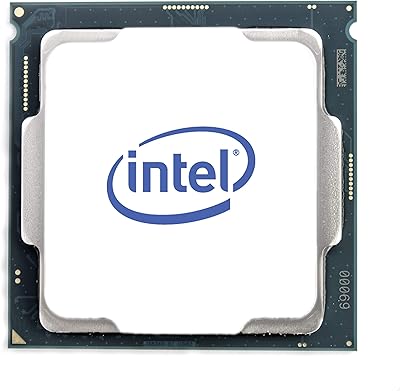
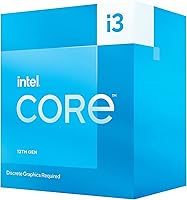
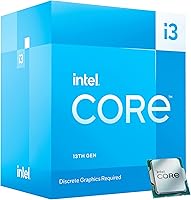
The Intel Core i3-13100F Desktop Processor is Intel's answer to builders who want solid 13th-gen performance without spending big. Built on the Raptor Lake architecture and landing on the LGA1700 socket, it fits any Intel 600 or 700 series board — a real plus if you're already invested in that platform. One thing to get straight before buying: the F-suffix means no integrated graphics, so a discrete GPU is non-negotiable. Compared to its 12th-gen predecessor, the i3-13100F brings slightly higher boost clocks and better cache efficiency for real-world tasks. Intel also throws in the Laminar RH1 cooler, which takes some cost pressure off a first-time build.
Features & Benefits

Four performance cores running at a base clock of 3.4GHz, boosting to 4.5GHz across eight threads — that's enough muscle for web browsing, office apps, video calls, and casual content editing without breaking a sweat. The 12MB Smart Cache keeps frequently accessed data close to the processor, which noticeably cuts down on stutter in lighter games and multitasking scenarios. At just 58W base power, this budget desktop chip runs cooler and draws less electricity than most mid-range competitors. PCIe 5.0 and 4.0 support means storage and GPU bandwidth won't be bottlenecked by the platform. One honest caveat: no overclocking support, so enthusiasts chasing every last MHz should look elsewhere.

Best For

This 13th-gen i3 makes the most sense for budget-conscious PC builders who already have a graphics card in hand or budgeted for one — without a discrete GPU, the system simply won't post. It's a strong fit for home and office machines handling everyday workloads: spreadsheets, video conferencing, browser-heavy multitasking, that sort of thing. Entry-level gamers will find it holds its own, provided the GPU is doing the heavy lifting — frame rates at this tier are largely a GPU conversation, not a CPU one. It's also a smart pick for compact or low-power builds where a 58W chip keeps thermals manageable without extra cooling investment.

User Feedback

Buyers consistently rate the i3-13100F well, with most praise landing on value for money, low operating temperatures, and a straightforward installation process. The recurring complaint — worth taking seriously — is that some buyers miss the no-iGPU limitation entirely until the PC won't boot without a graphics card installed. The bundled cooler gets mixed marks: fine for stock operation in well-ventilated cases, but users in tighter builds or warmer climates often swap it out within a year. Gamers pairing it with mid-range GPUs report solid frame rates in popular titles. Compared to AMD Ryzen 5 alternatives, opinions split mainly on platform preference and memory costs rather than raw performance differences.

Pros

  • Delivers reliable 13th-gen Intel performance for everyday computing at a genuinely accessible price point.
  • Eight threads handle typical multitasking — browser tabs, office apps, video calls — without noticeable slowdown.
  • A 58W TDP keeps system temperatures low and reduces strain on cheaper cases and cooling setups.
  • PCIe 5.0 support means the platform won't bottleneck fast NVMe storage or modern GPUs anytime soon.
  • Compatible with both DDR4 and DDR5 memory depending on the motherboard, giving builders flexible options.
  • The bundled Laminar RH1 cooler is a practical inclusion that works well for stock-speed operation.
  • LGA1700 socket compatibility opens up a wide selection of affordable B660 and B760 motherboard options.
  • Entry-level gaming performance is solid when paired with a capable GPU — the CPU rarely becomes the bottleneck.
  • Runs quietly under typical loads, making it a good fit for living room or bedroom builds where noise matters.
  • Strong value-to-performance ratio backed by a consistently high buyer satisfaction rating across verified purchases.

Cons

  • No integrated graphics whatsoever — the system will not output video without a dedicated GPU installed.
  • Overclocking is completely locked, leaving performance-hungry users with no tuning options beyond stock settings.
  • Four cores can feel limiting in CPU-heavy tasks like video encoding, live streaming, or running virtual machines.
  • The bundled cooler struggles in warmer cases or ambient environments, often requiring an aftermarket replacement.
  • Moving to DDR5 memory requires a compatible motherboard, which adds platform cost that erodes the chip’s budget appeal.
  • No E-cores in the architecture means less efficient handling of background tasks compared to higher Raptor Lake SKUs.
  • Buyers upgrading within the LGA1700 socket will find the ceiling relatively low — meaningful CPU upgrades require a platform change.
  • The i3-13100F competes closely with AMD alternatives that offer integrated graphics, making the no-iGPU trade-off harder to justify for some builds.
  • Not a viable choice for thin-client or fanless builds where even a low-power discrete GPU introduces too much heat.
  • Resale value tends to drop quickly as newer budget options enter the market, limiting long-term investment return.

Ratings

The Intel Core i3-13100F Desktop Processor has been scored by our AI system after analyzing verified global buyer reviews, with spam, bot-submitted, and incentivized feedback actively filtered out to ensure accuracy. Scores reflect the real balance of praise and frustration that honest buyers report — nothing is inflated, and no genuine pain point has been glossed over. Where this 13th-gen i3 excels and where it falls short are both represented transparently across every category below.
Value for Money
91%
Buyers consistently describe the i3-13100F as one of the most honest deals in budget CPU territory, particularly when paired with an affordable B660 or B760 motherboard. Getting 13th-gen Intel performance at this price point leaves real money in the budget for a better GPU or faster RAM, which is where it counts for most builders.
The value equation shifts slightly once you factor in the mandatory discrete GPU cost, which non-F alternatives avoid by including integrated graphics. Buyers who didn't account for that additional spend in their initial budget often feel the total platform cost crept higher than expected.
Gaming Performance
74%
26%
Users pairing this budget desktop chip with mid-range GPUs like an RTX 4060 or RX 7600 report smooth frame rates in popular titles at 1080p and 1440p, with the CPU rarely being the limiting factor. For the gaming use cases this chip is realistically aimed at, it delivers without complaint.
In CPU-heavy titles or competitive games that lean on higher core counts, performance gaps against pricier chips become noticeable. Simultaneously running a game and a streaming encoder pushes the four-core configuration uncomfortably close to its ceiling, with frame dips that more capable processors avoid.
Everyday Productivity
88%
For office work, video calls, browser-heavy multitasking, and light content consumption, this 13th-gen i3 handles everything without hesitation. Users building home office machines or student PCs routinely report that day-to-day tasks feel snappy and responsive, with no perceptible lag during typical workloads.
Running several demanding applications simultaneously — say, a video call alongside a browser with many tabs and a background file transfer — starts to reveal the thread count limit. It is not a dealbreaker for most users, but it is noticeable in ways that an i5 or Ryzen 5 would sidestep more comfortably.
Thermal Performance
83%
The 58W base TDP means this chip runs noticeably cooler than higher-tier processors under typical workloads, which users in smaller cases particularly appreciate. Many buyers report that the system stays quiet and composed during extended sessions of office work or casual gaming.
Under sustained heavy loads in warmer ambient environments, temperatures climb faster than users expect from a low-TDP chip. Those running the system in compact or poorly ventilated cases report that the stock cooler struggles to maintain comfortable temperatures during longer demanding sessions.
Bundled Cooler Quality
61%
39%
The included Laminar RH1 cooler is a genuine convenience for first-time builders, eliminating one purchasing decision and keeping initial costs down. For standard desktop use in a mid-tower case with reasonable airflow, it does its job without causing thermal issues.
Buyers in warmer climates or compact cases frequently replace it within the first year, describing it as adequate but not confidence-inspiring under load. The noise level during sustained tasks is a recurring complaint — it ramps up audibly in ways that an entry-level aftermarket cooler would avoid.
Platform Compatibility
86%
LGA1700 socket support across both Intel 600 and 700 series chipsets gives buyers a wide range of motherboard options at varied price points, from budget B660 boards to more feature-rich Z790 options. The flexibility to choose DDR4 or DDR5 memory platforms depending on the board adds another layer of build customization.
The LGA1700 platform has reached the end of Intel's roadmap, so meaningful in-socket CPU upgrades are no longer available. Buyers thinking long-term about CPU upgrades will eventually face a full platform change, which reduces the future-proofing appeal of the ecosystem at this price tier.
Installation & Setup
89%
Verified buyers — including many first-time builders — consistently praise how straightforward the installation process is, with the LGA1700 socket mechanism being reliable and the included cooler mounting cleanly onto supported boards. Most users report getting from unboxing to a working POST in well under an hour.
The single point of genuine installation confusion is the missing iGPU: a subset of first-time builders attempt to boot without a graphics card installed, encounter no display output, and initially assume the CPU is defective. This generates frustration that a clearer product listing or warning sticker could easily prevent.
Power Efficiency
84%
Running a full PC build on a modest PSU is genuinely achievable with this chip, and users building energy-conscious home or office setups appreciate the low idle and load power draw. The practical result is lower electricity costs over time and less heat added to the room — meaningful for always-on systems.
The efficiency advantage narrows when the chip is under sustained all-core load for extended periods, where power draw edges closer to competitors than the base TDP figure suggests. Users doing prolonged rendering or encoding tasks find the efficiency story less compelling than the spec sheet implies.
Overclocking Headroom
21%
79%
For users who have no interest in overclocking and simply want a stable, set-and-forget CPU, the locked multiplier is a non-issue that removes one layer of potential system instability. The chip runs at exactly the speeds Intel specifies, consistently and without configuration effort.
There is simply no overclocking support here — the multiplier is locked regardless of motherboard, and no amount of voltage or BIOS adjustments will change that. Enthusiasts or gamers who bought this chip expecting any tuning flexibility were uniformly disappointed, and several cite this as the primary reason they would choose a different SKU next time.
Multitasking Under Load
69%
31%
For the typical mix of tasks this chip is designed for — a few browser tabs, a productivity app, and a music stream running simultaneously — the eight threads handle things without obvious struggle. Users in home office environments report a genuinely fluid experience during normal working hours.
Push it into heavier simultaneous workloads — video export running alongside active browser sessions and a background update process, for example — and the four-core architecture starts showing its limits with slower response times and occasional hesitation. Users who multitask heavily between demanding applications consistently wish they had stepped up to a higher core-count chip.
Memory Flexibility
77%
23%
Supporting both DDR4 and DDR5 memory platforms gives builders the choice to use existing DDR4 sticks on a compatible board or invest in DDR5 for a more forward-looking setup. Buyers on tight budgets particularly appreciate being able to reuse DDR4 memory from an older build.
The DDR4 versus DDR5 choice is entirely dependent on the motherboard selected, and the two are incompatible — an easy mistake for first-time builders to make when mixing components. Users who accidentally paired a DDR5 board with DDR4 RAM report wasted return shipping and delays that soured an otherwise smooth build process.
PCIe & Storage Bandwidth
82%
18%
PCIe 5.0 support at this price tier is a legitimately forward-looking feature that ensures fast NVMe drives and modern GPUs won't be bottlenecked by the platform for several years. Buyers planning a storage upgrade to a Gen 5 SSD appreciate that the platform won't hold them back.
The practical benefit of PCIe 5.0 is currently limited since Gen 5 SSDs and GPUs utilizing that bandwidth remain expensive and relatively niche. Most buyers at this budget tier are pairing the chip with mid-range components that don't push PCIe 4.0 to its limits, let alone 5.0.
Competitor Value vs AMD
71%
29%
In single-core workloads and gaming scenarios where the GPU carries the load, the i3-13100F holds its own against AMD Ryzen 5 chips in the same price range, and Intel platform motherboards are often competitively priced. Users already familiar with Intel platforms or with existing LGA1700 boards see clear value in staying in the ecosystem.
Competing Ryzen 5 options at similar price points typically include functional integrated graphics, which provides a meaningful fallback for troubleshooting or temporary display output that the i3-13100F cannot match. Some buyers who compared both platforms before purchasing report that the lack of iGPU was the single factor that pushed them toward AMD.

Suitable for:

The Intel Core i3-13100F Desktop Processor is a genuinely smart buy for anyone building a capable everyday PC without overspending on the CPU itself. If you're putting together a home office machine, a family computer, or a first gaming rig and you already have a discrete graphics card in your budget, this chip covers everything you need at a fraction of what higher-tier processors cost. Students running productivity suites, coders working in lightweight IDEs, and casual gamers pairing it with a mid-range GPU will all find it more than adequate for their daily workloads. It's also a practical upgrade path for anyone moving to the LGA1700 platform on Intel 600 or 700 series boards, since the chip leaves room to reinvest savings into storage, RAM, or a better GPU. The included cooler means one less component to budget for, which counts for something when you're watching every dollar.
Not suitable for:

The Intel Core i3-13100F Desktop Processor is a hard pass for anyone who needs integrated graphics, whether as a fallback, for a temporary display output during a build, or as the primary graphics solution in a machine without a dedicated GPU slot. Content creators doing video editing, 3D rendering, or heavy multitasking across demanding applications will quickly hit the ceiling of four cores, and spending a bit more on a higher core-count chip pays off faster than expected in those workflows. Overclocking enthusiasts should look elsewhere entirely, since this chip locks clock multipliers and offers no headroom beyond stock speeds. Workstation users, streamers running encoding software simultaneously with gameplay, or anyone planning to skip a discrete GPU entirely will find this budget desktop chip a frustrating mismatch for their needs. If longevity past a single hardware generation matters to you, be aware that the platform's upgrade ceiling within the LGA1700 socket is already largely defined.
Specifications

  • Architecture: Built on Intel's Raptor Lake architecture, representing the 13th generation of Intel Core desktop processors.
  • Core Config: Features 4 Performance cores (P-cores) and 0 Efficiency cores (E-cores), totaling 8 threads for concurrent task handling.
  • Base Clock: Operates at a base frequency of 3.4GHz under sustained workloads, providing consistent everyday performance.
  • Boost Clock: Reaches up to 4.5GHz under Turbo Boost conditions for short-burst tasks that demand peak single-core speed.
  • L3 Cache: Includes 12MB of Intel Smart Cache (L3), which reduces memory latency during gaming and multitasking workloads.
  • TDP: Rated at a 58W processor base power, making it one of the more thermally conservative options in the 13th-gen desktop lineup.
  • Socket: Uses the FCLGA1700 socket, compatible with Intel 600 series and 700 series chipset-based motherboards.
  • Memory Support: Supports both DDR4 and DDR5 memory, though the specific type available depends on the motherboard platform chosen.
  • PCIe Support: Provides PCIe 5.0 and PCIe 4.0 lane support, accommodating modern high-speed NVMe SSDs and discrete graphics cards.
  • Total PCIe Lanes: Offers 20 total CPU PCIe lanes, sufficient for a primary GPU and a fast NVMe storage device simultaneously.
  • Integrated Graphics: Contains no integrated graphics unit; a discrete GPU must be installed for the system to produce any display output.
  • Cooler Included: Ships with the Intel Laminar RH1 cooler, a stock air cooler designed for use at standard operating speeds and typical ambient conditions.
  • Overclocking: Clock multiplier is locked and overclocking is not supported on this SKU, regardless of motherboard chipset.
  • Model Number: Official Intel model number is BX8071513100F, identifying the boxed retail version of this processor.
  • Dimensions: The processor package measures 5 x 4.3 x 0.1 inches and weighs approximately 1 pound including retail box contents.
  • Optane Support: Intel Optane Memory is supported on compatible 600 and 700 series platform configurations.
  • Launch Date: First made available for purchase on December 19, 2022, as part of Intel's 13th-gen Raptor Lake desktop lineup.
  • Turbo Boost: Supports Intel Turbo Boost Max Technology 3.0 for intelligent single-core frequency prioritization during demanding tasks.

Related Reviews
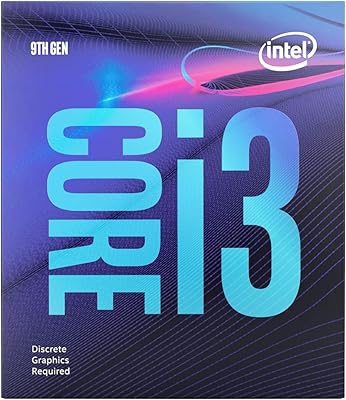
Intel Core i3-9100F Desktop Processor

71%
88%
Value for Money
83%
Gaming Performance
84%
Thermal Performance
51%
Multi-Threaded Workloads
74%
Platform Compatibility
More
Intel Core i5-13400F 2.5GHz 10-Core Desktop Processor
87%
88%
Performance
92%
Value for Money
84%
Gaming Performance
89%
Multi-core Efficiency
91%
Ease of Installation
More
Intel Core i5-9500 Desktop Processor

72%
88%
Everyday Performance
81%
Gaming Capability
91%
Thermal Management
58%
Multi-threaded Workloads
83%
Platform Compatibility
More
Intel Core i5-8600 Desktop Processor
71%
83%
Single-Core Performance
61%
Multithreaded Performance
74%
Gaming Performance
71%
Value for Money
88%
Thermal Efficiency
More
Intel Core i9-11900K Desktop Processor
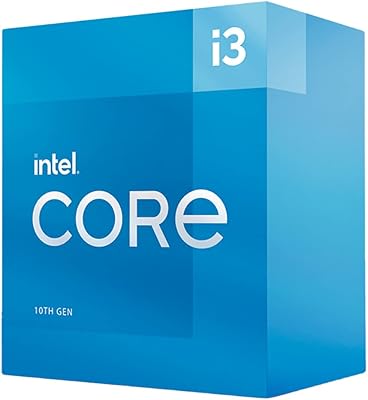
70%
91%
Gaming Performance
93%
Single-Core Speed
67%
Multi-Threaded Performance
54%
Thermal Performance
84%
Overclocking Capability
More
Intel Core i3-10100 Desktop Processor
72%
88%
Everyday Performance
74%
Multi-Core Throughput
77%
Gaming Capability
71%
Thermal Management
61%
Stock Cooler Quality
More
Intel Core i3-9100 Desktop Processor
74%
83%
Single-Core Performance
54%
Multi-Core Performance
71%
Value for Money
63%
Gaming Performance
86%
Everyday Computing
More
Intel Core i5-13600K Desktop Processor
79%
93%
Gaming Performance
88%
Multi-Threaded Throughput
61%
Thermal Management
91%
Value for Money
79%
Overclocking Headroom
More
Intel Core i7-10700F Desktop Processor
77%
91%
Multi-Threaded Performance
88%
Single-Core Responsiveness
84%
Value for Money
67%
Thermal Management
86%
Platform Compatibility
More
Intel Core i9-10980XE Desktop Processor
84%
94%
Multi-core Performance
91%
Overclocking Capability
60%
Power Consumption
62%
Thermals (Heat Output)
88%
Compatibility (X299 & Optane)
More

FAQ

Yes, without exception. The F-suffix in the name means the integrated graphics unit has been disabled, so the system will not produce any video signal without a discrete GPU installed. It does not matter which motherboard you use — there is no workaround. Make sure a dedicated graphics card is part of your build budget before purchasing.

It fits any motherboard using the LGA1700 socket with an Intel 600 series or 700 series chipset — that covers boards like B660, H670, Z690, B760, H770, and Z790. Budget B660 and B760 boards are the most popular pairing for this chip since they keep total build costs reasonable. Just verify the board supports DDR4 or DDR5 depending on which memory you plan to use, as the two are not interchangeable.

The bundled Laminar RH1 cooler handles stock operation fine in most standard mid-tower cases with decent airflow. If you're building in a compact case, live somewhere with high ambient temperatures, or plan to run the chip under sustained heavy loads for extended periods, an aftermarket cooler would give you better thermal headroom and quieter operation. For a basic office or light gaming build, the stock cooler is perfectly serviceable.

No — the clock multiplier on this chip is locked and overclocking is not supported regardless of which motherboard you pair it with, even a Z-series board. If tuning clock speeds is important to you, you'd need to look at a non-F i3 or step up to an i5 with a K-suffix instead.

It's a genuinely close call and largely comes down to platform priorities. The i3-13100F tends to edge ahead in single-core tasks and has strong gaming performance when the GPU is the limiting factor. Ryzen 5 competitors at similar price points often include integrated graphics, which is a meaningful advantage if you want display output flexibility. If you know you're buying a discrete GPU regardless, performance differences are slim enough that motherboard pricing and memory preferences often tip the decision.

For most gaming scenarios at 1080p and 1440p, the i3-13100F holds up well alongside mid-range GPUs — the graphics card will be the limiting component in nearly all cases. Where you might start to see the CPU become a constraint is in very CPU-heavy titles or if you're also running background software like streaming encoders simultaneously. For straightforward gaming sessions, it's a genuinely balanced pairing with cards in that class.

The processor itself supports both DDR4 and DDR5, but what actually determines your memory type is the motherboard. DDR4 and DDR5 slots are physically different, so a board only supports one or the other. B660 and B760 boards come in both DDR4 and DDR5 variants, so check the spec sheet of your chosen board carefully before buying RAM.

It can handle light streaming alongside casual gaming, but four cores with no E-cores means there's limited headroom when both the game and encoder are competing for CPU resources. You'll likely see performance dips if you're streaming at higher bitrates while playing CPU-demanding titles. For a dedicated streaming build, a chip with more cores would serve you better in the long run.

For everyday computing, this budget desktop chip is more than capable. Web browsing with dozens of tabs open, running Microsoft Office, video calls, and casual media playback all run smoothly without any perceptible lag. The 8-thread configuration means light multitasking feels responsive, and the low power draw keeps the system quiet during these routine workloads.

For its intended use case — affordable everyday computing and entry-level gaming — the i3-13100F still holds real value. LGA1700 platform upgrades are limited since Intel has moved on to newer sockets, so treat this as a solid mid-term investment rather than a long-term foundation. If you plan to upgrade your CPU again in two to three years, that's a reasonable and realistic expectation for any chip at this price tier.

Where to Buy