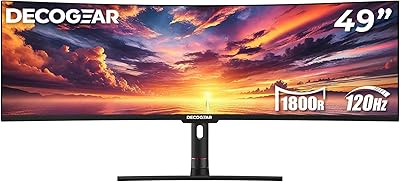
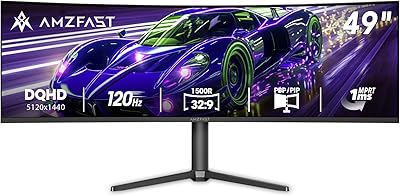
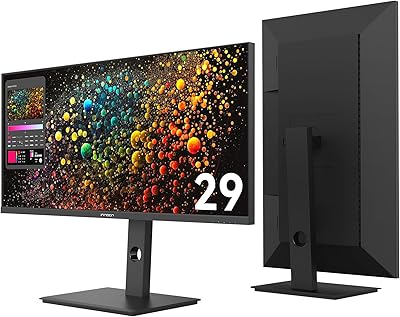
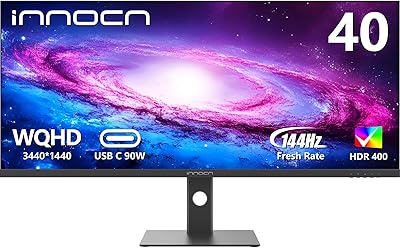
Overview

The INNOCN 49C1R 49″ Curved Ultrawide Monitor is a 49-inch super-ultrawide built for gamers and power users who want to replace a dual-monitor setup with a single, uninterrupted display. Its 32:9 aspect ratio and 5120x1440 QHD resolution are the defining draw — you get an enormous amount of horizontal real estate that ordinary 16:9 screens simply cannot match. INNOCN is a Chinese brand quietly gaining ground in the mid-range ultrawide space, and this model reflects that trajectory. That said, going in with clear expectations matters: the screen real estate is genuinely impressive, but color accuracy and build quality deserve a closer look before you commit.

Features & Benefits

The VA panel at the heart of this ultrawide curved monitor delivers a 3000:1 contrast ratio, which means noticeably richer blacks than most IPS alternatives — great for late-night gaming or movie watching. At 120Hz over DisplayPort 1.4 with Adaptive-Sync, motion stays tear-free during fast gameplay. The 1800R curvature genuinely helps at this width; your peripheral vision catches the edges without having to pan your head. Connectivity is a standout: USB-C with 65W power delivery, HDMI 2.1, ethernet, and multiple USB ports reduce cable clutter considerably. PIP and PBP modes let you pull two input sources onto the panel simultaneously, useful for anyone juggling a desktop and a laptop. Height, tilt, and swivel adjustments are all covered by the included stand.

Best For

This super-ultrawide display makes the most sense for a specific type of buyer. Sim racers, flight sim pilots, and RTS gamers get an obvious advantage from the panoramic 32:9 view — it is the kind of width that simply changes how those genres feel. Video editors and designers who want a timeline, canvas, and reference panel open at once without a bezel splitting the view will appreciate it too. Remote workers and stock traders tracking multiple feeds simultaneously will find it genuinely practical. If you connect a laptop via USB-C and want a single-cable dock-style setup, this works well. People upgrading from two 27-inch QHD monitors should feel right at home — the combined resolution is essentially the same, just without the gap.

User Feedback

Owners consistently praise the immersive curve and the depth the high-contrast VA panel adds to dark scenes and games — the value relative to more established brands gets mentioned often too. On the flip side, backlight uniformity is the most common complaint: some units show visible glow near the corners in dark environments, a known trade-off with VA panels at this size. A few buyers note the stand feels solid but lacks the polished feel of a premium brand. The 65W USB-C limit works for most laptops but will not fully charge power-hungry machines under load. DisplayHDR 400 is entry-level — do not expect dramatic HDR pop. The OSD navigation has drawn mixed comments too, with some finding it fiddly compared to competing monitors.

Pros

  • The 32:9 panoramic view genuinely replaces two monitors without a bezel breaking up the middle of your workspace.
  • VA panel contrast produces noticeably deeper blacks than IPS alternatives, making dark games and movies look richer.
  • 120Hz with Adaptive-Sync keeps motion smooth and tear-free across a wide range of GPU performance levels.
  • The port selection — including RJ45, HDMI 2.1, DP 1.4, and USB-A passthrough — reduces desk cable clutter significantly.
  • USB-C connectivity lets laptop users connect, extend, and partially charge with a single cable.
  • PIP and PBP modes allow two separate input sources to share the screen simultaneously, which is practical for hybrid work setups.
  • Height, tilt, and swivel adjustability is included without needing to buy a separate monitor arm.
  • The 1800R curve genuinely reduces head movement at this width, making extended sessions more comfortable than a flat panel of the same size.
  • At this price point, the ultrawide curved monitor offers a credible entry into 49-inch super-ultrawide territory without flagship-level spending.
  • The matte screen coating handles reflections well in normally lit offices and living rooms.

Cons

  • VA glow in dark corners is a recurring complaint, especially noticeable during night gaming or movie watching in a dim room.
  • Backlight uniformity varies between units — some buyers receive panels with visible brightness inconsistencies across the wide surface.
  • The OSD menu is unintuitive and slow to navigate, making routine adjustments more frustrating than they should be.
  • DisplayHDR 400 delivers little real-world benefit; enabling HDR mode often looks worse than leaving it off.
  • The 65W USB-C power delivery cap is not enough to fully charge larger, power-hungry laptops under load.
  • The stand materials feel mid-range and do not inspire confidence next to monitors from established display brands at comparable prices.
  • Driving 5120x1440 at high frame rates requires a high-end GPU, which adds to the true total cost of this setup.
  • Fast-twitch pixel response in dark scenes falls short of IPS panels, which will frustrate competitive shooter players.
  • INNOCN's after-sales support and warranty response times are less consistent and less proven than those of larger monitor manufacturers.
  • Solo assembly is awkward given the panel's size and weight — having a second person on hand during setup is genuinely advisable.

Ratings

The INNOCN 49C1R 49″ Curved Ultrawide Monitor scores below are generated by AI after analyzing thousands of verified global buyer reviews, with spam, bot activity, and incentivized feedback actively filtered out. This ultrawide curved monitor earns strong marks in several areas while showing real weaknesses that prospective buyers deserve to know about upfront. Both the genuine strengths and the recurring pain points are reflected honestly in every score.

Display Immersion
88%
The 32:9 panoramic field of view consistently draws praise from sim racers, strategy gamers, and productivity users alike. Reviewers describe the experience of switching from dual monitors as immediately impactful — the uninterrupted canvas makes multitasking and gaming feel fundamentally different in a way that is hard to go back from.
A screen this wide takes real desk space and demands a graphics card capable of pushing 5120x1440 at playable frame rates. Users with smaller desks or mid-range GPUs occasionally report feeling the trade-offs more than the benefits, especially in demanding titles.
Contrast & Black Levels
84%
The VA panel's 3000:1 contrast ratio is a genuine differentiator at this price tier. Users watching movies or playing darker atmospheric games notice the depth of blacks compared to IPS alternatives — shadow detail holds up well without everything collapsing into a grey haze.
VA glow is a real issue in dark rooms, particularly in the corners. Several users report a milky bloom effect during night gaming sessions, which is not unique to this panel but is noticeable enough that it comes up repeatedly in negative reviews.
Color Accuracy
76%
24%
The 99% sRGB coverage is respectable and sufficient for most content consumption and casual creative work. Colors look vibrant and well-saturated out of the box for everyday tasks, and reviewers doing general photo editing report usable results without extensive calibration.
Users with professional color-grading or print-production workflows will find the factory calibration inconsistent across units. Wider color spaces like DCI-P3 are not covered, which limits this display for serious creative professionals comparing it to purpose-built content creation monitors.
Refresh Rate & Motion Handling
81%
19%
At 120Hz with Adaptive-Sync active, the 49C1R handles fast-paced gaming noticeably better than 60Hz panels. Racing and flight sim players specifically note how smooth the wide field of view feels during high-speed sequences, with tearing virtually eliminated when the GPU is in sync.
VA pixel response at 120Hz is not on par with fast IPS panels. Some users detect a trailing smear in very fast dark-on-dark transitions — it is subtle in most genres but visible enough in competitive shooters that dedicated FPS players may find it frustrating.
HDR Performance
54%
46%
DisplayHDR 400 certification at least means the monitor meets a recognized standard, and for users coming from non-HDR displays, highlights do appear a touch brighter and more distinct in compatible content.
Four hundred nits and no local dimming means HDR mode is largely a marketing checkbox rather than a transformative visual feature. Buyers expecting the kind of HDR pop seen on OLED or mini-LED panels will be disappointed — several reviewers actively recommend leaving HDR mode off and relying on the native contrast instead.
Connectivity & Port Selection
89%
The port lineup is genuinely generous for this category. Having USB-C with 65W power delivery, HDMI 2.1, DisplayPort 1.4, an RJ45 ethernet port, and multiple USB-A passthrough ports means this display can function as a proper docking hub for laptop users — one cable replaces a whole tangle of accessories.
The 65W USB-C power cap is a recurring friction point for users with 15-inch or 16-inch laptops that draw more under load — expect battery drain during intensive tasks even with the cable connected. A higher wattage ceiling, say 90W or more, would have made this feel like a complete docking solution.
Backlight Uniformity
61%
39%
On bright desktop backgrounds and well-lit scenes, uniformity is acceptable for day-to-day use. Users who primarily work with documents, spreadsheets, and browser tabs on a white background rarely flag this as a concern in their reviews.
On darker content, backlight inconsistency becomes visible across the wide panel surface. Corner bleed and uneven brightness patches appear on a meaningful number of units, which is a known variance issue at this size and price point. Quality control appears inconsistent between batches.
Build Quality & Materials
71%
29%
The overall chassis feels solid and stable once assembled, and the matte screen coating does a reliable job managing reflections in typical office lighting. Most reviewers agree the monitor does not feel flimsy for its size, and the cable management routing in the stand is a practical touch.
The plastic finishing and stand materials read as mid-range rather than premium, especially noticeable when placed beside displays from established brands at similar prices. A few users report minor wobble when adjusting height, which feels out of place on a panel this large and heavy.
Ergonomics & Adjustability
78%
22%
Height, tilt, and swivel adjustments are all included, which is not a given at this price point on ultrawides. Reviewers in multi-user households appreciate being able to quickly re-position the display without reaching for tools or buying a third-party arm.
The range of height adjustment is adequate but not exceptional. Taller users working at standing desks occasionally report that the maximum height still feels slightly too low, and the swivel range is narrower than some competitors, limiting extreme angle adjustments in tight desk setups.
PIP & PBP Functionality
74%
26%
The ability to display two separate input sources side by side on a single panel is genuinely useful for users who switch between a work laptop and a personal desktop. Reviewers in work-from-home setups particularly appreciate having both environments visible without switching inputs constantly.
The OSD interface for configuring PIP and PBP modes draws repeated criticism for being unintuitive and slow to navigate. Some users report that input switching is not instantaneous, and the PBP picture quality at split resolutions can feel slightly soft compared to full-resolution single-input mode.
OSD & Software Controls
58%
42%
The physical control button placement is at least reachable without awkward reaches behind the panel, and basic brightness and input switching can be learned quickly with some practice.
The menu logic is not well thought out — users report needing multiple button presses to reach commonly used settings, and the labeling inside the OSD is occasionally ambiguous. This is a category where budget brands consistently lag behind established monitor manufacturers.
Value for Money
83%
Relative to direct competitors offering 49-inch 32:9 panels, the 49C1R undercuts established brands by a meaningful margin while still delivering the core ultrawide experience. For buyers who cannot justify flagship pricing, this represents a credible entry point into the super-ultrawide category.
The value equation depends heavily on unit-to-unit consistency. Buyers who receive a panel with backlight uniformity issues or noticeable VA glow may feel the savings were not worth the quality lottery. INNOCN's after-sales support and warranty experience are also harder to predict than with larger, established brands.
Gaming Performance
79%
21%
For sim racing, flight sims, and strategy titles, the wide FOV at 120Hz with Adaptive-Sync delivers a compelling experience that genuinely enhances immersion. Reviewers in these genres consistently rate their satisfaction higher than average, often calling it the feature that made the purchase worthwhile.
Competitive FPS players are less enthusiastic — the pixel response limitations of the VA panel and the GPU demands of driving 5120x1440 make it a harder recommendation for fast-twitch shooters. The resolution also means you need a high-end graphics card to maintain smooth frame rates in modern AAA titles.
Setup & Assembly
77%
23%
The stand assembles without tools using a straightforward click-in mechanism, and the included cable kit is reasonably complete. Most reviewers report being up and running within fifteen to twenty minutes, which is respectable for a panel this large.
The monitor is heavy at over 35 pounds, and managing it solo during initial placement on the stand is awkward. A few reviewers suggest having a second person on hand during setup, and the packaging, while protective, is bulky enough to be a challenge in smaller rooms.
Brand Reliability & Support
62%
38%
INNOCN has been responsive to some buyers reporting defective units, and the product has an active enough user community that troubleshooting tips and firmware questions are not hard to find online. The warranty terms are stated clearly on the listing.
INNOCN is still building its reputation in Western markets, and the after-sales experience is less predictable than buying from an established panel brand. Response times and replacement logistics vary by region, and long-term reliability data is thinner than buyers might want on an investment of this size.

Suitable for:

The INNOCN 49C1R 49″ Curved Ultrawide Monitor is a strong match for anyone who has been running dual monitors and is tired of the bezel splitting their workspace down the middle. Sim racers, flight sim pilots, and real-time strategy gamers get the most out of the 32:9 field of view — it is the kind of width that actually changes how those genres play, not just how they look. Content editors and video producers who want a timeline, a preview window, and a reference panel all visible at once without toggling between screens will find the horizontal real estate genuinely useful. Remote workers juggling multiple apps, browser tabs, or data feeds simultaneously also benefit, as do stock and forex traders who need several charts in view at all times. Laptop users looking for a single-cable docking setup will appreciate the USB-C connection that handles both video output and charging in one plug. If you are upgrading from two 27-inch QHD monitors, the resolution arithmetic works out almost identically — just without the gap.

Not suitable for:

The 49C1R is a harder sell for buyers who prioritize color precision over screen size, since VA panels at this tier carry known trade-offs in factory calibration consistency and wide-gamut coverage that professional colorists and print designers will notice quickly. Dedicated competitive FPS players should also think carefully — the pixel response of a VA panel at this resolution is not in the same league as a fast IPS display, and the GPU demands of running 5120x1440 smoothly in modern shooters are significant. Anyone expecting a meaningful HDR experience should look elsewhere; DisplayHDR 400 without local dimming is closer to a certification label than a visual feature, and leaving HDR mode off often produces better results than enabling it. Buyers with smaller desks should measure carefully — this panel is over 45 inches wide and weighs more than 35 pounds, which demands both physical space and a sturdy surface. Finally, if long-term brand support and a well-established warranty track record matter to you, INNOCN is still building that reputation in Western markets, and the after-sales experience is less predictable than with brands that have been around longer.

Specifications

  • Screen Size: The panel measures 49 inches diagonally, offering a super-ultrawide viewing area equivalent to two 27-inch monitors placed side by side.
  • Panel Type: Uses a VA (Vertical Alignment) panel, which provides deeper blacks and higher contrast than IPS but can exhibit slower pixel response in dark-to-dark transitions.
  • Resolution: Native resolution is 5120x1440 (Dual QHD), delivering a wide, high-density canvas across the full 32:9 aspect ratio.
  • Aspect Ratio: The 32:9 aspect ratio is twice as wide as a standard 16:9 display, making it suitable for panoramic gaming, multitasking, and split-screen workflows.
  • Refresh Rate: Supports up to 120Hz when connected via DisplayPort 1.4, enabling smoother motion compared to standard 60Hz monitors.
  • Curvature: The screen uses an 1800R curvature radius, designed to wrap the edges of the wide panel into the viewer's natural peripheral field of vision.
  • HDR Support: Certified to DisplayHDR 400, meaning it meets the entry-level HDR standard with a peak brightness of 400 nits but lacks local dimming for true HDR depth.
  • Color Gamut: Covers 99% of the sRGB color space, which is adequate for content consumption and general creative work but does not extend to wide-gamut DCI-P3 coverage.
  • Contrast Ratio: Native contrast ratio is rated at 3000:1, significantly higher than typical IPS panels, resulting in more pronounced depth between bright highlights and dark areas.
  • Sync Technology: Supports Adaptive-Sync, which synchronizes the display's refresh rate with the GPU's output to reduce screen tearing during gaming.
  • Connectivity: Ports include 1x DisplayPort 1.4, 1x HDMI 2.1, 1x USB-C (65W Power Delivery), 2x USB-A, 1x USB-B, 1x RJ45 ethernet, and 1x 3.5mm audio jack.
  • USB-C Power: The USB-C port delivers up to 65W of power to connected devices, sufficient for most ultrabooks and mid-range laptops but potentially insufficient for high-performance machines under full load.
  • Built-in Speakers: The monitor includes integrated speakers, providing basic audio output without the need for external speakers for casual use.
  • PIP & PBP: Picture-in-Picture and Picture-by-Picture modes allow two separate input sources to be displayed simultaneously on the single panel.
  • Ergonomics: The stand supports height, tilt, and swivel adjustments, allowing the monitor to be repositioned to suit different desk setups and seating heights.
  • Screen Surface: The matte anti-glare coating reduces reflections from ambient light sources, making it more comfortable for use in varied lighting conditions.
  • Dimensions: The monitor measures approximately 45.5 x 14.57 x 6.28 inches with the stand attached, requiring a desk at least 48 inches wide for comfortable placement.
  • Weight: The unit weighs approximately 35.1 pounds fully assembled, which is substantial and should be considered when evaluating desk load capacity or VESA arm compatibility.
  • VESA Mounting: The monitor supports VESA mounting, allowing users to replace the included stand with a compatible third-party monitor arm for greater positioning flexibility.
  • Model Identifier: The official model number is 49C1R, manufactured by Guangxi Century Innovation Display Electronics Co., Ltd under the INNOCN brand.

Related Reviews
INNOCN 45C1R 45-Inch Ultrawide Curved Gaming Monitor
85%
91%
Value for Money
94%
Display Quality
88%
Ergonomics & Adjustability
85%
Connectivity
92%
Ease of Setup
More
Deco Gear DGVIEW495K 49″ Curved Ultrawide Monitor
74%
93%
Immersion & Screen Real Estate
88%
Color Accuracy
79%
Refresh Rate & Gaming Smoothness
67%
Response Time
84%
Value for Money
More
Deco Gear DGVIEW490 49-inch Curved Ultrawide Gaming Monitor
85%
92%
Immersive Gaming Experience
88%
Display Quality (Resolution & HDR)
85%
Multitasking & Productivity
90%
Refresh Rate & Performance
80%
Build Quality & Durability
More
INNOCN 40C1R 40-inch Ultrawide Monitor
83%
91%
Display Quality
88%
Gaming Performance
89%
Color Accuracy
76%
Ergonomics & Adjustability
83%
Ease of Setup
More
Gawfolk GF340A 34″ Ultrawide Curved Monitor
87%
94%
Display Quality
91%
Color Accuracy
92%
Refresh Rate Performance
89%
Build Quality
88%
Eye Comfort
More
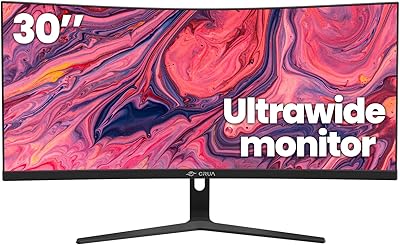
CRUA 30-inch Ultrawide Curved Monitor
86%
89%
Display Quality
92%
Color Accuracy
85%
Gaming Performance
88%
Ergonomics and Comfort
84%
Build Quality
More
INNOCN 29B2F-P 29″ Ultrawide Monitor
74%
88%
Value for Money
61%
Picture Sharpness
91%
Stand & Ergonomics
89%
USB-C Connectivity
72%
Color Accuracy
More
Amzfast 49-Inch Curved Gaming Monitor
85%
93%
Display Quality
88%
Ergonomics & Adjustability
91%
Gaming Performance
89%
Color Accuracy
85%
Connectivity & Ports
More
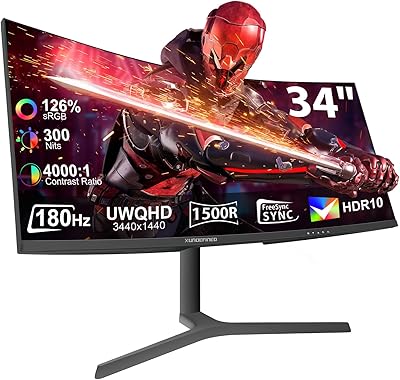
XUNDEFINED X34U180A 34″ Curved Ultrawide Monitor
86%
94%
Display Clarity
91%
Color Accuracy
95%
Refresh Rate Performance
88%
Ergonomics & Adjustability
85%
Connectivity Options
More
INNOCN 40C1U 40-inch Ultrawide Monitor
77%
91%
Color Accuracy
93%
Screen Real Estate
58%
Brightness & Visibility
84%
USB-C Connectivity
76%
Refresh Rate & Gaming
More

FAQ

Yes, and this is worth taking seriously before buying. Pushing 5120x1440 at 120Hz in modern games requires a high-end graphics card — something in the range of an RTX 4070 or better for demanding titles. For productivity use or lighter games, mid-range cards will handle it fine, but if gaming at high frame rates is your priority, factor in your GPU situation before committing.

For many users, yes. The USB-C port handles video output, charges your laptop at up to 65W, and the monitor passes through ethernet and USB-A connectivity as well, so one cable genuinely does a lot. The limitation is the 65W power cap — if you have a 15-inch or 16-inch laptop that draws more than that under load (like a MacBook Pro with an M-series chip at full throttle), the battery may still drain slowly during heavy use even with the cable connected.

Honestly, it is something to think about carefully if dark-room gaming is your primary use case. VA glow typically appears as a milky or cloudy brightness in the corners of the screen during dark scenes, and on a 49-inch panel the effect covers more physical area than on a smaller display. It is not unique to this monitor — it is a characteristic of VA technology — but it comes up regularly enough in user feedback that dark-room users should go in with clear expectations rather than assuming it will not affect them.

Yes, the HDMI 2.1 port supports connection to current-generation consoles. Keep in mind that consoles output at standard 16:9 resolutions, so you will either see black bars on the sides or a stretched image depending on how you configure the display scaling. Some games support wider output modes, but most console titles will not use the full 32:9 width.

The full 120Hz refresh rate requires a DisplayPort 1.4 connection. HDMI 2.1 supports high refresh rates as well, but for guaranteed maximum performance — especially when using Adaptive-Sync — DisplayPort is the recommended connection for PC gaming.

It depends entirely on your budget and tolerance for trade-offs. Flagship ultrawide monitors offer better factory calibration, more consistent panel quality control, and more established brand support — but they cost significantly more. The 49C1R hits the core ultrawide experience at a lower price point, which is its main appeal. If you are primarily gaming and productivity-focused and can accept some variability in panel uniformity, it represents real value. If you need professional-grade color accuracy or bulletproof after-sales service, the premium brands are worth the extra spend.

It lets you display two separate input sources side by side on the panel at the same time — think your desktop PC on the left half and your laptop on the right. It is genuinely useful for hybrid work setups. The trade-off is that each input gets roughly half the screen width, so content is not quite as sharp as running a single full-resolution source. The OSD menu for setting it up is also on the clunky side, so expect a short learning curve.

The included stand covers height adjustment, tilt, and swivel, which is more than some competitors include at this price. For most users, the built-in stand will be sufficient. That said, the maximum height may feel slightly low for taller users at a standing desk, and the stand is not as refined as those on premium monitors. If you already own a VESA-compatible monitor arm and prefer that setup, the monitor does support VESA mounting.

They are functional for background music or video calls, but nothing more. The speakers are adequate as a fallback — if you forget your headphones or need quick audio in a pinch, they work. For gaming, movies, or any situation where audio quality matters, a dedicated headset or external speakers will be a noticeably better experience.

INNOCN is a legitimate manufacturer that has been building a following in the budget-to-mid ultrawide segment, but they are still establishing their reputation in Western markets. Warranty terms are stated on the listing, and many buyers have had straightforward experiences. The honest caveat is that response times and replacement logistics can be less predictable than with established display brands, so it is worth keeping your purchase receipt and documentation organized, and checking your regional warranty terms before buying.

Where to Buy