INNOCN 29B2F-P 29″ Ultrawide Monitor
Overview
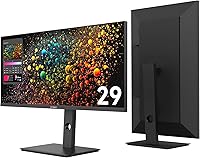
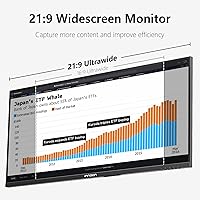
The INNOCN 29B2F-P 29″ Ultrawide Monitor landed in late 2024 as a budget-friendly ultrawide aimed at home office workers and casual gamers who want more screen space without a steep price. INNOCN has established itself as a value-focused display brand on Amazon, and this ultrawide monitor is a direct reflection of that approach. Expectations should be set accordingly — this is a productivity-first display, not a premium IPS panel built for color-critical work or competitive gaming. The core appeal is the 29-inch 21:9 canvas, which gives you noticeably more horizontal room to spread out apps and documents without juggling a second monitor.
Features & Benefits
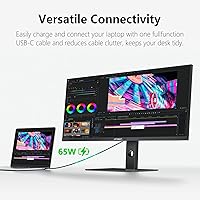
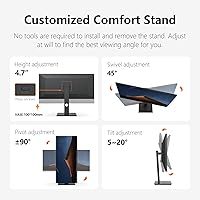
The 2560x1080 resolution on a 29-inch IPS panel is entirely workable for everyday tasks, but worth knowing upfront: pixel density runs noticeably lower than a WQHD ultrawide, so text can look a touch soft if you sit close. That honest caveat aside, the 100Hz refresh rate makes the experience appreciably smoother than a typical 60Hz monitor, whether you are scrolling a long spreadsheet or watching video. Where the INNOCN 29-inch panel genuinely stands out is the USB-C 65W Power Delivery — one cable carries video, data, and laptop charging all at once, which is a real desk-tidying win. The stand covers height, tilt, swivel, and a full 90-degree pivot, which is unusually complete for this price tier.
Best For
This ultrawide display suits home office workers best — people who regularly juggle a browser, a document, and a messaging app simultaneously will immediately feel the difference the extra width makes. Students and developers will appreciate the horizontal span for split-screen workflows, and the vertical pivot opens up a genuinely useful reading mode for long documents or code files. Laptop users in particular are well served by the USB-C setup: one cable in, and you have a full workstation. It also handles casual gaming well enough — 100Hz is smooth for most everyday titles. The flexible stand means a monitor arm is optional, not essential.
User Feedback
Buyers generally respond positively to the stand's flexibility and the USB-C convenience — both come up frequently as highlights in owner reviews. Build quality draws mild but fair criticism; it is plastic through and through, which is expected at this price point, but few find it genuinely cheap. The recurring downside is image sharpness: users coming from higher-resolution displays sometimes find the 2560x1080 picture a bit soft, particularly for small text. Color accuracy out of the box lands in acceptable territory for most, though OSD navigation earns occasional grumbles. A small number of buyers have flagged inconsistent quality control, so inspecting your unit on arrival is a sensible step.
Pros
- The 21:9 aspect ratio delivers noticeably more horizontal workspace, making multitasking feel genuinely more comfortable.
- USB-C 65W Power Delivery is a real convenience win — one cable connects and charges a laptop simultaneously.
- The stand adjusts for height, tilt, swivel, and full 90-degree pivot, which is rare at this price point.
- 100Hz refresh rate makes everyday scrolling and casual gaming smoother than the typical 60Hz budget monitor.
- The matte IPS panel handles indoor glare well and reproduces colors consistently enough for general use.
- VESA compatibility means wall mounting is an option if you eventually want to free up desk space.
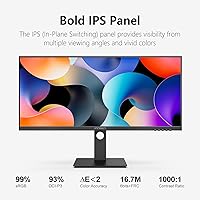
- 99% sRGB coverage is solid for everyday content consumption, video calls, and light creative tasks.
- The wide format effectively eliminates the need for a second monitor in most productivity setups.
Cons
- The 2560x1080 resolution on a 29-inch screen results in lower pixel density that can make small text look soft.
- At 300 nits, brightness is adequate indoors but struggles in sunlit rooms or near uncovered windows.
- The all-plastic build feels functional rather than premium and may show flex at the bezel edges.
- OSD navigation has drawn complaints from users who find the menu controls unintuitive and slow to use.
- Only one USB-C port limits connectivity options for users with multiple peripherals to manage.
- Quality control consistency has been flagged by some buyers, making careful inspection on arrival advisable.
- The 2560x1080 resolution is a hard limit for anyone considering future use with high-resolution creative workflows.
- At nearly 18 pounds, this ultrawide display is not particularly easy to reposition or move between desks.
Ratings
The scores below reflect our AI-powered analysis of verified global user reviews for the INNOCN 29B2F-P 29″ Ultrawide Monitor, with spam, bot activity, and incentivized feedback actively filtered out to ensure the results represent genuine buyer experiences. We have weighted both the praise and the recurring frustrations equally, so what you see here is an honest cross-section of how real users feel after living with this display day to day. Strengths and trade-offs are called out transparently — no cheerleading, no burying the bad news.
Value for Money
Picture Sharpness
Stand & Ergonomics
USB-C Connectivity
Color Accuracy
Refresh Rate & Motion
Brightness
Build Quality
OSD & Controls
Ultrawide Format Utility
Setup & Assembly
Glare & Matte Coating
Quality Control Consistency
Portrait Mode Performance
Suitable for:
The INNOCN 29B2F-P 29″ Ultrawide Monitor is a strong fit for home office workers and remote professionals who spend their days bouncing between multiple apps, browser tabs, and documents — the 21:9 canvas essentially gives you a free second window without the hassle of a dual-monitor setup. Laptop users will especially appreciate the USB-C 65W Power Delivery, which means a single cable handles video, data, and charging simultaneously, keeping the desk clean and the cable management minimal. Students and developers who rely on split-screen layouts or want to pivot the display vertically for reading long code files or PDFs will find the stand's full range of adjustability surprisingly capable for the price. Casual gamers who want smoother motion than a standard 60Hz panel without spending significantly more will also find this ultrawide display punches reasonably above its weight. If your priority is more horizontal workspace and practical ergonomics rather than pixel-perfect sharpness, this is a genuinely smart pick.
Not suitable for:
Buyers expecting the image sharpness of a WQHD or 4K ultrawide should think carefully before purchasing the INNOCN 29B2F-P 29″ Ultrawide Monitor, as 2560x1080 spread across 29 inches results in a pixel density that can make fine text appear noticeably soft, especially for those sitting close to the screen. Graphic designers, photo editors, or anyone doing color-critical work will likely find 300 nits of brightness and a consumer-grade color profile insufficient for professional output. Competitive gamers chasing high refresh rates — 144Hz and above — will quickly outgrow what this panel offers. If you work in a brightly lit room or near a window, the 300-nit brightness ceiling may leave the image looking washed out. Buyers who prioritize long-term durability and premium build materials over value pricing may also find the all-plastic construction underwhelming.
Specifications
- Screen Size: The display measures 29 inches diagonally, presented in a widescreen 21:9 aspect ratio.
- Resolution: Native resolution is 2560x1080 (WFHD), delivering a wide horizontal canvas suited to productivity and media consumption.
- Panel Type: An IPS panel provides consistent color reproduction and wider viewing angles compared to TN alternatives at this price tier.
- Refresh Rate: The panel runs at 100Hz, offering noticeably smoother motion than standard 60Hz displays for both work and casual gaming.
- Brightness: Peak brightness is rated at 300 nits, which is adequate for typical indoor environments but may fall short in very bright rooms.
- Color Coverage: The display covers 99% of the sRGB color space, making it suitable for everyday content and light creative tasks.
- Screen Surface: A matte anti-glare coating reduces reflections from ambient indoor lighting, improving comfort during long work sessions.
- Connectivity: Input options include one HDMI port and one USB Type-C port, with the USB-C port supporting 65W Power Delivery for laptop charging.
- USB-C Power: The USB-C port delivers up to 65W of Power Delivery, enabling simultaneous video transmission, data transfer, and laptop charging over a single cable.
- Stand Adjustments: The included stand supports height adjustment, tilt, swivel, and a full 90-degree pivot for vertical (portrait) orientation.
- Wall Mounting: The monitor is VESA-compatible, allowing it to be mounted on a standard wall or desk arm if preferred over the included stand.
- Dimensions: With the stand attached, the monitor measures approximately 27.11 inches wide, 12.42 inches tall, and 1.97 inches deep.
- Weight: The full unit including stand weighs 17.96 pounds, which should be factored in when planning desk placement or arm mounting.
- Aspect Ratio: The 21:9 ultrawide aspect ratio provides roughly 33% more horizontal screen space compared to a standard 16:9 display of similar height.
- Model Number: The official model designation for this display is 29B2F-P, manufactured by Guangxi Century Innovation Display Electronics Co., Ltd.
- Release Date: This monitor first became available in late December 2024, making it a relatively recent release within the budget ultrawide category.
Related Reviews
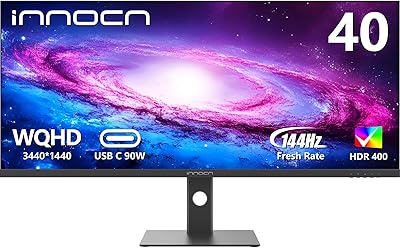
INNOCN 40C1R 40-inch WQHD Ultrawide Monitor
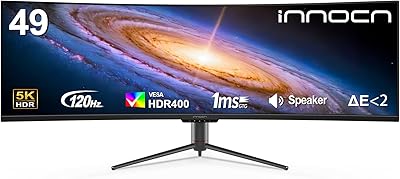
INNOCN 49C1R 49″ Curved Ultrawide Monitor
INNOCN 40C1U 40-inch Ultrawide Monitor
LG 34UM68-P 34-inch UltraWide Monitor
INNOCN 25G2S 24.5″ Gaming Monitor
INNOCN 44C1G 43.8″ Ultrawide Monitor
Samsung ViewFinity S65UA 34″ Ultrawide Curved Monitor
Gawfolk GF340A 34″ Ultrawide Curved Monitor
Samsung S34J552 34″ Ultrawide Curved Monitor