Overview

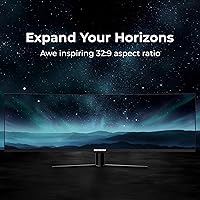
The Deco Gear VIEW490 49-inch Curved Ultrawide Monitor is Deco Gear's attempt to bring the dual-monitor-replacement dream to buyers who don't want to spend flagship money. At 32:9 and 1800R curvature, this 49-inch ultrawide wraps your peripheral vision in a way a standard widescreen simply cannot match — no center bezel, no mismatched profiles between panels. Deco Gear isn't Samsung or LG, and it doesn't pretend to be. What it offers is a strong spec-to-price ratio that rewards buyers who know which trade-offs they're accepting. The 3840x1080 resolution is a deliberate choice — easier on your GPU, higher frame rates, but less pixel-dense than 5K alternatives. Know that going in.
Features & Benefits

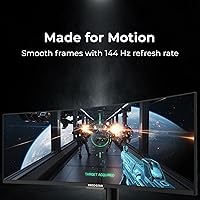
Run at 144Hz with a 4ms response time and fast-paced games like racing sims or shooters feel noticeably fluid — not because of marketing, but because your inputs and the screen are actually in sync. The VA panel's 3000:1 contrast ratio is where this curved super-ultrawide genuinely earns its keep; dark scenes have real depth rather than the washed-out grays you get from IPS at this price. That said, VA panels can show motion smearing in fast lateral pans, so competitive FPS players should weigh that carefully. The onboard USB-C handles 65W charging while KVM lets you toggle between two machines with one set of peripherals — a practical desk hub that justifies a lot of cable cleanup.

Best For

This 49-inch ultrawide hits a sweet spot for sim racing enthusiasts and flight sim players who want peripheral wrap without building a triple-monitor configuration. The 3840x1080 resolution means a mid-range GPU — something in the RTX 3060 or 4060 range — can actually push high frame rates at this size, which you cannot say about 5K panels. Home office workers running a laptop alongside a desktop will appreciate the KVM and USB-C combo for switching between machines without touching a single cable. If you're new to the 49-inch ultrawide category and want to try it without paying a premium brand premium, this is a sensible entry point.

User Feedback

Buyers who pick up the VIEW490 tend to come away impressed by how immersive the curve feels in practice — the 32:9 format is genuinely hard to go back from once you've used it. The connectivity suite draws consistent praise too, particularly from home office users who weren't expecting an Ethernet port on a monitor. On the flip side, the stand's lack of height adjustment is a recurring frustration — at this width, ergonomics matter, and many buyers end up purchasing a monitor arm to compensate. Some users note the panel benefits from manual calibration out of the box, and occasional backlight bleed along panel edges is worth factoring in before purchasing.

Pros

  • The 1800R curvature and 32:9 aspect ratio create genuine peripheral immersion that a standard ultrawide cannot match.
  • 144Hz refresh rate keeps fast-paced gaming fluid without requiring a top-tier GPU to achieve it.
  • The VA panel's 3000:1 contrast ratio produces deep, convincing blacks that IPS panels at this price simply cannot match.
  • Built-in KVM lets you switch between two computers using one keyboard, mouse, and monitor — a real productivity win.
  • USB-C 65W power delivery means one cable connects, charges, and displays from a compatible laptop.
  • The included RJ45 Ethernet port is a surprisingly useful touch that cuts down on desk dongle clutter.
  • Adaptive Sync works across both AMD and NVIDIA GPUs, making it broadly compatible with mid-range builds.
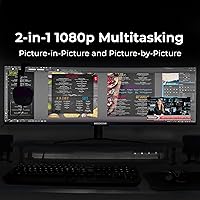
  • PBP and PIP support allows two signal sources to share the screen simultaneously without switching inputs.
  • At 3840x1080, mid-range GPUs can push high frame rates that 5K ultrawide competitors make far harder to achieve.
  • The 95% DCI-P3 color gamut coverage is solid for casual creative work and media consumption at this price tier.

Cons

  • The stand offers tilt only — no height or swivel adjustment — which is a genuine ergonomic problem at this screen width.
  • HDR400 certification is entry-level; expect modest real-world HDR impact rather than anything approaching a premium HDR experience.
  • VA panel motion smearing can appear in fast lateral movement, making it a weaker choice for twitch-heavy competitive gaming.
  • Out-of-the-box color accuracy may need manual calibration, adding setup time some buyers would rather not deal with.
  • Backlight bleed along panel edges is a reported issue on some units, particularly visible on dark or solid backgrounds.
  • The OSD menu navigation can feel cumbersome, which becomes annoying when adjusting settings frequently.
  • Only one HDMI 2.0 port limits multi-source flexibility if you rely on HDMI for multiple devices.
  • A monitor arm is almost a required accessory given the stand limitations, adding to the effective cost of ownership.
  • Deco Gear has a smaller service and support footprint than major brands, which may concern buyers focused on long-term warranty coverage.
  • At 47.2 inches wide, desk depth and space requirements are substantial — buyers with shallow desks may struggle with viewing distance.

Ratings

The scores below were generated by AI after analyzing thousands of verified global buyer reviews for the Deco Gear VIEW490 49-inch Curved Ultrawide Monitor, with spam, incentivized, and bot-flagged submissions actively filtered out before scoring. Each category reflects the honest balance of what real users praised and what genuinely frustrated them — nothing has been softened to protect the product's image.

Immersion & Display Experience
91%
The combination of the 32:9 aspect ratio and 1800R curvature is consistently called out as the standout experience — sim racers in particular report that peripheral wrap feels closer to a cockpit than a screen. Users switching from dual-monitor setups frequently say they would never go back to the gap and bezel of two separate displays.
A handful of users note that the curvature feels slightly disorienting during the first few days, especially when reading long documents or spreadsheets where horizontal lines appear gently bowed near the edges. Those sitting closer than about 2.5 feet report the outer corners feel uncomfortably angled.
Gaming Performance
83%
At 144Hz with Adaptive Sync engaged, the gaming experience is noticeably smooth for racing sims, action RPGs, and strategy titles where the wide canvas adds genuine tactical value. Mid-range GPU owners consistently report achieving high frame rates that would be impossible on a 5K panel of comparable size.
Competitive FPS players flag VA panel ghosting as a real issue in fast lateral movement, particularly during rapid camera sweeps. The monitor is not well-suited for esports-level play where pixel-perfect motion clarity is a hard requirement, and the lack of a true overdrive setting that fully eliminates smearing is a recurring complaint.
Contrast & Black Levels
88%
The 3000:1 static contrast ratio pays dividends in dark gaming environments and cinematic content — shadow detail in games like space exploration titles or noir-style games looks genuinely rich compared to IPS panels in the same price bracket. Users watching films in darkened rooms frequently cite the black depth as a highlight.
Backlight bleed is reported on a notable share of units, appearing as soft glowing patches along the bottom or side edges during dark scenes. It is manageable for gaming but becomes more distracting during movie watching, and some users feel it is inconsistent enough unit-to-unit that it amounts to a quality control concern.
Connectivity & Hub Features
89%
The inclusion of USB-C with 65W power delivery, a built-in KVM, dual USB-A ports, and an RJ45 Ethernet jack turns this curved super-ultrawide into a genuine desk hub — many home office users report eliminating a separate docking station entirely. The KVM functionality earns specific praise from users running a work laptop alongside a personal desktop.
The monitor only includes a single HDMI 2.0 port, which limits multi-source flexibility for users with several HDMI devices. A few users also report that the KVM toggle through the OSD is slower than expected, adding a few seconds of blank screen when switching machines.
Value for Money
86%
Buyers who compare this 49-inch ultrawide against comparable Samsung models consistently rate the price-to-feature ratio as one of its strongest selling points, especially given the included KVM, USB-C charging, and Ethernet — features that cost extra or require accessories on competing panels. First-time ultrawide buyers report feeling they got a thorough introduction to the format without flagship-level financial commitment.
Some buyers who later upgraded to higher-end panels felt the color accuracy and stand quality did not match the ambition of the feature list, and in hindsight would have stretched the budget further. The cost of adding a quality monitor arm — practically a necessity given the stand — adds to the real-world total spend.
Color Accuracy & Calibration
71%
29%
The 95% DCI-P3 coverage means colors are vivid and punchy for gaming and media consumption, and users doing light photo editing or casual graphic work find the out-of-box image lively and detailed. The wide color gamut makes streaming HDR content look noticeably more saturated than a standard sRGB display.
Out-of-box calibration is inconsistent — many users report needing to manually adjust white balance and color temperature to get a neutral, accurate image. The panel is not suited for professional color grading or print work without a hardware colorimeter, and the default warm shift in whites frustrates users who care about accuracy.
HDR Quality
58%
42%
HDR400 certification does produce a visible, if modest, uplift in highlight rendering when watching HDR-enabled streaming content or playing HDR titles, and casual viewers who have not used higher-tier HDR displays tend to find it a satisfying step above standard dynamic range.
Enthusiast users are consistently underwhelmed — HDR400 lacks local dimming, and the 320 cd/m² brightness ceiling means peak highlights are far below what proper HDR requires. The VIEW490 cannot achieve the kind of specular highlights and shadow contrast that define a convincing HDR experience, and several buyers feel the certification is more marketing than meaningful capability.
Ergonomics & Stand
47%
53%
The tilt range from -5° to +15° covers the basic adjustment most users need for a simple seated position, and the stand itself is stable enough that there is no wobble or sag under normal desk conditions.
The absence of height adjustment is the most frequently cited frustration in user feedback, and on a panel this wide the ergonomic impact is significant — many users report neck and shoulder strain after extended sessions at a fixed height. The near-universal workaround is purchasing a separate monitor arm, which adds cost and means the included stand ends up in a drawer.
Build Quality & Materials
73%
27%
The overall chassis feels solid for a value-tier brand, with minimal flex in the panel body and a stable base that handles everyday desk vibrations without any resonance. The slim bezels on three sides give the monitor a cleaner, more premium look than its price tier might suggest.
The plastics feel noticeably less refined than Samsung or LG equivalents at a similar size, with some users describing a slightly hollow feel when pressing against the rear housing. A few users report minor cosmetic imperfections at the panel edges that hint at tighter tolerances during assembly.
OSD & Software Usability
62%
38%
The OSD offers a comprehensive range of settings including six user profiles, color temperature presets, game mode overlays, and overdrive adjustment — more granular control than many competitors at this price point, which experienced users appreciate.
Navigation through the OSD menu is slow and unintuitive, relying on a joystick button at the rear of the panel that takes time to locate and operate. Multiple users report that adjusting multiple settings in a single session becomes genuinely tedious, and there is no companion software for making adjustments from the desktop.
Panel Uniformity
67%
33%
Most units display acceptable brightness uniformity across the main viewing area, and in typical gaming or productivity use the variation across the wide panel surface is not apparent during normal content.
On solid-color backgrounds — particularly grays and dark blues — a portion of users notice brightness hot spots or gradients toward the corners of the panel. Given the screen area involved, even minor uniformity variation is more visible than it would be on a smaller display, and this is one of the more unit-variable aspects of the purchase.
Setup & Installation
78%
22%
Assembly from box to desk is straightforward for one person, with the stand attaching via a single connection point and cables included for the main input types. Users report the initial physical setup taking under fifteen minutes in most cases.
The included cable selection is minimal, and users connecting via USB-C or needing a second video cable must source their own. The OSD initial configuration — setting the correct input, color mode, and refresh rate — adds time that less experienced buyers find confusing without a clearer quick-start guide.
Multitasking & Productivity
84%
The 32:9 canvas handles split-screen productivity remarkably well — developers running code on one side with documentation on the other, or video editors keeping a timeline alongside a preview window, consistently praise how much the format reduces alt-tabbing and mental context switching. PBP mode for running two full inputs side by side adds another layer of flexibility.
Some productivity applications and older software do not handle the unusual aspect ratio gracefully, with occasional windowing bugs or centered layouts that leave the outer thirds of the screen underutilized. Users in virtual meetings report that some video conferencing platforms do not adapt well to the resolution without manual window management.
Motion Clarity
66%
34%
For genres like sim racing, real-time strategy, and third-person action games, the 144Hz refresh combined with Adaptive Sync keeps motion feeling controlled and responsive, and most users in these categories report no complaints about how the panel handles fast scenes.
VA ghosting is a documented trade-off that affects this curved super-ultrawide more acutely in scenarios with fast object movement across a dark background — a common situation in space games or fast-paced shooters. Overdrive helps but does not fully resolve the smearing, and buyers upgrading from IPS monitors may notice the difference immediately.
Long-Term Reliability
72%
28%
The majority of long-term owners — those past the twelve-month mark — report no degradation in panel brightness or color consistency, and the build holds up well under daily extended-use conditions without any structural issues developing over time.
A smaller but consistent share of buyers report backlight bleed worsening slightly over time, and Deco Gear's after-sales support infrastructure is thinner than major brands, making warranty claims a more uncertain experience than buyers used to Samsung or LG support would expect.

Suitable for:

The Deco Gear VIEW490 49-inch Curved Ultrawide Monitor is a strong fit for sim racing and flight sim players who want genuine peripheral wrap without the cost and complexity of a triple-monitor setup. If you run a mid-range GPU like an RTX 3060 or 4060, the 3840x1080 resolution is forgiving enough that you can actually hit high frame rates at this screen size — something a 5K panel would make much harder. Power users who split their screen between two active workstreams will find the 32:9 canvas genuinely useful for keeping a full application on each side without feeling cramped. The built-in KVM and 65W USB-C charging make it a practical choice for home office workers who toggle between a laptop and a desktop daily, since a single cable can handle display, power, and peripherals together. First-time buyers exploring the 49-inch ultrawide category will get a thorough introduction to the format at a price that doesn't demand flagship-level commitment.
Not suitable for:

The Deco Gear VIEW490 49-inch Curved Ultrawide Monitor is not the right call for competitive FPS players who prioritize zero-compromise motion clarity, since VA panels at this price tier can exhibit motion smearing in fast lateral pans that IPS alternatives handle more cleanly. Enthusiast-grade HDR users should look elsewhere — HDR400 is the lowest rung of HDR certification, and anyone expecting the local dimming and peak brightness of a proper HDR display will be disappointed. Color-critical professionals such as photographers or video editors working to tight color standards should be aware that VA panels at this price often need manual calibration out of the box and may show some backlight bleed on large uniform backgrounds. Buyers who are particular about ergonomics will find the stand frustrating — it offers only tilt adjustment with no height movement, which is a real limitation on a panel this wide, and a monitor arm becomes an almost necessary additional purchase. Those expecting to run the latest GPU-heavy titles at maximum settings in native resolution while maintaining 144Hz may also find the panel pushes the limits of a mid-range card faster than anticipated.
Specifications

  • Panel Size: The screen measures 49 inches diagonally with a 32:9 aspect ratio and an 1800R curvature for wrap-around viewing.
  • Resolution: Native resolution is 3840x1080 (WDFHD), delivering a wide canvas without the GPU demands of higher-density ultrawide panels.
  • Panel Type: Uses a VA (Vertical Alignment) panel, which provides strong contrast and deep blacks compared to IPS alternatives at a similar price.
  • Refresh Rate: Runs at up to 144Hz, supporting fluid motion in gaming and fast-scrolling productivity workflows alike.
  • Response Time: Rated at 4ms response time, suitable for most gaming use cases though fast-paced competitive titles may reveal typical VA smearing.
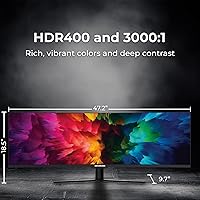
  • Contrast Ratio: Static contrast is 3000:1, which is one of the stronger performers in this category for rendering dark scenes with real depth.
  • Brightness: Peak brightness is rated at 320 cd/m², adequate for standard indoor lighting conditions but not suited for very bright environments.
  • Color Gamut: Covers 100% sRGB and 95% DCI-P3, making it useful for casual creative work and media consumption where wide color coverage matters.
  • HDR Support: Carries HDR400 certification, which is the entry-level tier of HDR and offers modest improvements in highlights over standard dynamic range content.
  • Sync Technology: Supports Adaptive Sync, compatible with both AMD FreeSync and NVIDIA variable refresh rate setups without requiring a premium certification tier.
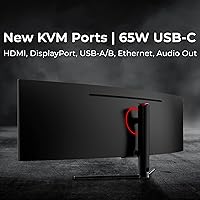
  • Connectivity: Includes HDMI 2.0, DisplayPort 1.4, USB-C 3.1 with 65W power delivery, 2x USB-A, USB-B upstream, RJ45 Ethernet, and a 3.5mm audio output.
  • KVM Switch: Built-in KVM functionality allows one keyboard and mouse set to control two connected computers through the monitor.
  • PBP and PIP: Picture-by-Picture and Picture-in-Picture modes let users display two separate input sources on screen simultaneously.
  • Stand Adjustment: The included stand supports tilt adjustment from -5° to +15° only, with no height, swivel, or pivot movement available.
  • VESA Mounting: Compatible with 75x75mm VESA mounts, allowing users to replace the stock stand with a third-party monitor arm.
  • Dimensions: With the stand attached, the monitor measures 47.2 inches wide, 18.5 inches tall, and 9.7 inches deep.
  • Weight: The full unit with stand weighs 24.2 lbs, which should be factored in when selecting a monitor arm or desk surface.
  • Power Supply: Operates on AC 100-240V, 50/60Hz input, with a rated power consumption of 70W typical and up to 180W at maximum load.
  • USB-C Charging: The USB-C port delivers up to 65W of power delivery, capable of charging most USB-C laptops while simultaneously carrying the display signal.
  • Color Temperature: Default color temperature is set to 6500K, with user-adjustable color temperature modes available through the OSD menu.

Related Reviews
Deco Gear DGLUX340 34″ Curved Ultrawide Monitor
75%
88%
Value for Money
91%
Screen Real Estate
58%
Brightness & Visibility
89%
Connectivity & Inputs
83%
Ergonomics & Stand
More
Deco Gear DGVIEW495K 49″ Curved Ultrawide Monitor
74%
93%
Immersion & Screen Real Estate
88%
Color Accuracy
79%
Refresh Rate & Gaming Smoothness
67%
Response Time
84%
Value for Money
More
Deco Gear VIEW401 40″ Ultrawide Monitor
78%
88%
Color Accuracy
91%
Screen Resolution & Sharpness
93%
Productivity & Multitasking
84%
USB-C Connectivity & Power Delivery
79%
Build Quality & Materials
More
Deco Gear 39-inch Curved Ultrawide Gaming Monitor
77%
76%
Display Clarity
83%
Color Accuracy
89%
Refresh Rate & Motion
44%
HDR Performance
81%
USB-C Connectivity
More
Amzfast AMZG49C7U 49-inch Curved Ultrawide Gaming Monitor
76%
88%
Image Clarity
81%
Refresh Rate Performance
84%
Color Accuracy
53%
HDR Quality
91%
Curvature & Immersion
More
CRUA CR300ZA 30-Inch Ultrawide Curved Monitor
76%
88%
Value for Money
79%
Picture Quality
83%
Contrast & Blacks
81%
Refresh Rate & Smoothness
91%
Ultrawide Screen Real Estate
More
Raywego Q34DB45-1 34-inch Curved Gaming Monitor
72%
88%
Value for Money
84%
Gaming Performance
74%
Image Quality
51%
HDR Performance
67%
Build Quality
More
INNOCN 49C1R 49″ Curved Ultrawide Monitor

74%
88%
Display Immersion
84%
Contrast & Black Levels
76%
Color Accuracy
81%
Refresh Rate & Motion Handling
54%
HDR Performance
More
Westinghouse 34-Inch Curved Ultrawide Gaming Monitor

72%
84%
Value for Money
78%
Image Quality
81%
Refresh Rate & Motion
82%
Adaptive Sync
83%
Curve & Immersion
More
Samsung Odyssey G9 49-inch Curved Gaming Monitor
82%
93%
Visual Clarity
90%
Immersion & Curvature
94%
Gaming Performance (FPS)
60%
Ease of Setup
88%
Build Quality
More

FAQ

Yes, for most users with an RTX 3060, 4060, or an AMD equivalent, the 3840x1080 resolution is genuinely manageable. It is roughly 40% less demanding than a 5K ultrawide panel, so hitting high frame rates in less demanding titles or older games is realistic. Very demanding modern AAA games may require dialing back settings to maintain 144Hz consistently.

It works with both. Adaptive Sync on this monitor is compatible with AMD FreeSync setups and also functions with NVIDIA GPUs that support variable refresh rate over DisplayPort or HDMI. It is not a certified G-Sync or FreeSync Premium display, but the variable refresh rate functionality operates without issues on current NVIDIA drivers for most users.

The KVM is genuinely useful in this scenario. You connect both machines to the monitor, plug your keyboard and mouse into the USB-A ports, and toggle between them through the OSD. The setup takes a few minutes initially, but once configured it works reliably. A few users find the OSD navigation a bit slow when switching, but it gets the job done without a separate KVM box.

Honestly, HDR400 is the lowest rung of the HDR certification ladder, so expectations should be kept in check. You will see some improvement in highlight rendering on HDR-enabled content, but it will not deliver the dramatic contrast and brightness that higher-tier OLED or Mini-LED HDR displays produce. For most users watching streaming content or gaming casually, it adds a subtle improvement rather than a transformative one.

Yes, the monitor uses a standard 75x75mm VESA pattern, so it is compatible with most monitor arms on the market. Given that the stock stand only tilts and offers no height adjustment, a good monitor arm is genuinely worth considering — especially for a panel this wide, where sitting at the correct eye level makes a real difference in comfort over long sessions.

The 1800R curve is subtle enough that most users adapt to it quickly for productivity work. Straight lines near the far edges of the screen do curve slightly, which is a characteristic of any curved ultrawide. Most people stop noticing it within a few days of use. If you are doing precision layout work where perfectly straight horizontal lines are critical, it is worth considering whether a flat panel would be a better fit.

VA panels at this price tier often ship with some variance from ideal calibration. The colors are vivid and the contrast is strong by default, but the white balance and color temperature may not be perfectly accurate straight out of the box. Spending ten minutes adjusting the color temperature and brightness in the OSD typically gets the image to a more neutral, accurate state. Users doing serious color work should consider a hardware colorimeter for proper profiling.

It is something to be aware of. Some units show bleed along the edges of the panel, most visible on dark or solid-color backgrounds. It is a known characteristic of large curved VA panels at this price point and is not unique to this monitor. The extent varies by unit, so it may or may not affect your specific display. For general gaming and productivity use it is rarely distracting, but if you watch a lot of dark cinema content you may notice it in the corners.

Yes. The Picture-by-Picture mode splits the screen into two halves, each showing a live feed from a separate input source. This is particularly useful when running a desktop on one side and a laptop on the other. Picture-in-Picture lets you display a smaller window from a second source overlaid on the main input, which some users prefer for monitoring a secondary machine without fully splitting the workspace.

The monitor itself is about 9.7 inches deep with the stand, but comfortable viewing distance for a 49-inch panel is generally 2.5 to 3.5 feet from your eyes to the screen. A desk that is at least 24 inches deep is the practical minimum, though 30 inches or more gives you more flexibility to push it back and get the full field of view without the curved edges feeling too close. Very shallow desks can make the wide-angle curvature feel overwhelming.

Where to Buy