Overview

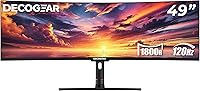
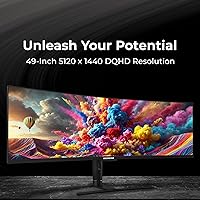
The Deco Gear DGVIEW495K 49″ Curved Ultrawide Monitor enters a competitive market as a value-oriented alternative to Samsung and LG superwide offerings, targeting anyone tired of managing a dual-monitor setup. Its 32:9 aspect ratio and 5120x1440 DQHD resolution give you the horizontal canvas of two 27-inch screens in one continuous panel, with no bezel cutting through your work or your game. Deco Gear is not a household name yet, and that is precisely why the pricing stays aggressive. If brand prestige matters to you, this might give pause. But if specs-per-dollar is your measure, this superwide monitor deserves a serious look before you spend more elsewhere.
Features & Benefits

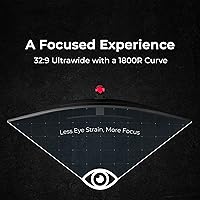
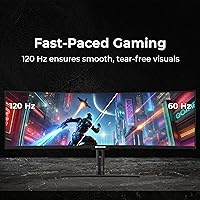
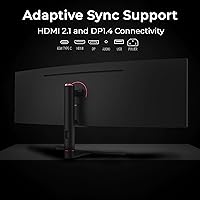
The 1800R curve wraps noticeably around your peripheral vision — at normal desk distance, the screen edges feel close rather than remote, which a flat 49-inch panel simply cannot replicate. Gamers connecting via DisplayPort 1.4 get the full 120 Hz refresh rate, but HDMI 2.1 tops out at 60 Hz with adaptive sync, so your cable choice genuinely matters. Color coverage is strong across the board: 101% NTSC and 100% sRGB make the 49-inch curved display a credible tool for photo retouching or video grading. The USB-C port handles most laptops at 65W, and the built-in RJ45 Ethernet jack is a rare desk-simplifying bonus at this price point.

Best For

Sim racers and flight sim enthusiasts will extract the most from this superwide monitor — the unbroken field of view wraps a cockpit around you in a way multi-monitor rigs only partially replicate. Creative professionals doing color-sensitive work will appreciate the wide gamut coverage, especially when upgrading from a standard sRGB-only panel. It is also a strong choice for work-from-home multitaskers juggling a browser, messaging app, document editor, and spreadsheet simultaneously without feeling squeezed. Budget-conscious buyers stepping into the superwide category for the first time will find the entry point here far more approachable than flagship alternatives from established monitor brands.

User Feedback

Owners consistently cite the screen real estate as the headline win, with many reporting it cleanly replaced their dual-monitor arrangement without meaningful compromise. Out-of-box color accuracy earns frequent praise, and the frameless aesthetic gets credit for looking polished on a desk. Recurring frustrations include the OSD menu, which buyers describe as harder to navigate than it should be, requiring too many button presses to reach common settings. Competitive FPS players note that the response time, while adequate for most scenarios, trails dedicated gaming panels. A handful of users flagged minor stand wobble. On balance, most buyers consider the value proposition fair, though HDR400 expectations should stay grounded — it adds brightness headroom but is not a substitute for premium HDR.

Pros

  • Replacing a dual-monitor setup becomes straightforward — one cable run, one calibration, zero bezel gap splitting your screen.
  • The 1800R curve keeps the screen edges within comfortable sightlines at normal desk distances, reducing neck strain during long sessions.
  • Out-of-box color accuracy is genuinely impressive for the price, with most users reporting minimal calibration needed right away.
  • USB-C at 65W means most modern laptops can drive the display and charge simultaneously from a single port.
  • A built-in RJ45 Ethernet port removes the need for a separate dock or adapter in wired network setups.
  • The frameless panel design looks clean and professional on a desk, avoiding the dated look of thick-bezel alternatives.
  • 5120x1440 resolution across 49 inches gives creative professionals meaningful pixel density for detailed editing work.
  • PIP and PBP support lets users display two separate source inputs side by side on one panel.
  • The included IR remote is a thoughtful touch for adjusting settings without reaching behind the display.
  • Height and tilt adjustability offer enough ergonomic range for most seated working positions.

Cons

  • The OSD navigation is clunky — users consistently report too many button presses to reach basic settings like brightness or input switching.
  • HDMI 2.1 limits adaptive sync to 60 Hz, which is a real constraint for anyone without a DisplayPort-capable GPU.
  • Response time at 6 ms with OverDrive is adequate for casual gaming but noticeably lags behind panels tuned for competitive play.
  • HDR400 adds some brightness range but delivers nothing close to the contrast and highlight performance of genuine HDR displays.
  • The stand can wobble slightly when the desk is bumped, which is a real concern given how much horizontal leverage 47 inches of panel creates.
  • At 24.3 pounds, repositioning or mounting this superwide monitor solo is awkward and best done with a second pair of hands.
  • VESA compatibility is limited to 75x75 mm, which is a non-standard pattern that restricts third-party arm options.
  • Deco Gear's customer support infrastructure is less developed than major brands, making warranty claims a less predictable experience.
  • The 350-nit brightness ceiling can feel limiting in bright ambient lighting conditions or sun-facing room setups.
  • No built-in speakers means users need external audio — a minor but worth-noting omission at this screen size and price tier.

Ratings

The scores below reflect AI-driven analysis of verified global buyer reviews for the Deco Gear DGVIEW495K 49″ Curved Ultrawide Monitor, with spam, bot activity, and incentivized feedback actively filtered out before scoring. Each category captures both what real users praised and where frustrations consistently surfaced, giving you an honest picture rather than a curated highlight reel. Strengths and pain points are weighted equally so you can make a fully informed decision.

Immersion & Screen Real Estate
93%
Users repeatedly describe the first time they power on this superwide monitor as a genuinely jaw-dropping moment. Sim racers and flight sim enthusiasts in particular praise the unbroken 49-inch field of view, noting that the 1800R curve keeps the edges in comfortable peripheral vision without requiring head movement.
A small number of users sitting closer than 30 inches find the curve slightly disorienting during initial adjustment, and those coming from flat ultrawide panels occasionally need a week before the wrap feels natural rather than exaggerated.
Color Accuracy
88%
Photo editors and video colorists consistently report that out-of-box calibration is solid enough for client-facing work without immediate manual adjustment. The wide gamut coverage — 100% sRGB and 94% DCI-P3 — holds up well when cross-referencing edited images on a calibrated reference display.
Adobe RGB coverage at 95.4% is rated slightly higher than some competing VA panels can actually sustain under measurement, and a handful of creative professionals noted a mild warm color temperature shift that required correcting before serious grading work.
Refresh Rate & Gaming Smoothness
79%
21%
At 120 Hz over DisplayPort 1.4, casual and mid-core gamers report noticeably fluid motion in open-world titles, racing games, and panoramic shooters. Adaptive sync works reliably within its supported range, and most users found the overall experience markedly smoother than their previous 60 Hz panels.
The 60 Hz cap over HDMI 2.1 catches buyers off guard when they realize their GPU or source device lacks a DisplayPort output. Competitive FPS players also note that 120 Hz at this resolution demands significant GPU headroom, and mid-range cards frequently struggle to maintain frame rates where the refresh rate advantage is actually felt.
Response Time
67%
33%
For everyday gaming, productivity, and multimedia consumption, the 6 ms OverDrive response time is genuinely adequate and not something most users will notice during normal use. Sim racing and strategy game players in particular report zero complaints in this area.
Fast-paced competitive shooter players consistently flag visible ghosting in high-contrast motion sequences, even with OverDrive enabled. This is a known limitation of VA panel technology at this price point, and buyers stepping from a 1 ms IPS gaming monitor will feel the difference acutely.
Value for Money
84%
The consensus among buyers is that the spec sheet relative to the asking price is difficult to match from established brands. Getting 5120x1440, 120 Hz, 100% sRGB, USB-C with power delivery, and built-in Ethernet in a single panel at this tier is objectively strong value positioning.
A segment of buyers who have owned Samsung Odyssey or LG UltraGear equivalents note that the overall polish — from OSD quality to stand rigidity — reflects the price gap. Value is real, but so are the trade-offs that explain why this costs less than the name-brand alternatives.
Build Quality
72%
28%
The frameless panel design earns consistent praise for looking more premium than the price would suggest, and the overall chassis feels solid when the stand is properly assembled. Most users describe the physical appearance as clean and professional on a desk.
Stand wobble is a recurring complaint — multiple buyers note that the wide panel amplifies even minor vibrations from nearby typing or desk movement. A few users also flagged minor flex in the back panel housing during adjustment, which does not affect function but erodes confidence in long-term durability.
Stand Ergonomics
71%
29%
The 95 mm of height adjustment and 30-degree total swivel range cover the needs of most standard seated desk setups, and the tilt range handles the typical angle preferences users report. Setup requires no tools beyond what is included in the box.
At 24.3 lbs spread across 47 inches of width, the stand carries significant leverage, and several users recommend against attempting solo assembly at full height. The 75x75 mm VESA pattern also limits upgrade options for buyers wanting a third-party arm, as most heavy-duty ultrawide arms target 100x100 mm.
HDR Performance
54%
46%
HDR400 does add a layer of brightness punch in supported content, and users watching HDR-flagged streaming material notice that highlights have more pop compared to straight SDR mode. For casual movie-watching on a single-monitor setup, it offers a visible if modest step up.
Anyone with prior experience on a true HDR display — mini-LED, OLED, or full-array local dimming panels — will find HDR400 underwhelming. The absence of local dimming means blacks remain elevated when bright highlights are on screen simultaneously, which is precisely the scenario where premium HDR is most impactful.
Connectivity
91%
The port selection on this ultrawide panel stands out genuinely at this price tier. Having HDMI 2.1, DisplayPort 1.4, USB-C with 65W power delivery, two USB-A ports, and a dedicated RJ45 Ethernet port covers virtually every connectivity scenario without requiring a separate dock or hub.
The USB-B upstream port for the hub functionality adds a cable that some users find redundant and awkward to route, and the physical port placement on the underside-rear of the panel is not the most accessible location for frequent swapping.
OSD & Menu Navigation
48%
52%
The included IR remote is a genuine quality-of-life addition that reduces the need to reach behind the display for basic adjustments, and once users memorize the menu structure, routine tasks like switching inputs become manageable.
The OSD itself is widely criticized as unintuitive and slow — reaching brightness or color temperature settings requires navigating multiple sub-menus, and the button layout on the panel is not labeled clearly enough for quick trial-and-error learning. This is one of the most consistent pain points across the owner base.
Out-of-Box Setup
77%
23%
Most users report the physical assembly process as straightforward, with the stand snapping into the panel without tools and all necessary cables included. First-time ultrawide buyers in particular found the initial experience less intimidating than expected.
The weight and width of the panel make solo unboxing genuinely risky — several users describe needing a second person just to safely lift the display from the box and onto the stand. Instructions are functional but sparse, with no guidance on optimizing display settings for different use cases.
Multitasking Performance
89%
Work-from-home professionals consistently rate this as the strongest practical argument for owning this superwide monitor. Running a browser, video call, document editor, and reference panel simultaneously — without any window feeling cramped — is something buyers describe as transforming their daily workflow.
Windows snap assist handles the layout well natively, but macOS users note that third-party window management software is essentially required to fully exploit the 32:9 canvas, which adds a small setup burden that is not mentioned anywhere in the product documentation.
Image Sharpness
83%
At roughly 109 pixels per inch, the 5120x1440 resolution produces clean, readable text and fine detail in photography and design work that looks noticeably crisper than 1080p ultrawide alternatives at the same physical size.
Pixel density is lower than on a standard 27-inch 4K monitor, and users doing fine detail work at close viewing distances occasionally wish for more sharpness. This is an inherent trade-off of the 32:9 form factor rather than a flaw specific to this panel, but it is worth setting expectations around.
Audio Output
41%
59%
The 3.5mm audio output port passes signal cleanly to external speakers or headphones with no reported interference or latency issues, which is about the most that can be said for a basic pass-through analog audio connection.
There are no built-in speakers whatsoever, which is a real inconvenience for users expecting a desk-ready solution straight out of the box. At 49 inches and this price tier, the omission of even modest integrated speakers is a genuine gap that competing panels from other brands do address.
Long-Term Reliability
69%
31%
The majority of owners who have used this panel for six months or more report no significant changes in color uniformity, backlight consistency, or structural integrity, suggesting the hardware holds up under normal daily use conditions.
Deco Gear's warranty support infrastructure is less established than major monitor brands, and buyers who have needed to file claims describe the process as slower and less transparent than they experienced with larger manufacturers. This is worth factoring in as a long-term ownership risk.

Suitable for:

The Deco Gear DGVIEW495K 49″ Curved Ultrawide Monitor is a strong match for anyone who has been running a dual-monitor setup and is tired of the bezel gap, cable clutter, and mismatched display calibrations that come with it. Sim racing and flight simulation enthusiasts will get particular mileage here — the 1800R curve and unbroken 49-inch span create a cockpit wrap that two separate monitors genuinely cannot replicate. Creative professionals doing photo retouching, video color grading, or graphic layout work will find the 101% NTSC and 100% sRGB coverage more than sufficient for most client-facing deliverables. Work-from-home users who routinely juggle four or more application windows simultaneously will appreciate the sheer horizontal room this superwide monitor provides, reducing the constant alt-tabbing that smaller panels force. Laptop users will also benefit from the USB-C connectivity, which handles both display output and 65W charging through a single cable — a genuinely practical desk setup advantage.
Not suitable for:

Competitive FPS and esports players who prioritize the lowest possible response times and the highest refresh rates above all else will likely find this ultrawide panel falls short of purpose-built gaming monitors in those specific metrics. Buyers expecting a true cinematic HDR experience should also temper expectations — HDR400 certification means the panel can get reasonably bright, but it does not deliver the deep local dimming or peak highlights that premium HDR displays offer. The 60 Hz adaptive sync cap over HDMI 2.1 is a meaningful limitation for console gamers or PC users without a DisplayPort output, effectively cutting the maximum smooth frame rate in half. Users with smaller desks should measure carefully before purchasing, as a 47-inch-wide panel at 24.3 pounds demands both footprint and a sturdy surface. Finally, anyone deeply loyal to established monitor brands like Samsung or LG and unwilling to accept a longer learning curve on OSD controls may find the ownership experience of the 49-inch curved display less polished than what they are accustomed to.

Specifications

  • Panel Size: The display measures 49 inches diagonally, using a VA-type E-LED backlit panel with a frameless bezel design.
  • Resolution: Native resolution is 5120x1440 (DQHD), delivering roughly 109 pixels per inch across the full 32:9 canvas.
  • Aspect Ratio: The 32:9 aspect ratio is equivalent in width to two 27-inch 16:9 monitors placed side by side.
  • Curve Radius: The panel uses a 1800R curve radius, designed to match the average human field of view at typical desk distances.
  • Refresh Rate: Maximum refresh rate is 120 Hz over DisplayPort 1.4, and 60 Hz over HDMI 2.1 with adaptive sync active.
  • Response Time: Response time is 12 ms without OverDrive and 6 ms with OverDrive enabled, suitable for most non-competitive gaming scenarios.
  • Color Gamut: Color coverage is rated at 101% NTSC, 100% sRGB, 94% DCI-P3, and 95.4% Adobe RGB for broad color-accurate work.
  • Brightness: Typical brightness is 350 nits, with a peak of 400 nits available when HDR400 mode is active.
  • Contrast Ratio: The static contrast ratio is rated at 3000:1, which is typical for VA panels and noticeably deeper than IPS alternatives.
  • HDR Support: The panel carries an HDR400 certification, which enables dynamic brightness adjustment but does not include local dimming zones.
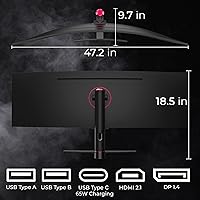
  • Connectivity: Ports include one HDMI 2.1, one DisplayPort 1.4, one USB-C (65W Power Delivery), two USB-A, one USB-B, one RJ45 Ethernet, and one 3.5mm audio output.
  • Adaptive Sync: Adaptive sync is supported across a range of 48–120 Hz on DisplayPort and 48–60 Hz on HDMI.
  • Ergonomics: The stand supports 95 mm of height adjustment, tilt from -5° to +15°, and swivel from -15° to +15°.
  • VESA Mounting: The monitor is VESA compatible at a 75x75 mm pattern, which limits third-party arm compatibility to models supporting this non-standard size.
  • Dimensions: With the stand attached, the monitor measures 47.2 inches wide, 18.5 inches tall, and 9.7 inches deep.
  • Weight: The fully assembled unit weighs 24.3 lbs, which requires a sturdy desk surface and ideally a second person during initial setup.
  • Power Consumption: Typical power draw is 70W, rising to a maximum of 105W under peak load, with standby consumption below 0.5W.
  • Display Colors: The panel is capable of rendering 16.7 million colors, consistent with 8-bit color depth output.
  • Viewing Angles: Horizontal and vertical viewing angles are each rated at 178 degrees, providing consistent color and brightness from most seating positions.
  • Input Voltage: The monitor accepts AC input from 100–240V at 50/60 Hz, making it compatible with power standards worldwide.

Related Reviews
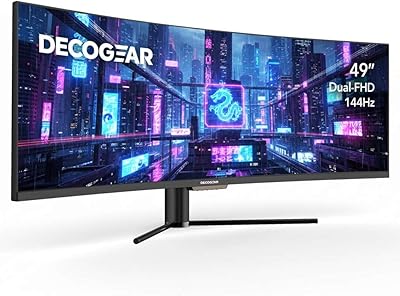
Deco Gear DGVIEW490 49-inch Curved Ultrawide Gaming Monitor
85%
92%
Immersive Gaming Experience
88%
Display Quality (Resolution & HDR)
85%
Multitasking & Productivity
90%
Refresh Rate & Performance
80%
Build Quality & Durability
More
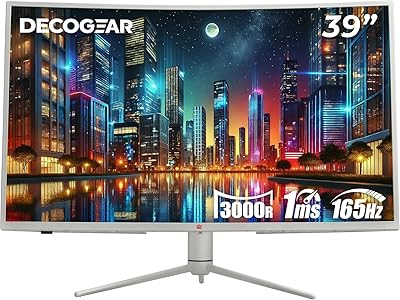
Deco Gear 39-inch Curved Ultrawide Gaming Monitor
77%
76%
Display Clarity
83%
Color Accuracy
89%
Refresh Rate & Motion
44%
HDR Performance
81%
USB-C Connectivity
More
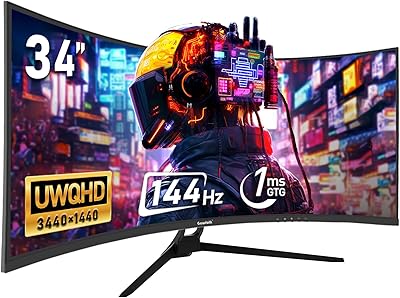
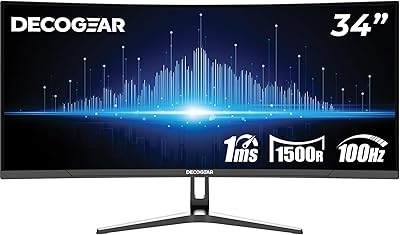
Deco Gear 34-Inch Curved Ultrawide Monitor DGLUX340
81%
90%
Value for Money
86%
Display Quality
83%
Ergonomics & Adjustability
75%
Gaming Performance
87%
Color Accuracy
More
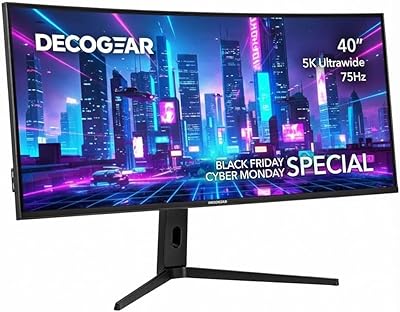
Deco Gear VIEW401 40″ Ultrawide Monitor
78%
88%
Color Accuracy
91%
Screen Resolution & Sharpness
93%
Productivity & Multitasking
84%
USB-C Connectivity & Power Delivery
79%
Build Quality & Materials
More
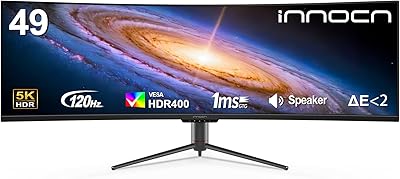
INNOCN 49C1R 49″ Curved Ultrawide Monitor
74%
88%
Display Immersion
84%
Contrast & Black Levels
76%
Color Accuracy
81%
Refresh Rate & Motion Handling
54%
HDR Performance
More
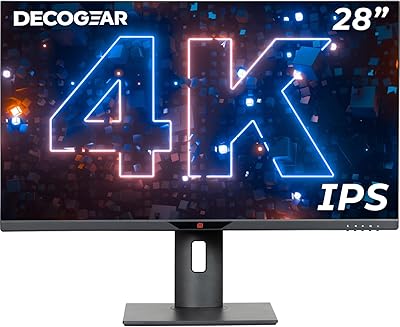
Deco Gear VM284K 28″ 4K Ultrawide IPS Monitor
86%
89%
Display Quality
93%
Color Accuracy
90%
Viewing Angles
88%
Performance for Design Work
85%
Build Quality
More
Gawfolk GF340A 34″ Ultrawide Curved Monitor
87%
94%
Display Quality
91%
Color Accuracy
92%
Refresh Rate Performance
89%
Build Quality
88%
Eye Comfort
More
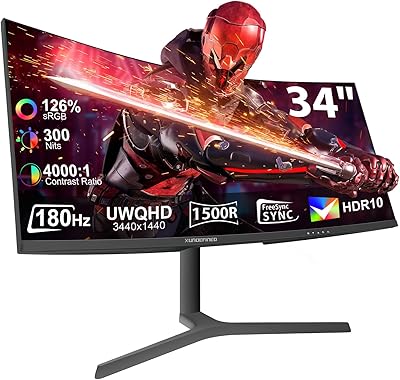
XUNDEFINED X34U180A 34″ Curved Ultrawide Monitor
86%
94%
Display Clarity
91%
Color Accuracy
95%
Refresh Rate Performance
88%
Ergonomics & Adjustability
85%
Connectivity Options
More
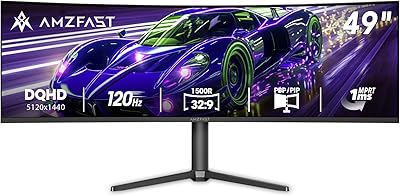
Amzfast 49-Inch Curved Gaming Monitor
85%
93%
Display Quality
88%
Ergonomics & Adjustability
91%
Gaming Performance
89%
Color Accuracy
85%
Connectivity & Ports
More
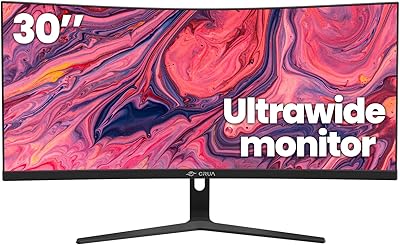
CRUA 30-inch Ultrawide Curved Monitor
86%
89%
Display Quality
92%
Color Accuracy
85%
Gaming Performance
88%
Ergonomics and Comfort
84%
Build Quality
More

FAQ

Yes — to hit 120 Hz, you need a GPU with a DisplayPort 1.4 output and enough raw power to push 5120x1440 at that frame rate. Over HDMI 2.1, adaptive sync maxes out at 60 Hz, so if your graphics card only has HDMI, you will be capped there regardless of settings.

Yes, as long as your MacBook supports DisplayPort Alt Mode over USB-C or Thunderbolt, which most modern Apple laptops do. The USB-C port on the monitor also delivers 65W of power back to your laptop, so a single cable handles both video and charging in most cases.

For most users, yes. The 32:9 aspect ratio gives you the equivalent screen width of two 27-inch displays with no gap in the middle, and window-snapping software on both Windows and macOS handles splitting it into virtual halves or thirds easily. If your workflow depends on two separate physical outputs — for example, a dedicated reference monitor for color work — a single panel will not replicate that.

Honest answer: it is noticeable but modest. HDR400 means the panel can reach a peak of 400 nits, which adds some punch to highlights compared to SDR mode. However, without local dimming, you will not get the deep blacks or dramatic contrast swings you see on premium OLED or mini-LED HDR displays. Treat it as a bonus rather than a headline feature.

It depends on your desk. At 47.2 inches wide, this superwide monitor will overhang the edges of most desks narrower than 55 inches. You also want at least 24 inches of depth to sit at a comfortable distance from a 1800R curved panel — too close and the curve becomes uncomfortable rather than immersive.

Partially. Both consoles output over HDMI 2.1, which means you are limited to 60 Hz on this display. The PS5 and Xbox Series X do not natively support the 32:9 aspect ratio either, so most games will output in 16:9 with black bars on the sides. It works as a functional gaming screen, but it is not the ideal pairing for console gaming specifically.

It is a recurring complaint from owners. The on-screen display requires multiple button presses to reach common adjustments like input switching or brightness, and the layout is not especially intuitive on first use. Once you learn the menu structure it becomes less painful, but out of the box it takes some patience. The included IR remote helps somewhat.

Technically yes, but the 75x75 mm VESA pattern is non-standard for a monitor this size — most heavy-duty ultrawide arms are built around 100x100 mm. You will need to specifically verify that any arm you buy supports 75x75 mm and is rated for at least 25 lbs before purchasing.

For most stationary setups it is fine, but a handful of users have noted slight wobble when the desk surface is bumped or during active typing. Given that 47 inches of panel creates significant horizontal leverage, this is not surprising. If you have a particularly active workspace or share a desk, investing in a compatible arm mount is worth considering.

The 49-inch curved display supports both Picture-in-Picture (PIP) and Picture-by-Picture (PBP) modes, which let you display two separate source inputs on screen simultaneously. PBP splits the panel into two equal halves — effectively turning it into two independent 2560x1440 displays — while PIP overlays a smaller window from a second source onto the main image.

Where to Buy