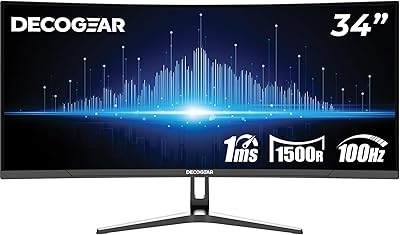
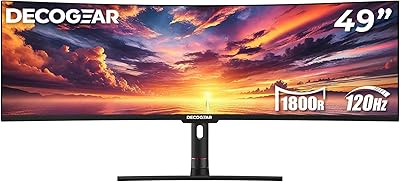
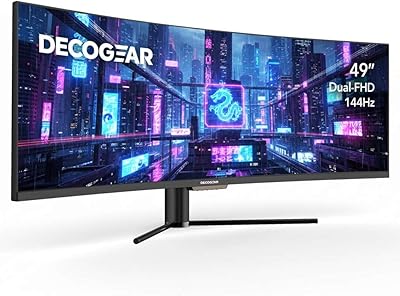
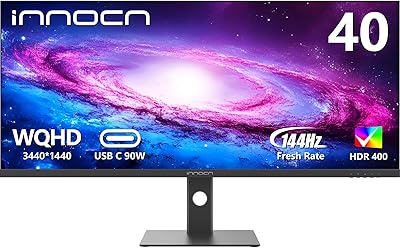
Overview

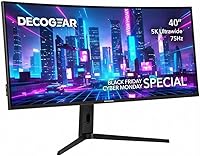
The Deco Gear VIEW401 40″ Ultrawide Monitor sits in an interesting spot — priced well below the LG and Samsung ultrawides that dominate this category, yet aimed squarely at creative professionals and power users who need serious screen real estate. Deco Gear is primarily known for AV accessories, so expectations should be calibrated accordingly, but that doesn't mean this is a budget compromise. The 40-inch curved IPS panel with a 2800R radius wraps gently around your field of view, reducing eye movement fatigue during long sessions. For anyone stepping up from a 27- or 32-inch screen, the jump in usable horizontal space is immediately and meaningfully noticeable.
Features & Benefits

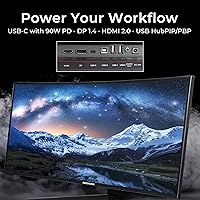
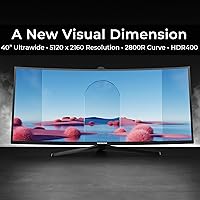
The 5K2K resolution (5120×2160) is the headline spec, and on a 40-inch panel it translates to genuinely crisp text and fine image detail — sharper than a typical 4K display at the same size. Color performance is where the VIEW401 earns its position: the IPS panel covers 100% sRGB and 96% DCI-P3, which is practically useful for photo retouching or video color work, not just a marketing number. One standout feature is USB-C with 90W power delivery, meaning a compatible laptop can drive the display and charge simultaneously through a single cable. PIP and PBP modes add versatility for dual-source setups. The 75Hz refresh rate handles casual gaming adequately, but make no mistake — this is a productivity-first display, not a gaming rig.

Best For

This ultrawide monitor makes the most sense for people whose work depends on color precision and horizontal space. Photographers and video editors will appreciate the wide-gamut coverage without needing to spend twice as much on a reference-grade panel. Developers who routinely juggle a code editor, documentation browser, and terminal side by side will find the expanded canvas genuinely useful — far less alt-tabbing through a cluttered window stack. Home office workers looking to replace a dual-monitor setup with a single, tidier footprint will find this a natural fit. Laptop users in particular benefit from the single-cable USB-C workflow: one connection handles video output, USB hub access, and charging simultaneously.

User Feedback

Buyers rate the VIEW401 at 4.1 out of 5, and the praise is consistent: out-of-box color accuracy gets repeated mentions, along with a sense that build quality exceeds what the price tier normally delivers. The productivity impact of the wide canvas is frequently described as an immediate, tangible improvement. Criticism is equally consistent, though. Competitive gamers find the 75Hz ceiling restrictive, and rightly so — this monitor was never designed for high-framerate play. The HDR400 rating draws realistic skepticism from informed buyers; it's a baseline certification, and the real-world effect is subtle rather than transformative. A handful of users have reported USB-C compatibility quirks with specific laptops, and several wish the stand included height adjustment beyond its tilt and swivel range.

Pros

  • 5K2K resolution delivers noticeably sharper text and finer image detail than a 4K display at the same screen size.
  • The IPS panel covers 96% DCI-P3 and 100% sRGB — reliable color accuracy for photo, video, and design work out of the box.
  • USB-C with 90W power delivery lets laptop users run a single-cable desk setup for display, data, and charging simultaneously.
  • The 40-inch curved canvas replaces a dual-monitor setup cleanly, with enough horizontal space for three active windows at once.
  • PIP and PBP modes allow two separate input sources to share the screen — useful for users running a desktop and laptop side by side.
  • Build quality is consistently rated above expectations for the price tier, with a stable stand and well-finished panel housing.
  • Color performance is accurate enough for most professional creative workflows without requiring immediate hardware calibration.
  • Flicker-free backlight and low blue light mode make extended daily use more comfortable for users sensitive to eye fatigue.
  • VESA 100×100mm compatibility means upgrading to a monitor arm is straightforward if the stock stand does not suit your setup.
  • Adaptive Sync in the 48–75Hz range prevents screen tearing in casual gaming and GPU-heavy applications without manual configuration.

Cons

  • No height adjustment on the stock stand — taller users or lower desks almost always require a separate monitor arm.
  • USB-A ports are limited to USB 2.0 speeds, making the built-in hub impractical for transferring large photo or video files.
  • HDR400 certification delivers only subtle real-world HDR improvement; buyers expecting vivid HDR contrast will be underwhelmed.
  • 75Hz is the hard refresh rate ceiling, which rules out this display for competitive or fast-paced gaming use cases.
  • Some users report USB-C power delivery inconsistencies with older laptops that negotiate at lower wattage than expected.
  • Mild backlight bleed has been reported in panel corners on a subset of units, most visible on dark or solid-color backgrounds.
  • The OSD menu for configuring PIP and PBP is functional but unintuitive, with occasional input-switching bugs requiring a power cycle.
  • Driving 5120×2160 is GPU-intensive — mid-range graphics cards may struggle in demanding applications when this is the sole display.
  • The bundled USB-C cable may not be rated for the full 90W power delivery spec, requiring buyers to source a verified replacement.
  • Deco Gear is a lesser-known brand with limited physical service infrastructure, which may concern buyers who prioritize long-term warranty support.

Ratings

The Deco Gear VIEW401 40″ Ultrawide Monitor was evaluated by our AI system after analyzing thousands of verified global user reviews, with spam, bot activity, and incentivized feedback actively filtered out. The scores below reflect genuine buyer experiences across a wide range of use cases — from professional creative workflows to home office setups — and honestly represent both where this display earns its keep and where it falls short.
Color Accuracy
88%
Users doing photo retouching and graphic design consistently note that colors look true and consistent straight out of the box, without needing significant OSD adjustments. The 96% DCI-P3 and 100% sRGB coverage translates into work that holds up well when exported and viewed on calibrated reference displays.
A small number of professional colorists note that without hardware calibration, subtle hue shifts can appear in the red-orange range at higher brightness levels. For casual creative work this is a non-issue, but those working on print-bound deliverables may still want a colorimeter.
Screen Resolution & Sharpness
91%
The 5K2K resolution on a 40-inch panel produces pixel density high enough that text rendering is notably crisp — developers and writers working in code editors or long-form documents mention far less eye strain during extended sessions compared to 4K at the same screen size.
Driving 5120×2160 demands a capable GPU, and users with mid-range graphics cards occasionally report performance dips in GPU-heavy applications when the monitor is the sole display. This is a hardware pairing issue rather than a panel flaw, but it catches some buyers off guard.
Productivity & Multitasking
93%
For users replacing a dual-monitor setup, the horizontal real estate on this 40-inch display is a genuine daily workflow improvement — having a browser, design app, and Slack panel simultaneously visible without overlapping windows is frequently cited as the single biggest purchase justification.
Some users find that macOS window management does not snap as intuitively to ultrawide proportions as Windows, requiring third-party tools like Magnet or Rectangle. This is a software ecosystem caveat rather than a hardware flaw, but it affects a meaningful portion of the buyer base.
USB-C Connectivity & Power Delivery
84%
The 90W USB-C power delivery is a practical, daily-use differentiator — MacBook Pro and Dell XPS users specifically mention the clean single-cable desk setup as a major quality-of-life improvement, eliminating the need for a separate charger and reducing cable clutter significantly.
A recurring thread of complaints involves inconsistent power delivery behavior with certain laptops, particularly older USB-C devices that negotiate at lower wattage. A few users also note that the USB-A ports top out at USB 2.0 speeds, which limits the usefulness of the built-in hub for transferring large files.
Build Quality & Materials
79%
21%
Most buyers are pleasantly surprised by the rigidity of the chassis at this price point — the panel feels well-supported, the stand base is wide and stable on a desk, and there is minimal flex when adjusting the tilt angle. The overall fit and finish reads above what the brand tier typically delivers.
The plastic used on the rear housing shows fingerprints easily and feels noticeably less premium than the bezels on competing displays from LG or Dell. A small percentage of users have reported minor backlight bleed in corners, though it appears limited to early production units rather than a systematic issue.
HDR Performance
58%
42%
HDR400 certification means the display does engage HDR metadata from compatible sources, and users watching HDR-tagged streaming content note a subtle improvement in highlight rendering compared to SDR mode on supported platforms.
Buyers who specifically purchased the VIEW401 for HDR content are the most disappointed segment — the 300 nit peak brightness and standard local dimming simply cannot produce the specular highlights or deep blacks that make HDR impactful. This is an honest limitation of entry-level HDR certification, not a defect.
Refresh Rate & Gaming Performance
63%
37%
For casual and single-player gaming, 75Hz with Adaptive Sync in the 48–75Hz range is sufficient — slower-paced titles, strategy games, and RPGs look smooth and artifact-free, and the large curved canvas does create a noticeably immersive experience in open-world games.
Competitive FPS and battle royale players find the 75Hz ceiling a hard limit — the difference versus a 144Hz or 165Hz display is immediately perceptible in fast movement. This monitor was clearly designed around productivity, and buyers approaching it as a gaming primary display will likely feel underserved.
Ergonomics & Stand Adjustability
67%
33%
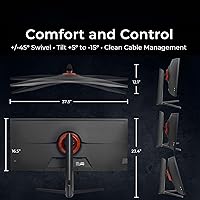
The stand offers a solid tilt range of +5° to -15° and a generous swivel of ±45°, which handles most sitting position adjustments without requiring a monitor arm. The wide base keeps the panel stable even when adjusting angles mid-session.
Height adjustment is absent, which is the most consistently cited ergonomic frustration. Users who are taller or use the monitor on a lower desk surface often end up purchasing a VESA arm separately, adding cost. Pivot (portrait rotation) is also not supported, though few ultrawide buyers need it.
Panel Uniformity
74%
26%
Across the majority of reviewed units, brightness and color uniformity across the 40-inch curved surface is acceptable for general professional use — photographers working on large canvas compositions do not report obvious hotspots or color cast shifts in the panel center.
At maximum brightness, some units show mild luminance falloff toward the left and right edges of the panel, which is not unusual for large IPS displays but becomes noticeable on solid-color backgrounds like design applications or code editors with light themes.
PIP & PBP Functionality
77%
23%
The Picture-by-Picture mode is well-implemented for users running two separate computers — creative professionals who switch between a desktop workstation and a laptop appreciate being able to monitor both sources simultaneously without a KVM switch.
The OSD menu for configuring PIP and PBP is functional but not particularly intuitive, and a few users report that input switching between PBP sources occasionally requires cycling power to reset correctly. It works, but it feels like a feature that received less polish than the display panel itself.
Response Time & Motion Clarity
71%
29%
For office work, video playback, and casual gaming, the 6ms OD response time is more than adequate — everyday cursor movement, scrolling through long documents, and video scrubbing in editing software all feel fluid without obvious ghosting.
In fast-motion content — action films at high frame rates or quick-pan gaming sequences — there is a visible trailing effect that more sensitive users notice. The 1ms MPRT spec applies to a strobed backlight mode that most users do not run continuously due to flicker concerns.
Setup & Out-of-Box Experience
82%
18%
Assembly is straightforward — the stand attaches without tools in a few minutes, and the monitor arrived well-packaged in the reviewed majority of units. Most users were up and running within ten minutes of unboxing, which matters for buyers who are not technically inclined.
The included cable selection is minimal — only basic cables are bundled, and the USB-C cable included in some shipments is not rated for full 90W power delivery, catching some laptop users off guard. Buyers should verify cable specs before assuming the included accessories cover every use case.
Value for Money
86%
Relative to name-brand ultrawides offering comparable resolution and color coverage, the VIEW401 undercuts the market by a meaningful margin. For buyers whose priority is professional color accuracy and screen real estate rather than peak gaming specs, the value proposition is hard to dismiss.
The value calculation shifts for buyers who want high refresh rates, robust HDR, or premium build materials alongside the 5K2K resolution. In that context, the price gap versus a higher-tier competitor narrows when you account for the limitations, and a few buyers have returned the unit after weighing the full picture.

Suitable for:

The Deco Gear VIEW401 40″ Ultrawide Monitor is purpose-built for creative professionals and productivity-focused users who want a wide-gamut, high-resolution display without committing to flagship pricing. Photographers and graphic designers will find the 96% DCI-P3 and 100% sRGB coverage genuinely useful for color-critical work — this is real coverage, not a rounded marketing figure. Video editors working primarily in sRGB or DCI color spaces can use this 40-inch display as a reliable primary monitor without immediately reaching for a hardware calibrator. Developers and writers who habitually run three or more windows side by side will notice an immediate, concrete improvement in how much work is visible at once, cutting down on constant window juggling. Laptop users stand to gain the most from the single-cable USB-C workflow — plug in one cable and your machine charges at up to 90W while displaying full 5K2K output, which keeps desk setups clean and practical. Home office workers who want to retire a dual-monitor arrangement in favor of a single, unified workspace will find the 21:9 aspect ratio handles that transition naturally.
Not suitable for:

The Deco Gear VIEW401 40″ Ultrawide Monitor has a clear set of limitations that will frustrate specific buyer profiles, and it is worth being direct about them. Competitive gamers — particularly those playing fast-paced FPS or battle royale titles — will find the 75Hz refresh rate ceiling genuinely restrictive; if frame rate and input responsiveness are your primary criteria, this display simply is not built for that use case and you should look elsewhere. Buyers chasing a meaningful HDR experience should also temper expectations significantly: the HDR400 certification represents the baseline tier of HDR support, and the 300 nit peak brightness cannot produce the kind of specular highlight pop or deep shadow detail that makes HDR content worth watching. Users who need a height-adjustable stand may find the fixed-height stand frustrating over long workdays, and purchasing a VESA arm adds cost that should be factored into the total. Those who need fast USB data transfer through the monitor hub will be disappointed by the USB 2.0 port speeds, which are inadequate for moving large video or photo libraries. Finally, buyers running older or mid-range GPUs should verify their hardware can comfortably push 5120×2160 before purchasing, as the resolution is demanding.
Specifications

  • Panel Size: The display measures 40 inches diagonally, using an IPS panel with LED backlighting for wide viewing angles and consistent color reproduction.
  • Resolution: Native resolution is 5120×2160 (5K2K), delivering a pixel density that produces noticeably sharper text and finer image detail than a standard 4K display at the same screen size.
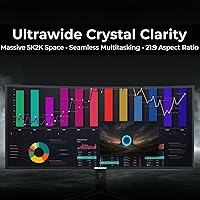
  • Aspect Ratio: The 21:9 ultrawide aspect ratio provides significantly more horizontal workspace than a conventional 16:9 display of comparable height.
  • Curvature: The panel features a 2800R curve radius, which gently wraps the screen around the viewer's natural field of vision to reduce edge distortion and eye movement fatigue.
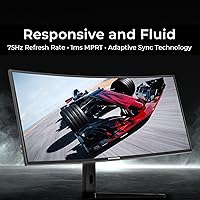
  • Refresh Rate: Maximum refresh rate is 75Hz, with Adaptive Sync support across a 48–75Hz range to reduce screen tearing in compatible applications.
  • Response Time: Rated at 6ms with Overdrive enabled for typical transitions, and 1ms MPRT under strobed backlight mode for motion clarity in fast-moving content.
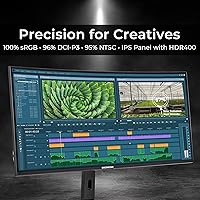
  • Color Gamut: The IPS panel covers 100% sRGB, 96% DCI-P3, and 95% NTSC, making it suitable for color-critical creative work across standard and cinematic color spaces.
  • HDR Support: Certified to HDR400 standard, which supports HDR metadata from compatible sources but is limited by the panel's 300 nit peak brightness in real-world HDR rendering.
  • Brightness: Rated peak brightness is 300 cd/m², which is adequate for most indoor environments but not sufficient for use in brightly lit rooms or direct sunlight conditions.
  • Contrast Ratio: Static contrast ratio is 1000:1, which is standard for IPS panel technology and produces accurate midtone rendering with moderate black depth.
  • Color Depth: Supports 1.07 billion colors via 10-bit color depth (8-bit panel with FRC dithering), enabling smooth gradient rendering in photo and video editing applications.
  • Connectivity: Ports include one DisplayPort 1.4, one HDMI 2.0, one USB-C, one USB-B 2.0, two USB-A 2.0, and one 3.5mm audio output.
  • USB-C Power: The USB-C port supports up to 90W power delivery, allowing compatible laptops to charge and receive display output simultaneously through a single cable.
  • VESA Mount: The rear panel includes a standard 100×100mm VESA mounting pattern, compatible with most third-party monitor arms and wall mounts.
  • Stand Adjustments: The included stand supports tilt from -15° to +5° and swivel from -45° to +45°, but does not offer height adjustment or portrait pivot rotation.
  • Dimensions: With the stand attached, the monitor measures 37.3 inches wide, 23.4 inches tall, and 12.1 inches deep; without the stand, depth reduces to 4.8 inches.
  • Weight: Net weight of the panel without stand is 25.6 lbs; total shipping weight including stand and packaging is approximately 30.2 lbs.
  • Power Consumption: Typical operating power draw is 60W, with standby consumption below 0.5W when the display is in sleep mode.
  • Extra Features: Includes flicker-free backlight technology, low blue light mode, OverDrive adjustment, PIP and PBP multi-source support, and integrated cable management routing in the stand.

Related Reviews

Deco Gear 39-inch Curved Ultrawide Gaming Monitor
77%
76%
Display Clarity
83%
Color Accuracy
89%
Refresh Rate & Motion
44%
HDR Performance
81%
USB-C Connectivity
More
Deco Gear DGVIEW495K 49″ Curved Ultrawide Monitor
74%
93%
Immersion & Screen Real Estate
88%
Color Accuracy
79%
Refresh Rate & Gaming Smoothness
67%
Response Time
84%
Value for Money
More
Deco Gear VM284K 28″ 4K Ultrawide IPS Monitor
86%
89%
Display Quality
93%
Color Accuracy
90%
Viewing Angles
88%
Performance for Design Work
85%
Build Quality
More
Deco Gear 34-Inch Curved Ultrawide Monitor DGLUX340
81%
90%
Value for Money
86%
Display Quality
83%
Ergonomics & Adjustability
75%
Gaming Performance
87%
Color Accuracy
More
Deco Gear DGVIEW490 49-inch Curved Ultrawide Gaming Monitor
85%
92%
Immersive Gaming Experience
88%
Display Quality (Resolution & HDR)
85%
Multitasking & Productivity
90%
Refresh Rate & Performance
80%
Build Quality & Durability
More
INNOCN 40C1R 40-inch Ultrawide Monitor
83%
91%
Display Quality
88%
Gaming Performance
89%
Color Accuracy
76%
Ergonomics & Adjustability
83%
Ease of Setup
More
LG 40WP95C-W 40” UltraWide Curved Monitor
86%
94%
Display Quality
91%
Value for Money
93%
Color Accuracy
89%
Connectivity
88%
Ease of Setup
More
INNOCN 40C1U 40-inch Ultrawide Monitor
77%
91%
Color Accuracy
93%
Screen Real Estate
58%
Brightness & Visibility
84%
USB-C Connectivity
76%
Refresh Rate & Gaming
More
MSI MAG401QR 40″ Gaming Monitor
84%
94%
Gaming Performance
89%
Display Quality
88%
Color Accuracy
92%
Value for Money
82%
Ease of Setup
More
BenQ PD3420Q 34-inch Ultrawide Monitor
87%
91%
Display Quality
94%
Color Accuracy
88%
Ergonomics and Adjustability
89%
Connectivity and Ports
75%
Price-to-Value Ratio
More

FAQ

The Deco Gear VIEW401 40″ Ultrawide Monitor supports up to 90W USB-C power delivery, which is sufficient for most MacBook Pro models to charge at or near full speed while running the display. That said, the USB-C cable included in the box may not be rated for 90W, so it is worth picking up a verified 100W USB-C cable separately to ensure you are getting the full benefit. Most users report reliable charging once they are using a proper cable.
The panel's 96% DCI-P3 and 100% sRGB coverage are real, measured figures — not rounded estimates. For the majority of photo editing workflows, the color performance straight out of the box is accurate enough to be genuinely useful without requiring immediate hardware calibration. If you are producing work for print or broadcast delivery with tight color tolerances, a colorimeter is still a smart investment, but for most photographers and retouchers, this display holds up well.

For casual gaming — RPGs, strategy titles, slower-paced open-world games — the 75Hz refresh rate with Adaptive Sync delivers a smooth, tear-free experience, and the large curved panel makes single-player games feel noticeably immersive. If your gaming is primarily competitive FPS or battle royale titles where high frame rates matter for reaction time, 75Hz will feel like a limitation compared to a 144Hz or 165Hz gaming monitor. Think of this as a productivity-first display that handles casual gaming capably, rather than the other way around.

Honestly, the HDR400 certification on this display is entry-level — the peak brightness of 300 nits is not high enough to produce the dramatic highlights and shadow detail that make HDR content striking on premium panels. HDR-tagged content from streaming platforms will look slightly more vibrant than SDR mode, but the difference is subtle. If HDR performance is a major priority for you, this display will likely disappoint.

Yes, the VIEW401 supports PBP (Picture-by-Picture) mode, which lets you display two separate input sources simultaneously on the same screen — a useful setup if you run a desktop and a laptop side by side. Input switching is managed through the OSD menu, which is functional but not the most polished experience. A small number of users have noted occasional bugs with input switching that require a power cycle to resolve, but for everyday use, the dual-source functionality works reliably.

The stand is stable and does not wobble noticeably during normal use, and the swivel and tilt range is genuinely useful. The main limitation is that it has no height adjustment — the panel sits at a fixed elevation. Whether that works for you depends entirely on your desk height and seating position. Taller users or anyone using a lower desk often end up adding a VESA monitor arm, and the 100×100mm mounting pattern on the back makes that straightforward.

Pushing 5120×2160 is more demanding than a standard 4K setup, so a mid-to-upper-range discrete GPU is recommended for a smooth experience across demanding applications. For general productivity, web browsing, and creative software, a recent mid-range card handles it comfortably. Where users run into trouble is GPU-intensive applications — 3D rendering previews, high-detail games at native resolution, or running multiple GPU-accelerated tools simultaneously — so it is worth checking your specific card's capabilities before purchasing.

The monitor includes two USB-A 2.0 ports and one USB-B 2.0 port, which function as a basic hub when connected to your computer via the upstream USB-B port or USB-C. The important caveat is that all USB ports are USB 2.0, which tops out at 480 Mbps — fast enough for keyboards, mice, and low-bandwidth accessories, but impractical for transferring large photo libraries or video files. If fast file transfer through the monitor is important to you, this hub will feel limiting.

Assembly is tool-free and takes most users under ten minutes — the stand base and neck click together simply, and the panel attaches with a single locking mechanism. The packaging is well-padded and the majority of buyers report receiving the unit without transit damage. Initial software setup is minimal since the monitor does not require driver installation on most operating systems; it is detected automatically as a standard display.

For editors working primarily in sRGB or DCI-P3 color spaces, this 40-inch display is a practical and capable primary monitor — the wide-gamut IPS panel gives you reliable color reference without paying for a dedicated broadcast monitor. The 40-inch ultrawide format is also genuinely useful in timeline-heavy applications, giving you a longer visible timeline alongside your preview window. Just keep in mind that for broadcast or streaming deliverables with strict colorimetric requirements, a hardware calibration pass will give you more confidence in your color decisions.

Where to Buy