G-Technology G-DRIVE Mobile 1TB Portable Hard Drive
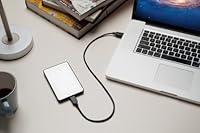
G-Technology G-DRIVE Mobile 1TB Portable Hard Drive — image 1
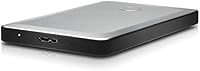
G-Technology G-DRIVE Mobile 1TB Portable Hard Drive — image 2
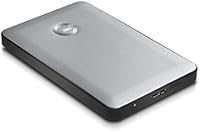
G-Technology G-DRIVE Mobile 1TB Portable Hard Drive — image 3
G-Technology G-DRIVE Mobile 1TB Portable Hard Drive — image 4
G-Technology G-DRIVE Mobile 1TB Portable Hard Drive — image 5
G-Technology G-DRIVE Mobile 1TB Portable Hard Drive — image 6
75%
25%

Overview

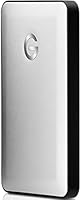
The G-Technology G-DRIVE Mobile 1TB Portable Hard Drive is a compact, Mac-focused storage solution built around a straightforward idea: reliable backup you can actually carry with you. Housed in a brushed aluminum shell, this portable drive feels noticeably more solid than the plastic-encased competition at a similar price. It ships pre-formatted for macOS with Time Machine compatibility ready to go — no configuration required. One honest caveat worth knowing upfront: Windows users can use it, but reformatting the drive yourself is a prerequisite that G-Technology doesn't advertise prominently. For Mac-centric workflows, though, the out-of-the-box experience is genuinely effortless.

Features & Benefits

What makes the G-DRIVE Mobile practical on a daily basis isn't any single spec — it's how several small details add up. The single-cable USB 3.0 connection handles both data and power, meaning you leave the charger at home and the desk stays clutter-free. At just 5.8 ounces and 0.71 inches thin, this aluminum hard drive slides into a laptop sleeve without adding noticeable bulk. The 1TB capacity comfortably holds large photo libraries, video rushes, or years of document backups. Transfer speeds are respectable for a 5400 RPM mechanical drive, though anyone moving large 4K video files regularly will notice the pace. Heat management is better than expected, thanks to the aluminum body drawing warmth away efficiently.

Best For

This portable drive is most at home in a MacBook bag, not on a Windows desktop. Mac users who rely on Time Machine for automated backups get the closest thing to a plug-and-forget experience — connect once and the drive quietly handles itself. Photographers and videographers on location will appreciate the no-power-brick setup; one cable is genuinely all it takes. Students managing coursework and media collections will find 1TB more than sufficient. Minimalist travelers who'd rather carry something slim and well-built than a bulkier drive with faster specs will also feel at home here. If you already own other G-Technology hardware, this fits neatly into that ecosystem visually and functionally.

User Feedback

Buyers rate this aluminum hard drive positively overall, with build quality and plug-and-play Mac compatibility drawing the most consistent praise. Long-term owners report steady, dependable performance for everyday backup tasks, which is what most people are buying it for anyway. The criticisms are real, though. Speed is the most common sticking point — a 5400 RPM drive won't win any races, and buyers transferring large file batches make that clear. Windows users occasionally appear in reviews frustrated by the reformatting process, which feels like an unnecessary hurdle. A smaller number mention premature drive failure after moderate use, a concern worth factoring in. The 3.8-star average reflects a satisfied Mac majority alongside a minority with legitimate complaints.

Pros

  • Ships ready for Time Machine backup the moment you plug it in on a Mac — zero setup required.
  • Bus-powered design means one USB cable handles everything; no power adapter needed.
  • Aluminum build feels noticeably more durable and premium than plastic-cased competitors.
  • At 5.8 ounces and under an inch thick, this portable drive genuinely disappears in a laptop bag.
  • 1TB capacity comfortably handles photo libraries, video projects, and document archives.
  • Heat dissipation through the metal body keeps operating temperatures reasonable during extended use.
  • Plug-and-play Mac compatibility removes any technical barrier for less experienced users.
  • Clean, minimal aesthetic matches well with MacBook setups and other G-Technology hardware.

Cons

  • 5400 RPM speed creates real wait times when transferring large batches of high-resolution files.
  • Windows compatibility requires manual reformatting steps that are not clearly communicated upfront.
  • A mechanical hard drive is inherently more vulnerable to data loss from drops than a portable SSD.
  • The price-to-speed ratio is difficult to justify if fast transfers are a regular part of your workflow.
  • A minority of buyers report drive failure after relatively light use, raising long-term reliability questions.
  • No included carrying case or protective sleeve despite the premium positioning and price point.
  • Limited to USB connectivity with no Thunderbolt or USB-C option for newer MacBook users without an adapter.

Ratings

The scores below for the G-Technology G-DRIVE Mobile 1TB Portable Hard Drive were generated by our AI engine after analyzing verified buyer reviews from multiple global markets, with spam, bot-generated, and incentivized feedback actively filtered out. What you see reflects the honest spread of real-world experience — the genuine strengths that keep buyers recommending this portable drive, and the friction points that have frustrated a meaningful share of users.

Build Quality
88%
The aluminum enclosure is the single most praised aspect across buyer reviews. Owners frequently describe it as feeling closer to a premium gadget than a storage accessory, and the slim profile holds up well to the everyday wear of being carried in a laptop bag repeatedly.
A minority of reviewers report that despite the solid exterior, the internal drive mechanism showed early signs of failure after several months of regular use, suggesting the shell looks more robust than the hardware inside actually is.
Mac Compatibility
93%
Plug-and-play performance on macOS is about as frictionless as it gets. Mac users consistently report that Time Machine recognizes the G-DRIVE Mobile immediately on first connection, with zero configuration required — a genuine convenience for anyone who finds manual backup setups tedious.
The Mac-first design is so deliberate that it creates a meaningful experience gap for anyone who occasionally needs to use the drive across platforms, since out-of-the-box Windows support simply does not exist without reformatting.
Portability
91%
At under six ounces and just 0.71 inches thick, this aluminum hard drive earns its portable label without any asterisk. Photographers and commuters alike note that it slides into a bag pocket and effectively disappears, which is exactly what you want from a drive you carry daily.
There is no included sleeve or protective pouch, which feels like an oversight given how the drive is positioned and priced. A few users have noted surface scuffs appearing over time from contact with keys or other bag contents.
Transfer Speed
57%
43%
For routine tasks — backing up documents, moving a folder of JPEGs, syncing a project archive — the 5400 RPM speed is perfectly acceptable and most casual users will rarely feel bottlenecked during typical daily backup workflows.
Anyone moving large volumes of data regularly, particularly video editors working with 4K footage or photographers batch-transferring RAW files from a shoot, will find the mechanical speed a persistent frustration. This is a fundamental ceiling of the drive type, not a fixable quirk.
Value for Money
62%
38%
The premium build and plug-and-play Mac experience do justify a portion of the price premium over budget plastic-cased alternatives, and buyers who stay within its intended Mac backup use case tend to feel the investment is reasonable over time.
At its retail price point, the combination of mechanical HDD speeds and the lack of cross-platform readiness makes it difficult to recommend over comparably priced portable SSDs that offer faster transfers and broader compatibility without requiring any reformatting.
Windows Compatibility
39%
61%
It is technically possible to use this portable drive on Windows after reformatting to exFAT or NTFS, and once that step is done the drive functions normally as external storage on a PC without any further issues.
The reformatting requirement is not communicated clearly in the product listing, and a notable share of Windows buyers report feeling misled. The process itself requires deleting all drive contents and using Disk Management, which is not intuitive for non-technical users expecting a plug-and-play experience.
Setup Experience
86%
On Mac, the setup experience is genuinely one of the smoothest of any external drive in this category. There is nothing to install, no app to launch, and no account to create — Time Machine handles everything automatically within seconds of the first connection.
The positive setup story applies almost exclusively to Mac users. Windows users and anyone attempting to use the drive across both operating systems face an initial configuration hurdle that adds friction and can result in accidental data loss if steps are performed incorrectly.
Heat Management
79%
21%
The aluminum body does a measurably better job of staying cool during extended use than comparable plastic-encased drives. Users running continuous backups over several hours report the drive remaining comfortably warm rather than hot, which is reassuring for long-term hardware health.
During sustained high-load transfers, the aluminum surface can become noticeably warm to the touch, which is within normal operating range for a mechanical drive but occasionally alarms users who are not familiar with how HDDs behave under load.
Long-term Reliability
63%
37%
The majority of buyers who use this aluminum hard drive for its intended purpose — periodic Mac backups and general file storage — report consistent, trouble-free performance over extended ownership periods stretching one to two years.
A recurring thread in negative reviews involves drive failure appearing earlier than expected, sometimes within the first year of moderate use. While this represents a minority of buyers, it is frequent enough to be a genuine reliability concern rather than isolated bad luck.
Cable & Connectivity
74%
26%
The single USB 3.0 cable powering and connecting the drive simultaneously is a practical convenience that frequent travelers genuinely appreciate — fewer cables to pack means fewer things to forget or lose on the road.
Newer MacBook models use USB-C exclusively, meaning buyers need a separate adapter not included in the box. There is also no Thunderbolt option for users who want faster sustained transfer performance from a compact drive form factor.
Aesthetic Design
87%
The brushed aluminum finish is consistently described as one of the cleaner-looking external drives in this size class, and it pairs visually with MacBook hardware in a way that clearly reflects intentional design choices rather than incidental styling.
The silver-only color option limits personalization, and a small number of reviewers note that the surface picks up fingerprints and minor scuffs fairly easily in everyday bag use, dulling the premium first impression over time.
Size for Capacity
82%
18%
Fitting 1TB of storage into a package this slim and light is a genuine accomplishment for a mechanical drive, and users who need a reliable large-capacity option without resorting to bulkier desktop-adjacent portables find the form factor well-suited to their needs.
For buyers primarily concerned with maximizing storage density, portable SSDs are now available at comparable or only slightly higher prices with meaningfully better size-to-capacity ratios and without the fragility tradeoffs of spinning disk storage.
Noise Level
71%
29%
During light workloads and idle periods the drive runs quietly enough that most users working in typical home or office environments will not find it distracting, and the hum blends into background noise comfortably.
During active large-file transfers, the audible mechanical clicking and whirring becomes noticeable in a quiet room. It is within normal parameters for an HDD, but users accustomed to silent SSD storage may find it unexpectedly conspicuous.

Suitable for:

The G-Technology G-DRIVE Mobile 1TB Portable Hard Drive was clearly designed with Mac users in mind, and that focus shows in how little friction there is getting started. If your daily driver is a MacBook and you want a Time Machine backup solution you can toss in a bag without thinking twice, this portable drive checks every practical box. Photographers and videographers who work on location will appreciate not having to hunt for a power outlet — one USB cable is genuinely all you need. Students managing growing media libraries or off-device course archives will find the 1TB capacity more than sufficient for years of use. Travelers who value a slim, well-built drive over raw speed will also find it fits naturally into a minimal carry setup.

Not suitable for:

Buyers primarily on Windows should think carefully before committing to the G-Technology G-DRIVE Mobile 1TB Portable Hard Drive, since it ships formatted for Mac and requires manual reformatting before a PC can use it properly — a step that catches many buyers off guard. Anyone planning to transfer large 4K video files or bulk RAW photo collections regularly will likely find the 5400 RPM mechanical speed a frustrating bottleneck; a portable SSD at a higher price point would serve those workflows far better. This aluminum hard drive is also not the right call for users who need rugged, drop-resistant storage — it is slim and well-built but not designed to survive rough handling. If cross-platform flexibility or speed is your primary requirement, you will probably end up underwhelmed here.

Specifications

  • Storage Capacity: This portable drive provides 1TB of storage, suitable for documents, photos, RAW image files, and video projects.
  • Drive Type: Uses a traditional mechanical hard disk (HDD) rather than solid-state storage, which affects both speed and shock resistance.
  • Rotational Speed: The internal disk spins at 5400 RPM, a standard speed for portable mechanical drives that balances performance with low power draw.
  • Interface: Connects via USB 3.0, which is backward compatible with USB 2.0 ports, though speeds will be significantly reduced on older connections.
  • Form Factor: Follows the standard 2.5-inch laptop drive form factor, keeping the overall enclosure compact and laptop-friendly.
  • Dimensions: Measures 5 x 3.27 x 0.71 inches, making it thin enough to slide into most laptop sleeves or padded bag pockets.
  • Weight: Weighs 5.8 ounces, light enough for daily carry without adding meaningful bulk to a bag.
  • Casing Material: The outer enclosure is machined aluminum, which improves heat dissipation and provides better scratch resistance than plastic alternatives.
  • Power Source: Draws power entirely through the USB connection, eliminating the need for a separate power adapter in typical usage.
  • Default Format: Ships pre-formatted as HFS+ for macOS, making it immediately usable with Mac systems and Time Machine without any setup.
  • Windows Support: Compatible with Windows after manually reformatting to exFAT or NTFS; this step is not guided by included documentation.
  • Mac Compatibility: Fully plug-and-play on macOS with native Time Machine support recognized automatically upon first connection.
  • Color: Available in silver, matching the brushed aluminum finish common to Apple MacBook and MacBook Pro designs.
  • Included Cable: Ships with a USB 3.0 cable; no additional accessories, protective sleeve, or carrying case are included in the box.
  • Operating Temperature: Designed for standard indoor operating conditions; the aluminum casing helps manage heat during normal workloads but is not rated for extreme environments.

Related Reviews
G-Technology G-DRIVE Mobile 4TB Portable Hard Drive
77%
93%
Build Quality
91%
Mac Compatibility
61%
Transfer Speed
88%
Portability
58%
Value for Money
More
G-Technology 2TB G-DRIVE Mobile USB-C Portable External Hard Drive
88%
91%
Portability
88%
Transfer Speed
89%
Build Quality
94%
Ease of Use (Plug-and-Play)
92%
Compatibility (Mac/Windows)
More
G-Technology 1TB ArmorATD Rugged Portable External Hard Drive
88%
94%
Build Quality & Durability
88%
Performance & Speed
85%
Portability & Size
91%
Value for Money
96%
Shock Resistance
More
G-Technology ArmorATD 4TB Portable Hard Drive
77%
91%
Build Quality
88%
Durability & Protection
61%
Transfer Speed
86%
Storage Capacity
83%
Portability
More
G-Technology G-DRIVE Mobile 5TB USB-C
79%
93%
Build Quality
88%
Portability & Form Factor
71%
Transfer Speed
74%
Thunderbolt 3 Compatibility
94%
Mac Compatibility
More
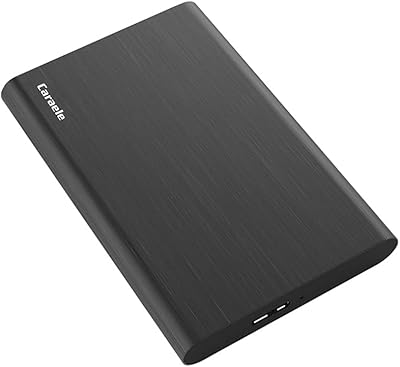
Caraele 1TB Portable External Hard Drive
73%
88%
Value for Money
91%
Ease of Setup
93%
Portability
61%
Transfer Speed
74%
Build Quality
More
ySky 1TB Portable External Hard Drive
86%
93%
Portability
88%
Ease of Use
85%
Battery Life
90%
Compatibility
82%
Backup Speed
More
ModusTech MT1TB-PEHD 1TB Portable External Hard Drive
77%
93%
Ease of Setup
61%
Transfer Speed
74%
Build Quality & Durability
89%
Portability & Form Factor
86%
Value for Money
More
WD My Passport 1TB Portable External Hard Drive
71%
93%
Portability
91%
Ease of Setup
78%
Build Quality
61%
Transfer Speed
88%
Data Security
More
IST Computers 1TB Portable External Hard Drive
73%
91%
Ease of Setup
67%
Value for Money
62%
Transfer Speed
54%
Drive Consistency
58%
Brand & Support
More

FAQ

Yes, completely. Plug the G-Technology G-DRIVE Mobile 1TB Portable Hard Drive into any Mac running a reasonably current version of macOS and it shows up immediately. Time Machine will even prompt you to use it as a backup disk automatically.

You can, but not right away. This portable drive ships formatted for Mac, so Windows will not recognize it properly until you reformat it. You can do that using Windows Disk Management — just choose exFAT if you want it to work across both systems afterward, though you will lose any data already on the drive during the process.

No, and that is one of the more practical things about it. The USB cable handles both data and power, so you only ever need the one connection. That said, if you are using it through a low-power USB hub, you may run into issues — connecting directly to your computer is always the safer bet.

Reasonably quick for a mechanical drive, but not fast by modern standards. For everyday backups and moving documents or photos around, it feels perfectly fine. If you are regularly transferring tens of gigabytes of 4K video or large RAW batches, expect to wait — a 5400 RPM drive has a ceiling, and you will hit it with big workloads.

The aluminum build gives it a reassuring solidity compared to plastic-cased drives. That said, it is still a mechanical hard drive, which means the spinning disk inside is sensitive to drops and bumps in a way that a solid-state drive simply is not. Treat it with reasonable care and it holds up well; drop it on a hard floor and you are taking a real risk.

Almost certainly yes. At just over half an inch thick and under six ounces, this aluminum hard drive is genuinely slim. It slips into most laptop sleeves without creating any noticeable extra bulk.

Not directly, no. The drive connects via USB to a computer, so iPhone and iPad backups would need to go through your Mac first. You cannot plug this drive into an iPhone or iPad natively without additional hardware or apps.

There is a faint hum and occasional quiet clicking during read and write operations, which is normal for any mechanical hard drive. In a quiet room you will notice it, but it is not distracting during regular use.

Nothing dramatic — the drive simply stops accepting new files once it is full. You would need to delete existing content or offload it elsewhere before adding more. For most backup and general storage use cases, 1TB lasts a long time before you hit that ceiling.

On a Mac, no software is needed at all — the operating system handles everything natively, including Time Machine setup. On Windows, after reformatting, you can use it as a standard external drive without any additional software either.

Where to Buy