iClever MD172 Wireless Bluetooth Rechargeable Mouse
Overview
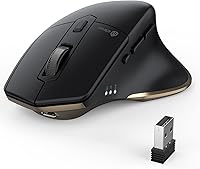
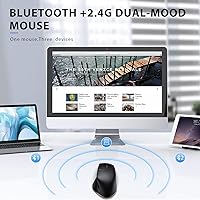
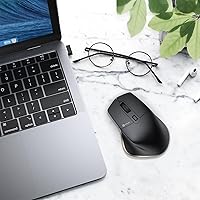
The iClever MD172 Wireless Bluetooth Rechargeable Mouse sits comfortably in the mid-range category, offering a practical feature set for people who juggle multiple devices throughout their workday. Its core appeal is dual-mode wireless connectivity — you can pair via Bluetooth or use the included USB receiver, depending on your device setup. The contoured shape is built for right-handed users with medium-to-large hands, and it holds up reasonably well during long desk sessions. What genuinely separates this wireless mouse from many similarly priced options is the built-in rechargeable battery — no more scrambling for AA batteries when the cursor freezes mid-meeting.
Features & Benefits
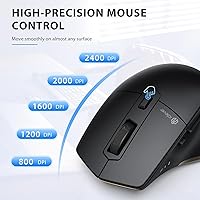
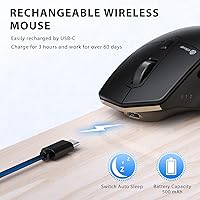
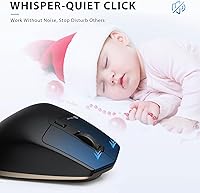
The device-switching button is what most buyers will rely on daily — press it to cycle through up to three paired devices, whether that is a Windows desktop, a MacBook, or an iPad. The silent click mechanism keeps noise impressively low, which makes this multi-device mouse a natural choice for shared offices or library sessions. A dedicated DPI button cycles through five sensitivity levels, useful if you split your day between detailed spreadsheet work and general web browsing. Charging takes about two hours via USB-C, and under moderate use a full charge realistically lasts several weeks — heavy users may see less, so manage expectations accordingly.
Best For
This wireless mouse makes the most sense for people who regularly shift between two or three devices — a student splitting time between a MacBook and a Windows machine, or a remote worker moving between a laptop and a tablet. Mac and iPad users will particularly appreciate Bluetooth Low Energy pairing, since it avoids tying up a USB port with a dongle. Those in open-plan offices will find the quiet clicks a genuine relief. Left-handed users, though, should look elsewhere — the ergonomic shape is designed exclusively for a right-handed grip, and there is no ambidextrous version of this model.
User Feedback
With a 4.4-star average across more than 400 reviews, this multi-device mouse has earned a solid if not glowing reputation. Buyers with medium-to-large hands consistently report that the contoured grip stays comfortable through extended work sessions, and most agree the stated size range is accurate. The scroll wheel, however, is a recurring complaint — it feels less tactile and responsive than expected, especially for anyone coming from a pricier peripheral. Surface tracking on glass or highly reflective desks causes issues for some users. And left-handed buyers have noted that the shape simply does not work for them, a fact worth knowing before adding it to your cart.
Pros
- Switching between three paired devices takes a single button press, making multi-device workflows genuinely practical.
- The silent click mechanism is quiet enough for library use or late-night work without disturbing others.
- USB-C charging means one fewer proprietary cable to carry, and a two-hour charge goes a long way.
- Battery life under moderate use is strong — most buyers report weeks between charges, not days.
- Five DPI levels give enough range to move comfortably between general browsing and more detail-oriented tasks.
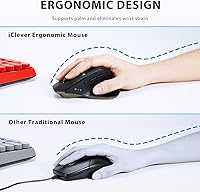
- The ergonomic contour is well-suited to medium-to-large right hands during extended work sessions.
- Bluetooth Low Energy pairing works reliably across macOS, iOS, Windows, and Android without driver installs.
- At this price point, getting both a USB receiver and Bluetooth in one mouse is genuinely good value.
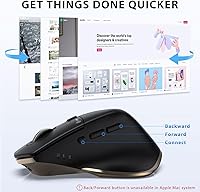
- The 6-button layout includes back and forward buttons that save real time during browser and file navigation.
Cons
- The scroll wheel feels vague and lacks the tactile feedback many users expect, especially those coming from pricier mice.
- Left-handed buyers have no option here — the shape only works comfortably for right-handed use.
- Tracking on glass or highly reflective surfaces is unreliable and may require a mouse pad to stay consistent.
- There is no tilt-scroll functionality, which can be a noticeable omission for users working in wide spreadsheets.
- Heavy daily users will charge more often than the maximum battery estimate implies — real-world life varies considerably.
- The 500mAh battery is smaller than some competing models at this price, which contributes to the variance in longevity.
- No companion software means DPI settings and button assignments cannot be customized beyond the hardware defaults.
- Users with small hands may find the large-profile body uncomfortable for extended precision work.
Ratings
The scores below reflect our AI-driven analysis of verified global buyer reviews for the iClever MD172 Wireless Bluetooth Rechargeable Mouse, with spam, bot-submitted, and incentivized feedback actively filtered out before scoring. We weighed both the enthusiastic praise and the recurring frustrations equally, so these numbers tell the full story — not just the highlights. Strengths in connectivity and battery life score high, while real pain points around the scroll wheel and surface tracking are honestly reflected.
Multi-Device Connectivity
Battery Life
Silent Click Performance
Ergonomics & Comfort
Scroll Wheel Quality
Surface Tracking
DPI Adjustability
Build Quality
Setup & Pairing Ease
Value for Money
Portability
Button Layout & Navigation
Charging Convenience
Suitable for:
The iClever MD172 Wireless Bluetooth Rechargeable Mouse is a strong pick for anyone who regularly works across two or three devices and is tired of re-pairing or swapping dongles throughout the day. Students moving between a personal laptop and a school-issued tablet, remote workers toggling between a home desktop and a MacBook, and road warriors who carry an iPad alongside a work machine will all find the one-button device switching genuinely useful. Mac and iPad users in particular benefit from the Bluetooth Low Energy connection, which avoids occupying a USB-C port that is likely already in high demand. The quiet click mechanism makes this multi-device mouse a thoughtful fit for open offices, coffee shops, or shared home spaces where click noise is a real consideration. Right-handed users with medium-to-large hands will find the ergonomic contour holds up well across long work sessions without the wrist ache that flat or travel mice tend to cause.
Not suitable for:
Left-handed users should stop here — the iClever MD172 Wireless Bluetooth Rechargeable Mouse has a pronounced right-hand ergonomic curve, and there is no left-handed or ambidextrous variant to consider. Gamers or power users who rely on precise, fast cursor control should also look elsewhere; the optical sensor and DPI ceiling are adequate for productivity tasks but not built for competitive or performance-intensive use. Anyone who does most of their work on a glass desk or a highly polished surface may run into inconsistent tracking, which is a known limitation of the optical sensor in this price range. If you prefer a heavier, more premium-feeling peripheral with a high-resolution scroll wheel and customizable software, this mouse will likely feel underpowered by comparison. It is also worth noting that the advertised battery life is based on light-to-moderate use — heavy daily users should expect to charge more frequently than the optimistic estimate suggests.
Specifications
- Model Number: This mouse is manufactured by iClever under the model designation MD172.
- Connectivity: It supports both Bluetooth 5.0 and a 2.4G USB receiver, giving users two distinct wireless connection methods.
- Multi-Device Support: Up to three devices can be paired simultaneously and cycled through using a single dedicated button on the mouse body.
- DPI Settings: The optical sensor offers five selectable sensitivity levels: 800, 1200, 1600, 2000, and 2400 DPI.
- Button Count: The mouse features six buttons, including left and right click, a scroll wheel click, DPI toggle, and back and forward navigation buttons.
- Silent Clicks: The click switches are rated to operate below 30dB, making them noticeably quieter than standard mechanical mouse buttons.
- Battery Capacity: A built-in 500mAh lithium polymer battery powers the mouse and is not user-replaceable.
- Battery Life: Under light to moderate daily use, a full charge is estimated to last up to 50 days before recharging is needed.
- Charge Time: The battery reaches a full charge in approximately two hours when connected via the USB-C port.
- Charging Port: The mouse uses a USB-C charging interface, eliminating the need for proprietary or micro-USB cables.
- Tracking Tech: An optical sensor handles cursor tracking and performs reliably on most standard desk surfaces and mouse pads.
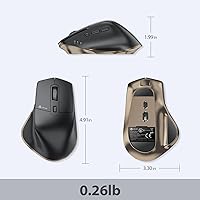
- Dimensions: The mouse body measures 4.92 × 3.3 inches, sized to accommodate medium-to-large right hands comfortably.
- Weight: The mouse weighs 4.2 ounces, which keeps it light enough for extended use without causing arm fatigue.
- Hand Orientation: The ergonomic contour is shaped exclusively for right-handed users; no left-handed variant is available.
- OS Compatibility: The mouse is compatible with Windows, macOS, iOS, and Android operating systems without requiring additional drivers.
- Color Option: The MD172 is available in a Black-Gold colorway as the standard retail configuration.
- Noise Level: Click noise is rated below 30dB, which is quieter than a typical whisper and suitable for noise-sensitive environments.
- Included Accessories: The package includes the mouse, a 2.4G USB receiver, and a USB-C charging cable.
Related Reviews
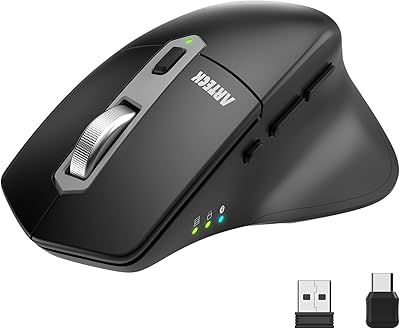
Arteck MD172 Multi-Device Wireless Mouse
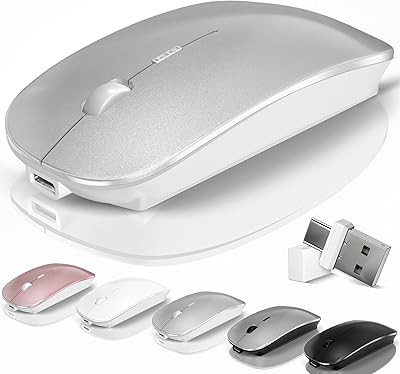
Kovess 4-Mode Silent Wireless Mouse
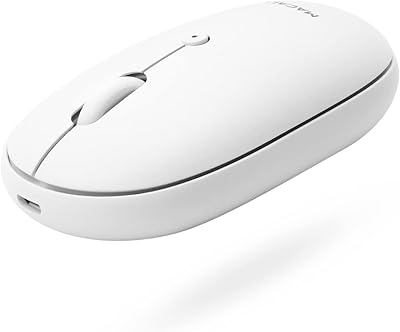
Macally Wireless Bluetooth Mouse
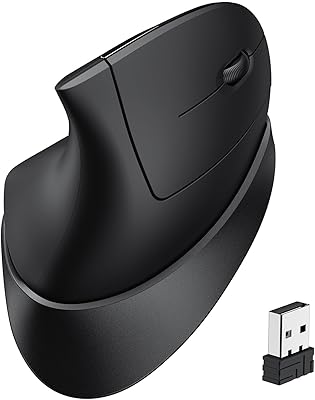
iClever TM254 Ergonomic Wireless Vertical Mouse
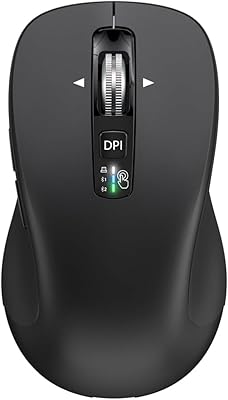
CITLLA L360
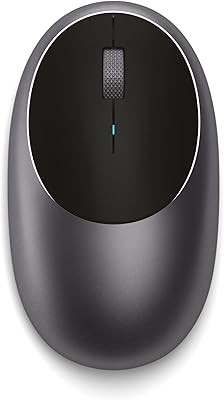
Satechi M1 Wireless Bluetooth Mouse
XBG B15 Pro
seenda Wireless Rechargeable Keyboard Mouse Combo
Kensington MY630 EQ Vertical Wireless Mouse