Arteck MD172 Multi-Device Wireless Mouse


Overview
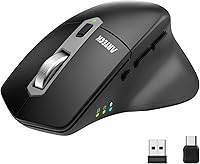
The Arteck MD172 Multi-Device Wireless Mouse is a budget-friendly peripheral built around one genuinely useful idea: connecting to three different devices without the usual hassle of swapping cables or dongles. At this price point, that kind of triple-connection flexibility is rare. It is designed exclusively for right-handed users with medium to large hands — a detail worth knowing upfront, since the ergonomic shape will feel cramped for smaller hands. Unlike many mice in this range that still rely on disposable AA batteries, this wireless mouse comes with a built-in rechargeable battery. It is a capable, no-frills everyday driver, not a tool for precision gaming or professional creative work.
Features & Benefits
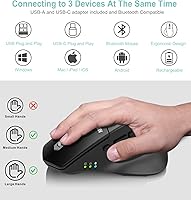
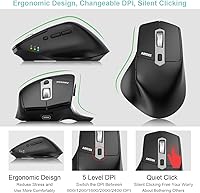
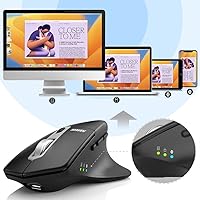
The standout feature here is three-way device switching — a 2.4GHz USB-A dongle, a 2.4GHz USB-C dongle, and Bluetooth, all toggled with a single button press. Both nano receivers tuck neatly into the back of the mouse body, so you are unlikely to lose them in transit. The multi-device mouse also offers five DPI levels ranging from 800 to 2400, which covers most everyday scenarios from browsing to spreadsheet work. A silent click mechanism keeps things quiet in shared spaces, and the six-button layout adds dedicated Page Up and Page Down keys that are genuinely handy for long documents. Battery life is rated at roughly four months, though that figure assumes about two hours of use per day.
Best For
This multi-device mouse makes the most sense for people who regularly bounce between devices — think remote workers running a laptop and desktop side by side, or students switching from a Windows machine to an iPad between classes. The dual nano receiver setup (USB-A and USB-C) means you can cover nearly any modern port without needing a separate adapter. It also works well for office or library environments where silent clicking matters more than raw performance. Right-handed users with medium to large hands will find the ergonomic thumb rest comfortable during long sessions. If you have small hands or need left-handed support, this is not the right fit — and that is worth knowing before buying.
User Feedback
With a 4.4 out of 5 rating across nearly 760 reviews, this wireless mouse earns solid marks — though not universal praise. Buyers consistently highlight how easy device switching is in practice, and many appreciate having both receivers stored on the mouse itself. On the downside, Bluetooth reconnection lag after a computer wakes from sleep is a frequently mentioned annoyance; not a dealbreaker, but real enough to notice daily. Users with smaller hands tend to find the body too wide and bulky for comfortable extended use. The scroll wheel draws occasional criticism for feeling loose. Battery life claims, however, hold up well for moderate users — a genuine bright spot.
Pros
- Connects to three devices simultaneously via USB-A, USB-C, and Bluetooth — rare at this price.
- One-button device switching works quickly and reliably in everyday use.
- Both nano receivers store inside the mouse body, so losing them while traveling is much less likely.
- Silent click mechanism is genuinely quiet, not just slightly muffled.
- Rechargeable via USB-C, so no ongoing battery purchases or mid-session surprises.
- Covers USB-A and USB-C ports natively, removing the need to carry an adapter.
- Compatible with Windows, macOS, iPad OS, and Android — broad enough for most multi-device setups.
- Dedicated Page Up and Page Down buttons are a practical touch for document-heavy workflows.
- Five DPI levels give enough range for switching between a small laptop screen and a large external monitor.
Cons
- Body size is too large for small hands — comfort drops off noticeably below medium hand size.
- Right-hand only; left-handed users have no viable option here.
- Bluetooth reconnection after sleep mode involves a noticeable delay that some users find frustrating daily.
- Scroll wheel feels slightly loose and plasticky compared to mice even slightly higher in price.
- Four-month battery life estimate assumes only two hours of use per day — heavier users will charge more often.
- No software or app for remapping buttons or saving DPI preferences.
- Optical sensor is adequate for general use but lacks the accuracy expected for design or editing tasks.
- The matte plastic finish, while functional, shows fingerprints and smudges with regular handling.
Ratings
Our AI rating engine analyzed verified global buyer reviews for the Arteck MD172 Multi-Device Wireless Mouse, actively filtering out incentivized, bot-generated, and outlier submissions to surface what genuine everyday users actually experience. The scores below reflect a transparent picture of this mouse across real-world use cases — both where it earns its place on a desk and where it falls short.
Multi-Device Switching
Connectivity Reliability
Ergonomics & Comfort
Silent Click Performance
Battery Life
Build Quality
Scroll Wheel
Receiver Storage Design
DPI & Cursor Control
Cross-Platform Compatibility
Value for Money
Setup & Ease of Use
Portability
Suitable for:
The Arteck MD172 Multi-Device Wireless Mouse is a strong fit for anyone who regularly works across two or three devices and wants a single mouse to handle all of them without juggling dongles or re-pairing via settings menus. Remote workers who split their day between a personal laptop, a work desktop, and an iPad will find the one-button device switching genuinely useful in practice. Students in the same boat — bouncing between a tablet for note-taking and a computer for writing — get real convenience here without spending much. The silent click mechanism makes this multi-device mouse a thoughtful choice for open-plan offices, shared apartments, or library sessions where noise is a genuine concern. Right-handed users with medium to large hands will likely find the ergonomic shape comfortable enough for full workdays, and the built-in rechargeable battery removes the recurring cost and hassle of disposable AAs.
Not suitable for:
The Arteck MD172 Multi-Device Wireless Mouse has some clear gaps that make it the wrong call for certain buyers. If you have small hands, the body will feel oversized and awkward — this is one of the most consistent complaints from real users, and it is not something you adapt to over time. Left-handed users are simply out of luck; the ergonomic shape is designed entirely for right-hand use with no ambidextrous option. Anyone who needs fast, precise cursor control for photo editing, illustration, or gaming will find the optical sensor and DPI ceiling limiting compared to dedicated performance mice. The Bluetooth connection also has a known lag when reconnecting after a device wakes from sleep, which can be irritating in fast-paced professional workflows where every second counts. If build quality and a premium scroll wheel feel matter to you, this wireless mouse will likely leave you wanting more.
Specifications
- Connection Types: This mouse connects via three methods: 2.4GHz USB-A wireless dongle, 2.4GHz USB-C wireless dongle, and Bluetooth.
- Device Switching: A dedicated button on the mouse cycles between all three connected devices with a single press.
- DPI Range: Pointer sensitivity is adjustable across five levels: 800, 1200, 1600, 2000, and 2400 DPI.
- Button Count: The mouse features six buttons, including left-click, right-click, scroll wheel click, back, Page Up, and Page Down.
- Silent Clicks: Both primary click buttons use a dampened mechanism designed to significantly reduce audible click noise.
- Battery Type: A built-in rechargeable lithium battery powers the mouse and is charged via the included USB-C cable.
- Battery Life: Rated battery life is approximately four months based on two hours of active use per day under normal conditions.
- Charging Port: The mouse charges through a USB-C port located on the front edge of the device.
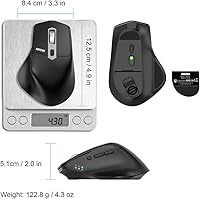
- Dimensions: The mouse measures 5 x 3.15 x 2 inches, placing it in the medium-to-large size category for desktop peripherals.
- Weight: The mouse weighs 4.3 oz, which is light enough for extended daily use without wrist fatigue for most users.
- Hand Orientation: The ergonomic contour is designed exclusively for right-hand use and is not suitable for left-handed users.
- Recommended Hand Size: Arteck specifically recommends this mouse for medium to large hands; it is not designed to fit small hands comfortably.
- Receiver Storage: Both nano receivers (USB-A and USB-C) store inside a compartment at the back of the mouse body when not in use.
- Compatibility: This mouse is compatible with Windows 11, 10, 8, and 7; macOS; iPad OS; and Android operating systems.
- Tracking Technology: The mouse uses an optical sensor for cursor tracking, suited to everyday computing surfaces including most desk pads.
- Color: Available in black with a matte finish across the main body and buttons.
- Warranty: Arteck includes a 24-month manufacturer warranty and customer support with each unit.
- In-Box Contents: The package includes the mouse, one nano USB-A receiver, one nano USB-C receiver, a USB-C charging cable, and a welcome guide.
Related Reviews
Rapoo MT760 Multi-Device Wireless Mouse
Rapoo 9050S Wireless Keyboard and Mouse Combo
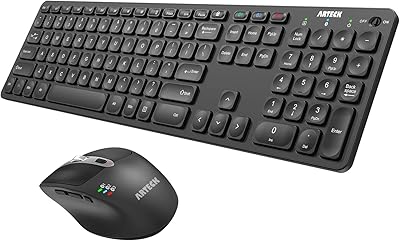
Arteck HB305-3 Bluetooth Keyboard and Mouse Combo

Arteck HW192 Wireless Keyboard and Mouse Combo
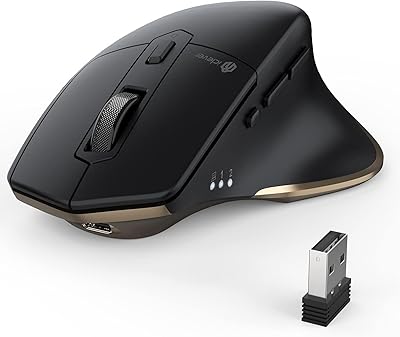
iClever MD172 Wireless Bluetooth Rechargeable Mouse
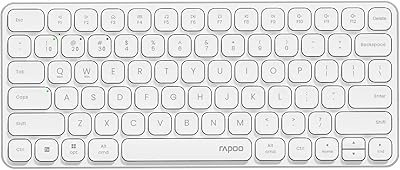
Rapoo E9050L Wireless Keyboard
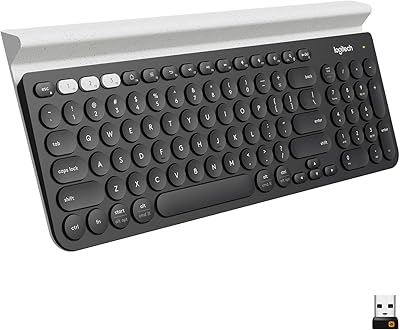
Logitech K780 Multi-Device Wireless Keyboard
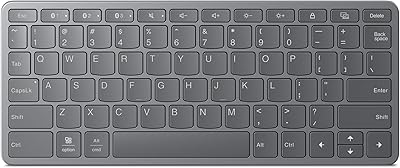
Lenovo Multi-Device Wireless Keyboard ZG38C05810
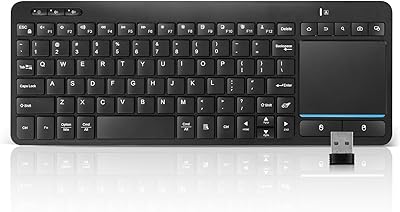
Bnnwa Multi-Device Bluetooth Keyboard with Touchpad