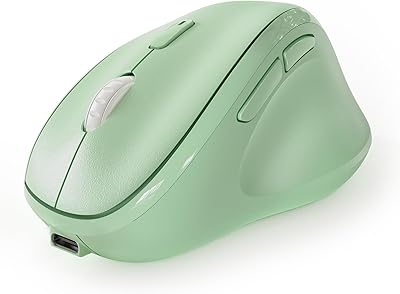
iClever TM254 Ergonomic Wireless Vertical Mouse

Overview
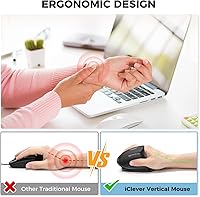
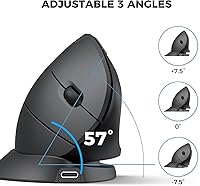
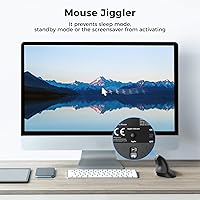
The iClever TM254 Ergonomic Wireless Vertical Mouse is a budget-friendly option that punches above its price for office workers and remote professionals dealing with wrist fatigue. What sets it apart from other vertical mice at this price point is its adjustable tilt hinge, letting you shift between -7.5°, 0°, and +7.5° angles — a feature rarely seen without spending considerably more. There is also a built-in mouse jiggler mode, which simulates cursor movement to keep your screen awake during video calls or idle stretches, no third-party software needed. One important caveat upfront: this is a right-handed design sized for small to medium hands, so left-handed users should look elsewhere.
Features & Benefits
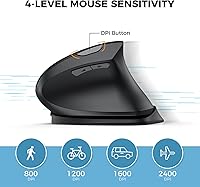
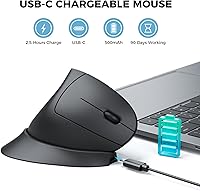
The three tilt angle settings are the headline feature here — rotating the mouse body slightly forward or backward helps users find a natural wrist position, which matters a lot across a full workday. Clicking is surprisingly quiet; the silent left and right buttons dampen that familiar click noise without feeling mushy. Four DPI steps (800, 1200, 1600, and 2400) cover most everyday tasks, from spreadsheet precision to faster browser navigation. The USB-C rechargeable battery is rated for up to 90 days, though expect that figure to shrink at higher DPI settings or during heavy daily use. The 2.4GHz receiver is plug-and-play — no software, no pairing process.
Best For
This wireless vertical mouse is a natural fit for anyone whose wrists ache by mid-afternoon but who cannot justify spending heavily on an ergonomic peripheral right now. It also works well for people new to vertical mice — the adjustable tilt means you can start at 0° and experiment gradually rather than committing to a fixed angle immediately. If your workday involves frequent video conferencing, the jiggler function is genuinely useful for keeping your screen active when you step away briefly. That said, this is strictly a right-handed mouse for small to medium hands; larger hands will feel cramped, and left-handed users need to shop elsewhere entirely.
User Feedback
With a 3.9 out of 5 rating from nearly 300 buyers, the iClever ergonomic mouse lands in solid-but-mixed territory. Positive reviewers consistently highlight comfort improvement over a standard flat mouse, the quietness of the clicks, and how easy USB-C charging is compared to swapping batteries. The criticism is worth noting though: several users mention that the scroll wheel feel is underwhelming, and a handful raise concerns about long-term durability of the tilt hinge. Hand size feedback is divided — users with smaller hands tend to be happier, while those with larger hands find it cramped. The jiggler works reliably for most, though occasional compatibility issues surface on certain systems.
Pros
- Adjustable tilt angles let you fine-tune wrist posture, which is rare at this price point.
- Silent click buttons are noticeably quiet without feeling unresponsive or spongy.
- USB-C charging means no disposable batteries to buy or replace.
- The built-in mouse jiggler keeps your screen awake during calls or breaks — no extra software needed.
- Plug-and-play USB receiver works immediately with no driver installation or pairing steps.
- Four DPI levels give enough range for both detailed document work and general desktop use.
- Lightweight at 4.6 ounces, making it comfortable for extended sessions.
- Comes with a 12-month warranty and responsive customer support according to most buyers.
- Battery life holds up well under moderate daily use, even if the 90-day claim is optimistic at higher DPI.
Cons
- Scroll wheel feel is underwhelming — several users describe it as cheap or imprecise.
- The tilt hinge shows durability concerns after months of regular use.
- Strictly right-handed design with no left-handed option available.
- Small-to-medium sizing leaves users with larger hands feeling cramped.
- The 90-day battery claim is likely optimistic at higher DPI settings or heavy workloads.
- Occasional compatibility issues with the jiggler function on certain system configurations.
- Overall build quality reflects the budget price — plastics feel light and not especially robust.
- No Bluetooth connectivity; relies entirely on the USB receiver, which occupies a port permanently.
- Not suitable for Mac or non-Windows environments without additional compatibility checks.
Ratings
The scores below for the iClever TM254 Ergonomic Wireless Vertical Mouse were generated by AI after analyzing verified global user reviews, with spam, bot-submitted, and incentivized feedback actively filtered out. Each category score reflects the honest distribution of real buyer experiences — strengths and frustrations alike — so you can make a genuinely informed call before purchasing.
Ergonomic Comfort
Build Quality
Silent Click Performance
Adjustable Tilt Hinge
Mouse Jiggler Feature
Battery Life
DPI Range & Accuracy
Wireless Reliability
Scroll Wheel
Hand Size & Grip Fit
Setup & Ease of Use
Value for Money
OS & Device Compatibility
Suitable for:
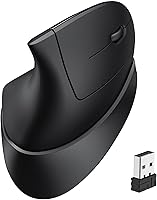
The iClever TM254 Ergonomic Wireless Vertical Mouse is a strong match for right-handed office workers and remote professionals who spend long hours at a desk and are starting to notice wrist discomfort or early signs of repetitive strain. The adjustable tilt hinge makes it particularly useful for first-time vertical mouse users, since you can ease into the new hand position gradually rather than adapting to a fixed angle all at once. People who rely heavily on video conferencing will appreciate the built-in jiggler function, which keeps the screen active during idle moments without needing any extra software installed. It also suits budget-conscious buyers who want a meaningful ergonomic upgrade from a standard flat mouse without committing to the higher price tags of premium brands. If your hands fall in the small-to-medium range and you primarily work on Windows, this wireless vertical mouse covers the basics reliably.
Not suitable for:
The iClever TM254 Ergonomic Wireless Vertical Mouse is simply not built for left-handed users — the shape is molded for right-hand grip only, and there is no left-handed variant available. Users with large hands will likely find the form factor cramped, which can introduce its own discomfort and largely defeats the ergonomic purpose. Professionals who need a high-precision mouse for graphic design, detailed photo editing, or competitive gaming will find the sensor and DPI ceiling limiting. Those who expect premium build quality at this price point may be disappointed; several buyers have noted that the scroll wheel and tilt hinge show wear over extended daily use. Mac users or anyone working outside the Windows ecosystem should also verify compatibility before purchasing, as support is not guaranteed across all operating systems.
Specifications
- Model Number: This mouse is identified by the manufacturer model number TM254.
- Connectivity: It connects via a 2.4GHz USB wireless receiver that is included in the box.
- DPI Settings: Four selectable DPI levels are available: 800, 1200, 1600, and 2400.
- Tilt Angles: An adjustable hinge allows three body tilt positions: -7.5°, 0°, and +7.5°.
- Button Count: The mouse features 7 buttons, including forward, backward, and DPI-switch buttons.
- Click Type: The primary left and right buttons use a silent mechanism designed to reduce audible click noise.
- Tracking: Movement is tracked using an optical sensor suitable for standard desk surfaces.
- Battery: A built-in 500mAh lithium-ion battery is recharged via a USB-C cable included in the package.
- Battery Life: The manufacturer rates battery life at up to 90 days, though real-world usage at higher DPI settings will reduce this figure.
- Dimensions: The mouse measures 3.31 × 3.46 × 5.28 inches (length × width × height).
- Weight: The device weighs 4.6 ounces, making it a lightweight option for extended daily use.
- Hand Orientation: The ergonomic shape is designed exclusively for right-handed users.
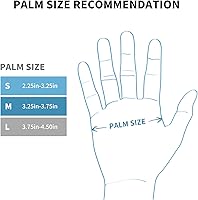
- Hand Size Fit: The form factor is best suited to small and medium-sized hands.
- OS Compatibility: The mouse is officially compatible with Windows 7, 8, 10, and 11 operating systems.
- Special Feature: A built-in mouse jiggler mode simulates cursor movement to prevent the computer from entering sleep or screensaver mode.
- Wireless Range: The 2.4GHz receiver supports a typical wireless operating range of up to approximately 33 feet under normal conditions.
- In the Box: The package includes the vertical mouse, one USB receiver, one USB-C charging cable, and documentation.
- Warranty: iClever provides a 12-month manufacturer warranty with 24-hour customer service support.
Related Reviews

seenda Ergonomic Vertical Wireless Mouse

Woddlffy RAAVEE Ergonomic Vertical Wireless Mouse

Acer OMR241 Ergonomic Vertical Mouse

UGREEN Vertical Wireless Ergonomic Mouse

Lekvey XC-05 Vertical Wireless Mouse
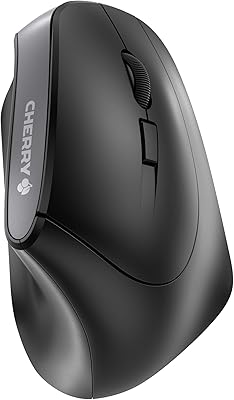
Cherry MW4500 Wireless Vertical Ergonomic Mouse
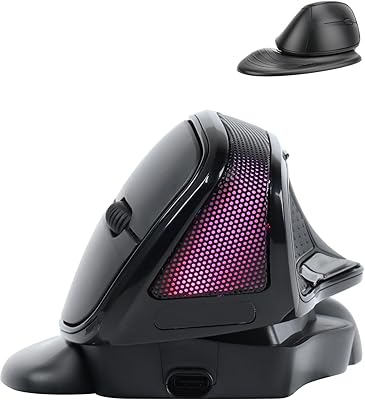
SHARE SUNSHINE Ergonomic Vertical Wireless Mouse
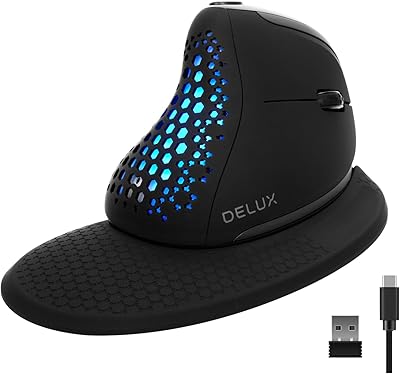
DeLUX Seeker M618XSD Wireless Ergonomic Vertical Mouse
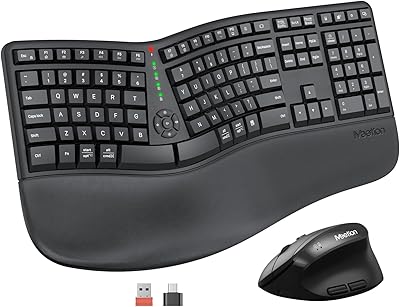
MEETION DirectorC Split Ergonomic Keyboard Mouse Combo