Kovess 4-Mode Silent Wireless Mouse

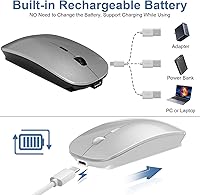
Overview
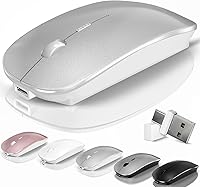
The Kovess 4-Mode Silent Wireless Mouse stands out in a crowded budget category by offering something most mice at this price simply don't: four connectivity modes in a single device. Whether you're pairing via Bluetooth 5.2, Bluetooth 3.0, or plugging in a 2.4GHz dongle with either USB-A or USB-C, this wireless mouse covers nearly every device combination you might encounter. The slim silver profile clearly targets MacBook and tablet users who want something that looks at home on a clean desk. There's also a built-in jiggler mode — genuinely rare at this price tier — which keeps your screen active without any extra software. Just don't expect gaming-grade precision; this is a lightweight office tool, plain and simple.
Features & Benefits
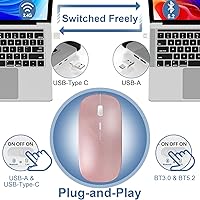
The four-mode connectivity is the headline feature here, and the execution is thoughtful. The 2-in-1 receiver is a small but meaningful design choice — one dongle handles both USB-A and USB-C ports, so you're not rummaging through a bag for the right adapter. Switching between two Bluetooth devices takes a single button press, which works reliably enough for a desk-to-couch workflow. The jiggler function deserves a proper mention: hold the DPI button for three seconds and the cursor starts moving irregularly on its own, keeping your computer from locking during a long video call or download. DPI tops out at 1600, which is perfectly adequate for spreadsheets and browser work. The silent clicks round things out nicely for shared spaces.
Best For
This multi-mode mouse is a natural fit for anyone who bounces between devices throughout the day — think a student moving between a Windows laptop and an iPad, or a remote worker who keeps a MacBook at home and a desktop at the office. The USB-C receiver support is particularly useful for newer MacBook users who'd otherwise need a separate hub just to plug in a standard dongle. Anyone who sits through long video calls or extended downloads will genuinely appreciate the jiggler mode keeping the screen alive without manual input. Quieter work environments — libraries, open offices, shared apartments — are also a good match for the silent click design. High-DPI power users should look elsewhere.
User Feedback
With a 4.4-star rating across over 550 reviews, this wireless mouse has clearly landed well with its target audience. Buyers consistently mention how easy device switching is to set up and use, and the rechargeable battery earns praise for lasting as long as the manufacturer claims — though individual results will vary depending on usage patterns. The jiggler mode shows up repeatedly as a pleasant surprise. On the flip side, users with larger hands find the compact dimensions a bit cramped over long sessions, and the scroll wheel has been described as feeling slightly cheap. The 1600 DPI cap is also noted by a few, though most office users don't find it limiting. The 12-month warranty and 60-day return window give buyers reasonable peace of mind.
Pros
- Four connectivity modes cover virtually every device combination, from older USB-A laptops to modern USB-C MacBooks.
- The 2-in-1 dongle handles both USB-A and USB-C ports without needing a separate adapter.
- Built-in jiggler mode keeps your screen awake during calls or downloads — no extra software needed.
- Silent clicks are noticeably quiet, making this wireless mouse easy to use in shared or quiet spaces.
- Rechargeable battery reportedly lasts three to four weeks per charge under typical office use.
- Switching between two Bluetooth devices takes a single button press and works reliably.
- Lightweight and slim enough to toss in a bag without adding noticeable bulk.
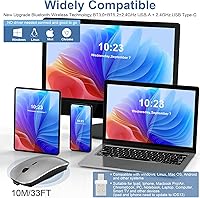
- Compatible with Windows, macOS, Linux, and Android — broad OS support out of the box.
- A 12-month warranty and 60-day money-back window provide solid post-purchase protection.
- Available in five colors, making it easier to match a MacBook or personal desk setup.
Cons
- The compact form factor becomes uncomfortable for users with medium-to-large hands during long sessions.
- Scroll wheel feel has been described by some buyers as plasticky and lacking resistance.
- DPI tops out at 1600, which is limiting for high-resolution monitors or detail-oriented creative work.
- Battery life varies considerably in practice; the 3–4 week manufacturer estimate may not hold under heavy daily use.
- The auto-sleep timer kicks in after just eight minutes of inactivity, which can occasionally interrupt workflow.
- Build materials feel lightweight in a way that raises questions about long-term durability under daily use.
- Only three DPI levels available — no custom DPI setting for users who want precise incremental control.
- Jiggler mode moves the cursor randomly, which can briefly disrupt work if accidentally left on.
- No dedicated multi-device pairing indicator light makes it harder to confirm which connection mode is active.
Ratings
The scores below for the Kovess 4-Mode Silent Wireless Mouse were generated by our AI review engine after analyzing verified global purchase ratings, actively filtering out incentivized, duplicate, and bot-flagged submissions to surface what real buyers actually experience. Each category reflects an honest synthesis of both the praise and the frustrations that come up repeatedly across hundreds of reviews — nothing is glossed over.
Multi-Device Connectivity
2-in-1 Receiver Design
Jiggler Mode
Silent Click Mechanism
Battery Life
Charging Convenience
DPI & Tracking Performance
Ergonomics & Comfort
Build Quality
Scroll Wheel Feel
OS & Device Compatibility
Portability
Value for Money
Setup & Ease of Use
Warranty & After-Sales
Suitable for:
The Kovess 4-Mode Silent Wireless Mouse is an excellent pick for people who regularly work across more than one device and don't want to carry a bag full of dongles. Students who split time between a Windows laptop and an iPad, or remote workers toggling between a home MacBook and an office desktop, will find the one-button device switching genuinely practical rather than a paper feature. The 2-in-1 USB receiver is a thoughtful touch for anyone with a newer laptop that only has USB-C ports — no hub required. Anyone who spends hours on video calls or leaves files downloading overnight will also appreciate the built-in jiggler mode, which keeps the screen active without any third-party software. Quiet work settings like libraries, shared offices, or thin-walled apartments are another natural fit, since the silent click mechanism genuinely reduces audible noise without feeling mushy.
Not suitable for:
Buyers with larger hands should approach this mouse cautiously — at 4.4 x 2.3 x 0.8 inches and 3.2 ounces, it is a compact, flat device that works fine for short sessions but can feel cramped during a full workday. The DPI ceiling of 1600 also makes the Kovess 4-Mode Silent Wireless Mouse a poor fit for graphic designers, photo editors, or anyone who needs fine cursor control across a high-resolution display. Gamers should look elsewhere entirely — the tracking speed, button layout, and form factor are built for office productivity, not fast-paced or precision-heavy gaming. If you prefer a traditional AA-battery mouse and dislike the dependency on charging cables, the built-in rechargeable battery is also a trade-off worth considering. Finally, buyers who need six or more programmable buttons, adjustable weight, or onboard memory for profiles will find this mouse too bare-bones.
Specifications
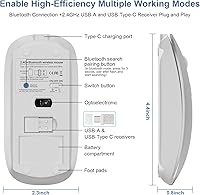
- Connectivity: Supports four modes: Bluetooth 5.2, Bluetooth 3.0, 2.4GHz via USB-A dongle, and 2.4GHz via USB-C dongle.
- Receiver: Includes a single 2-in-1 dongle with both USB-A and USB-C ports built in, eliminating the need for two separate adapters.
- DPI Settings: Three selectable sensitivity levels — 800, 1200, and 1600 DPI — switchable with a short press of the DPI button.
- Jiggler Mode: Activated by holding the DPI button for 3 seconds; moves the cursor randomly to prevent the computer from entering sleep or lock mode.
- Battery: Built-in 800mAh Li-polymer rechargeable battery; no replaceable batteries required.
- Charge Time: Reaches a full charge in approximately 2 to 4 hours via the included USB charging cable.
- Battery Life: Manufacturer rates active use at 3 to 4 weeks per charge, with a standby duration of up to 90 days based on 8 hours of average daily use.
- Auto-Sleep: Automatically enters a low-power sleep state after 8 minutes of inactivity to conserve battery life.
- Dimensions: Measures 4.4 x 2.3 x 0.8 inches, making it a compact, slim-profile mouse suited for travel and smaller workspaces.
- Weight: Weighs 3.2 ounces, keeping it light enough for extended portability without feeling insubstantial.
- Click Type: Equipped with silent-mechanism buttons that significantly reduce audible click noise compared to standard mouse switches.
- OS Support: Compatible with Windows 7, 8, 10, and 11, macOS, Linux, and Android-based tablets and devices.
- Multi-Device: Can store connections to two devices simultaneously and switch between them with a single button press.
- Colors: Available in five finishes: Silver, Rose Gold, Black, Gray, and White.
- Warranty: Covered by a 12-month manufacturer warranty and a 60-day money-back guarantee from the date of purchase.
- User Rating: Holds a 4.4-out-of-5-star average based on over 550 verified ratings on Amazon as of the time of review.
- Tracking: Uses optical laser tracking technology for accurate cursor movement on most common desk surfaces.
- Scroll Wheel: Features a rubber-coated scroll wheel intended to reduce slippage during prolonged scrolling sessions.
Related Reviews
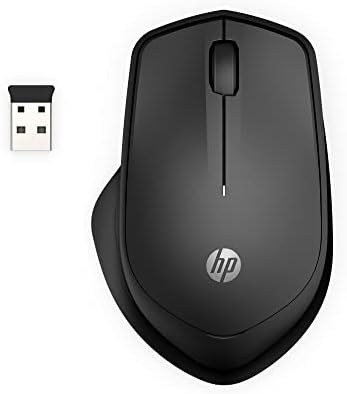
HP 280M Silent Mouse
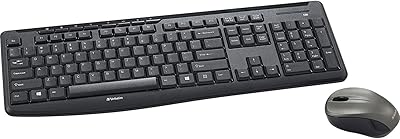
Verbatim Wireless Silent Mouse & Keyboard Combo
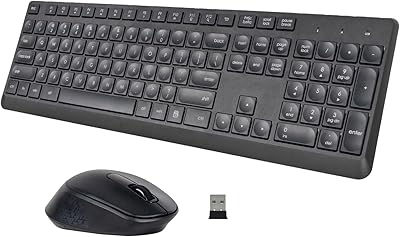
HUO JI Silent Wireless Keyboard Mouse Combo

Arteck HW192 Wireless Keyboard and Mouse Combo
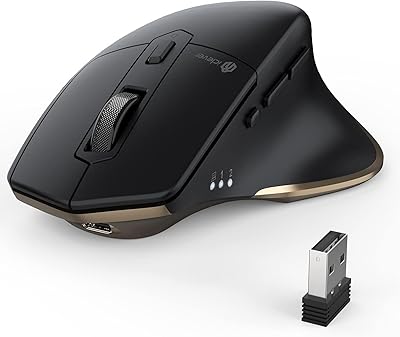
iClever MD172 Wireless Bluetooth Rechargeable Mouse
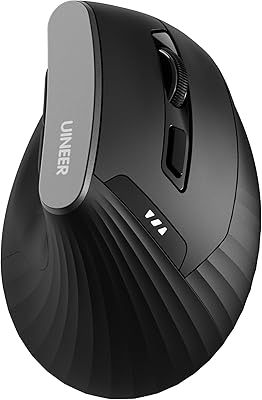
Uineer A06 Vertical Ergonomic Mouse

SABLUTE Wireless Trackball Mouse
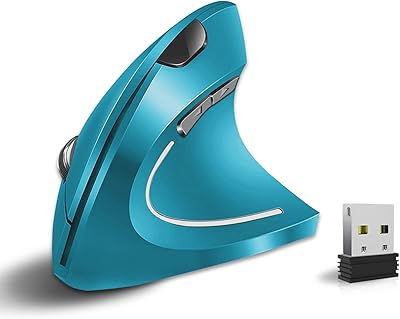
Vassink Ergonomic Vertical Wireless Mouse

Logitech M320 Wireless Mouse
