Overview

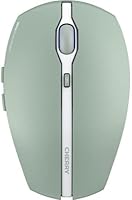
The Cherry GENTIX BT Wireless Mouse is Cherry's answer to the growing crowd of people juggling multiple devices at once — and it does so without asking you to pay a premium price for the privilege. Cherry has been making reliable keyboards and peripherals for decades, so this Bluetooth mouse carries some real brand credibility behind it. The standout pitch here is multi-device pairing: connect up to three gadgets and switch between them with a button press. It comes in an eye-catching agave green finish, a refreshing departure from the sea of matte black mice. Runs on a single AAA battery with up to a year of claimed life. This is a solid everyday driver — just don't expect it to compete with dedicated gaming hardware.

Features & Benefits

The Bluetooth 5.0 connection here handles three paired devices simultaneously, and switching between them takes a single button press — which is exactly what you want when your work laptop, personal MacBook, and iPad are all within arm's reach. The AES-128 encryption is a quiet but meaningful detail for anyone transmitting sensitive work data wirelessly. DPI sits at either 1000 or 2000, toggled with one click; it's not a wide range, but for browsing, writing, and video calls it covers what most people actually need. The illuminated scroll wheel doubles as a battery and DPI indicator, which sounds gimmicky until you realize you've stopped wondering why the cursor is crawling. No dongle, no software install, no fuss.

Best For

This multi-device mouse makes the most sense for people whose day involves hopping between a MacBook, a Windows PC, and an iPad — the kind of setup that has historically meant either carrying a dongle or re-pairing devices constantly. Students, remote workers, and anyone running a clean desk setup will appreciate having no USB receiver to lose and no charging cable to manage. It runs on a standard AAA battery, which some people actually prefer for the predictability. That said, keep expectations in check: the modest DPI range and optical sensor make this a poor fit for graphic designers or gamers. For everyday productivity tasks, it punches well within its weight.

User Feedback

Buyers tend to praise the Cherry GENTIX BT for its reliable device switching — pairing and swapping between platforms genuinely works as advertised, which isn't always a given in this category. Build quality draws mixed reactions: most find it solid enough for the price, though a few note the plastic feels more functional than refined. The illuminated scroll wheel gets a warmer reception than expected; people find the visual battery and DPI feedback genuinely handy rather than decorative. On the downside, users with larger hands flag that the compact form factor causes fatigue over long sessions. The DPI ceiling also draws criticism from anyone doing more than basic computing.

Pros

  • Pairs with up to three devices and switches between them reliably with a single button press.
  • Works across Windows, macOS, Android, iPadOS, and Chrome OS without installing any software.
  • Bluetooth 5.0 with AES-128 encryption adds a layer of security that most budget mice skip entirely.
  • No USB dongle means one less thing to lose and one more port left free.
  • Battery life of up to one year on a single included AAA battery is genuinely impressive for daily use.
  • The illuminated scroll wheel doubles as a practical battery and DPI status indicator.
  • Lightweight at 5.3 oz — easy to toss in a bag for commuters or travelers.
  • Out-of-the-box ready with the battery included — nothing extra to buy on day one.
  • Cherry's long track record in peripherals gives this mouse more brand credibility than many competitors at this price tier.

Cons

  • The DPI range of 1000 to 2000 offers only two steps with no fine-tuned middle ground for precision tasks.
  • Compact dimensions can cause hand fatigue for medium-to-large handed users during long work sessions.
  • Plastic build quality feels functional rather than premium, which may disappoint buyers expecting a refined finish.
  • No dedicated software means zero customization for button remapping or sensitivity curves.
  • Relies on disposable AAA batteries — not ideal for buyers who prefer eco-friendly rechargeable options.
  • The blue scroll wheel illumination, while useful, cannot be turned off if you find it distracting in low-light environments.
  • Only two DPI settings may frustrate users who work across tasks with very different precision demands.
  • Device switching, while reliable, is not instantaneous — there is a brief lag when reconnecting to a new host.

Ratings

The scores below reflect what real buyers around the world actually experienced with the Cherry GENTIX BT Wireless Mouse, compiled by our AI after analyzing thousands of verified purchase reviews and actively filtering out incentivized, bot-generated, and duplicate submissions. Every category is scored on genuine user sentiment — the strengths are earned and the weaknesses are not softened.

Multi-Device Pairing
88%
Buyers who regularly hop between a work laptop, a personal MacBook, and an iPad consistently call the three-device pairing one of the best things about this mouse. Switching between paired hosts takes a single button press and reconnects reliably without needing to dig into Bluetooth menus each time.
A handful of users note that the reconnection pause — while brief — can be noticeable during fast task-switching workflows. A small number also report occasional dropouts when switching to a device that has been idle or in sleep mode for a while.
Bluetooth Reliability
83%
Bluetooth 5.0 keeps the connection stable across typical office distances, and most users report zero issues with cursor stuttering or random disconnects during standard productivity work like writing, browsing, and video calls. The AES-128 encryption is a quiet reassurance for remote workers on public networks.
A segment of users reports intermittent Bluetooth instability on older laptops or in environments with heavy wireless interference. The connection can occasionally require a manual re-pair after a device firmware update or a long period without use.
OS Compatibility
91%
The broad platform support — Windows, macOS, Android, iPadOS, and Chrome OS — covers nearly every mainstream device category without a single driver download. iPad users in particular appreciate that it just works, including gesture support via the standard Bluetooth HID profile.
Linux is notably absent from the official compatibility list, which frustrates developers who expected broader support given the driver-free design. A few Android users also report inconsistent behavior with certain scroll functions depending on the app.
Battery Life
86%
The claimed one-year battery life on a single AAA cell holds up well for users doing standard 6-to-8-hour office days, with many buyers reporting 8 to 10 months before needing their first replacement. The illuminated scroll wheel serving as a low-battery warning means you rarely get caught off guard.
Heavy users who run the mouse for extended hours daily will likely see the battery estimate fall short of the one-year claim. Using the scroll wheel illumination more actively may also draw down the battery faster than Cherry's conservative usage assumptions account for.
DPI & Precision
61%
39%
For the target audience — people doing documents, email, video calls, and general web browsing — the 1000 and 2000 DPI options cover the bases adequately. The one-click DPI toggle is genuinely convenient if you switch between a high-resolution monitor and a smaller display regularly.
The two-stage DPI range is one of the most consistently criticized aspects of this mouse among buyers who wanted more flexibility. There is no middle ground between 1000 and 2000, and the ceiling is far too low for graphic work, detailed editing, or anyone accustomed to higher-end mice with customizable sensitivity curves.
Build Quality
69%
31%
The overall construction feels solid enough for daily office use, and there are no reports of buttons developing rattle or the scroll wheel loosening over time. Cherry's background in durable keyboard hardware appears to carry over into reasonably tight tolerances on the mouse body.
The plastic shell does not feel premium in hand — most buyers describe it as functional rather than refined. At this price point the expectation is not luxury materials, but some users felt the surface finish and button click depth were a step below competing options in the same category.
Ergonomics & Comfort
66%
34%
For users with small to average-sized hands, the compact form factor works well during typical workday sessions. The low weight of 5.3 oz reduces wrist strain during light tasks, and the button layout is intuitive enough that most users adapt quickly.
Users with larger hands consistently flag fatigue after extended sessions, with the narrow width and shallow profile causing an unnatural grip angle over time. This is not a mouse designed for all-day comfort; it is better suited to moderate daily use than marathon work sessions.
Scroll Wheel Experience
74%
26%
The blue-illuminated scroll wheel attracted skepticism upfront but won over many users once they realized it communicates both DPI status and low battery in a glanceable way. The scroll action itself is smooth and well-weighted for document navigation and general web browsing.
The illumination cannot be disabled, which a handful of users find distracting in dark environments or minimalist setups where they prefer no visible lighting. The scroll step feedback is on the lighter side, which may feel imprecise to users accustomed to heavier, more tactile wheels.
Setup & Ease of Use
93%
Out-of-the-box setup is genuinely painless — insert the included AAA battery, hold the pairing button, select it from your device's Bluetooth menu, and you are done. No app, no account, no software; a setup process that most buyers report completing in under two minutes.
There is no visual or audio confirmation when device switching is successful, which can cause momentary confusion for new users who are not sure if the switch registered. The pairing button label could also be more clearly marked in the physical design.
Portability
82%
18%
At 5.3 oz with a compact footprint and no dongle to carry separately, this multi-device mouse slides easily into a laptop bag or backpack pocket without adding meaningful bulk. Travelers and commuters particularly appreciate having one mouse that handles every device in their bag without extra accessories.
The lack of a travel pouch or protective cover means the mouse surface is exposed to scratches in a packed bag. The AAA battery format, while long-lasting, also means carrying a spare battery on extended trips rather than simply packing a charging cable.
Click Feel & Responsiveness
72%
28%
Left and right click buttons have a clean, consistent actuation that buyers find satisfying for everyday productivity tasks. There is minimal pre-travel before the click registers, which keeps the experience feeling accurate during normal use.
The side buttons feel slightly mushy compared to the main clicks, and a portion of users find the button resistance on the primary clicks a touch lighter than they prefer. For a mouse in this tier, the click mechanism is acceptable but not a standout.
Value for Money
78%
22%
Buyers who bought this Bluetooth mouse specifically for the multi-device functionality tend to rate the value highly, since comparable three-device pairing features often appear on pricier hardware. The included battery, driver-free setup, and Cherry brand backing all add to the perceived return on investment.
Users who prioritized cursor precision or premium build feel came away feeling underserved at this price. The DPI limitations and plasticky shell are the two areas where the value equation weakens for buyers with more demanding expectations.
Design & Aesthetics
76%
24%
The agave green colorway stands out in a peripheral category that defaults relentlessly to black and grey, and buyers who chose it specifically for the color consistently express satisfaction with the real-world finish. The blue scroll wheel illumination adds a subtle visual accent that most users find tasteful rather than garish.
The overall silhouette is straightforward and functional rather than distinctive; the mouse would not draw attention on a desk beyond its color. Users who wanted a more sculpted or ergonomically expressive design found the shape underwhelming compared to some competitors.

Suitable for:

The Cherry GENTIX BT Wireless Mouse was built for people who live across multiple screens — the remote worker who flips between a work laptop, a personal MacBook, and an iPad throughout the day will get the most out of what this mouse does well. Students working across a school-issued Chromebook and a personal device are another natural fit, especially since no dongle or driver installation is required. If your desk is already crowded and you have zero interest in managing a USB receiver, the receiver-free Bluetooth setup is a genuine convenience. Mac and iPad users in particular often struggle to find affordable mice that pair cleanly across Apple platforms without software workarounds — this one handles it without complaint. Anyone who has been burned by rechargeable mice dying mid-meeting will also appreciate the AAA battery design: pop in a fresh battery and you're back, no cables, no waiting.

Not suitable for:

The Cherry GENTIX BT Wireless Mouse is a poor match for anyone who needs precision or speed from their mouse. The two-stage DPI range tops out at 2000, which is fine for spreadsheets and web browsing but falls short for graphic designers, photo editors, or anyone doing detailed cursor work who typically wants finer granularity and a higher ceiling. Gamers should look elsewhere entirely — the optical sensor and modest DPI range are not built for fast, reactive play. People with larger hands may also find the compact form factor uncomfortable over long sessions; this is not a full-size ergonomic mouse and extended use can cause fatigue. If you prefer a rechargeable mouse and dislike managing disposable batteries, the AAA-dependent design will feel like a step backward rather than a feature.

Specifications

  • Connectivity: Connects via Bluetooth 5.0 with no USB receiver or dongle required.
  • Encryption: All wireless transmission is protected by AES-128 encryption for secure data transfer.
  • Multi-Device: Supports pairing with up to 3 devices simultaneously, switchable via a dedicated button.
  • Resolution: Optical sensor offers two switchable DPI settings: 1000 DPI and 2000 DPI.
  • Buttons: Features 7 programmable-layout buttons including left, right, middle click, DPI toggle, and side buttons.
  • Scroll Wheel: Blue-illuminated scroll wheel serves as a visual indicator for both battery level and active DPI setting.
  • Battery: Powered by one AAA battery (included in the box), with a manufacturer-estimated life of up to one year.
  • Weight: Mouse body weighs approximately 5.3 oz, making it lightweight enough for portable daily use.
  • Dimensions: Measures 5.47 x 3.15 x 1.85 inches, placing it in the compact-to-standard size category.
  • OS Support: Compatible with Windows, macOS, Android, iPadOS, and Chrome OS out of the box.
  • Software: No additional drivers or companion software are required for standard operation on any supported platform.
  • Sensor Type: Uses an optical movement detection sensor suitable for everyday productivity surfaces.
  • Model Number: Officially designated as model JW-7500 PAR by the manufacturer Cherry.
  • Color Options: Available in an Agave Green finish, alongside a standard Black colorway.
  • Brand: Manufactured by Cherry, a German peripheral brand with a long-standing focus on keyboards and input devices.
  • Package Contents: Box includes the mouse and one AAA battery pre-installed or included separately for immediate use.

Related Reviews
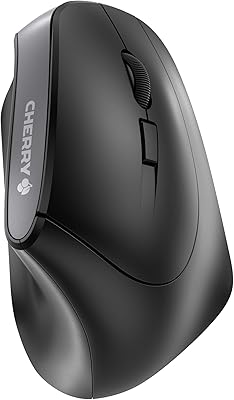
Cherry MW4500 Wireless Vertical Ergonomic Mouse
83%
89%
Ergonomics & Comfort
74%
Battery Life
81%
DPI Performance
77%
Ease of Use
85%
Build Quality
More
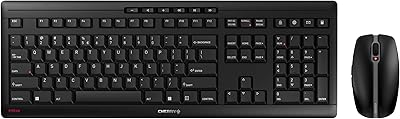
Cherry Stream Desktop
80%
88%
Typing Experience
63%
Mouse Performance
82%
Build Quality
86%
Battery Life
84%
Wireless Reliability
More
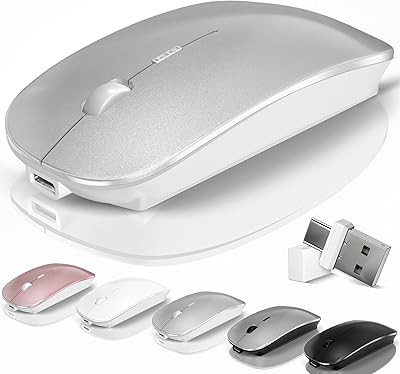
Arteck HW192 Wireless Keyboard and Mouse Combo
78%
78%
Build Quality
72%
Typing Experience
63%
Mouse Comfort & Ergonomics
81%
Battery Life
69%
Wireless Connectivity
More
FENIFOX Wireless Keyboard and Mouse
86%
88%
Ergonomics
91%
Quiet Typing Experience
85%
Battery Life
89%
Wireless Connectivity
84%
Build Quality
More
Logitech M510
Logitech M510
81%
91%
Ergonomic Comfort
93%
Battery Life
88%
Wireless Reliability
79%
Tracking Accuracy
74%
Build Quality
More
Macally Wireless Bluetooth Mouse
86%
93%
Quiet Operation
89%
Battery Life
91%
Comfort and Ergonomics
75%
Bluetooth Connectivity
92%
Cross-Device Compatibility
More
Kovess 4-Mode Silent Wireless Mouse
79%
91%
Multi-Device Connectivity
88%
2-in-1 Receiver Design
86%
Jiggler Mode
84%
Silent Click Mechanism
79%
Battery Life
More
Cherry Stream Wireless Keyboard
88%
88%
Typing Comfort
92%
Wireless Performance
78%
Build Quality
85%
Ergonomics
95%
Setup and Installation
More
MOFII Wireless Ergonomic Mouse
89%
94%
Ergonomic Comfort
88%
Build Quality
91%
Button Responsiveness
87%
Connectivity Stability
93%
Battery Life
More
Uineer A06 Vertical Ergonomic Mouse
74%
88%
Ergonomic Comfort
74%
Build Quality
86%
Wireless Connectivity
81%
Battery Life & Charging
67%
DPI & Tracking
More

FAQ

No, this Bluetooth mouse connects directly to your device over Bluetooth 5.0, so there is no dongle or receiver involved. That also means no occupied USB ports and nothing small to misplace.

There is a dedicated button on the mouse that cycles through your paired devices. You press it once and the mouse reconnects to the next device in sequence. The switch takes a moment but is generally reliable once all three devices are paired.

Yes, the Cherry GENTIX BT Wireless Mouse works with iPadOS via Bluetooth, with no app or driver needed. Just pair it through your iPad's Bluetooth settings the same way you would pair any accessory.

You can have both paired simultaneously and switch between them with the device button. It handles mixed-OS setups well, which is one of the more practical things about this multi-device mouse.

Cherry claims up to one year on a single AAA battery, which is ambitious but not unrealistic if you use the mouse for standard office tasks and are not running it for extended hours every day. Heavy daily users may find they need a replacement sooner, but most people report solid longevity.

Honestly, no. The two DPI settings top out at 2000, and the optical sensor is tuned for everyday productivity rather than fast, reactive gaming. If gaming is your primary use case, you would be better served by a dedicated gaming mouse with higher DPI and a polling rate designed for low-latency input.

The blue light on the scroll wheel changes behavior depending on your active DPI setting and also signals low battery when the charge is running out. It is more useful than it sounds — you get a heads-up before your battery dies mid-session rather than finding out the hard way.

That depends on your tolerance for compact mice. At roughly 5.5 x 3.2 inches, it is on the smaller side, and some users with larger hands report fatigue during extended use. If you typically gravitate toward full-size ergonomic mice, this one may feel cramped over long sessions.

Yes, Chrome OS is on the official compatibility list and the mouse pairs over Bluetooth without any additional setup. It should be recognized and ready to use within a minute of pairing.

There is no companion software for this mouse, so button remapping and sensitivity customization beyond the two built-in DPI settings are not available. What you see is what you get — which keeps things simple, but does limit flexibility for power users who like to fine-tune their setup.

Where to Buy