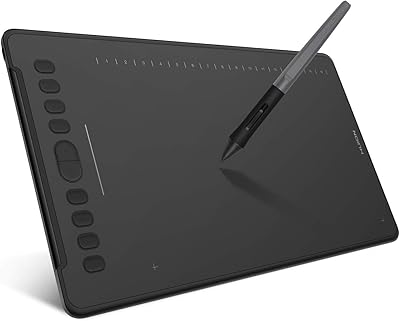
HUION Kamvas Slate 10 Standalone Drawing Tablet

Overview
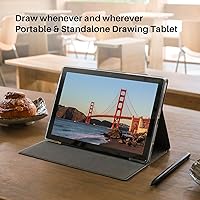
The HUION Kamvas Slate 10 Standalone Drawing Tablet is a self-contained Android art device that lets you sketch, illustrate, and paint without ever plugging into a computer. At its mid-range price, it sits in a niche between basic Android tablets and professional pen displays — competing with options like the XP-Pen Magic Drawing Pad rather than anything from Wacom's Cintiq line. The 10.1-inch screen is portable enough to drop in a bag, though it won't feel expansive if you're used to larger canvases. Powering it all is the Unisoc T616 chipset, a capable but modest processor that sets a real performance ceiling — enough for casual illustration, not for anything too demanding.
Features & Benefits
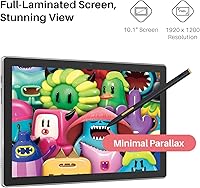
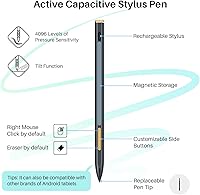
The full-laminated IPS display is one of the Kamvas Slate 10's strongest selling points — 1920x1200 resolution, 99% sRGB coverage, and an anti-glare writing film that cuts reflections without killing clarity. Colors hold up well for illustration work, though 260 nits of brightness can struggle in direct sunlight. The rechargeable stylus delivers 4096 levels of pressure sensitivity and tilt recognition, which feels responsive for light to medium line work — though artists used to battery-free EMR pens may notice the occasional need to top up the charge. Android 12 opens the door to apps like Infinite Painter and Clip Studio, and with 8GB of RAM, multitasking stays reasonably smooth. The bundled leather case and pre-installed software make unboxing genuinely useful.
Best For
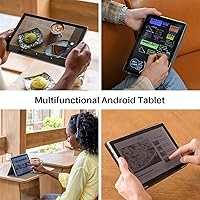
This standalone drawing tablet is a natural fit for beginner digital artists who want to create on their own terms — no laptop required, no extra hardware to carry. Students and hobbyists will find the 10.1-inch canvas plenty workable for sketching on commutes or in coffee shops. It also makes a solid choice for note-takers who want something more expressive than typing, with the pen's tilt sensitivity adding nuance to handwritten annotations. Where it truly shines is for anyone still figuring out whether digital art is their thing — the Kamvas Slate 10 is a low-stakes entry into pen display territory without the commitment of a full studio setup.
User Feedback
Across a broad range of buyer experiences, screen quality and pen feel consistently draw praise — most users are genuinely surprised by how good the display looks right out of the box. Value for the price comes up repeatedly, especially among artists who weighed it against pricier alternatives. On the flip side, the Unisoc T616 chip does hit its limits in demanding apps, with some users reporting noticeable lag when working with heavy brushes or large canvases. The rechargeable pen's battery dependency frustrates buyers who prefer the always-ready nature of EMR styluses. A handful of early owners also flagged palm rejection issues during the initial learning curve, though most saw improvement after adjusting the tablet's settings.
Pros
- Full-laminated IPS screen with 99% sRGB coverage makes colors accurate enough for casual illustration and character design.
- Works completely independently — no laptop, no desktop, no dongles required to start drawing.
- The 4096-level pressure-sensitive stylus handles smooth line variation and tilt shading with noticeable responsiveness.
- 128GB of built-in storage, expandable to 512GB, means project files and app libraries rarely become a space problem.
- At 1.27 pounds, it travels light enough to carry daily without adding meaningful weight to a bag.
- The bundled leather case, anti-glare film, and pre-installed drawing apps make the out-of-box experience genuinely complete.
- 8GB of RAM keeps light-to-moderate multitasking — switching between a drawing app and reference browser — fluid.
- Access to Google Play opens the door to a wide range of drawing, note-taking, and productivity apps.
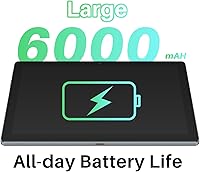
- The 6000mAh battery handles a full day of mixed casual use without needing a mid-day charge.
Cons
- The Unisoc T616 chip struggles with large canvases and high brush counts, causing lag in more demanding drawing sessions.
- Rechargeable stylus design means a dead pen can interrupt a creative session at an inconvenient moment.
- At around 260 nits, the display becomes difficult to use comfortably near bright windows or outdoors.
- Palm rejection requires manual configuration and firmware attention — it does not work reliably straight out of the box for all users.
- The leather case hinge loosens over months of repeated use, reducing its reliability as a long-term stand.
- Android drawing apps lack the depth and feature parity of desktop software, which frustrates users trying to replicate a professional workflow.
- Pen tracking accuracy drops off near the screen edges, which can affect precision work in corner areas of the canvas.
- The rear camera, while present, produces mediocre results in low light — adequate for reference capture, not much else.
- Reading files from a microSD card is noticeably slower than internal storage, affecting performance with large project assets.
Ratings
The HUION Kamvas Slate 10 Standalone Drawing Tablet earned these scores after our AI system analyzed thousands of verified global user reviews, actively filtering out incentivized, bot-generated, and outlier feedback to surface what real buyers consistently experience. Ratings reflect the full picture — where this Android art tablet genuinely delivers and where it falls short — so you can make a grounded decision before spending your money.
Display Quality
Pen Performance
Processor Performance
Value for Money
Portability & Form Factor
Battery Life
App Ecosystem & Software
Palm Rejection
Build Quality & Materials
Display Brightness & Outdoor Use
Storage & Expandability
Setup & Out-of-Box Experience
Camera Utility
Connectivity & Wireless Stability
Suitable for:
The HUION Kamvas Slate 10 Standalone Drawing Tablet is built for people who want to draw, sketch, or take handwritten notes without being tethered to a desktop or laptop — and that specific freedom is where it earns its place. Beginner digital artists who are still figuring out their style and workflow will find it a low-pressure entry point: everything needed to start creating is in the box, and the Android 12 ecosystem means popular drawing apps are just a download away. Students carrying it between classes or hobbyists sketching on weekends will appreciate how naturally it slots into a bag alongside other daily essentials. It also works well as a dedicated note-taking device for visual thinkers — teachers, designers in meetings, or remote workers who annotate documents and diagrams by hand will get genuine daily utility out of the pen and screen combination. If your primary goal is affordable, portable, computer-free creativity, this Android art tablet makes a convincing case for itself.
Not suitable for:
The HUION Kamvas Slate 10 Standalone Drawing Tablet is the wrong tool for professional illustrators or anyone whose workflow depends on desktop-grade software like Photoshop, Clip Studio Paint at full capacity, or Procreate-equivalent performance — the Unisoc T616 chip simply cannot keep up with those demands, and the frustration compounds quickly when working on complex, multi-layer projects. Artists who prefer EMR styluses that never need charging will find the rechargeable pen an ongoing inconvenience rather than a minor quirk, particularly mid-session. Anyone planning to work outdoors or in bright environments should look elsewhere — 260 nits of brightness is not enough to fight ambient light, and color judgment under those conditions becomes unreliable. If you already own a capable laptop or PC, a traditional pen display with a passive stylus will likely give you a better drawing experience at a comparable or lower price. This tablet is not designed to replace a professional studio setup, and buyers who approach it with those expectations tend to be the most disappointed.
Specifications
- Display Size: The tablet features a 10.1-inch full-laminated IPS screen with a 1920x1200 Full HD resolution.
- Pixel Density: The display renders at 224 PPI, providing crisp line detail for illustration and handwriting work.
- Color Gamut: The IPS panel covers 99% of the sRGB color space, supporting reasonably accurate color representation for digital art.
- Brightness: Typical screen brightness is rated at approximately 260 nits, suited for indoor use under controlled lighting.
- Refresh Rate: The display operates at a standard 60Hz refresh rate, adequate for drawing and general Android use.
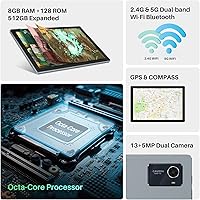
- Processor: An octa-core Unisoc T616 processor handles all compute tasks, positioned for light-to-moderate creative workloads.
- RAM & Storage: The tablet ships with 8GB of running memory and 128GB of internal storage, expandable up to 512GB via microSD card.
- Operating System: It runs Android 12 out of the box, with full Google Play Store access for downloading drawing and productivity apps.
- Stylus: The included rechargeable stylus supports 4096 levels of pressure sensitivity and tilt recognition, with magnetic side attachment for storage.
- Battery: A 6000mAh lithium-ion battery powers the device, charged via the included USB-C cable and power adapter.
- Connectivity: Wireless connectivity includes dual-band WiFi (2.4GHz and 5GHz) and Bluetooth 5.0 for peripherals and file sharing.
- Cameras: A 13MP rear camera with flash and a 5MP front-facing camera are built in for reference capture and video calls.
- Dimensions: The tablet body measures 9.57 x 6.34 x 0.1 inches, making it roughly notebook-sized and bag-friendly.
- Weight: At 1.27 pounds, the device is light enough for comfortable single-hand holding during casual sketching sessions.
- Surface Finish: The screen ships with a pre-applied AG (anti-glare) writing film that reduces reflections and adds a slight paper-like texture.
- Included Software: HiPaint and HUION Note come pre-installed, providing an immediate drawing and note-taking environment without extra downloads.
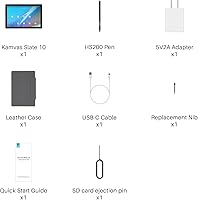
- In-Box Accessories: The package includes the tablet, rechargeable stylus, a leather case with stand, USB-C charging cable, power adapter, and AG writing film.
- Certifications: The device carries GMS, CE, FCC, CCC, PSE, UKCA, and RoHS certifications, confirming compliance with international safety and quality standards.
Related Reviews
HUION Kamvas 13 Gen 3 Pen Display
HUION Kamvas 22 Plus 21.5-inch Pen Display
Frunsi RubensTab T11 Pro Drawing Tablet
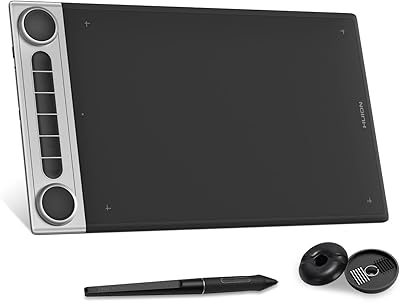
HUION Inspiroy Dial 2 Graphics Tablet
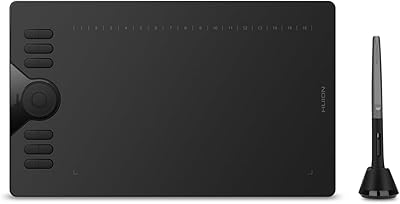
HUION HS610 Graphics Drawing Tablet
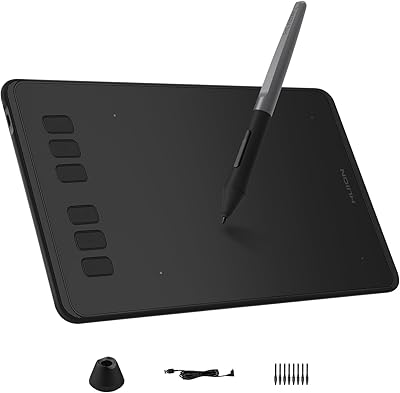
HUION Inspiroy H640P Drawing Tablet
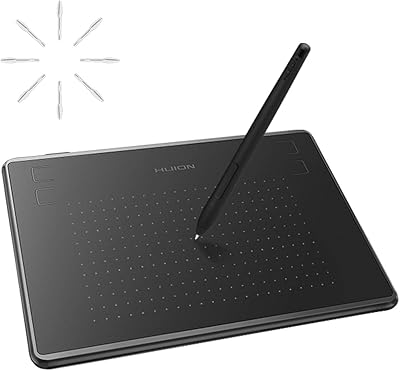
HUION Inspiroy H430P Graphics Drawing Tablet
Huion WH1409 Wireless Graphic Drawing Tablet
HUION Inspiroy 2 S Drawing Tablet