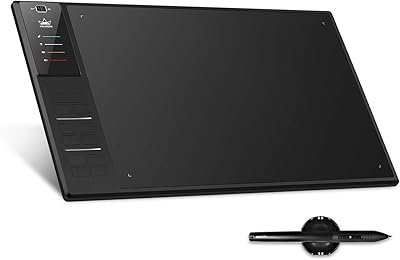
HUION Inspiroy Dial 2 Graphics Tablet
Overview
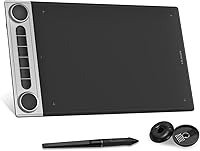
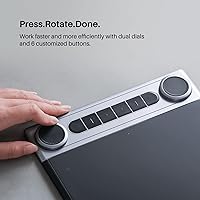
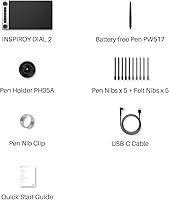
The HUION Inspiroy Dial 2 Graphics Tablet sits in a comfortable mid-range position where Huion has built a strong reputation over the years. What sets it apart from most competing tablets is the dual-dial control system — two physical rotary dials that give you hands-on control over brush size, zoom, and custom shortcuts without ever touching a keyboard. The active area measures 10.5 x 6.56 inches, which is generous enough for multi-monitor workflows. A symmetrical body design means left-handed artists get equal comfort, and broad compatibility across Mac, Windows, Linux, and Android makes it a genuinely versatile daily driver.
Features & Benefits
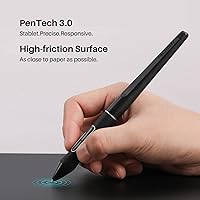
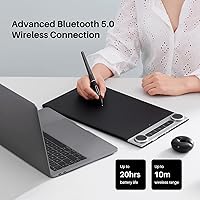
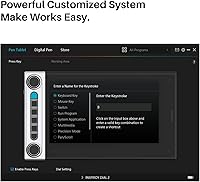
The PenTech 3.0 stylus is battery-free and responds with 8192 levels of pressure sensitivity plus 60-degree tilt support, so shading and fine line work feel natural rather than mechanical. The high-friction textured surface adds a paper-like drag that many artists prefer over the glassy feel of cheaper tablets. Bluetooth 5.0 handles wireless connectivity reliably, and a full charge lasts through a long workday without anxiety. Six programmable express keys can be configured for up to 12 functions per application, though getting that initial setup right does take some patience. The 0.3-inch slim profile and 1.5-pound weight make extended sessions noticeably less tiring.
Best For
This wireless graphics tablet is a strong fit for digital illustrators and concept artists who constantly adjust brush size and zoom — the dials alone can meaningfully cut down on interruptions during a creative flow. Art students who want serious hardware without crossing into professional-tier spending will find the balance of features compelling. Graphic designers working in Photoshop, Affinity Designer, or Clip Studio Paint can take full advantage of the per-software key programming. Left-handed users specifically benefit from the symmetrical layout, which eliminates the awkward repositioning other tablets force. It also suits anyone who moves between devices or operating systems regularly.
User Feedback
Across a wide range of verified reviews, the dual-dial system consistently earns praise — users say it genuinely reduces reliance on keyboard shortcuts, which matters during long drawing sessions. Pen feel and low latency get frequent mentions too, with many sketchers and inkers noting that the textured surface adds to the authenticity. On the downside, a portion of users report a noticeable learning curve when configuring the driver software, and some have flagged occasional Bluetooth hiccups during initial pairing. Build quality impressions are mostly positive, and battery life tends to track close to the advertised figure. Left-handed artists regularly highlight the symmetrical design as a genuine, practical improvement over alternatives.
Pros
- The dual physical dials genuinely cut down on keyboard interruptions during detailed drawing and editing work.
- Battery-free PenTech 3.0 stylus delivers precise, natural pressure response across 8192 levels with no charging hassle.
- Symmetrical body design makes this drawing tablet one of the few that truly accommodates left-handed users without compromise.
- High-friction textured surface mimics paper drag, which noticeably improves stroke control during long illustration sessions.
- Bluetooth 5.0 wireless connection holds up reliably across standard desk distances with minimal latency.
- A 10.5 x 6.56-inch active area gives plenty of room for multi-monitor workflows and detailed composition work.
- Six programmable express keys support up to 12 per-application functions, reducing reliance on keyboard shortcuts over time.
- At 1.5 pounds and 0.3 inches thin, the Inspiroy Dial 2 causes far less arm fatigue than bulkier competing tablets.
- USB-C wired fallback means you are never completely stranded if Bluetooth connectivity acts up.
- Broad software compatibility covers major creative tools including Photoshop, Lightroom, ZBrush, and Clip Studio Paint.
Cons
- Initial driver installation can be unnecessarily complex, with some Windows users needing full uninstall-reinstall cycles to resolve conflicts.
- Bluetooth pairing and post-sleep reconnection issues are a recurring complaint, not just an isolated edge case.
- The express keys lack tactile differentiation, making it easy to press the wrong one during focused creative work.
- No protective case or sleeve is included in the box, leaving the drawing surface exposed during bag transport.
- Textured surface wears down nibs faster than smooth alternatives, which adds to long-term consumable costs.
- Left-handed shortcut mirroring in the driver software requires manual configuration that is not immediately obvious from the interface.
- Linux driver support is officially listed but noticeably less polished than on Mac or Windows in real-world use.
- The dial configuration interface inside the Huion driver feels less intuitive than the hardware itself suggests it should be.
Ratings
The scores below for the HUION Inspiroy Dial 2 Graphics Tablet were generated by AI after analyzing thousands of verified global buyer reviews, with spam, bot-submitted, and incentivized feedback actively filtered out. This drawing tablet has earned genuine enthusiasm in several areas while revealing a few friction points that real users encounter over time. Both the strengths and the honest pain points are reflected transparently in each category score.
Pen Accuracy & Pressure Sensitivity
Dual-Dial Control System
Wireless Connectivity & Bluetooth Stability
Drawing Surface Texture
Driver Software & Setup Experience
Build Quality & Durability
Battery Life
Stylus Tilt Support
Express Keys Programmability
Cross-Platform Compatibility
Left-Handed Usability
Active Area Size
Value for Money
Portability & Form Factor
Suitable for:
The HUION Inspiroy Dial 2 Graphics Tablet is a strong match for digital illustrators and concept artists who spend long hours adjusting brush sizes and zoom levels — the dual dials alone can meaningfully reduce the constant hand-off between stylus and keyboard that interrupts creative flow. Art students who want serious hardware capability without crossing into professional-tier pricing will find the feature-to-cost balance genuinely compelling. Graphic designers working daily in Photoshop, Clip Studio Paint, or Affinity Designer will appreciate being able to program distinct shortcut profiles per application, making context-switching between tools feel more fluid. Left-handed artists in particular stand to benefit from the symmetrical body layout, which eliminates the awkward repositioning that most asymmetric tablets force on non-dominant-right users. Anyone who values a cable-free workspace — whether working from a home studio, a shared creative space, or occasionally from a couch — will find the Bluetooth reliability adequate for typical desk distances. It also suits users who regularly switch between operating systems, given its broad compatibility across Mac, Windows, Linux, and Android environments.
Not suitable for:
Buyers who expect a plug-and-play experience out of the box may find the HUION Inspiroy Dial 2 Graphics Tablet frustrating — the driver setup process has a genuine learning curve, and getting the dials and express keys configured correctly across multiple applications takes patience and sometimes a few reinstall cycles. Users on Linux should go in with tempered expectations, as driver support on Ubuntu is functional but noticeably less polished than on Mac or Windows, and some features may not behave consistently. If you are looking for a touch-sensitive surface or any form of on-screen display, this tablet does not offer either, which matters if you are comparing it against display tablets in a similar price range. Professional animators or illustrators who rely on extreme stylus angles for brush shading may find the 60-degree tilt ceiling slightly limiting compared to higher-end alternatives. Those who need a truly ultraportable setup — something small enough to slip into a small shoulder bag without much thought — will find the 14 x 8-inch footprint a bit large for casual on-the-go use. And if Bluetooth reliability is non-negotiable for your workflow, know that a portion of real users do experience pairing and reconnection inconsistencies, particularly on Windows systems with certain Bluetooth adapters.
Specifications
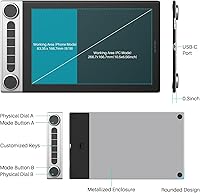
- Active Area: The drawing surface measures 10.5 x 6.56 inches, providing ample workspace for detailed illustration and multi-monitor setups.
- Overall Dimensions: The tablet body measures 14 x 8 x 0.3 inches, keeping the physical footprint manageable on most desk setups.
- Weight: At 1.5 pounds, the tablet is light enough to reposition easily during long creative sessions without causing desk fatigue.
- Pressure Sensitivity: The battery-free PenTech 3.0 stylus supports 8192 levels of pressure sensitivity for precise control over line weight and opacity.
- Tilt Support: The stylus detects tilt angles up to 60 degrees, enabling natural brush shading and calligraphic stroke variation.
- Connectivity: The tablet connects via Bluetooth 5.0 for wireless use or through an included USB-C cable for wired operation.
- Battery Life: A single charge delivers up to 18 hours of wireless operation, with the tablet rechargeable via the included USB-C cable.
- Express Keys: Six physical express keys are included, each programmable with up to 12 different functions on a per-application basis.
- Control Dials: Two independent rotary dials allow real-time adjustment of brush size, canvas zoom, or any custom shortcut the user assigns.
- Drawing Surface: The active area features a high-friction textured finish designed to replicate the natural resistance of drawing on paper.
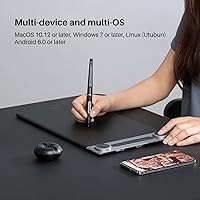
- OS Compatibility: The tablet is compatible with Windows 7 and above, Mac OS 10.12 and above, Android 6.0 and above, and Linux (Ubuntu).
- Software Support: It works with major creative applications including Adobe Photoshop, Clip Studio Paint, SAI, Lightroom, Affinity Designer, and ZBrush.
- Stylus Technology: The included PenTech 3.0 stylus is battery-free, requiring no charging or battery replacement during its operational lifespan.
- Handedness Design: The symmetrical body layout accommodates both right-handed and left-handed users without requiring physical modification to the tablet.
- Model Number: The official model number for this tablet is Q630M, manufactured by ShenZhen Huion Animation Technology Co., LTD.
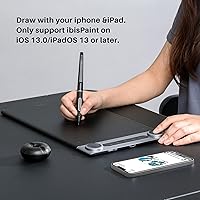
- iOS Compatibility: Limited iOS compatibility is available exclusively through the ibisPaint app on iOS 13.0 or iPadOS 13 and later, requiring ibisPaint version 9.4.10 or above.
- Power Source: The tablet is powered by one included lithium-ion battery, which is built into the device and recharged via USB-C.
- Bluetooth Version: Bluetooth 5.0 is used for wireless connectivity, offering improved range and stability compared to earlier Bluetooth standards used in previous tablet generations.
Related Reviews
Huion Inspiroy H1060P Graphics Drawing Tablet
HUION Inspiroy 2 S Drawing Tablet
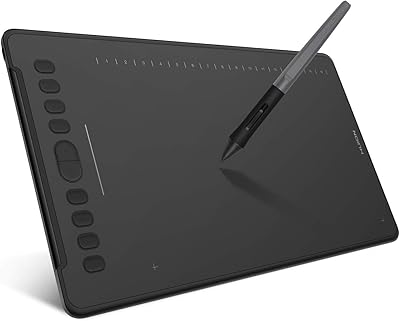
HUION Inspiroy H1161 Graphics Drawing Tablet
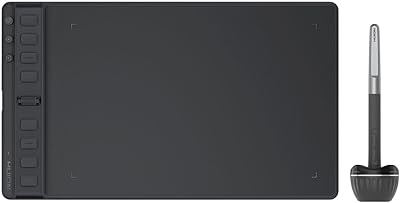
HUION Inspiroy 2 Medium Drawing Tablet
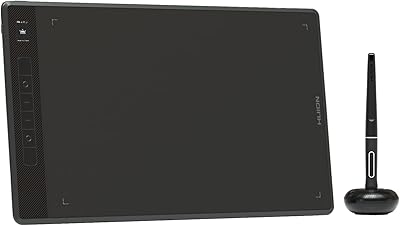
HUION Inspiroy Giano G930L 13.6-inch Graphics Tablet
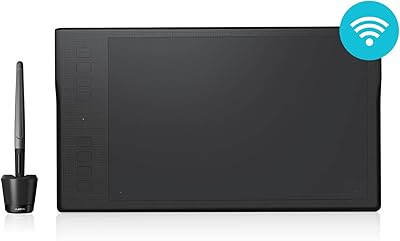
HUION Inspiroy Q11K Wireless Drawing Tablet
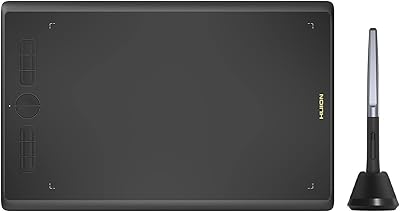
HUION Inspiroy H610X Drawing Tablet
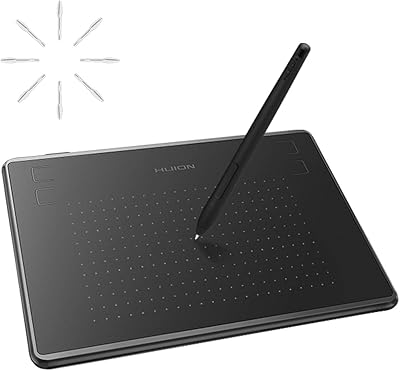
HUION Inspiroy H430P Graphics Drawing Tablet
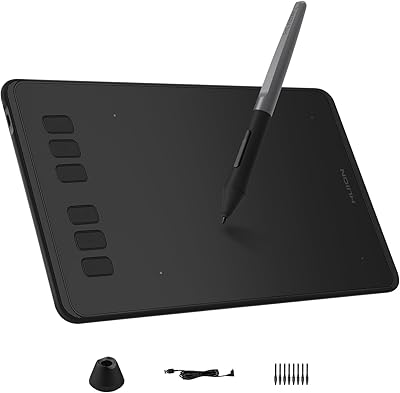
HUION Inspiroy H640P Drawing Tablet