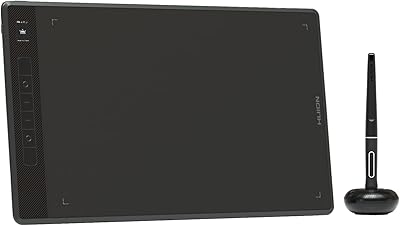
HUION Inspiroy H430P Graphics Drawing Tablet
Overview
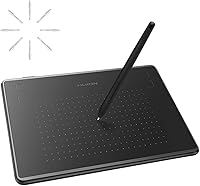
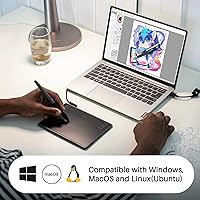
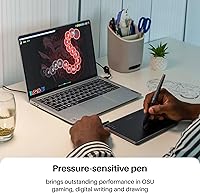
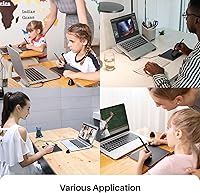
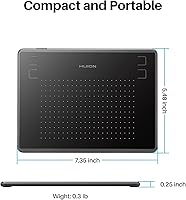
The HUION Inspiroy H430P Graphics Drawing Tablet has quietly built a strong reputation since its debut in late 2017 — and the track record shows. Its compact 4.8x3-inch area and razor-thin 6.3mm profile make it one of the most portable options at this price point. What genuinely stands out is the broad OS compatibility: Windows, macOS, Linux, and Android are all covered, which is uncommon among entry-level tablets. It also stretches well beyond digital art — teachers use it to annotate slides, remote workers rely on it for document markup, and OSU players find it surprisingly responsive straight out of the box.
Features & Benefits
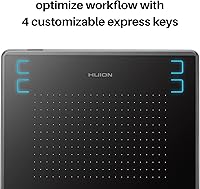
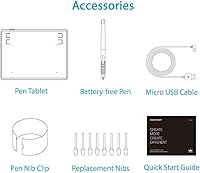
The pen is where the H430P really earns its keep. The battery-free PW201 stylus never needs charging — a small detail until you realize you have never once stopped mid-session to worry about it. With 4096 levels of pressure sensitivity, strokes respond naturally to how hard you press, which makes a real difference for varied line weights in sketching or inking. The 233 PPS report rate keeps input crisp and lag-free for both illustration and handwriting. Four programmable express keys can be set to undo, erase, or any shortcut you prefer. The whole unit weighs just under 5 oz, and eight replacement nibs are packed in the box.
Best For
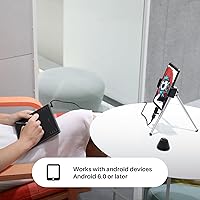
This compact drawing tablet hits a clear sweet spot for certain types of users — but not all. Teachers and students running online classes via Zoom or annotating slides will find setup takes minutes, not hours. Beginner digital artists exploring Photoshop, SAI, or Corel Painter on a tight budget get real pressure sensitivity without a steep investment. Remote workers wanting to hand-write notes or mark up documents gain a precision that a mouse simply cannot match. Android compatibility also opens it up for mobile teaching setups. OSU players appreciate the plug-and-play response. That said, if you paint large canvases or prefer broad arm movements, the active area will feel genuinely cramped.
User Feedback
Across nearly 7,000 ratings, this entry-level pen tablet holds a 4.4-star average — a number that, after several years on the market, points to consistent real-world satisfaction rather than a launch-day spike. Its ranking as a top-4 bestseller in Computer Graphics Tablets confirms the appeal is not niche. Buyers most often highlight quick setup and stylus accuracy that exceeds expectations at this price. Criticism, though, is real: the small working area genuinely frustrates artists who prefer drawing with larger arm movements, and the express keys along the top edge take time to find naturally. Long-term users also mention occasional driver software hiccups and nib wear as minor but honest trade-offs.
Pros
- Battery-free stylus never interrupts a session and feels natural in hand for long annotation or drawing periods.
- 4096 pressure levels deliver genuine line variation that budget tablets from a few years ago simply could not match.
- Plug-and-play setup means teachers and remote workers can be up and running in under a minute.
- Broad compatibility across Windows, macOS, Linux, and Android covers an unusually wide range of user setups.
- At under 5 oz and 6.3mm thin, the H430P slips into any bag without adding meaningful weight or bulk.
- Eight replacement nibs included in the box extend usable life well before any additional purchase is needed.
- A 4.4-star average across nearly 7,000 ratings signals sustained satisfaction, not a short-lived honeymoon period.
- Four programmable express keys add real workflow speed once shortcuts are configured to personal preference.
- Works with mainstream creative and productivity software out of the box, from Photoshop to Zoom to OneNote.
- OSU players consistently rate the responsiveness as punching well above what this price tier typically delivers.
Cons
- Driver software on macOS and Linux has a documented track record of breaking after major OS updates.
- The USB cable feels lightweight and is typically the first component users replace for peace of mind.
- Express keys along the top edge require an awkward reach and lack tactile differentiation between buttons.
- Tilt sensitivity is absent, which limits realistic brush shading techniques in professional illustration workflows.
- The USB connection point on the tablet body has drawn durability concerns from long-term daily users.
- Nib wear accelerates for heavy-handed users, and replacement nibs require a separate purchase once the included set runs out.
- Android functionality is more restricted than desktop use, with some driver features not carrying over to mobile connections.
- Initial hand-eye coordination adjustment can take several days for first-time tablet users coming from mouse-based workflows.
Ratings
The HUION Inspiroy H430P Graphics Drawing Tablet has accumulated nearly 7,000 verified ratings worldwide, and the scores below reflect what real buyers actually experienced — not a curated highlight reel. Our AI analyzed that feedback at scale, actively filtering out incentivized reviews, duplicate accounts, and bot patterns to surface honest signal. Both the genuine strengths and the recurring frustrations are reflected transparently in every category.
Value for Money
Pen Performance
Setup & Ease of Use
Active Area Size
Build Quality & Durability
Express Keys Usability
Driver Software
Portability
OS & Device Compatibility
Pressure Sensitivity Accuracy
Nib Longevity
Latency & Responsiveness
Software Compatibility
Learning Curve
Suitable for:
The HUION Inspiroy H430P Graphics Drawing Tablet is a strong fit for anyone who needs a reliable, low-friction entry point into pen-based computing without spending a lot. Teachers running online classes via Zoom or annotating PowerPoint slides will find the plug-and-play setup genuinely useful — there is no driver installation standing between them and a live session. Students studying digital art or design who want to explore Photoshop, SAI, or Illustrator with real pressure sensitivity, rather than a mouse, will get far more capability than the price tag suggests. Remote workers who handwrite meeting notes or mark up PDFs will appreciate how natural the battery-free stylus feels compared to trying to do the same thing with a trackpad. OSU players looking for a responsive, no-fuss tablet will find the low latency and plug-and-play behavior particularly well-suited. The broad OS support — including Linux and Android — also makes this a practical pick for users who do not run a standard Windows or macOS setup.
Not suitable for:
The H430P is honest about what it is, and buyers who need more than it offers will hit those limits fairly quickly. Digital artists who work on large-format illustrations or prefer sweeping, full-arm strokes will find the 4.8x3-inch active area genuinely cramped — it is not a perception issue, it is a real workflow constraint that pushes many users to upgrade. Professionals or serious hobbyists who rely on tilt sensitivity for realistic brush shading will not find it here, as the PW201 pen does not support that feature. Users on macOS or Linux who anticipate frequent OS updates should be aware that the driver software has a documented history of requiring reinstallation or troubleshooting after major system upgrades. Anyone expecting the build resilience of a mid-range or professional tablet will need to temper expectations around the USB connection point and cable quality. In short, the HUION Inspiroy H430P Graphics Drawing Tablet is purpose-built for value-first buyers, and pushing it into a professional workflow is asking it to be something it was never designed to be.
Specifications
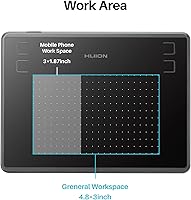
- Active Area: The working surface measures 4.8 x 3 inches, providing a compact but functional drawing and writing space suited to desktop or mobile setups with limited room.
- Overall Dimensions: The tablet body measures 7.36 x 5.51 x 0.31 inches, making it one of the slimmest options available in the entry-level graphics tablet category.
- Weight: The unit weighs 4.76 oz (approximately 135g), light enough to carry daily in a laptop bag or backpack without noticeable added bulk.
- Pen Model: Included stylus is the PW201, a battery-free pen that draws power passively from the tablet surface, requiring no charging at any point during its lifespan.
- Pressure Levels: The PW201 stylus supports 4096 levels of pressure sensitivity, enabling fine control over line weight and stroke variation in compatible drawing software.
- Report Rate: The tablet operates at a 233 PPS (points per second) report rate, which keeps stylus tracking feeling immediate and accurate during fast handwriting or sketching.
- Express Keys: Four physical express keys are located along the top edge of the tablet and can each be individually programmed to any keyboard shortcut or system function via the driver software.
- Pen Technology: The stylus uses Huion PenTech 2.0 technology, which governs its electromagnetic resonance system and is responsible for the battery-free, charge-free operation.
- Connectivity: The tablet connects to host devices via a standard USB cable; no Bluetooth or wireless connection option is available on this model.
- OS Compatibility: Supported operating systems include Windows 7 and later, macOS 10.12 and later, Linux (Ubuntu), and Android 6.0 and later.
- Driver Requirement: Basic annotation, writing, and OSU gameplay functions are available plug-and-play with no driver installation; full customization of express keys and pressure curves requires the Huion driver package.
- Replacement Nibs: Eight standard replacement nibs are included in the box, providing an extended service life before any additional nib purchase is necessary.
- Tilt Support: The PW201 stylus does not support tilt recognition, meaning brush angle-based shading effects available in some drawing applications will not respond to pen tilt on this model.
- Body Thickness: At 6.3mm thin, the tablet profile is comparable to a large smartphone and sits nearly flat on a desk surface during use.
- Pen Grip: The PW201 stylus is designed for both left-handed and right-handed users, with no asymmetric grip features that would favor one hand orientation.
- Software Compatibility: The tablet is compatible with most major creative and productivity applications including Adobe Photoshop, Illustrator, Corel Painter, SAI, Zoom, Microsoft OneNote, PowerPoint, and Google Slides.
- Bestseller Rank: The H430P holds a top-4 ranking in the Computer Graphics Tablets category on Amazon, reflecting sustained commercial demand since its release in December 2017.
- Manufacturer: The tablet is designed and manufactured by ShenZhen Huion Animation Technology Co., LTD, a China-based peripheral brand with a broad international product lineup.
Related Reviews
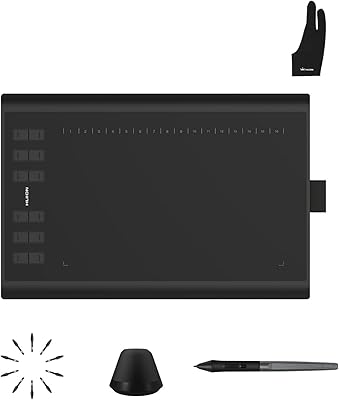
Huion Inspiroy H1060P Graphics Drawing Tablet
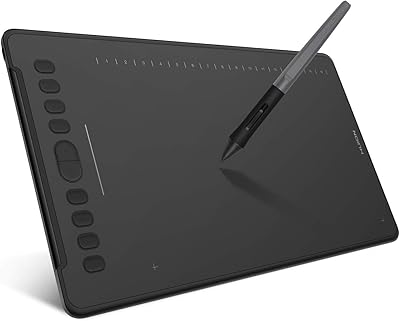
HUION Inspiroy H1161 Graphics Drawing Tablet
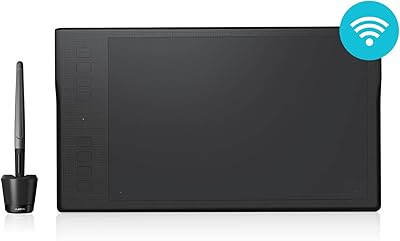
HUION Inspiroy Q11K Wireless Drawing Tablet
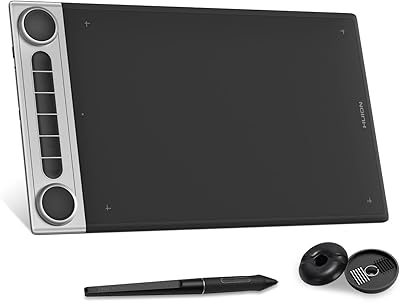
HUION Inspiroy Dial 2 Graphics Tablet
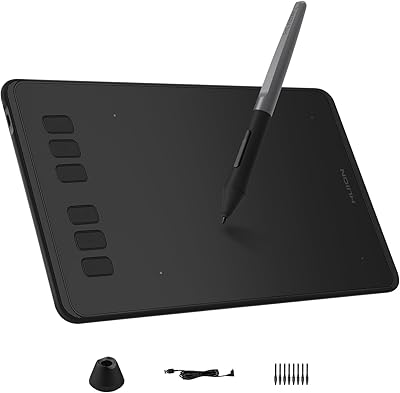
HUION Inspiroy H640P Drawing Tablet
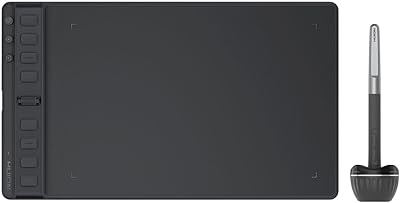
HUION Inspiroy 2 Medium Drawing Tablet
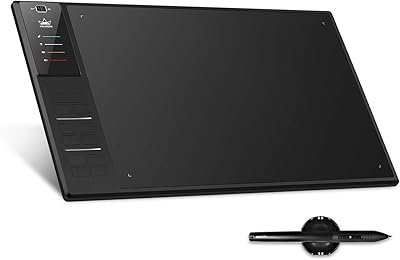
Huion WH1409 Wireless Graphic Drawing Tablet
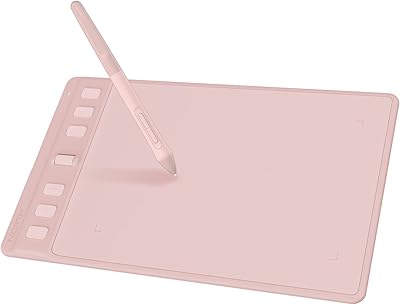
HUION Inspiroy 2 S Drawing Tablet
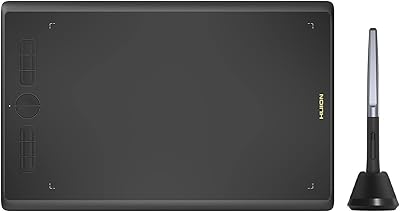
HUION Inspiroy H610X Drawing Tablet