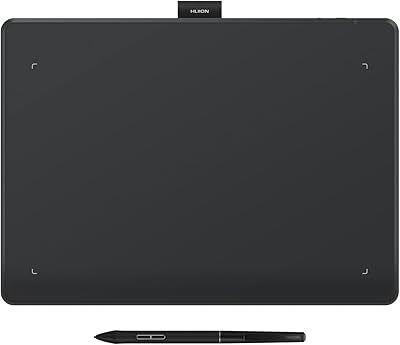
HUION Inspiroy 2 S Drawing Tablet

Overview
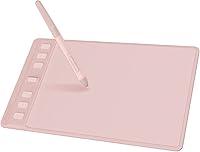
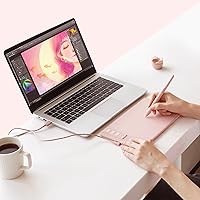
The HUION Inspiroy 2 S Drawing Tablet sits in a sweet spot that HUION has carved out over the years — affordable enough for students and hobbyists, yet capable enough to handle real creative work. While Wacom still dominates the professional end of the market, HUION has steadily closed the gap at the budget tier, and this drawing pad is one of the stronger arguments for that. The pink colorway is no accident; it signals a deliberate pitch to a style-conscious audience. Don't expect a studio-grade workhorse here — but as a compact everyday performer, it punches well above what its price tag might suggest.
Features & Benefits
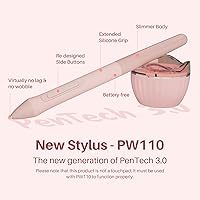
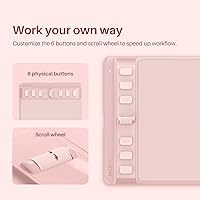
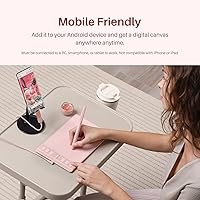
The PW110 stylus is where this HUION tablet earns its keep. Running on battery-free EMR technology, it delivers 8192 levels of pressure sensitivity and a resolution of 5080 LPI — which translates to confident, lag-free strokes whether you are sketching rough thumbnails or inking fine details. The scroll wheel and six programmable shortcut keys are genuinely useful, not just spec-sheet padding; you can assign different functions per application, which speeds up real workflows in Photoshop or SAI. At 7.5mm thin and just 275g, the Inspiroy 2 S slips easily into a laptop bag. The included OTG adapter also unlocks direct Android compatibility right out of the box.
Best For
This drawing pad makes the most sense for digital art students taking their first real step beyond a trackpad or mouse. It is also a strong pick for remote workers and educators who need a natural pen feel for annotation in Zoom, OneNote, or Microsoft Whiteboard sessions. Casual illustrators working in MediBang or SAI will find the 160x100mm active area workable for most tasks. Left-handed users are explicitly supported, which is still not a given at this price point. If you draw on an Android phone or tablet, the built-in OTG support means you can connect and start creating without hunting for extra accessories.
User Feedback
Across nearly a thousand ratings, the Inspiroy 2 S holds a 4.5-star average — which reflects genuine satisfaction rather than hype. Pen responsiveness comes up repeatedly as a highlight, with buyers noting the low latency feels natural and punchy for the price. The scroll wheel earns specific praise for making brush resizing and zooming noticeably faster during sessions. That said, the feedback is not uniformly glowing. A number of users point out that the active area feels tight when working at high zoom levels on detailed pieces. Driver setup has also tripped up a few first-timers, and the pink surface texture divides opinion slightly, though most buyers seem happy overall.
Pros
- Battery-free stylus with 8192 pressure levels delivers genuinely responsive linework well above what its price tier implies.
- The scroll wheel meaningfully speeds up brush resizing and zoom adjustments without touching the keyboard.
- At 275g and 7.5mm thin, this drawing pad disappears into a laptop bag without effort.
- Six programmable shortcut keys can be mapped differently per application, adding real workflow flexibility.
- Explicit left-hand mode support makes it a rare, accessible option for left-handed creatives on a budget.
- Android compatibility comes ready out of the box — the OTG adapter is included, not sold separately.
- Ten replacement nibs bundled in means you are covered for wear without an immediate extra purchase.
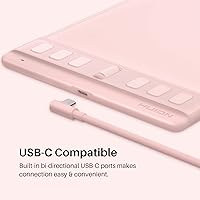
- USB-C connectivity keeps the setup clean and compatible with modern laptops and Android devices.
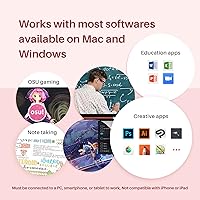
- Works reliably across Windows, macOS, Linux, and Android, making it flexible for multi-device households.
- A 4.5-star average across nearly a thousand real-world buyers is a credible signal of consistent satisfaction.
Cons
- The active drawing area shrinks to 100x50mm in phone mode, which many users find uncomfortably tight.
- Driver installation can trip up first-timers, especially if other input peripherals are already connected.
- The plastic chassis picks up scuffs and fingerprints noticeably over weeks of regular use.
- Very slow, deliberate strokes can occasionally exhibit minor jitter — a known limitation at this price tier.
- The quick-start guide is thin and leans on QR codes, leaving offline users with limited setup guidance.
- Linux support is effectively limited to Ubuntu; other distributions may require community-sourced fixes.
- Not all Android devices are confirmed compatible — some phone models need manual configuration to connect.
- Surface texture wears slightly smoother over time as nibs erode it, which bothers texture-sensitive artists.
Ratings
The HUION Inspiroy 2 S Drawing Tablet earns its strong reputation through consistent real-world performance across a wide range of users — from art students sketching on lunch breaks to educators annotating slides mid-call. The scores below are generated by AI after analyzing thousands of verified global reviews, with spam, bot activity, and incentivized feedback actively filtered out. Both the genuine strengths and the recurring frustrations are reflected here, so you get an honest picture before you buy.
Pen Accuracy & Responsiveness
Value for Money
Portability & Build
Shortcut Keys & Scroll Wheel
Active Area Size
Driver & Software Setup
Android Compatibility
Stylus Ergonomics
Multi-OS Compatibility
Left-Hand Support
Unboxing & Accessories
Surface Texture & Feel
Latency & Report Rate
Design & Aesthetics
Suitable for:
The HUION Inspiroy 2 S Drawing Tablet is a genuinely well-matched tool for digital art students who are ready to move beyond a mouse or trackpad but are not yet ready to commit to a higher-priced professional setup. Remote workers and educators who regularly annotate slides, sign documents, or sketch diagrams during video calls will find the natural pen feel a real improvement over typing or clicking through presentations. Casual illustrators working in apps like MediBang, SAI, or Photoshop — especially those who do not need a vast canvas for complex multi-layer compositions — will find the active area more than adequate for everyday creative sessions. Left-handed users specifically benefit here, since explicit left-hand mode support is still uncommon at this price point. Android users who want to sketch directly on their phone or tablet without sourcing extra adapters will appreciate that the OTG setup is included and works without additional purchases. Anyone prioritizing portability — carrying a tablet between home, campus, and a coffee shop — will find this drawing pad genuinely easy to live with daily.
Not suitable for:
Professional illustrators or concept artists who rely on a large active drawing surface for detailed, zoomed-out compositions will likely find this drawing pad frustrating over time — the 160x100mm working area is functional but not expansive, and the limitation becomes apparent during intricate, high-detail work. Animators or character designers who spend hours at a tablet every day may also outgrow the compact format faster than expected, making a medium-format tablet a smarter long-term investment even if it costs more upfront. Users running niche Linux distributions outside of Ubuntu, or older Android devices below version 6.0, may encounter compatibility gaps that require manual workarounds rather than plug-and-play simplicity. Anyone who finds driver installation intimidating and has no patience for occasional software troubleshooting should be aware that the setup process is not always frictionless, particularly if other input devices are connected simultaneously. Finally, buyers expecting Wacom-level brand ecosystem support, extensive third-party accessory availability, or premium build materials should recalibrate their expectations — the Inspiroy 2 S is a strong performer within its category, but it competes on value rather than prestige.
Specifications
- Active Area (PC): The working surface in PC mode measures 160x100mm (6.3x3.9 inches), providing adequate space for digital illustration, annotation, and note-taking tasks.
- Active Area (Phone): When connected to an Android smartphone, the active drawing area reduces to 100x50mm (3.9x1.9 inches) to match the proportions of a typical phone display.
- Tablet Dimensions: The overall tablet body measures 246x152x7.5mm (9.7x6x0.3 inches), making it one of the slimmer options available in the compact pen tablet category.
- Weight: The tablet weighs 275g (approximately 9.7 oz), light enough to carry daily alongside a laptop without adding meaningful bulk to a bag.
- Pen Model: The included stylus is the PW110, a battery-free EMR pen featuring PenTech 3.0 technology with a slimmer body and soft silicone grip section.
- Pressure Sensitivity: The PW110 stylus supports 8192 levels of pressure sensitivity, enabling nuanced stroke variation from the lightest sketch lines to full-pressure fills.
- Pen Resolution: Pen input resolution is rated at 5080 LPI (lines per inch), ensuring that fine positional detail is captured accurately across the active surface.
- Report Rate: The stylus reports input at over 260 points per second (PPS), which helps maintain stroke continuity during fast sketching or rapid gesture inputs.
- Shortcut Keys: The left side of the tablet features 6 programmable press keys and 1 scroll wheel, all of which can be customized per application through the HUION driver.
- Connectivity: The tablet connects via USB-C, and an OTG adapter is included in the box to enable direct wired connection to compatible Android smartphones and tablets.
- OS Compatibility: Supported operating systems include Windows 7 and later, macOS 10.12 and later, Android 6.0 and later, and Linux (specifically Ubuntu 20.04 LTS).
- Left-Hand Support: Left-handed mode is officially supported and can be enabled through the HUION driver, rotating the tablet orientation so shortcut keys remain accessible for left-handed users.
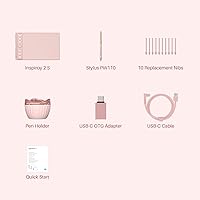
- Replacement Nibs: Ten replacement nibs are included in the box alongside a dedicated pen holder, providing extended use before additional nib purchases are necessary.
- Box Contents: The package includes the drawing tablet, PW110 digital pen, USB-C cable, OTG adapter, pen holder, 10 replacement nibs, and a quick-start guide.
- Compatible Software: The tablet works with major creative applications including Photoshop, SAI, MediBang Paint, and also supports productivity and communication tools such as OneNote, Microsoft Whiteboard, and Zoom.
- Pen Technology: The PW110 uses battery-free electromagnetic resonance (EMR) technology, meaning the stylus never needs charging or a battery replacement during its lifespan.
- Model Number: The pink variant of this tablet carries the model number H641P-Pink, as designated by the manufacturer, Shenzhen Huion Animation Technology LTD.
Related Reviews
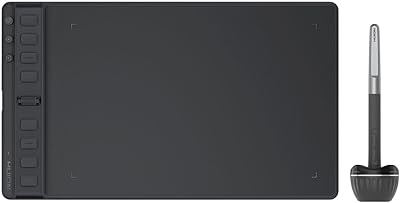
HUION Inspiroy 2 Medium Drawing Tablet
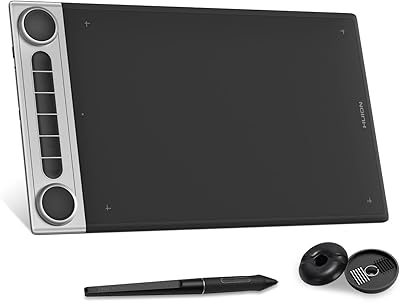
HUION Inspiroy Dial 2 Graphics Tablet
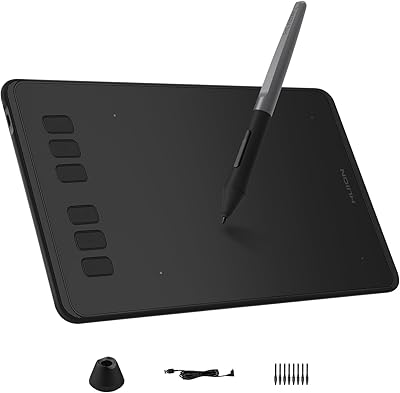
HUION Inspiroy H640P Drawing Tablet
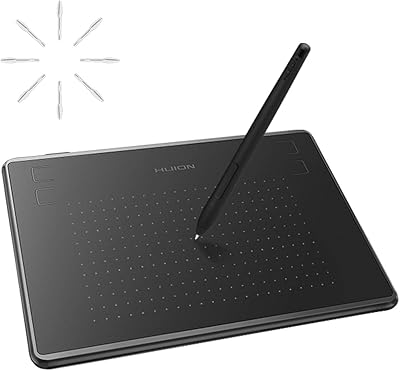
HUION Inspiroy H430P Graphics Drawing Tablet
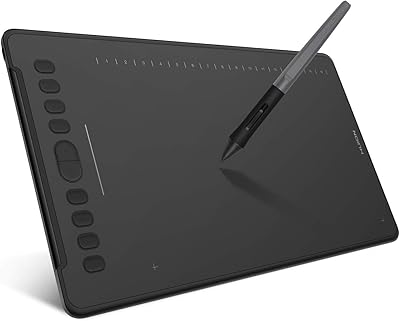
HUION Inspiroy H1161 Graphics Drawing Tablet
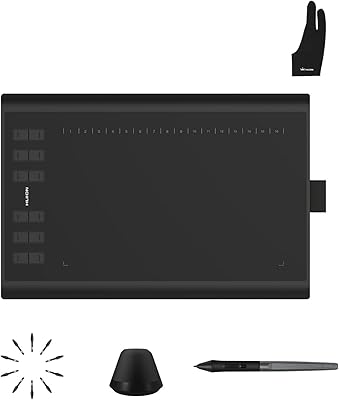
Huion Inspiroy H1060P Graphics Drawing Tablet
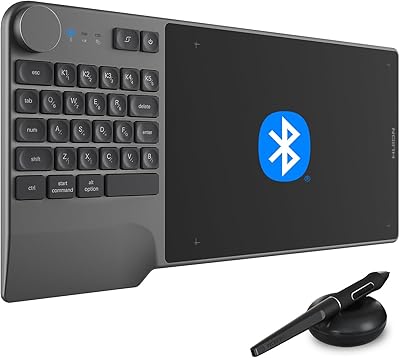
HUION Inspiroy Keydial KD200 Drawing Tablet
HUION Inspiroy Frego Small Wireless Drawing Tablet
HUION Inspiroy Q11K Wireless Drawing Tablet