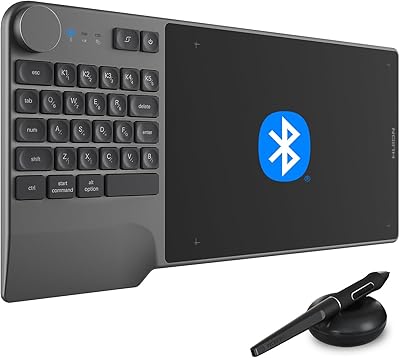
HUION Inspiroy 2 Medium Drawing Tablet
Overview
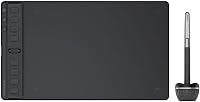
The HUION Inspiroy 2 Medium Drawing Tablet sits comfortably in the mid-range graphics tablet space, offering a credible alternative to Wacom without the premium price tag. The 9x5-inch active area hits a practical sweet spot — large enough for detailed work, compact enough to keep on a busy desk without taking over. A battery-free stylus means one less thing to charge, and USB-C connectivity keeps things straightforward with modern setups. It runs on Windows, Mac, Linux, and select Android devices, covering most creative workflows. Students, hobbyists, and working illustrators are the natural audience here — people who want reliable hardware without overspending.
Features & Benefits
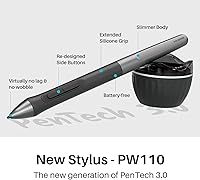
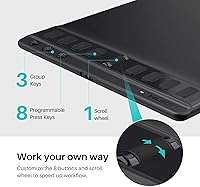
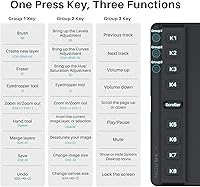
The pen is where this HUION tablet earns its keep. Built on PenTech 3.0, the PW110 stylus delivers 8192 pressure levels and 60-degree tilt support, so transitions between thick and thin strokes feel natural rather than digital. The slimmer body and silicone grip make long drawing sessions noticeably more comfortable than bulkier older pens. On the tablet itself, a scroll wheel and eight programmable shortcut keys let you customize controls per application — handy if you switch between Photoshop and Clip Studio regularly. The 8.7x5.4-inch drawing area gives enough room to work freely, and USB-C keeps connection headaches to a minimum on any recent machine.
Best For
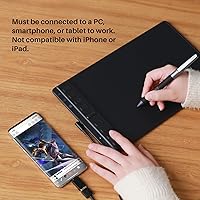
The Inspiroy 2 Medium is a strong fit for digital illustrators and concept artists who want dependable pressure sensitivity without jumping to a professional-tier price. Design and animation students will find it holds up well through daily use — setup is quick, and the programmable keys reduce how often you reach for the keyboard mid-sketch. Hobbyist artists upgrading from a basic entry-level tablet will notice an immediate improvement in control. If you frequently work from a phone, the Android compatibility is a genuine bonus, though it works with select devices running Android 6.0 or later, not every handset. Those who live by keyboard shortcuts will particularly appreciate having those mapped right on the tablet surface.
User Feedback
Buyer sentiment around this drawing tablet leans solidly positive, with most praise directed at pen accuracy and overall build quality for the price. Setup gets mentioned frequently as refreshingly straightforward — plug in, install drivers, and you are drawing in minutes. The driver software does have a learning curve, though; a handful of users note it takes time to configure properly, and occasional quirks have been reported on Linux systems. The scroll wheel works well for most, but a few found the placement slightly awkward during extended sessions. Compared to older HUION generations and similarly priced rivals, buyers generally feel the value is strong, with the PenTech 3.0 upgrade being the most commonly cited improvement.
Pros
- Battery-free stylus means no charging interruptions during long drawing sessions
- 8192 pressure levels deliver smooth, natural line variation for detailed illustration work
- Eight programmable shortcut keys reduce reliance on the keyboard and speed up creative workflows
- The scroll wheel is a practical addition that most tablets at this price point simply do not offer
- USB-C connectivity works out of the box with most modern laptops and desktops
- Setup is quick and straightforward — most users are drawing within minutes of unboxing
- The slimmer pen grip reduces hand fatigue during extended sessions compared to older HUION models
- 60-degree tilt support adds expressive shading and brushwork control that entry-level tablets lack
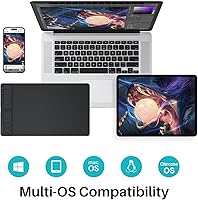
- Broad OS compatibility covers Windows, Mac, Linux, and select Android devices
- Strong sales rank confirms consistent buyer satisfaction across a wide creative audience
Cons
- HUION driver software has a noticeable learning curve and can require time-consuming configuration
- Linux compatibility exists on paper but real-world performance varies and is not fully reliable
- Android support is limited to select devices, not a guaranteed feature across all compatible phones
- The scroll wheel placement has been flagged by some users as slightly awkward during long sessions
- No display screen means beginners used to drawing while looking at their hand may face an adjustment period
- Shortcut key customization is powerful but takes initial setup time to get right per application
- The tablet requires a constant wired connection, with no wireless or Bluetooth option available
- Occasional driver conflicts have been reported when switching between operating systems on the same machine
Ratings
Our AI rating system analyzed thousands of verified global purchases of the HUION Inspiroy 2 Medium Drawing Tablet, actively filtering out incentivized reviews, bot submissions, and outlier feedback to surface what real buyers consistently experience. The scores below reflect an honest cross-section of this drawing tablet's strengths and the friction points that come up repeatedly across different user types and workflows. Both sides of the story are represented here — nothing has been smoothed over.
Pen Accuracy
Pressure Sensitivity
Driver Software
Build Quality
Shortcut Keys & Scroll Wheel
Ergonomics & Comfort
Setup & Plug-and-Play Experience
Android Compatibility
Value for Money
Active Area Size
Compatibility Breadth
Pen Nib Longevity
Software Ecosystem
Suitable for:
The HUION Inspiroy 2 Medium Drawing Tablet is a well-matched choice for digital illustrators, concept artists, and graphic design students who want meaningful hardware without committing to a professional-tier budget. If you spend hours sketching, inking, or painting digitally, the PenTech 3.0 stylus with 8192 pressure levels and 60-degree tilt support will feel like a genuine step up from cheaper entry-level alternatives. The 8.7x5.4-inch active area is generous enough for detailed work while staying desk-friendly, making it practical for students in small workspaces or creatives who share a studio. People who rely heavily on keyboard shortcuts will find real value in the eight programmable keys and scroll wheel, especially those who work across multiple applications. It also suits mobile-inclined creatives who occasionally want to draw directly from an Android phone or tablet, provided their device meets the compatibility requirements.
Not suitable for:
The HUION Inspiroy 2 Medium Drawing Tablet is not the right fit for professional illustrators or designers who depend on rock-solid driver stability across specialized or niche software environments, as the HUION driver suite, while capable, has a learning curve and occasional quirks that can frustrate users mid-deadline. Linux users in particular should go in with realistic expectations — compatibility is listed but real-world performance has produced mixed results depending on the distribution and setup. If you need a standalone drawing surface without a connected device, this tablet will not work for you, as it has no internal storage or display and must remain tethered to a computer or phone. Those who prefer a pen display with an integrated screen, like a Wacom Cintiq or HUION Kamvas, will find this drawing tablet a fundamentally different experience that may not suit their workflow. Buyers expecting universal Android compatibility should also be cautious — not all devices running Android 6.0 are confirmed to work, so checking your specific handset against HUION's supported device list before purchasing is strongly advised.
Specifications
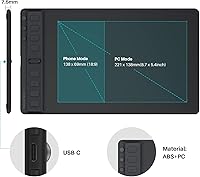
- Active Area (PC): The drawing surface measures 8.7 x 5.4 inches in PC mode, offering a comfortable workspace suitable for detailed illustration without being oversized.
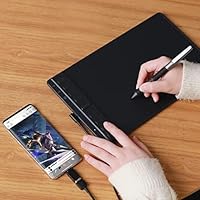
- Active Area (Phone): When connected to a compatible Android device, the usable drawing area adjusts to 138 x 69mm, optimized for an 18:9 phone aspect ratio.
- Pressure Sensitivity: The PW110 stylus supports 8192 levels of pressure sensitivity, allowing smooth transitions from hairline strokes to broad, heavily weighted lines.
- Tilt Support: The pen recognizes up to 60 degrees of tilt, enabling natural shading and brushwork techniques commonly used in professional illustration.
- Digital Pen: The included PW110 stylus runs on PenTech 3.0 technology with a slimmer body, soft silicone grip, and accessible side buttons for comfort during extended use.
- Pen Power: The stylus is fully battery-free, drawing power passively from the tablet surface so it never needs charging or battery replacement.
- Shortcut Keys: The tablet features 8 programmable press keys and 3 group keys, all customizable per application through the HUION driver software.
- Scroll Wheel: A dedicated scroll wheel is built into the tablet body, providing an additional customizable input for zooming, brushing, or any assigned function.
- Connectivity: The tablet connects via USB-C, making it compatible with most modern laptops, desktops, and Android smartphones without requiring an adapter.
- OS Compatibility: Supported operating systems include Windows 7 and later, macOS 10.12 and later, Linux Ubuntu 20.04 LTS, Android 6.0 and later, ChromeOS 88 and later, and HarmonyOS 2.0 and later.
- Dimensions: The overall tablet body measures 12.01 x 7.09 x 0.35 inches, keeping the footprint compact enough for most desk setups.
- Weight: The tablet weighs 14.8 ounces, making it light enough to carry in a bag without adding significant load.
- Model: The official model designation is Inspiroy 2 Medium Black, produced by Shenzhen Huion Animation Technology LTD.
- Resolution: The tablet surface is designed to capture high-resolution pen input consistent with the PenTech 3.0 standard used across HUION's current mid-range lineup.
- Report Rate: The PW110 pen delivers a fast report rate that minimizes perceptible lag between physical pen movement and on-screen stroke rendering.
- Driver Support: HUION provides dedicated driver software for Windows, macOS, and Linux, with per-application shortcut profiles configurable through the HUION tablet settings panel.
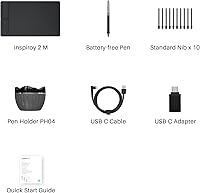
- Package Contents: The box includes the drawing tablet, PW110 battery-free stylus, a USB-C to USB-A cable, pen nibs, and a nib removal tool.
- Manufacturer: The Inspiroy 2 Medium is manufactured by Shenzhen Huion Animation Technology LTD., one of the leading graphics tablet makers outside of Wacom.
Related Reviews
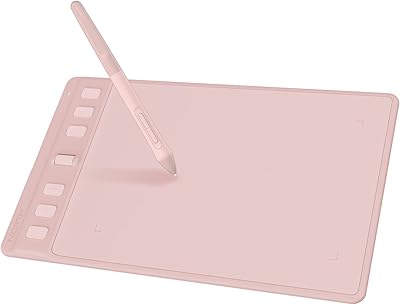
HUION Inspiroy 2 S Drawing Tablet
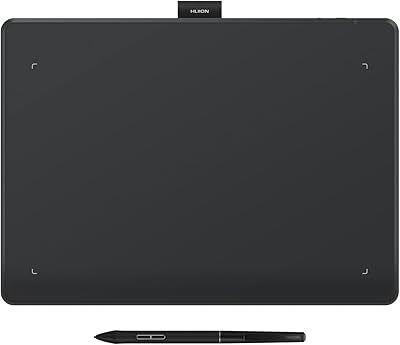
HUION Inspiroy Frego Medium Drawing Tablet
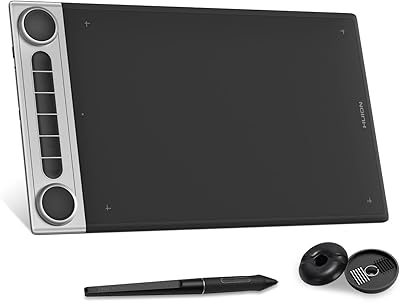
HUION Inspiroy Dial 2 Graphics Tablet
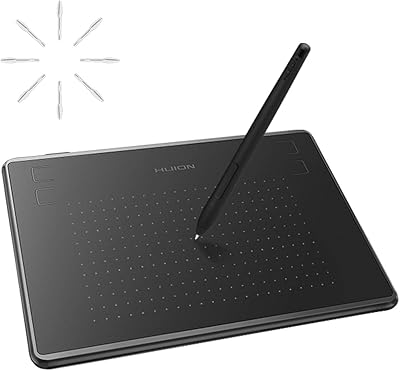
HUION Inspiroy H430P Graphics Drawing Tablet
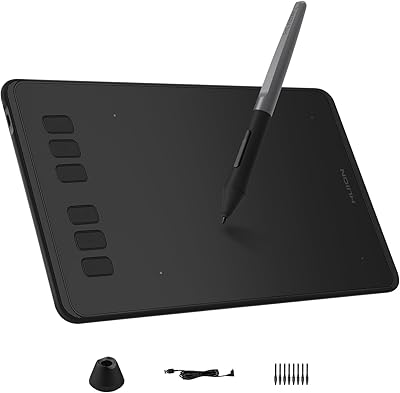
HUION Inspiroy H640P Drawing Tablet
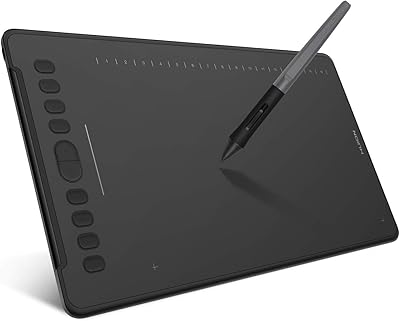
HUION Inspiroy H1161 Graphics Drawing Tablet
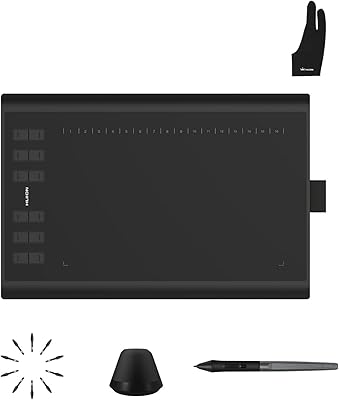
Huion Inspiroy H1060P Graphics Drawing Tablet
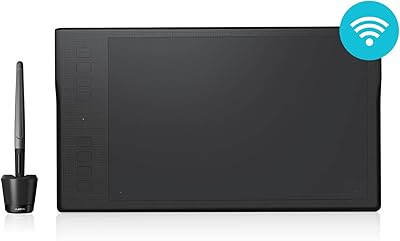
HUION Inspiroy Q11K Wireless Drawing Tablet
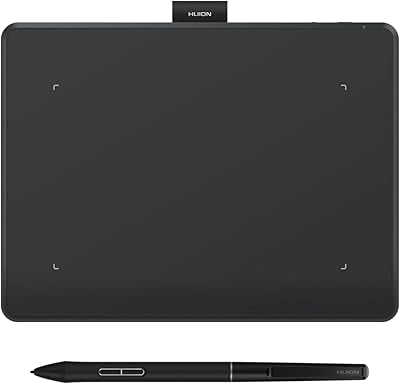
HUION Inspiroy Frego Small Wireless Drawing Tablet