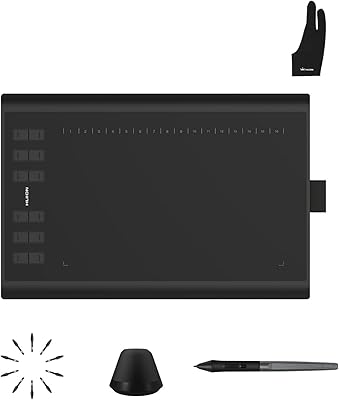
HUION Inspiroy Q11K Wireless Drawing Tablet
Overview
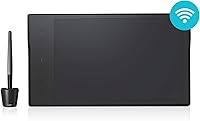
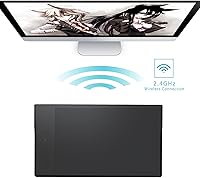
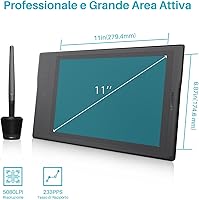
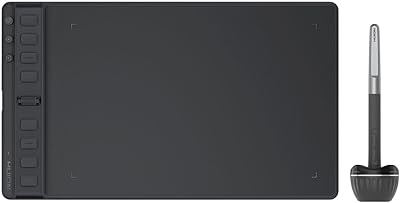
The HUION Inspiroy Q11K Wireless Drawing Tablet sits in an interesting spot in the market — large enough to feel professional, priced squarely where Wacom's entry-level options start to look overpriced by comparison. HUION has been quietly building a reputation as a credible alternative brand, and this tablet reflects that maturity. The 11 x 6.87-inch workspace is genuinely generous for the price tier, giving artists and educators plenty of room without feeling cramped. Designed around a wireless-first philosophy, it cuts the cable clutter that tends to plague busy desks — a practical benefit that sounds minor until you actually experience it firsthand.
Features & Benefits
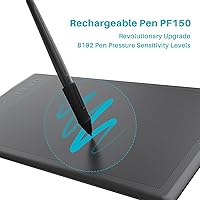
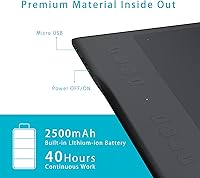
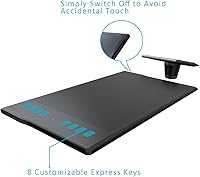
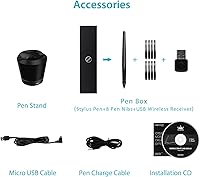
The PF150 rechargeable pen is where a lot of the real-world value shows up. With 8192 levels of pressure sensitivity, it handles both delicate hairline strokes and heavy, opaque fills with enough precision to satisfy intermediate artists — though professionals working at a studio level may eventually want more. The 2500mAh battery delivers over 40 hours of wireless use, meaning charging is rarely a concern during a normal week. Eight programmable shortcut keys sit along the left edge, ready to map to your most-used brush commands or layer shortcuts. A small but clever detail: the pen stand doubles as a nib extractor, so swapping tips requires no hunting for separate tools.
Best For
This wireless drawing tablet hits its stride with hobbyist illustrators and intermediate digital artists who want a genuinely large canvas without paying premium prices. It also works surprisingly well for online educators — teachers annotating PDFs, sketching diagrams live in OneNote, or writing on virtual whiteboards during video calls will find the active area gives them real room to work. Remote workers who want a tidier, cable-free desk will appreciate the wireless freedom too. Students stepping away from mouse-based workflows for the first time are a natural fit. Where it may fall short: advanced professional artists who need rock-solid driver stability and pen tilt recognition will likely need to look further up the price ladder.
User Feedback
Buyers consistently praise the Q11K's large active area and pen responsiveness — educators in particular say it holds up well through long online teaching sessions. The wireless connection earns positive marks overall, though some users report that the USB dongle occasionally drops on certain system configurations, making the wired fallback a genuinely reassuring option to have available. Driver installation is the most cited friction point: on some Windows setups, getting everything running smoothly takes more patience than expected. Build quality opinions are split — most find it solid for the price, but a handful compare the plastic construction unfavorably to Wacom's hardware. HUION's customer support is broadly described as responsive, which helps when setup headaches do occur.
Pros
- The 11 x 6.87-inch active area is exceptionally large for this price tier, giving artists genuine room to work.
- Wireless freedom via USB dongle keeps desks cleaner and removes the cable management headache entirely.
- A 2500mAh battery routinely lasts a full work week without needing a recharge for typical daily use.
- The PF150 pen handles both delicate linework and heavy brush strokes with satisfying, responsive pressure variation.
- Educators report it integrates naturally into online teaching setups with PowerPoint, OneNote, and annotation tools.
- Eight programmable shortcut keys meaningfully speed up repetitive drawing workflows once properly configured.
- The textured surface coating provides a paper-like drawing feel that most users prefer over glassy competing surfaces.
- The built-in nib extractor in the pen stand is a small but genuinely practical detail that removes a recurring annoyance.
- HUION customer support is broadly described as responsive and willing to assist with driver and setup problems.
- Wired USB fallback connectivity means a lost or incompatible dongle does not leave the tablet completely unusable.
Cons
- Driver installation on certain Windows 10 and 11 builds can require lengthy troubleshooting before the tablet works correctly.
- Wireless connectivity occasionally drops on specific system configurations, forcing some users onto the wired fallback more than expected.
- The plastic build feels noticeably lighter in material quality compared to Wacom hardware when handled side by side.
- Shortcut keys lack tactile differentiation, making it hard to locate the right key by touch alone without breaking drawing focus.
- The pen pressure curve needs manual calibration out of the box to feel truly natural for many users.
- Surface texture wears down with heavy daily use over several months, gradually reducing the paper-like drawing resistance.
- No battery level indicator on the tablet itself means low-battery shutdowns can catch users off guard mid-session.
- At over 15 inches long, the full device footprint demands significant desk space that compact workstations cannot easily spare.
- macOS driver compatibility has occasionally broken temporarily after OS updates, requiring users to wait for a HUION patch.
- Nib wear is faster than average on the textured surface, and sourcing replacement nibs locally can be difficult in some regions.
Ratings
The HUION Inspiroy Q11K Wireless Drawing Tablet earns its place as one of the more compelling mid-range options in a crowded category — but how it performs in real hands tells a more nuanced story than the spec sheet suggests. The scores below are generated by AI after systematically analyzing verified global user reviews, actively filtering out incentivized, bot-generated, and spam submissions to surface genuine buyer sentiment. Both the standout strengths and the recurring frustrations are reflected honestly here, so you can make a genuinely informed call before purchasing.
Pen Pressure Sensitivity
Wireless Connectivity
Active Area Size
Driver & Software Setup
Battery Life
Pen Comfort & Ergonomics
Shortcut Keys Usability
Surface Texture & Drawing Feel
Build Quality & Materials
Value for Money
Compatibility & OS Support
Online Teaching Suitability
Customer Support Experience
Pen Nib Longevity & Replacement
Portability
Suitable for:
The HUION Inspiroy Q11K Wireless Drawing Tablet is a strong fit for hobbyist illustrators and intermediate digital artists who want a genuinely spacious drawing surface without paying Wacom Intuos Pro prices for it. Students making the jump from mouse-based workflows will find the large active area and responsive pen pressure give them real room to experiment and build technique without feeling constrained by hardware limits. Online educators — teachers annotating PDFs live, tutors sketching diagrams in OneNote, instructors writing on virtual whiteboards during video calls — consistently report that the wireless setup reduces friction during lessons and keeps the desk uncluttered. Remote workers who need a clean, cable-free workstation for presentations and video conferencing will appreciate that this HUION tablet doubles neatly as a handwriting input device beyond its core drawing role. If you are budget-conscious, need a large workspace, and can handle a bit of initial driver setup patience, this tablet delivers a well-rounded package that is genuinely hard to beat at its price point.
Not suitable for:
The HUION Inspiroy Q11K Wireless Drawing Tablet is not the right tool for professional artists whose livelihood depends on flawless driver stability, advanced tilt recognition, and premium build quality that holds up under years of heavy studio use — for that, the Wacom Intuos Pro or Cintiq lineup remains the safer investment. Users who are not comfortable troubleshooting software issues should think carefully before buying: driver installation on certain Windows configurations is a known friction point that can take significant time to resolve, and that experience is genuinely off-putting for less tech-savvy buyers. Linux users are effectively left without official support and should look elsewhere entirely. Anyone expecting truly portable, bag-friendly dimensions will also be disappointed — at over 15 inches long, the Q11K is a desk device, not a travel companion. Finally, artists who have become accustomed to the tactile shortcut key feedback on Wacom tablets may find the Q11K's flatter, less differentiated press keys a step down in day-to-day workflow feel.
Specifications
- Model Number: The tablet is officially designated as the Q11K, manufactured by ShenZhen Huion Animation Technology Co., LTD.
- Active Area: The working surface measures 11 x 6.87 inches, providing a large input area suited to both illustration and handwriting tasks.
- Overall Dimensions: The full tablet body measures 15.35 x 8.78 x 0.43 inches, making it a desk-oriented device rather than a portable one.
- Weight: The tablet weighs 1.94 pounds, which is light enough to reposition easily on a desk but not designed for regular travel use.
- Pen Model: The included stylus is the PF150 rechargeable pen, designed with a balanced weight and diameter intended to mimic a natural drawing instrument.
- Pen Pressure: The PF150 pen supports 8192 levels of pressure sensitivity, enabling fine gradations between hairline strokes and fully opaque, heavy brush marks.
- Connectivity: The tablet connects wirelessly via a USB dongle and also supports a direct wired USB connection as a reliable fallback option.
- Battery Capacity: A built-in 2500mAh lithium-ion battery powers the wireless function, rated for over 40 hours of continuous use per full charge.
- Shortcut Keys: Eight programmable press keys are positioned along the tablet edge and can be customized through the HUION driver software to trigger any user-defined function.
- Surface Finish: The active area features a textured, paper-like coating designed to provide tactile resistance and a more natural feel compared to smooth plastic surfaces.
- OS Compatibility: The tablet is officially compatible with Windows 7 and later versions, as well as macOS 10.11 and later; Linux is not officially supported.
- Pen Stand: The included pen stand conceals a built-in nib extractor tool, removing the need for a separate accessory when swapping worn pen nibs.
- Battery Type: The tablet requires one lithium-ion battery (built-in), and the pen itself is rechargeable rather than powered by replaceable AAA batteries.
- Software Support: The Q11K is compatible with major creative applications including Adobe Photoshop, Illustrator, Clip Studio Paint, and Krita, as well as presentation tools like PowerPoint and OneNote.
- BSR Ranking: The tablet holds a Best Sellers Rank of #159 in the Computer Graphics Tablets category on Amazon, indicating sustained and consistent buyer demand.
- Manufacturer: The product is manufactured by ShenZhen Huion Animation Technology Co., LTD, a company specializing in graphic input devices for creative and professional markets.
- Availability Status: The Q11K is confirmed as not discontinued by the manufacturer and remains an active product in the HUION lineup as of its latest listing date.
- First Available: The tablet was first listed for sale on April 13, 2017, giving it a multi-year track record of real-world user feedback to draw from.
Related Reviews
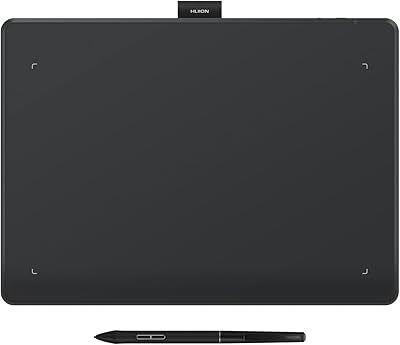
HUION Inspiroy Frego Medium Drawing Tablet
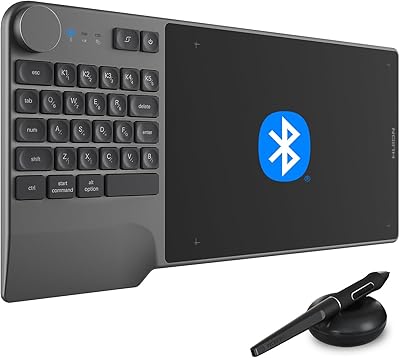
HUION Inspiroy Keydial KD200 Drawing Tablet
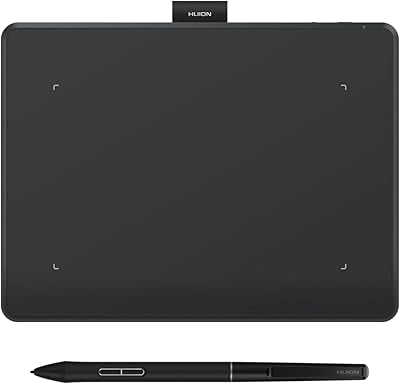
HUION Inspiroy Frego Small Wireless Drawing Tablet
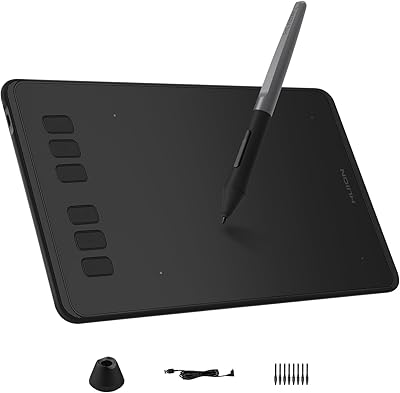
HUION Inspiroy H640P Drawing Tablet
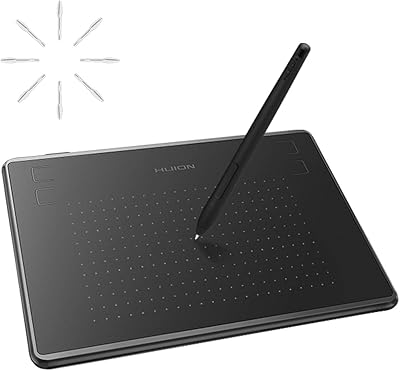
HUION Inspiroy H430P Graphics Drawing Tablet
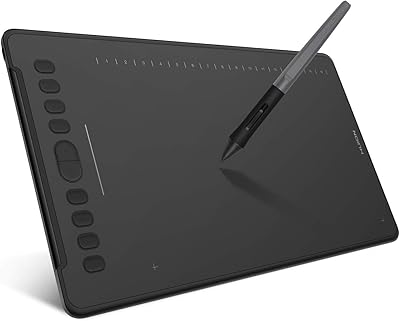
HUION Inspiroy H1161 Graphics Drawing Tablet
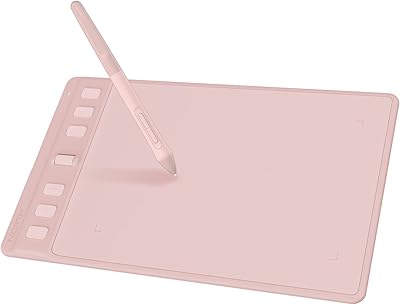
HUION Inspiroy 2 S Drawing Tablet
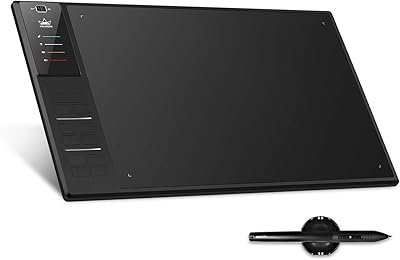
Huion WH1409 Wireless Graphic Drawing Tablet
HUION Inspiroy 2 Medium Drawing Tablet