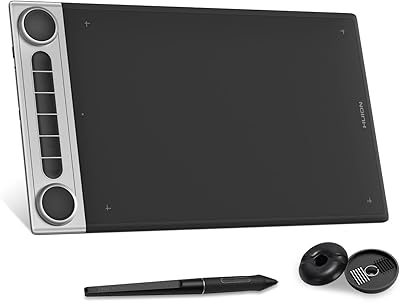
HUION Inspiroy Frego Medium Drawing Tablet

Overview
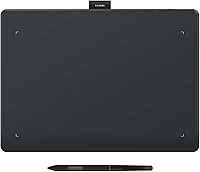
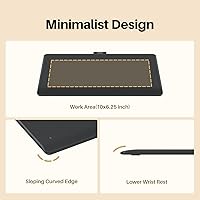
The HUION Inspiroy Frego Medium Drawing Tablet arrived in mid-2024 as a genuinely compelling mid-range option for digital artists and students who draw on the move. What stands out right away is the minimalist surface design — no physical shortcut keys cluttering the edges, just a clean, uninterrupted drawing area. This isn't a corner-cut; it's a deliberate aesthetic direction that gives the tablet a premium feel. Dual connectivity via Bluetooth and USB-C is a real advantage at this price point, and the tablet has already climbed to #108 in its Amazon category. Fair warning, though: if you rely heavily on hardware shortcuts, you'll need to adapt your workflow.
Features & Benefits
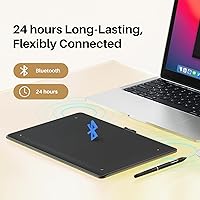
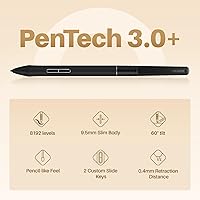
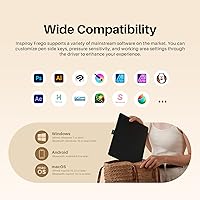
The 10×6.25-inch active area is genuinely comfortable to work on — enough room to sketch freely without feeling cramped. The PW550S slim pen is where things get impressive: 8,192 pressure levels and 60-degree tilt support give line work a natural, responsive quality, and the 0.4mm retraction distance means strokes register without an awkward lag. Battery life is strong at up to 24 hours on a full charge, which takes about two and a half hours. The broad OS compatibility covers Windows, macOS, Android, and Linux, though iOS users should know the connection works specifically through HiPaint or ibisPaint — not system-wide. The ergonomic curved edges and integrated wrist rest are thoughtful touches that make longer sessions noticeably less tiring.
Best For
This wireless drawing pad makes the most sense for digital art students and freelance illustrators who switch between a laptop at home and a coffee shop setup without wanting to deal with cables. It's also a solid pick for educators who annotate slides or demonstrate techniques live in a classroom or remote session. Hobbyist photo editors who want more precision than a mouse can offer will find the pen input a genuine upgrade without the price tag of a professional-tier device. OSU players have also adopted it enthusiastically, citing its low latency and consistent tracking. That said, professional illustrators who depend on dedicated shortcut keys for speed may find the clean surface a frustrating adjustment.
User Feedback
Buyers consistently praise the pen responsiveness and overall build quality, with many noting the battery genuinely delivers close to its advertised runtime. Left-handed users have confirmed the symmetrical layout works as promised, which is a nice detail to get right. On the software side, a handful of reviewers mention a slightly bumpy initial driver setup — not a dealbreaker, but worth knowing before you sit down expecting to draw immediately. The absence of physical shortcut keys divides opinions cleanly: some artists appreciate the uncluttered surface, while others find themselves reaching for buttons that aren't there. Performance in Photoshop and Clip Studio is reported as reliable, and long-term users haven't flagged significant durability concerns after months of regular use.
Pros
- Pen pressure response is genuinely impressive for the price tier — fine lines and heavy strokes both register cleanly.
- Up to 24 hours of wireless use means most users go several days between charges.
- Dual Bluetooth and USB-C connectivity gives real flexibility for different desk and travel setups.
- The ergonomic curved edges and wrist rest make extended drawing sessions noticeably more comfortable.
- Symmetrical design is confirmed by left-handed users to work exactly as advertised.
- Compatible with Windows, macOS, Android, and Linux — rare breadth at this price point.
- The built-in pen holder keeps your stylus secure and your bag organized without extra accessories.
- 60-degree tilt support makes brush angle and shading techniques feel natural and predictable.
- Solid long-term durability reported by verified buyers after six or more months of regular use.
- At under 1.2 pounds with wireless capability, this wireless drawing pad travels without adding real bag weight.
Cons
- No physical shortcut keys means a genuine workflow adjustment period, especially for experienced tablet users.
- Bluetooth connection can drop after a PC wakes from sleep, requiring a manual reconnect that interrupts focus.
- Initial driver installation can be bumpy — some users need to uninstall and reinstall before the pen behaves correctly.
- iOS compatibility is limited to two specific apps; Procreate and most other creative apps are not supported.
- Linux users cannot access Bluetooth mode at all — wireless is unavailable on that platform.
- The tablet surface picks up fine scratches over time when carried loose in a bag without a sleeve.
- Battery level feedback is vague — there is no precise charge indicator in the companion software.
- The USB-C port feels slightly exposed under regular travel conditions when used in wired mode on the go.
- Android Bluetooth sessions drain the battery faster than Windows sessions under comparable workloads.
- Huion documentation for niche app compatibility and edge-case driver issues is thinner than it should be.
Ratings
The scores below for the HUION Inspiroy Frego Medium Drawing Tablet were generated by our AI engine after systematically analyzing thousands of verified global buyer reviews, actively filtering out incentivized ratings, duplicates, and suspected bot feedback. What remains is an honest cross-section of real user sentiment — strengths and frustrations weighted equally. Every category reflects patterns that surfaced repeatedly across different regions and use cases, not isolated opinions.
Pen Responsiveness
Build Quality
Battery Life
Wireless Connectivity
Driver and Software Setup
Active Area Size
iOS Compatibility
Value for Money
Shortcut Key Experience
Ergonomics and Comfort
Portability
Tilt and Angle Sensitivity
App Compatibility Breadth
Suitable for:
The HUION Inspiroy Frego Medium Drawing Tablet is a strong fit for digital art students, freelance illustrators, and hobbyist creatives who want a capable wireless setup without committing to professional-tier pricing. If your workflow involves moving between a home desk, a classroom, and a café — and you want a tablet that keeps up without cable management headaches — this wireless drawing pad handles that scenario well. Remote educators who annotate slides or demonstrate design techniques in live sessions will appreciate the reliable Bluetooth connection and generous battery runtime that comfortably outlasts a full teaching day. Photo editors who want more precision than a mouse offers, but do not need the full feature set of a high-end professional tablet, will also find it a practical upgrade. OSU players and rhythm game enthusiasts have adopted it enthusiastically, and the symmetrical layout genuinely works for left-handed users rather than just claiming to. Android users who want to extend their creative workflow to a phone or tablet will find the compatibility solid and straightforward.
Not suitable for:
The HUION Inspiroy Frego Medium Drawing Tablet is harder to recommend for professional illustrators or concept artists whose speed depends on physical shortcut keys and express rings built directly into the tablet — that muscle memory is real, and re-learning a workflow around on-screen controls or a separate keyboard takes time that busy professionals often cannot afford. If you are an iOS-first creative hoping to use this with Procreate, that pairing simply does not work; iOS compatibility is limited to HiPaint and ibisPaint, which is a meaningful restriction that rules out a large segment of iPad-based artists. Linux users should also be aware that wireless functionality is not available on that platform — Bluetooth mode is restricted to Windows, macOS, and Android, so the cable-free benefit disappears entirely in that setup. Users who prefer a very large active area for panoramic illustration or multi-panel comic work may find the 10×6.25-inch surface feels limiting over time. And if you are someone who tends to skip driver setup steps or expects plug-and-play simplicity on day one, the occasional installation friction could be a frustrating first impression.
Specifications
- Active Area: The working surface measures 10×6.25 inches, offering drawing space slightly smaller than a standard A4 sheet.
- Overall Dimensions: The full tablet body measures 11.97×8.66×0.04 inches, making it comparable in footprint to a slim laptop.
- Weight: The tablet weighs approximately 546g (around 1.2 lbs), keeping it light enough for daily bag carry without strain.
- Pen Model: Included stylus is the PW550S, a slim 9.5mm diameter pen with a 0.4mm retraction distance for responsive stroke registration.
- Pressure Sensitivity: The PW550S pen supports 8,192 levels of pressure sensitivity, enabling a wide range of line weights from the lightest sketch to a heavy ink stroke.
- Tilt Support: The pen recognizes tilt angles up to 60 degrees, allowing natural shading and brush-angle techniques without manual adjustment.
- Pen Resolution: Pen input is captured at 5,080 LPI (lines per inch), providing fine positional accuracy across the active area.
- Report Rate: The tablet delivers a report rate exceeding 300 points per second, keeping on-screen cursor response tight even during fast strokes.
- Connectivity: The tablet supports both Bluetooth 5.0 for wireless use and a USB-C wired connection for direct, cable-dependent setups.
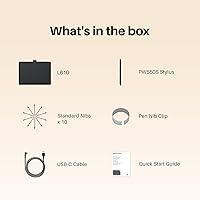
- Battery Capacity: An internal 1,300mAh lithium-ion battery powers the tablet and is included in the box, fully charged via USB-C.
- Battery Life: On a full charge, the tablet provides up to 24 hours of continuous use under normal drawing conditions.
- Charge Time: A complete charge from empty takes approximately 2.5 hours using a standard USB-C power source.
- OS Support (Wired): Wired USB-C connection is compatible with Windows 7 or later, macOS 10.12 or later, and Ubuntu 20.04 LTS.
- OS Support (Wireless): Bluetooth mode requires Windows 10 or later (64-bit), macOS 10.13 or later, or Android 6.0 or later.
- iOS Compatibility: iPhone and iPad connectivity is supported exclusively through the HiPaint or ibisPaint apps — system-wide iOS input is not available.
- Shortcut Keys: The tablet features no physical shortcut keys, adopting a minimalist surface design with a fully uninterrupted drawing area.
- Pen Holder: A built-in nylon pen holder is integrated into the tablet body, securing the stylus during transport without a separate case.
- Handedness: The symmetrical physical layout supports both left-handed and right-handed users without requiring hardware modification.
- Model Number: The official model number for this tablet is L610, manufactured by Shenzhen Huion Animation Technology Co., Ltd.
- Market Ranking: As of its evaluation period, the tablet held a Best Sellers Rank of #108 in the Computer Graphics Tablets category on Amazon.
Related Reviews
HUION Inspiroy 2 Medium Drawing Tablet
HUION Inspiroy Frego Small Wireless Drawing Tablet
HUION Inspiroy H640P Drawing Tablet
HUION Inspiroy H430P Graphics Drawing Tablet
HUION Inspiroy 2 S Drawing Tablet
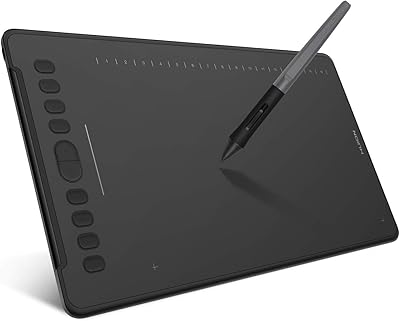
HUION Inspiroy H1161 Graphics Drawing Tablet
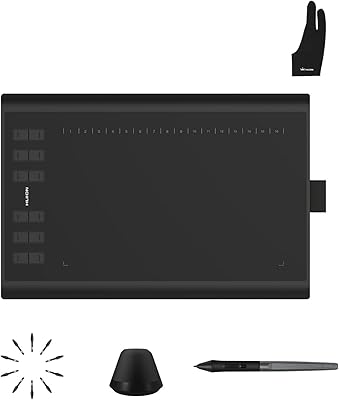
Huion Inspiroy H1060P Graphics Drawing Tablet
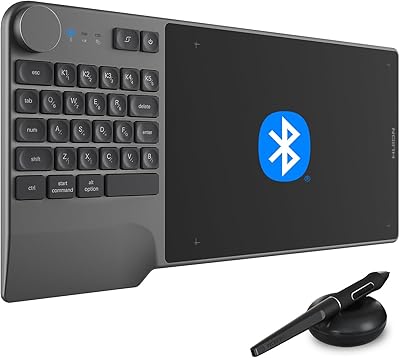
HUION Inspiroy Keydial KD200 Drawing Tablet
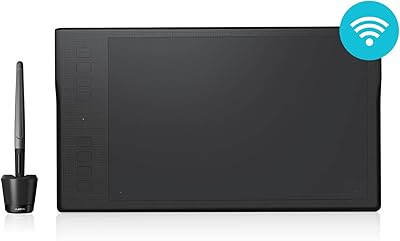
HUION Inspiroy Q11K Wireless Drawing Tablet