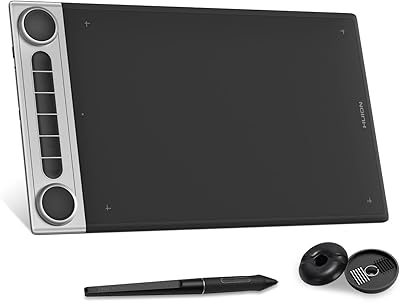
HUION Inspiroy Keydial KD200 Drawing Tablet
Overview
The HUION Inspiroy Keydial KD200 Drawing Tablet occupies an interesting niche: it combines a drawing surface, a compact keyboard, and a dial controller into one device — something you rarely see at this price point. Huion sits firmly in the mid-range tablet market, and this model is part of their Inspiroy lineup, aimed at working artists who want more than just a plain drawing pad. The 8.9x5.6-inch active area is a practical size — big enough for serious illustration work, compact enough to fit in a bag. Going in with realistic expectations matters: this is not a Wacom rival, but it holds its own confidently in its segment.
Features & Benefits
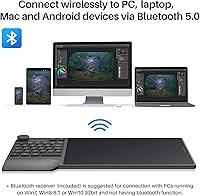
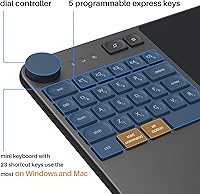
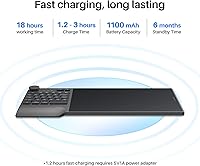
Wireless freedom is the KD200's opening pitch: Bluetooth 5.0 keeps the connection stable up to 33 feet, and a single charge carries you through a full workday and then some — 18 hours of rated use, topping back up in roughly an hour and a quarter. The integrated keyboard puts 23 standard keys and five assignable express keys within thumb's reach, which means Ctrl+Z, layer shortcuts, and brush toggles without lifting your hand off the surface. The dial handles zoom and brush sizing intuitively. The battery-free PW517 pen offers 8192 pressure levels and 60-degree tilt that makes line weight control feel natural, not mechanical. Wired USB fallback is there when you need it.
Best For
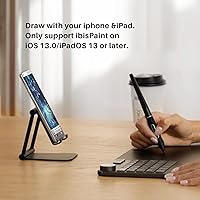
This keyboard-integrated drawing tablet works best for illustrators and digital artists who are tired of reaching across their desk for a keyboard mid-sketch. It also suits remote educators and online workshop hosts, where quick annotation and canvas navigation matter during live sessions. If you're stepping up from a basic entry tablet and want real workflow control without buying a separate shortcut device, this Huion tablet makes a strong case. Mac and Windows users chasing a cable-free workspace will appreciate the cleaner setup. One firm caveat: iOS use is limited strictly to ibisPaint, and Android compatibility is narrower than the packaging implies — a meaningful limitation for mobile-first users.
User Feedback
Across a solid base of verified reviews, the KD200 holds a 4.4-star average, with consistent praise centering on pen feel and accuracy during extended sessions, plus reliable wireless performance at a desk. The keyboard integration splits opinion: artists who lean heavily on software shortcuts welcome it; others find the added footprint awkward on smaller setups. Worth flagging upfront — driver installation can require troubleshooting before the tablet and software fully cooperate, and several users call this out directly. Battery life tends to track close to the rated claim under normal use. Longer-term reviewers mention nib wear after sustained heavy use, so keeping spare nibs on hand is practical advice.
Pros
- The battery-free PW517 stylus delivers natural, responsive line work that holds up well during long illustration sessions.
- Having a keyboard, dial, and drawing surface in one device genuinely reduces desktop clutter for artists tired of managing multiple peripherals.
- Bluetooth 5.0 keeps the connection stable across a typical desk setup without the interference issues that plagued older wireless tablets.
- The matte drawing surface resists glare and provides just enough texture to make pen strokes feel grounded rather than slippery.
- The KD200 charges quickly — roughly 75 minutes from flat — so a short break rarely means a long wait before getting back to work.
- The dial controller for zoom and brush size cuts down on menu interruptions in a way that standalone shortcut devices typically require extra cash to replicate.
- At 8.5mm thin and just under 650 grams, this Huion tablet slides into a bag without dominating it.
- Broad compatibility with mainstream creative software means most artists can plug in and draw without hunting down workarounds.
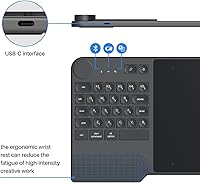
- The ergonomic wrist rest is a genuinely useful inclusion that most competing mid-range tablets skip entirely.
- Five assignable express keys cover the shortcuts that matter most — undo, eraser toggle, layer switch — without overcomplicating the layout.
Cons
- Driver installation frequently requires troubleshooting, restarts, and manual conflict resolution — expect to spend real time on setup before your first drawing session.
- Real-world battery stamina under heavy continuous use tends to fall short of the advertised 18-hour ceiling by a noticeable margin.
- The dial sensitivity requires manual calibration in the driver panel; out of the box, it feels too coarse for precise brush adjustments.
- Nib wear accelerates faster than on premium-coated surfaces, so budgeting for replacement nibs is a practical necessity, not just a precaution.
- Android compatibility is inconsistent across device manufacturers and OS versions — core functions work, but the keyboard and dial behavior can be unreliable.
- iOS support is restricted entirely to ibisPaint, which is a hard limitation for Apple mobile users expecting broader app flexibility.
- The integrated keyboard adds horizontal footprint that can feel oversized on small desks or cafe tables with limited surface space.
- Keyboard key legends show cosmetic wear earlier than expected under daily high-intensity use.
- The dial mechanism on some units develops slight looseness over time, which affects tactile confidence during precise adjustments.
- Users switching between multiple machines need the Huion driver active on each system to retain their custom key and dial mappings.
Ratings
The HUION Inspiroy Keydial KD200 Drawing Tablet earned its scores through AI-assisted analysis of verified global buyer reviews, with spam, bot-generated feedback, and incentivized posts actively filtered out before scoring. What emerges is a clear picture of a mid-range hybrid tablet that genuinely delivers on its core promises — but carries a few friction points that real users encounter once the honeymoon period ends. Both the standout strengths and the recurring frustrations are reflected transparently in every category below.
Pen Accuracy & Pressure Sensitivity
Wireless Performance
Battery Life
Integrated Keyboard Usability
Dial Controller
Express Keys & Customization
Drawing Surface Texture
Driver Software & Setup
Build Quality & Durability
Portability
Software Compatibility
Android Compatibility
Wrist Rest & Ergonomics
Value for Money
Suitable for:
The HUION Inspiroy Keydial KD200 Drawing Tablet is built for intermediate digital artists and illustrators who have outgrown a basic drawing pad and want consolidated workflow control without adding more devices to their desk. If you spend real time in Photoshop, Clip Studio Paint, or SAI and find yourself constantly reaching for a keyboard mid-sketch, having those shortcuts physically integrated into your drawing surface is a meaningful quality-of-life upgrade. Remote educators and online workshop hosts also fit this device well — the ability to annotate, zoom, and navigate canvas during a live session without juggling two peripherals keeps things fluid and professional. It travels well enough to move between a home studio, a classroom, and a cafe setup without feeling like a burden, making it a practical choice for artists who do not work from a single fixed desk. Mac and Windows users chasing a cleaner, cable-free workspace will find the Bluetooth connection reliable enough for daily creative work.
Not suitable for:
The HUION Inspiroy Keydial KD200 Drawing Tablet is not the right tool for every buyer, and it is worth being direct about that. If you are a professional illustrator or concept artist whose livelihood depends on the absolute highest pen precision and the most refined driver ecosystem available, the gap between this and a premium Wacom device is real — this Huion tablet is not trying to compete at that tier. Artists who prefer a minimal, uncluttered drawing surface and have no interest in an integrated keyboard will likely find the added bulk frustrating rather than useful, and could get better value from a simpler tablet at a lower price. Mobile-first creatives expecting broad smartphone or tablet compatibility should approach carefully: Android support is functional but inconsistent across devices, and iOS use is locked entirely to ibisPaint — there is no broader app support on Apple mobile hardware. Anyone unwilling to spend time configuring driver software and working through an initial setup process will also find the early experience more friction-heavy than they bargained for.
Specifications
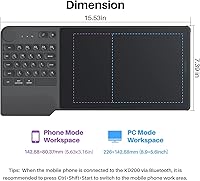
- Active Area: The drawing surface measures 8.9 x 5.6 inches, providing a mid-size workspace that accommodates detailed illustration work without making the device impractical to carry.
- Dimensions: The full device body measures 394.5 x 187.7 x 8.5mm, keeping the overall profile slim enough to slide into most laptop bags alongside other gear.
- Weight: The device weighs approximately 650g (around 1.43 lbs), striking a balance between solid build feel and portability for artists on the move.
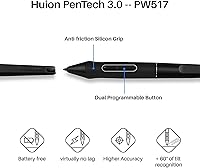
- Pen Model: The included stylus is the battery-free PW517, built on Huion's PenTech 3.0 platform for consistent responsiveness without the need for charging or batteries.
- Pressure Sensitivity: The PW517 pen supports 8192 levels of pressure sensitivity, enabling fine control over line weight and stroke dynamics across supported software.
- Tilt Support: The stylus recognizes tilt angles up to 60 degrees, allowing artists to replicate natural brush and pencil shading techniques in compatible applications.
- Pen Resolution: Pen input is captured at 5080 LPI (lines per inch), ensuring precise positional accuracy even during slow, detailed linework.
- Connectivity: The KD200 supports both Bluetooth 5.0 for wireless operation and USB wired connection as a reliable fallback when wireless is not practical.
- Wireless Range: Bluetooth connectivity is rated stable up to 33 feet (approximately 10 meters) under typical indoor conditions without obstructions.
- Battery Capacity: An internal 1100mAh lithium-ion battery powers the device, with the battery included in the box and non-removable by design.
- Battery Life: Huion rates the battery for a minimum of 18 hours of continuous use per charge under standard operating conditions.
- Charge Time: The battery reaches a full charge in approximately 1.2 hours, making short breaks sufficient to restore most of the charge from a depleted state.
- Keyboard Layout: The integrated keyboard includes 23 standard keys covering the most-used shortcuts on both Windows and Mac, plus 5 additional fully customizable express keys.
- Dial Controller: One multi-function dial is built into the device for adjusting brush size, zooming in and out, and rotating the canvas without interrupting drawing flow.
- Surface Texture: The drawing area features a matte, paper-like finish that provides moderate pen resistance, reducing hand fatigue during extended creative sessions.
- OS Compatibility: The device supports Windows 7 and later, macOS 10.12 and later, Android 6.0 and later, and iOS 13 or later exclusively through the ibisPaint application (version 9.4.10 or newer required).
- Software Support: The KD200 is compatible with major creative applications including Adobe Photoshop, Clip Studio Paint, and SAI, as well as most other software that accepts standard tablet input.
- Express Key Count: Five user-assignable press keys are positioned on the device body and fully programmable through the Huion driver software on both Windows and macOS.
- Wrist Rest: An ergonomic wrist rest is integrated directly into the device design, providing support during high-intensity creative sessions without requiring a separate accessory.
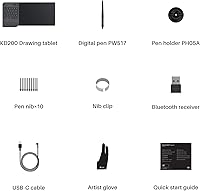
- In the Box: The package includes the KD200 tablet, the PW517 battery-free stylus, a pen holder, replacement nibs, a USB cable, and documentation for driver installation.
Related Reviews
HUION Inspiroy H640P Drawing Tablet
HUION Inspiroy H430P Graphics Drawing Tablet
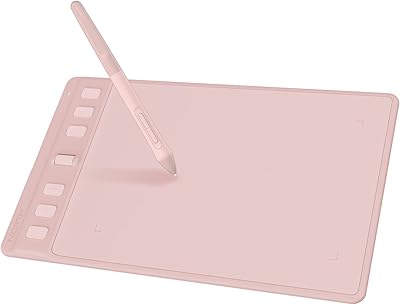
HUION Inspiroy 2 S Drawing Tablet
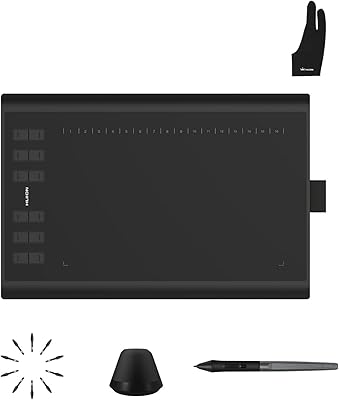
Huion Inspiroy H1060P Graphics Drawing Tablet
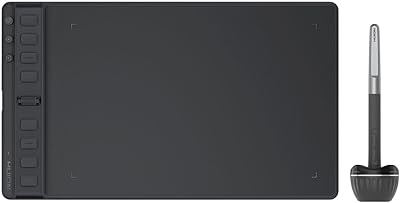
HUION Inspiroy 2 Medium Drawing Tablet
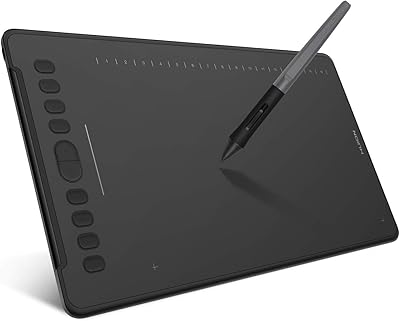
HUION Inspiroy H1161 Graphics Drawing Tablet
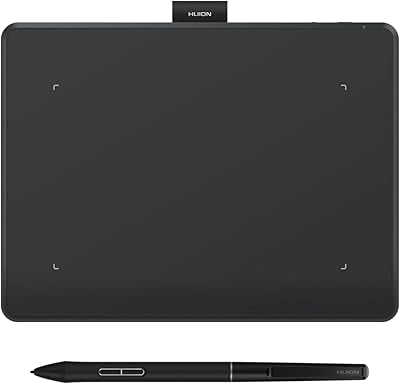
HUION Inspiroy Frego Small Wireless Drawing Tablet
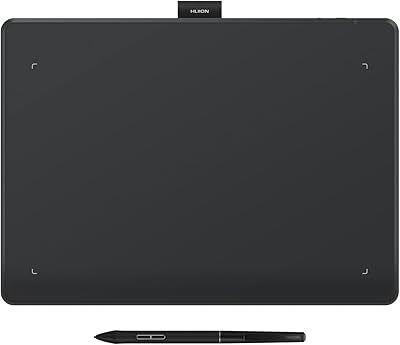
HUION Inspiroy Frego Medium Drawing Tablet
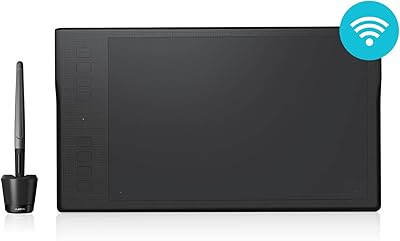
HUION Inspiroy Q11K Wireless Drawing Tablet