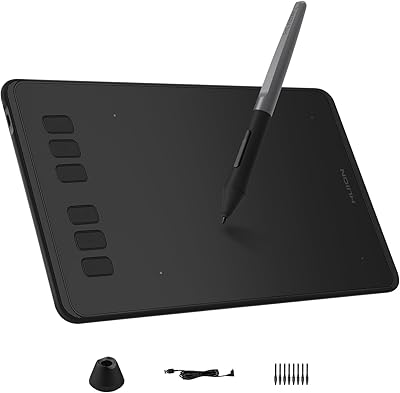
HUION Inspiroy Giano G930L 13.6-inch Graphics Tablet
Overview
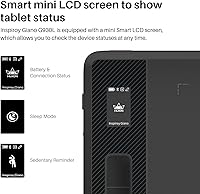
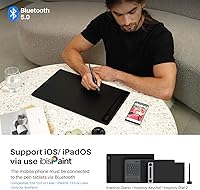
The HUION Inspiroy Giano G930L 13.6-inch Graphics Tablet sits in an interesting spot in the mid-range market — large enough to feel professional, priced accessibly enough to attract serious hobbyists and working freelancers alike. That 13.6-inch active area is genuinely significant; if you have been working on a smaller tablet and wondered why your lines feel cramped relative to your monitor, this is the kind of upgrade that changes daily workflow. A practical touch is the Smart mini LCD screen, which shows battery level and connection status without needing to open a driver panel. Cross-platform support covers Windows, Mac, Linux, and Android, though iOS users should know upfront that only ibisPaint is supported — Procreate is not an option here.
Features & Benefits
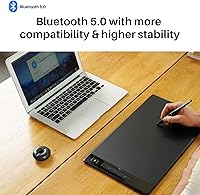
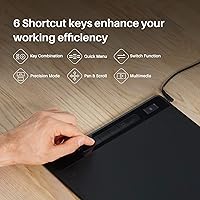
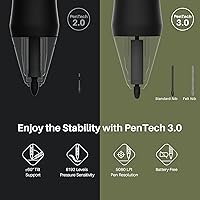
The PW517 stylus is battery-free, which sounds minor until you realize you will never hunt for a charge or feel unexpected weight shifts mid-stroke. With 8192 levels of pressure sensitivity and ±60° tilt recognition, the pen reads subtle hand movements well. HUION's PenTech 3.0 lowers the nib position for a writing angle that feels closer to a real pen, and the five included felt nibs add genuine friction — a tactile step up from slippery plastic tips. Bluetooth 5.0 handles most desk sessions cleanly, though USB remains the smarter choice for animation or work requiring zero input delay. The V15 driver's Precision Mode lets you restrict the active area for finer work, and shortcut key customization covers multimedia and display-switching functions.
Best For
This large-format drawing tablet makes the most sense for people whose creative work genuinely demands space — digital illustrators building complex scenes, painters layering textures across wide compositions, or photo retouchers who need granular control without constantly repositioning their hand. The tilt and pressure sensitivity also make it a solid pick for 3D concept artists who sketch references before moving into modeling software. Intermediate and advanced users stepping up from a compact tablet will likely feel the difference almost immediately. It also suits cable-free desk setups, since the wireless range is practical for most home studio layouts. Beginners on a tight budget might find the size and driver depth more than they need right now.
User Feedback
Buyers of the Giano G930L tend to highlight the large active area and pen responsiveness as standout strengths — most say the drawing feel is noticeably more natural than they expected at this price point. Build quality gets solid marks; the surface texture has just enough tooth to feel controlled without wearing nibs down too fast. On the frustration side, the V15 driver has a learning curve, and a handful of Windows users report that Bluetooth pairing requires a few extra steps on first setup. Android compatibility works reasonably well, but anyone hoping to use this wireless pen tablet with iOS outside of ibisPaint will hit a hard wall. HUION's customer support is generally regarded as responsive and helpful when issues arise.
Pros
- The 13.6-inch active area is one of the largest available at this price point, giving illustrators genuine room to work.
- The battery-free PW517 stylus never needs charging and maintains consistent weight and balance throughout long sessions.
- 8192 levels of pressure sensitivity and 60-degree tilt support handle everything from rough sketches to precise detail work.
- Five included felt nibs add tactile grip that makes drawing feel noticeably closer to pen on paper.
- Bluetooth 5.0 keeps the desk cable-free for most daily workflows without meaningful lag during illustration or photo editing.
- The Smart mini LCD screen shows battery level and connection mode at a glance, eliminating guesswork mid-session.
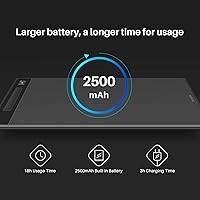
- Up to 18 hours of battery life on a single charge means the Giano G930L rarely interrupts a full workday.
- The HUION V15 driver offers deep shortcut customization, dual-display switching, and Precision Mode for focused detail work.
- Cross-platform support covers Windows, Mac, Linux, and Android, making it flexible across most desktop environments.
- HUION customer support is widely regarded as responsive, with active engagement on driver issues and compatibility questions.
Cons
- iOS support is limited strictly to ibisPaint — Procreate users and most iPad-based workflows are completely excluded.
- The V15 driver has a noticeable learning curve; new users often spend time troubleshooting before customization feels intuitive.
- Some Windows users encounter Bluetooth pairing issues on first setup, requiring extra configuration steps to stabilize the connection.
- At nearly 17 inches wide, this large-format drawing tablet requires significant desk space that compact workstations cannot always spare.
- USB wired connection is still the more reliable choice for animation or frame-sensitive work, limiting the practical upside of wireless.
- Android compatibility works, but the experience varies by device and is not as polished as the Windows or Mac workflow.
- The surface texture, while appreciated by many, wears nibs faster than smoother tablet surfaces over extended daily use.
- At 2.53 pounds, this wireless pen tablet is not designed for portability — it is firmly a desk-bound device.
Ratings
The scores below for the HUION Inspiroy Giano G930L 13.6-inch Graphics Tablet were generated by our AI system after analyzing thousands of verified buyer reviews from global markets, with spam, incentivized feedback, and bot activity actively filtered out. Each category reflects the honest distribution of sentiment we found — not just the loudest voices — so both the genuine strengths and the recurring frustrations are represented transparently.
Active Area Size
Pen Performance
Wireless Reliability
Battery Life
Smart LCD Screen
Felt Nib Experience
Driver Software
Build Quality
Shortcut Key Customization
Cross-Platform Compatibility
Setup & Onboarding
Value for Money
Customer Support
Suitable for:
The HUION Inspiroy Giano G930L 13.6-inch Graphics Tablet is built for creatives who have outgrown a compact tablet and need room to work at full scale. Digital illustrators and painters who use wide or dual-monitor setups will find the large active area maps naturally to their screen real estate, reducing the cramped, over-accelerated cursor movement that plagues smaller tablets. Photo retouchers handling detailed composites benefit from the precise control that a generous working surface provides — small hand movements translate proportionally without constant repositioning. Concept artists and 3D modelers will appreciate the tilt sensitivity and pressure gradation of the PW517 stylus, which handles everything from broad strokes to fine line weight adjustments. Freelancers and work-from-home creatives who want a cleaner desk setup will find the Bluetooth 5.0 connection genuinely practical for everyday sessions, with USB always available when absolute reliability matters most.
Not suitable for:
Buyers who work primarily on an iPad or iPhone should look elsewhere — the HUION Inspiroy Giano G930L 13.6-inch Graphics Tablet only supports iOS via ibisPaint, meaning popular apps like Procreate are completely off the table. If your workflow depends on a mobile or tablet-based setup rather than a desktop or laptop, this wireless pen tablet simply was not designed with you in mind. Complete beginners who are still figuring out basic digital art fundamentals may find the size physically overwhelming and the HUION V15 driver more complex than needed at that stage. Anyone on a tight desk or in a small workspace should measure carefully — at nearly 17 inches wide, the Giano G930L demands real estate that not every setup can spare. Users who need zero-latency input for professional animation frame-by-frame work should also note that wired USB is the safer connection choice, and if Bluetooth-only is a hard requirement, that trade-off needs honest consideration.
Specifications
- Active Area: The working surface measures 13.6 inches diagonally, providing ample space for detailed illustration and precise cursor control across large or dual-monitor setups.
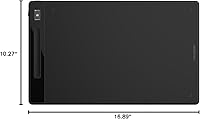
- Dimensions: The tablet body measures 16.89 × 10.27 × 0.35 inches, making it a full-size desk device rather than a portable one.
- Weight: At 2.53 pounds, the Giano G930L is designed for stationary desk use and is not intended as a travel-friendly tablet.
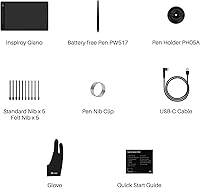
- Stylus Model: The included PW517 is a battery-free stylus powered by electromagnetic resonance, eliminating the need for charging or battery replacement.
- Pressure Sensitivity: The PW517 stylus registers 8192 levels of pressure sensitivity, allowing smooth gradation from the lightest sketch lines to the heaviest strokes.
- Tilt Recognition: The stylus supports ±60 degrees of tilt detection, enabling natural shading and brush-angle variation during drawing sessions.
- Pen Technology: HUION PenTech 3.0 positions the nib lower on the stylus body to reduce the angle gap between pen tip and screen contact point for a more natural writing feel.
- Included Nibs: Five felt nibs are included in the box, offering increased surface friction and a more paper-like drawing experience compared to standard plastic nibs.
- Connectivity: The tablet connects via Bluetooth 5.0 for wireless use or USB wired connection, with wired mode recommended for latency-sensitive applications such as animation.
- Battery Capacity: An internal 2500mAh lithium-ion battery powers the tablet, delivering up to 18 hours of continuous use per full charge cycle.
- Charge Time: A full charge from empty takes approximately 3 hours, making overnight charging a practical routine for most users.
- LCD Screen: A Smart mini LCD screen on the tablet surface displays real-time device status including battery level, connection mode, and active settings without requiring the driver panel to be open.
- Driver Software: The HUION V15 driver supports customizable shortcut keys, Precision Mode canvas restriction, multimedia controls, dual-display switching, and per-application profiles.
- OS Compatibility: The tablet is compatible with Windows 7 and above, Mac OS 10.12 and above, Linux (Ubuntu), and Android 6.0 and above.
- iOS Support: iOS and iPadOS 13 or later are supported exclusively through the ibisPaint app via Bluetooth; no other iOS applications are compatible with this device.
- Model Number: The official model designation is G930L, used for driver downloads, firmware updates, and warranty service identification.
- Battery Type: One lithium-ion battery is built into the tablet body and is included; it is not user-replaceable under normal operating conditions.
- Manufacturer: The Giano G930L is designed and manufactured by Shenzhen Huion Animation Technology Co. Ltd., a dedicated graphics tablet company based in China.
Related Reviews
HUION Inspiroy H610X Drawing Tablet
HUION Inspiroy Dial 2 Graphics Tablet
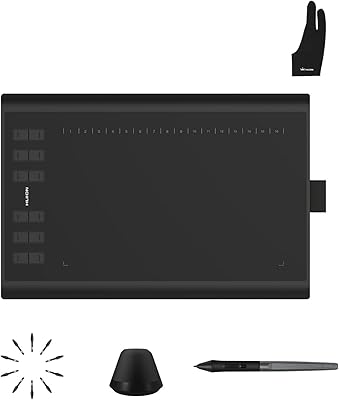
Huion Inspiroy H1060P Graphics Drawing Tablet
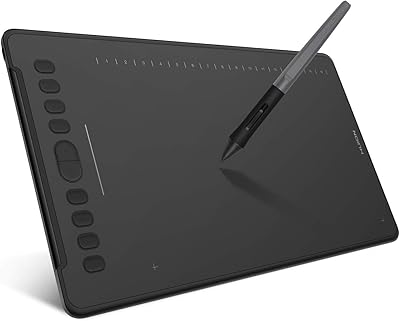
HUION Inspiroy H1161 Graphics Drawing Tablet
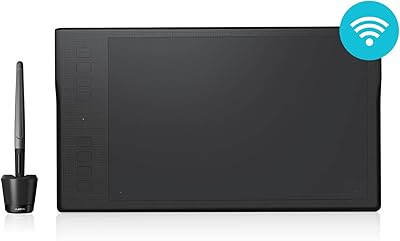
HUION Inspiroy Q11K Wireless Drawing Tablet
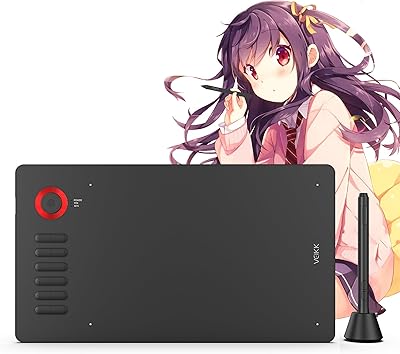
VEIKK A15Pro 10x6-Inch Graphics Pen Tablet
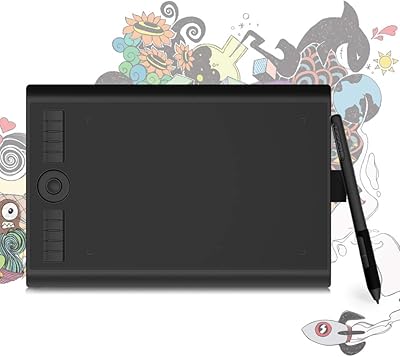
GAOMON M10K PRO 10×6.25 Drawing Tablet
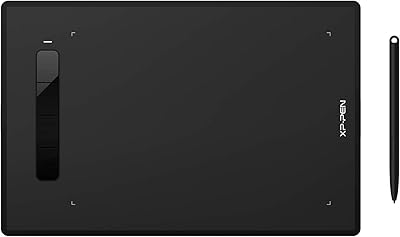
XP-Pen Star G960S Graphics Drawing Tablet
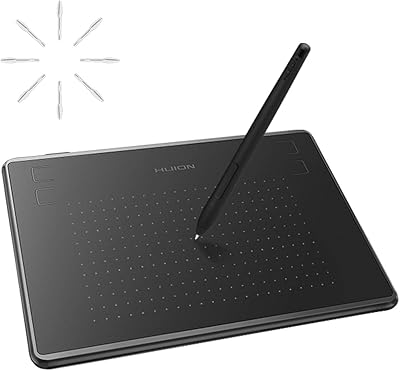
HUION Inspiroy H430P Graphics Drawing Tablet