
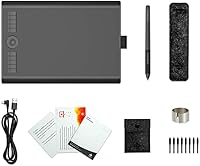
Overview
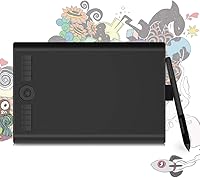
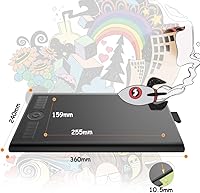
The GAOMON M10K PRO 10×6.25 Drawing Tablet sits in an interesting spot in the market — it offers a genuinely large active drawing surface at a price most beginners and hobbyists can realistically afford. GAOMON has been quietly competing with bigger names in the graphics tablet space for years, and this model reflects that ambition well. The 10×6.25-inch workspace feels spacious compared to many rivals in the same price tier. It runs on Windows, macOS, and Android — the last via OTG adapter — and has earned a spot at #81 in Amazon's Computer Graphics Tablets category, backed by over 1,600 user ratings. Solid value, realistically scoped.
Features & Benefits
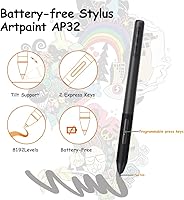
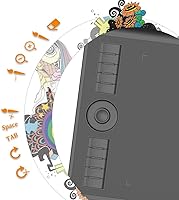
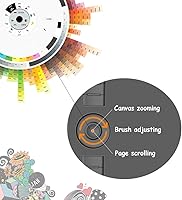
The battery-free AP32 stylus is one of the first things you notice — no charging, no interruptions, just pick it up and draw. With 8192 levels of pressure sensitivity and a 266 PPS report rate, the pen responds precisely to how hard or lightly you press, which matters when working on fine linework or soft gradients. Tilt recognition adds another layer of realism; angle the pen and your strokes shade naturally, much like a pencil on paper. The M10K PRO also includes 10 programmable shortcut keys and a touch dial that handles canvas zoom, brush size, and page scrolling quickly. It all connects via Micro USB — reliable, if not the newest standard.
Best For
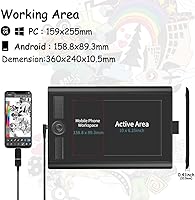
This drawing tablet makes the most sense for beginners and hobbyists who want a larger canvas to work with without spending heavily. Students picking up digital illustration for the first time will appreciate the forgiving surface size — more room to draw reduces the cramped feel that plagues smaller tablets. The tilt support and responsive pen make it a natural fit for anyone moving over from traditional sketching. If you want to draw on your Android phone or tablet, that is possible with an OTG adapter, though results may vary by device. The customizable shortcut keys also make this GAOMON tablet appealing to anyone spending long sessions in Photoshop or Clip Studio Paint who wants faster workflow shortcuts.
User Feedback
With over 1,600 ratings averaging 4.3 stars, the M10K PRO has built a genuinely positive reputation among everyday artists. Buyers consistently praise pen accuracy and the spacious active area, and many note that drivers install without much trouble on Windows and Mac. That said, two complaints surface regularly. The Micro USB port is the most cited frustration — in an era where USB-C has become standard, it feels like a missed opportunity, and the port can feel fragile under heavy daily use. A smaller number of users have reported driver setup friction on certain Windows configurations, which usually resolves after a clean reinstall. Android compatibility works, but do not expect it to be plug-and-play on every device.
Pros
- The 10×6.25-inch active area is unusually large for this price range, giving artists real room to work.
- The battery-free AP32 stylus means no charging interruptions — just pick it up and start drawing.
- 8192 levels of pressure sensitivity deliver smooth, responsive line variation for detailed artwork.
- Tilt recognition lets you shade naturally at an angle, mimicking the feel of a real pencil.
- Ten programmable shortcut keys plus a touch dial noticeably speed up repetitive tasks in design software.
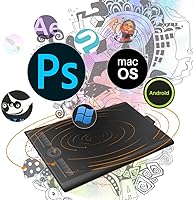
- Compatible with a wide range of software including Photoshop, Krita, GIMP, and Clip Studio Paint.
- The M10K PRO runs on Windows, macOS, and Android, making it flexible across different creative setups.
- At just 1.59 pounds and nearly paper-thin, this drawing tablet is easy to carry between home and studio.
- Over 1,600 user ratings at 4.3 stars reflect a consistently solid ownership experience across a large buyer base.
- Driver installation is straightforward for most users on both Windows and Mac without needing technical expertise.
Cons
- The Micro USB port feels dated and is a recurring complaint from buyers who have moved to USB-C setups.
- Android support requires a separate OTG adapter that is not included in the box.
- Android compatibility is inconsistent — some devices work well, others experience lag or connection issues.
- A subset of Windows users report driver conflicts that require a clean reinstall to resolve properly.
- Stylus nib wear is a concern for heavy daily users, and replacement nibs require a separate purchase.
- The tablet surface has minimal texture, which some artists find too slick compared to drawing on paper.
- No wireless or Bluetooth connectivity option — it is strictly a wired setup with no workaround.
- Long-term port durability of the Micro USB connector may become an issue with frequent plug-unplug use.
Ratings
Our AI rating system analyzed thousands of verified global user reviews for the GAOMON M10K PRO 10×6.25 Drawing Tablet, actively filtering out incentivized, bot-generated, and low-quality feedback to surface what real buyers actually experience. The scores below reflect both the genuine strengths that keep users recommending this tablet and the recurring frustrations that honest buyers consistently flag. Nothing has been softened or inflated.
Value for Money
Pen Accuracy
Active Area Size
Tilt Sensitivity
Driver & Software Setup
Build Quality
Shortcut Keys & Dial
Stylus Comfort
Android Compatibility
Nib Durability
Portability
Software Compatibility
Express Key Customization
Suitable for:
The GAOMON M10K PRO 10×6.25 Drawing Tablet is a strong match for beginner and intermediate digital artists who want a spacious drawing surface without committing to a premium budget. Students taking their first steps in digital illustration will find the large active area forgiving and comfortable — there is real room to sketch freely rather than feeling boxed in. Hobbyists who spend long sessions in Krita, GIMP, or Clip Studio Paint will get genuine value from the 10 programmable shortcut keys and touch dial, which meaningfully reduce repetitive menu-clicking over time. Artists transitioning from traditional pencil and paper will appreciate the tilt recognition, which replicates the natural shading behavior of an angled pencil stroke rather than forcing a purely digital feel. Anyone wanting the flexibility to draw on an Android device will find that possible here, provided they have an OTG adapter handy and keep expectations realistic about device-by-device compatibility.
Not suitable for:
The GAOMON M10K PRO 10×6.25 Drawing Tablet is not the right tool for professional illustrators or designers who depend on a polished, production-grade setup day in and day out. The Micro USB connection is a practical frustration for anyone already living in a USB-C world — cable management becomes inconsistent and port durability can become a concern with heavy daily use. Users who need a truly plug-and-play Android drawing experience may find the OTG requirement and variable device compatibility more trouble than it is worth. Those expecting zero driver friction on every Windows configuration will occasionally hit setup hiccups that require some troubleshooting patience. And while the pen performs well, working professionals who require the absolute top tier in stylus latency and precision would be better served by investing in a higher-end tablet from Wacom or a competing premium line.
Specifications
- Active Area: The drawing surface measures 10×6.25 inches, providing a large workspace well-suited for detailed illustration and comfortable freehand sketching.
- Overall Dimensions: The tablet body measures 14.17×9.44×0.04 inches, keeping the physical footprint slim and easy to position on a standard desk.
- Weight: At 1.59 pounds, the tablet is light enough to carry in a bag without adding meaningful bulk to a student or hobbyist setup.
- Stylus Model: Included is the battery-free AP32 passive stylus, which requires no charging and is ready to use straight out of the box.
- Pressure Sensitivity: The AP32 stylus supports 8192 levels of pressure sensitivity, allowing fine control over line weight from the lightest feather stroke to full-pressure marks.
- Report Rate: The stylus operates at a 266 PPS report rate, meaning pen position is sampled 266 times per second for smooth, low-latency line tracking.
- Tilt Support: The tablet supports tilt recognition, enabling the stylus to produce shaded, angled strokes when held at an incline, similar to a traditional pencil.
- Shortcut Keys: Ten fully programmable Express Keys are built into the tablet face, each assignable to any keyboard shortcut or software command the user chooses.
- Touch Dial: One touch ring dial is included and can control canvas zoom, brush size, scroll position, or function as a Windows radial controller.
- Connectivity: The tablet connects via Micro USB cable, which is included in the box and compatible with standard USB-A ports on most computers.
- Windows Support: The tablet is compatible with Windows 7 and all later versions, with driver software available from GAOMON for straightforward installation.
- macOS Support: Mac users running macOS 10.12 Sierra or later are fully supported, with dedicated driver packages available on the GAOMON website.
- Android Support: Android devices running Android 6.0 or later can connect using a compatible OTG adapter, though an adapter is not included and compatibility varies by device.
- Software Compatibility: The M10K PRO works with a broad range of creative applications including Photoshop, Illustrator, Premiere, Krita, GIMP, Clip Studio Paint, and MediBang Paint.
- Brand: The M10K PRO is manufactured by GAOMON Technology Corporation, a brand specializing in affordable graphics tablets that compete in the entry-to-mid-range market.
Related Reviews
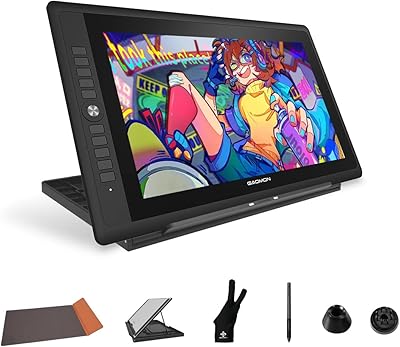
GAOMON PD156Pro 15.6″ Pen Display Tablet
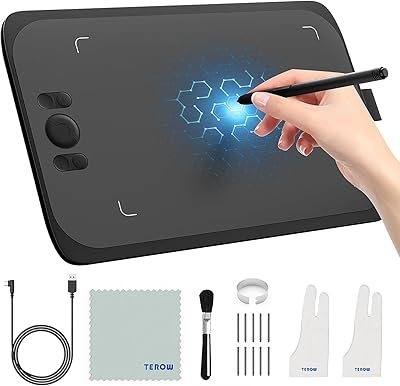
UGEE M808 10x6 Inch Drawing Tablet
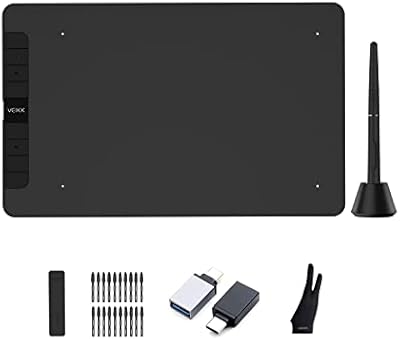
VEIKK VK1060 10x6 Inch Drawing Tablet
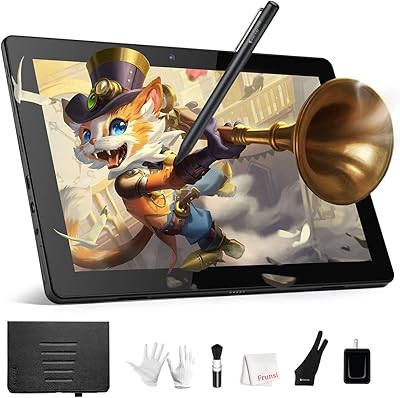
Frunsi RubensTab T11 Pro Drawing Tablet
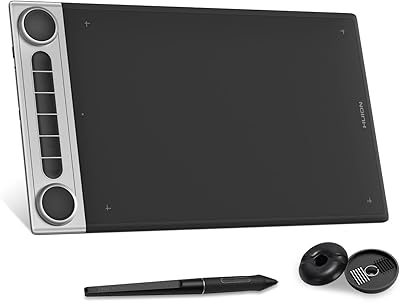
HUION Inspiroy Dial 2 Graphics Tablet
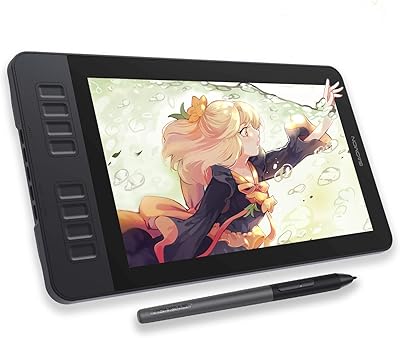
GAOMON PD1161 11.6-inch Pen Display Tablet
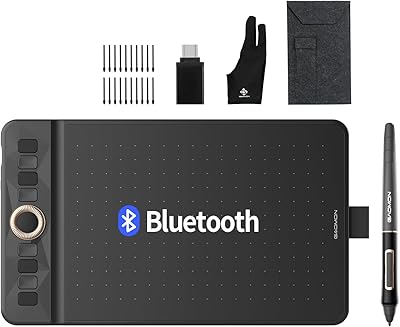
GAOMON WH851 8x5 Graphics Tablet
XOPPOX D161 15.6″ Pen Display Tablet
Wacom Cintiq Pro 17 Pen Display