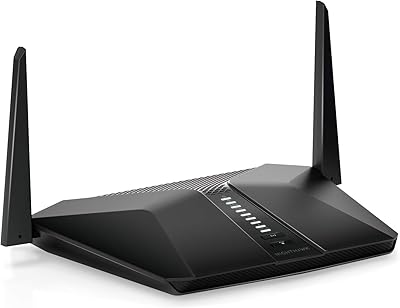
HPE Instant On AP22 Wi-Fi 6 AP




Overview
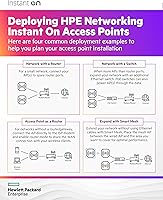
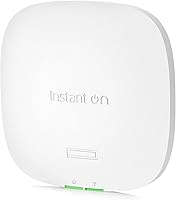
The HPE Instant On AP22 Wi-Fi 6 AP is HPE's answer to a real gap in the market: business-grade wireless hardware that doesn't require an IT department or an ongoing cloud subscription to manage. Built on Aruba's proven networking stack, this access point is designed for small and growing businesses that need dependable, manageable Wi-Fi without the complexity of full enterprise gear. One thing to be clear about upfront — this model (R4W01A) does not include a power source. You'll need a PoE switch, injector, or a separately purchased adapter. Setup happens through the Instant On mobile app or web portal, which most business owners can handle in under an hour. Just don't mistake it for a consumer router; it's a ceiling or wall-mount unit built for a structured network.
Features & Benefits
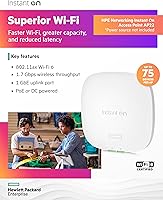
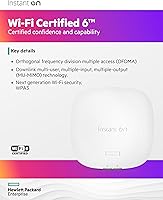
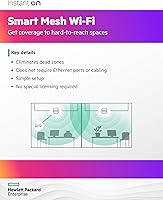
Wi-Fi 6 brings real improvements that matter most when many devices connect at once — think a restaurant with staff tablets, customer devices, and a POS system all running simultaneously. The AP22 handles up to 75 active devices and uses MU-MIMO technology to serve multiple clients at the same time rather than cycling through them one by one. Smart Mesh support means you can extend coverage across a larger space by linking multiple units wirelessly, no extra cable runs required. Cloudflare DNS integration adds a layer of security and faster browsing without any extra configuration on your end. Management runs through ArubaOS via the Instant On app — straightforward for daily tasks, though less granular than a full enterprise controller if you need deep network customization.
Best For
This access point fits best in environments where Wi-Fi reliability actually affects the bottom line — a boutique hotel where guests expect solid connectivity, an independent school managing student devices across classrooms, or a professional office with 30 to 60 people on the network daily. It's particularly well-suited to setups with existing PoE infrastructure, since you can drop it into a structured cabling environment without any additional power hardware. Multi-AP mesh deployments are a strong use case too, especially in sprawling floor plans where a single unit won't cut it. If you want something that scales with your business as you add staff or open new locations, this Wi-Fi 6 AP is worth serious consideration.
User Feedback
Across a solid number of verified reviews, the AP22 holds a strong average rating that reflects genuine satisfaction. Buyers consistently highlight how quickly it gets up and running — the app-guided setup is a real strength for owners without dedicated IT support. Build quality gets mentioned frequently too; it feels like a proper commercial unit, not a rebranded consumer device. The most common frustration is no power adapter included in this version, which catches buyers off guard if they haven't read the listing carefully. A few users note that range in open spaces is solid, but dense office buildouts or thick concrete walls can limit a single unit's reach. Overall, the consensus favors consistent reliability over raw throughput numbers.
Pros
- No recurring subscription or cloud license fee — you own the management platform outright.
- Wi-Fi 6 handles crowded device environments significantly better than older Wi-Fi 5 hardware.
- The Instant On mobile app makes initial setup accessible even for non-technical business owners.
- Smart Mesh support lets you expand coverage by adding units wirelessly, no extra cabling needed.
- Built-in Cloudflare DNS integration adds DNS-level security without any manual configuration.
- The hardware feels genuinely commercial-grade — solid construction that holds up in daily business use.
- Long-term uptime reliability is consistently praised by users running it for a year or more.
- Scales cleanly from one unit to several APs as your space or staff count grows.
- ArubaOS underpins the platform, giving you a proven networking stack without the enterprise price tag.
Cons
- No power source included in this model — a PoE switch, injector, or adapter is a separate purchase.
- The Instant On app lacks advanced controls that IT professionals expect, like deep VLAN or QoS settings.
- Single-unit coverage in concrete-heavy or multi-story buildings often requires an additional AP sooner than expected.
- Firmware updates roll out slowly compared to more enterprise-focused networking platforms.
- The mounting clip feels less robust than expected for a commercial installation environment.
- Some users experienced connectivity drops tied to specific firmware versions before patches were issued.
- Direct customer support quality has been inconsistent, particularly for edge-case configuration problems.
- The product naming convention does not clearly signal that power is excluded — easy to miss before checkout.
Ratings
The HPE Instant On AP22 Wi-Fi 6 AP earns its reputation as one of the more thoughtfully designed access points in the small-business networking space, and these scores reflect that — built by AI analysis of verified global buyer reviews with spam, bot activity, and incentivized submissions actively filtered out. Across categories ranging from real-world wireless performance to app usability and value, the data captures both where this access point genuinely delivers and where buyers have run into frustration. Nothing here is padded; the scores reflect what actual users in offices, schools, and hospitality environments consistently reported.
Wireless Performance
Setup & Installation
App & Management Experience
Build Quality & Design
Value for Money
Power Setup & Flexibility
Range & Coverage
Multi-Device Handling
Smart Mesh Functionality
Security Features
Reliability & Uptime
Firmware & Software Updates
Scalability
Documentation & Support
Suitable for:
The HPE Instant On AP22 Wi-Fi 6 AP is built for small business owners who need reliable, managed wireless without hiring an IT consultant or paying recurring cloud fees. It fits naturally into boutique hotels where guests expect consistent connectivity across common areas and rooms, independent schools managing classroom devices, restaurants balancing staff and customer networks, and professional offices with 30 to 70 people on the network daily. If you already have a PoE switch in your server closet or are planning a structured cabling installation, this access point slots in without any power hassle. It also works well as the foundation of a multi-AP mesh deployment — businesses in larger or multi-room spaces can link several units wirelessly, avoiding the cost and disruption of running new Ethernet drops. Anyone who wants infrastructure that can grow alongside the business, managed from a phone app without a steep learning curve, will find this access point a genuinely practical choice.
Not suitable for:
The AP22 is not the right tool for every situation, and being honest about that matters. Home users looking for a straightforward plug-in router replacement will find this access point confusing to set up and unnecessarily complex for a single household. The R4W01A model — the most commonly purchased variant — does not include a power adapter or PoE injector, which means buyers without existing PoE infrastructure face an immediate additional purchase before the unit even powers on. Larger enterprises or multi-site businesses with advanced networking requirements will quickly outgrow the Instant On management platform; it simply does not offer the depth of VLAN control, granular QoS tuning, or sophisticated security policies that a proper enterprise controller provides. If your environment has dense concrete construction, multiple floors, or significant RF interference, one unit alone will likely underperform expectations, and the cost of multiple APs to compensate may push buyers toward alternative solutions. Anyone expecting the HPE Instant On AP22 Wi-Fi 6 AP to function like a consumer mesh system out of the box, with minimal infrastructure knowledge required, is likely to be frustrated.
Specifications
- Wireless Standard: The AP22 operates on 802.11ax (Wi-Fi 6), the current mainstream wireless standard offering improved efficiency and throughput over Wi-Fi 5 (802.11ac).
- Frequency Bands: Dual-band operation covers both 2.4 GHz and 5 GHz simultaneously, allowing devices to connect on the band best suited to their distance and speed requirements.
- Max Data Rate: Combined maximum data rate across both bands reaches 1774 Mbps under ideal conditions, though real-world throughput will vary based on client devices and environment.
- MIMO Config: A 2x2:2 MU-MIMO configuration allows the access point to communicate with multiple devices at the same time rather than serving them sequentially.
- Device Capacity: HPE rates this access point for up to 75 concurrently active devices, making it appropriate for small to mid-sized business environments.
- Power Input: The unit accepts 802.3af Power over Ethernet at a maximum draw of 10.1W, or 12V DC via a local power adapter (adapter sold separately in the R4W01A model).
- Dimensions: The access point measures 160mm x 160mm x 37mm (approximately 6.3″ x 6.3″ x 1.5″), with a slim profile designed to sit flush against a ceiling or wall.
- Weight: The unit weighs 500g (approximately 1.1 lbs), light enough for straightforward ceiling or wall mounting without heavy-duty fixings.
- Mounting: A combined ceiling and wall rail mount clip is included in the box, supporting both standard ceiling tile rail and direct wall-surface installation.
- Operating System: The AP22 runs ArubaOS, Aruba's proven networking operating system, which underpins the Instant On management platform for configuration and monitoring.
- Management Platform: The unit is managed via the Aruba Instant On mobile app (iOS and Android) or the Instant On web portal, with no subscription or licensing fee required.
- Mesh Support: Smart Mesh capability allows multiple AP22 units to extend network coverage wirelessly, without requiring an Ethernet cable run to every access point location.
- Security Integration: Cloudflare DNS integration is built in, providing DNS-level browsing security and faster domain resolution without requiring manual third-party DNS configuration.
- Power Bundle Option: Buyers without PoE infrastructure can order the R6M49A bundle variant, which includes the access point, a power adapter, and a local power cord.
- Included Accessories: The box contains the access point unit, a setup guide, a combined ceiling and wall rail mount clip, and an Ethernet cable.
- Manufacturer: The AP22 is manufactured by Aruba, a Hewlett Packard Enterprise company, and carries HPE branding under the Instant On product line.
- Availability Date: This model was first made available in August 2020 and has not been discontinued by the manufacturer as of the time of this writing.
Related Reviews
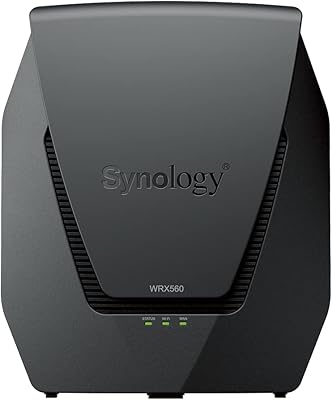
Synology WRX560 Dual-Band Wi-Fi 6 Router
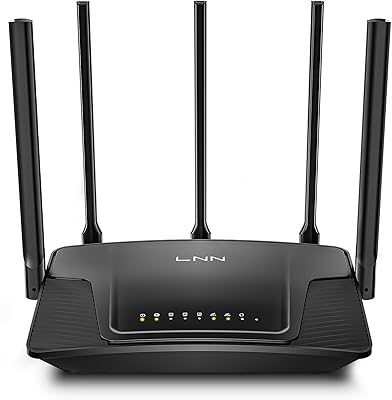
LNN 788 Wi-Fi 6 Router
ExpressVPN Aircove Wi-Fi 6 VPN Router
Cudy WR1500 AX1500 Wi-Fi 6 Router
TP-Link RE705X AX3000 Wi-Fi 6 Range Extender
Cudy RE3000 AX3000 Wi-Fi 6 Extender

TP-Link Archer AX55
Ubiquiti Dream Router Wi-Fi 6 Router
EnGenius EWS276-FIT Wi-Fi 6 Access Point