
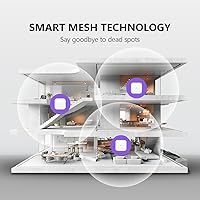

Overview

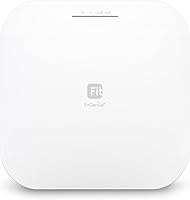
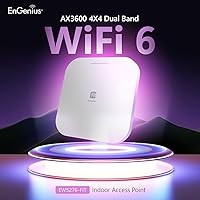
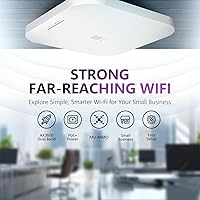
The EnGenius EWS276-FIT Wi-Fi 6 Access Point sits in an interesting spot — capable enough for a small business deployment, yet approachable enough for a technically minded home user who wants real network control. Unlike consumer mesh systems, this is a managed access point, meaning it expects to work alongside a router or switch rather than replace one. What genuinely sets it apart from rivals like Ubiquiti UniFi or TP-Link Omada is a no-subscription management model — you are not paying recurring fees to unlock basic features. A single PoE+ Ethernet cable handles both power and data, making ceiling installation surprisingly clean.

Features & Benefits

The 4x4 MU-MIMO with OFDMA combination is where this Wi-Fi 6 ceiling AP earns its keep in busy environments. On a single-device connection you probably won't notice a dramatic speed jump over Wi-Fi 5, but add a dozen smartphones, laptops, cameras, and smart-home gadgets all talking at once and the difference becomes tangible. The 2.5GbE uplink port is a genuinely useful detail — if your ISP delivers more than a gigabit, a standard 1GbE port would cap your network before devices even get started. BSS Coloring quietly reduces interference from neighboring networks, which matters in apartments or shared offices, while TWT keeps IoT hardware from constantly hammering the airwaves.

Best For

This EnGenius access point is a natural fit for anyone who has outgrown consumer routers but isn't ready to commit to a full enterprise stack. A coffee shop, small clinic, or boutique office can deploy it from a ceiling tile with a single Ethernet run and be operational in under an hour. It also suits multi-gig home networks — if you've paid for a 2Gbps fiber plan, this is one of the few APs in its price range that won't immediately choke it. Environments heavy on IoT devices benefit noticeably from TWT power savings. That said, if VLANs and SSID segmentation are unfamiliar territory, expect a real learning curve.

User Feedback

Across roughly 350 ratings, the EWS276-FIT holds a 4.0-star average — respectable, but worth reading carefully. Buyers consistently praise the straightforward app-based setup and the reliable throughput relative to what they paid. Network installers appreciate the clean single-cable PoE+ installation with no separate power adapter needed. On the critical side, first-time managed AP buyers frequently mention a steeper learning curve than expected, particularly around the FIT management interface. A handful of reviewers flagged occasional app connectivity hiccups, and a few noted that range in larger spaces fell short of spec-sheet claims. Buyers who understand managed APs going in tend to be noticeably more satisfied than those expecting plug-and-play simplicity.

Pros

  • No per-AP licensing or subscription fees keeps the total cost of ownership predictable over time.
  • The 2.5GbE PoE+ uplink future-proofs the connection against multi-gigabit ISP plan upgrades.
  • Three management tiers let you start with a simple app and scale to on-premises control without buying new hardware.
  • OFDMA and MU-MIMO together handle crowded device environments far better than older Wi-Fi 5 APs.
  • Single-cable PoE+ installation makes ceiling placement clean and flexible, up to 328 feet from the switch.
  • WPA3 security and a dedicated guest network mode are included without needing an upgraded license.
  • BSS Coloring reduces interference from neighboring networks, a real benefit in apartments and open offices.
  • Backward compatibility with older 802.11a/b/g/n/ac devices means existing hardware won't need replacing.
  • TWT support meaningfully extends battery life on connected IoT devices and mobile hardware.
  • At its price point, the EWS276-FIT delivers hardware specifications typically found in more expensive enterprise tiers.

Cons

  • Requires an existing router and a PoE-capable switch or injector — this hardware does not stand alone out of the box.
  • First-time managed AP buyers will encounter a steeper setup learning curve than any consumer mesh product.
  • Switching between the three management tiers later may require reconfiguring the device from scratch.
  • Real-world range in larger or obstacle-heavy spaces has disappointed some buyers expecting spec-sheet performance.
  • The companion app has drawn occasional complaints about stability and connectivity reliability across user reviews.
  • Wi-Fi 6 speed improvements are marginal for single-device households; the upgrade case is weaker without many concurrent users.
  • No built-in routing, switching, or modem functionality limits its role strictly to wireless access.
  • Cloud-lite management still involves EnGenius infrastructure, which may concern privacy-conscious or air-gapped deployments.
  • The on-premises FitController option requires a separate always-on machine or virtual host to run the software.
  • Documentation quality has been cited by some users as insufficient for buyers new to managed networking gear.

Ratings

Our AI rating engine analyzed verified global buyer reviews for the EnGenius EWS276-FIT Wi-Fi 6 Access Point, actively filtering out incentivized, bot-generated, and duplicate submissions to surface what real users actually experienced. Scores reflect a balanced synthesis of both praise and recurring pain points, so you get an honest picture of where this Wi-Fi 6 ceiling AP delivers and where it falls short before you commit to a purchase.

Wireless Performance
83%
In environments with 15 or more simultaneous devices — a busy office, a retail floor full of staff tablets and POS systems, or a home loaded with smart gadgets — buyers consistently report noticeably smoother and more stable connectivity compared to their previous Wi-Fi 5 setups. The 4x4 antenna configuration handles concurrent traffic well, and OFDMA keeps things moving even when the network is crowded.
Single-device speed tests rarely reveal a dramatic improvement over a good Wi-Fi 5 AP, and a handful of buyers found that throughput in the 2.4 GHz band was underwhelming for legacy devices in larger spaces. Wi-Fi 6 gains on this unit are firmly tied to device density, not raw peak speed for individual users.
Range & Coverage
71%
29%
In open-plan spaces like single-floor offices, cafes, or open retail environments, the EWS276-FIT provides solid, reliable coverage without obvious dead spots near the center of the area. Ceiling mounting at reasonable height genuinely helps signal distribution compared to a wall-mounted consumer router.
Multiple reviewers flagged that real-world range in concrete or brick buildings fell noticeably short of what the spec sheet implies. Multi-room residential deployments and older buildings with thick interior walls are where this unit struggles most, often requiring a second AP earlier than buyers anticipated.
Setup & Installation
74%
26%
The physical installation process — running a single PoE+ Ethernet cable to a ceiling tile and snapping the unit into the included T-rail mount — is genuinely simple and clean. The FitXpress mobile app walks through initial configuration step by step, and buyers with any networking background typically report being operational within 20 to 30 minutes.
First-time managed AP buyers hit a real wall once basic setup is done and they try to configure VLANs, multiple SSIDs, or traffic policies. The app provides limited contextual help for those unfamiliar with managed networking concepts, and some users found the initial device registration through the cloud portal confusing.
Management Software
67%
33%
Having three management tiers without a mandatory subscription is genuinely flexible — a small business can start with the app, grow into the on-premises FitController, and never pay licensing fees along the way. Network installers managing multiple sites appreciate having a cloud-lite option that does not require a dedicated server on each premises.
The management app has drawn recurring complaints about intermittent disconnections and occasional sync failures between the app and the access point, particularly on Android devices. Switching between management tiers also requires reconfiguring the device rather than importing settings, which is a meaningful friction point for anyone who changes their mind after initial deployment.
Value for Money
88%
At its price point, this Wi-Fi 6 ceiling AP offers a specification set — 4x4 MU-MIMO, 2.5GbE uplink, OFDMA, WPA3, and no licensing fees — that would cost significantly more from competing managed AP brands. Buyers comparing it directly to Ubiquiti UniFi or TP-Link Omada hardware at similar capability levels consistently call it a strong value.
The value equation weakens for buyers who also need to purchase a PoE+ switch or injector, which adds to the real total cost. Buyers coming from a pure consumer background may not factor in those dependencies and feel the true out-of-pocket cost is higher than expected.
Build Quality
79%
21%
The housing feels solid and professional, with a low-profile white form factor that sits unobtrusively against a ceiling tile. At 1.26 pounds, it is light enough that the included mounting hardware handles the load without any flex or instability reported by installers.
The plastic construction, while functional, does not feel premium compared to higher-end enterprise hardware from Cisco or Aruba. A few buyers noted that the finish shows scuffs more readily than expected during installation, which matters in customer-facing environments where aesthetics count.
PoE+ Integration
91%
The single-cable PoE+ deployment is one of the most consistently praised aspects across user reviews. Being able to power and connect the unit up to 328 feet from the nearest switch port gives installers real flexibility in placing the AP where it performs best rather than where a power outlet happens to be.
The unit requires 802.3at PoE+, not standard 802.3af PoE, and buyers who discover this after purchasing and realizing their existing switch only supports the lower standard face an unexpected additional equipment cost. This requirement is not always front-of-mind for buyers new to managed APs.
Multi-Gig Uplink
86%
The 2.5GbE uplink port is a practical advantage for anyone on a multi-gigabit ISP plan, eliminating the 1Gbps ceiling that limits most access points in this category. Buyers who specifically upgraded to this unit from a 1GbE AP after subscribing to a 2Gbps fiber plan report that it fully utilizes the available bandwidth.
The 2.5GbE port only matters if the rest of the network infrastructure — switch, cabling, and ISP connection — also supports speeds above 1Gbps. For the majority of buyers still on standard gigabit plans, this feature offers no current benefit and represents hardware capability they are not yet using.
IoT Device Handling
81%
19%
TWT support meaningfully reduces how often IoT devices like smart thermostats, security cameras, and door sensors wake up to check in with the network, which buyers with large smart-home setups report translates into noticeably longer battery life on battery-powered sensors. The guest network and SSID segmentation also help isolate IoT traffic from primary devices.
Configuring IoT-specific network policies and VLAN isolation requires working through the more advanced management interface, which not all buyers are comfortable with. Out of the box, IoT devices simply join the network like any other client, and extracting the TWT and segmentation benefits takes deliberate configuration effort.
Security Features
84%
WPA3 support puts this access point ahead of many consumer products still shipping with WPA2-only, and the built-in guest network mode makes it easy to hand out Wi-Fi access to customers or visitors without exposing the primary network. These are genuine business-grade security capabilities available without any additional licensing.
More advanced security features like per-user traffic policies, deep packet inspection, or content filtering require the FitController software and a more involved configuration process. Buyers expecting enterprise-level security out of the box with minimal setup will find the default configuration relatively basic.
Mesh & Roaming
76%
24%
Buyers who deploy two or more units across a larger space report that roaming between access points is smooth for most devices, with mobile phones and laptops transitioning without noticeable drops during calls or video streams. The mesh capability works reliably in simple wired-backhaul multi-AP setups.
Seamless roaming performance degrades when wireless backhaul is used instead of a wired connection between units, which is a common limitation across managed APs at this price tier. A few reviewers also noted that some older client devices were slow to hand off, causing brief connectivity interruptions near the boundary between two APs.
Documentation & Support
58%
42%
The quick-start QR code gets the basic setup moving quickly, and the EnGenius support community has published knowledge base articles covering the most common configuration scenarios. For network-savvy buyers, the available documentation is usually enough to get where they need to go.
Multiple reviewers specifically flagged the documentation as insufficient for buyers newer to managed networking, with thin explanations of features like VLANs, RADIUS authentication, and controller migration. EnGenius live support responsiveness has drawn mixed feedback, with some buyers waiting longer than expected for resolution on technical issues.
App Stability
62%
38%
When the FitXpress app works as expected, it provides a clean and reasonably intuitive interface for monitoring connected clients, signal strength, and basic network health at a glance. For straightforward single-AP deployments, most buyers report a stable day-to-day experience once initial setup is complete.
Recurring complaints about app connectivity drops, delayed status updates, and occasional failures to push configuration changes to the hardware are common enough to be a consistent pattern in user reviews. Android users appear to encounter these issues more frequently than iOS users, and a fully reliable app experience seems to depend somewhat on the phone platform and firmware version in use.
Compatibility
89%
Backward compatibility with every major Wi-Fi generation from 802.11a onwards means older laptops, printers, and legacy smart-home hardware connect without any extra configuration. Buyers running mixed environments with both new and aging client devices report no compatibility surprises.
Integration with third-party network management platforms outside the EnGenius ecosystem is limited, which matters to installers who manage multi-vendor environments from a single pane of glass. Buyers already invested in a non-EnGenius controller platform may find the FIT management tools do not slot neatly into their existing workflows.

Suitable for:

The EnGenius EWS276-FIT Wi-Fi 6 Access Point is built for buyers who want professional-grade wireless control without being forced into a subscription model that adds ongoing cost. Small business owners running a shop, clinic, dental office, or co-working space will find the single-cable PoE+ ceiling deployment straightforward, and the three management tiers mean you can start simple with the mobile app and grow into on-premises controller software as your needs expand. IT-aware home users on multi-gigabit fiber plans will appreciate the 2.5GbE uplink, which eliminates the port bottleneck that plagues most consumer and even some prosumer APs at this price point. Homes or offices dense with IoT hardware — cameras, smart thermostats, media streamers — benefit from the TWT and OFDMA efficiency gains, which are most noticeable when many devices compete for airtime simultaneously. Network installers building out small multi-AP deployments will also find the hardware reliable and the mounting hardware inclusive enough to cover most standard ceiling tile configurations.

Not suitable for:

Buyers expecting something they can unbox, plug into a wall, and have running in five minutes should look elsewhere — the EnGenius EWS276-FIT Wi-Fi 6 Access Point is a managed access point, not a consumer router, and it requires a separate router or gateway upstream to function at all. Anyone unfamiliar with concepts like VLANs, SSIDs, or PoE switches will face a genuine learning curve, and the management interface, while functional, rewards users who already understand basic network architecture. The 4x4 Wi-Fi 6 throughput gains are also most meaningful in high-density environments; a single user in a small apartment simply won't notice a meaningful difference over a well-placed consumer mesh node that costs less. If you need wide-area outdoor coverage or a true mesh system with a built-in router, this hardware doesn't cover those scenarios. Finally, buyers who prefer to avoid any cloud dependency whatsoever should carefully evaluate whether the on-premises FitController option meets their needs before committing, since the easiest setup path does involve the EnGenius cloud infrastructure.

Specifications

  • Wi-Fi Standard: This access point runs 802.11ax (Wi-Fi 6), with backward compatibility for 802.11a/b/g/n/ac devices.
  • Frequency Bands: Dual-band operation covers both 2.4 GHz and 5 GHz simultaneously for flexible client distribution.
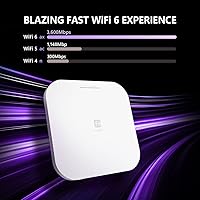
  • Max Throughput: Combined theoretical throughput reaches up to 3,600 Mbps (AX3600) across both bands.
  • 5 GHz Band: The 5 GHz radio supports up to 2,400 Mbps using a 4x4 antenna stream configuration.
  • 2.4 GHz Band: The 2.4 GHz radio supports up to 1,148 Mbps, useful for longer-range and IoT device connectivity.
  • Antenna Config: A 4x4 MU-MIMO antenna array allows simultaneous data streams to multiple clients at once.
  • Uplink Port: One 2.5GbE PoE+ (802.3at) port handles both data and power delivery over a single Ethernet cable.
  • PoE Range: The access point can be powered via PoE+ from a compatible switch or injector up to 328 feet away.
  • Management: Three control options are supported: the FitXpress mobile app, FitController on-premises software, and Fit Cloud-lite.
  • Security: WPA3 encryption is supported alongside a dedicated guest network mode for isolating untrusted clients.
  • Key Features: The hardware includes OFDMA (uplink and downlink), BSS Coloring, spatial reuse, beamforming, and Target Wake Time (TWT).
  • Licensing Fees: No per-unit access point licensing or recurring cloud subscription fees are required to operate or manage this device.
  • Dimensions: The unit measures 8.1 x 8.1 x 1.31 inches, with a low-profile circular form factor suited to ceiling mounting.
  • Weight: The access point weighs 1.26 pounds, light enough for secure ceiling tile installation without additional support hardware.
  • Mounting: Included hardware supports ceiling T-rail mounting in both 9/16-inch and 15/16-inch configurations, plus standard wall mounting.
  • Power Standard: Power is supplied via 802.3at PoE+, requiring a compatible PoE+ switch or a standalone PoE+ injector.
  • In the Box: Package includes the access point, two ceiling mount bases for different T-rail sizes, screw kits, a quick-start guide QR code, and a mobile app QR code.
  • Compatibility: Works with a wide range of client devices including gaming consoles, PCs, printers, security cameras, smart TVs, thermostats, smartphones, and tablets.

Related Reviews
EnGenius EWS356-FIT Wi-Fi 6 Dual-Band Access Point
83%
91%
Wi-Fi Performance
89%
Ease of Setup
87%
Coverage Area
82%
Software and App Experience
90%
Security Features (WPA3)
More
Cisco Business 150AX Wi-Fi 6 Access Point
85%
89%
Performance
92%
Security Features
78%
Ease of Setup
85%
Wi-Fi Coverage
80%
Management App Usability
More
Ubiquiti U6-Mesh Wi-Fi 6 Access Point
79%
93%
Wireless Performance
54%
Setup & Configuration
91%
Build Quality & Durability
88%
Coverage Range
74%
Value for Money
More
TP-Link EAP673 AX5400 Wi-Fi 6 Access Point
81%
88%
Wireless Performance
83%
Coverage Range
71%
Ease of Installation
82%
Software & Management
91%
Build Quality
More
TP-Link Festa F65-Outdoor AX3000 Wi-Fi 6 Access Point
84%
88%
Performance
94%
Outdoor Durability
85%
Ease of Setup
82%
Signal Strength
79%
Cloud Management & App
More
Grandstream GWN7630 Wi-Fi 5 Access Point
87%
88%
Performance
81%
Setup & Installation
84%
Software & App Experience
90%
Reliability
85%
Build Quality
More
Cisco CBW240AC Wi-Fi Access Point
80%
83%
Wireless Performance
76%
Setup & Configuration
88%
Build Quality & Design
81%
Coverage Range
87%
Security Features
More
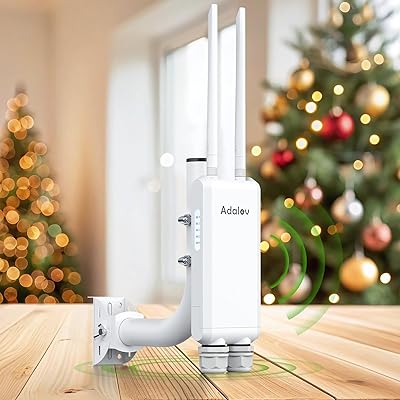
AdaLov CF-EW84 Outdoor Wi-Fi Access Point
71%
84%
Weatherproofing
67%
Signal Range
81%
Setup & Installation
62%
Throughput Performance
83%
Value for Money
More
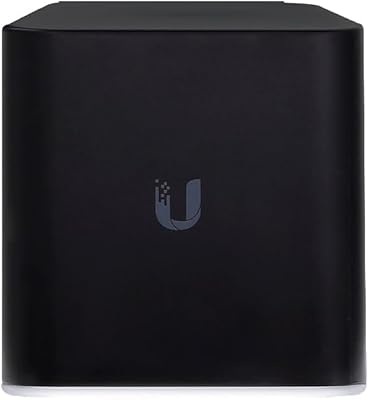
Ubiquiti Networks airCube ACB-ISP-US Wi-Fi Access Point
83%
91%
Ease of Installation
88%
Value for Money
82%
Wi-Fi Performance
85%
Compactness & Design
68%
Range Coverage
More
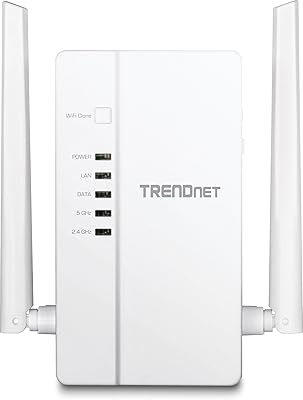
TRENDnet TPL-430AP Powerline Wireless Access Point
75%
91%
Ease of Setup
64%
Powerline Throughput
78%
Wi-Fi Coverage & Signal Quality
88%
Wired Port Performance
74%
Build Quality & Durability
More

FAQ

It does not include a router — this is a dedicated wireless access point only. You will need an existing router or gateway upstream, plus a PoE+ capable switch or injector to power and connect it. Think of it as the wireless radio that your router hands traffic off to, not a standalone all-in-one device.

No recurring fees are required. The EnGenius EWS276-FIT Wi-Fi 6 Access Point has no per-unit licensing costs, which is a real differentiator against some competing managed AP platforms that charge annual fees per device. You can use the FitXpress app or Fit Cloud-lite without a subscription, and the on-premises FitController option runs entirely on your own hardware.

You can manage multiple units centrally. The FitController on-premises software and the Fit Cloud-lite option both support multi-AP management from a single dashboard, which is useful for small offices or multi-room deployments. Just be aware that the on-premises controller requires a dedicated machine or virtual host to run continuously.

The mobile app setup is reasonably guided and approachable for users who understand basic home networking. However, this is still a managed access point, so concepts like SSIDs, VLANs, and network segmentation will come up if you want to use the more advanced features. If those terms are unfamiliar, expect some self-education before you feel fully comfortable.

You need a PoE+ (802.3at) capable switch port or a standalone PoE+ injector — standard 802.3af PoE is not sufficient for this unit. Most managed switches in the small-business category support 802.3at, but it is worth double-checking your existing switch specs before purchasing.

Yes, the EWS276-FIT is fully backward compatible with 802.11a, b, g, n, and ac clients. Older devices will connect without any extra configuration, though they will naturally connect at their own maximum supported speeds rather than at Wi-Fi 6 rates.

Coverage depends heavily on building materials, interference, and ceiling height. In a typical open-plan office or retail space, one unit can handle a few thousand square feet reasonably well. In concrete or brick environments, walls will reduce range noticeably, and some buyers report that real-world coverage fell short of theoretical spec-sheet numbers. For larger or multi-floor spaces, deploying two or more units in a mesh or roaming setup is the more reliable approach.

Switching between management tiers is possible, but it typically requires reconfiguring the access point rather than simply migrating settings. If you think you may want on-premises control long-term, it is worth setting that up from the start rather than transitioning later.

Yes, the Wi-Fi 6 ceiling AP supports both mesh networking and seamless roaming across multiple units. Devices moving through a space can hand off between access points without dropping connections, which is particularly useful in office corridors or multi-room retail layouts.

The unit ships with mount bases for both common T-rail ceiling tile sizes, so standard drop ceilings are covered without extra hardware. You will need to route a single Cat5e or Cat6 Ethernet cable to the mounting location and connect it to a PoE+ switch — no separate power outlet is needed at the ceiling. The unit is light enough that the included hardware handles the load without issue in typical ceiling tile installations.

Where to Buy