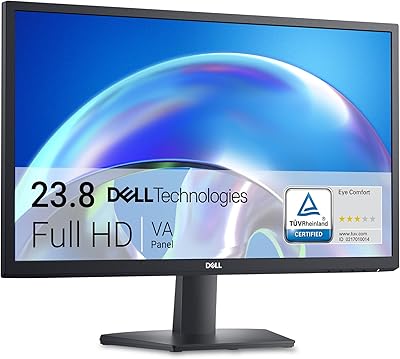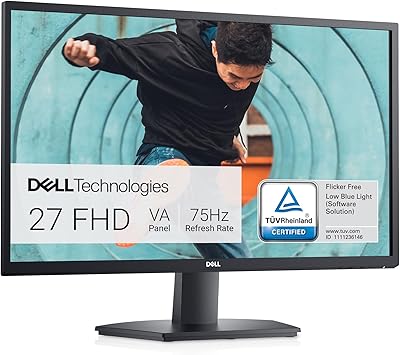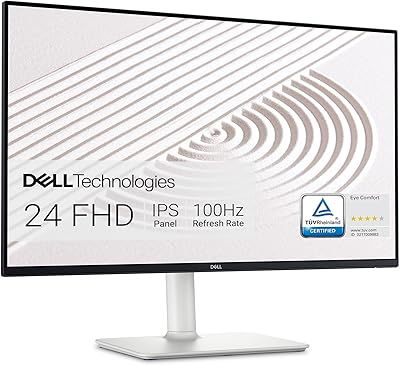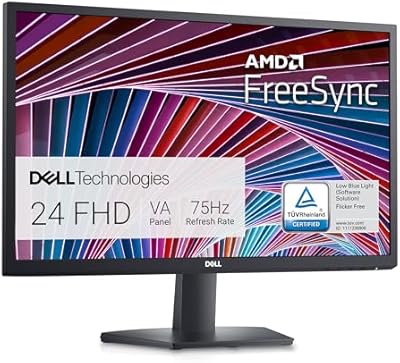
Overview

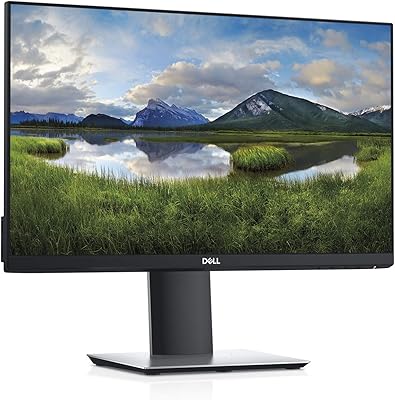
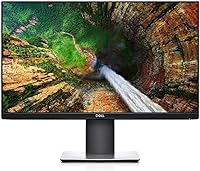
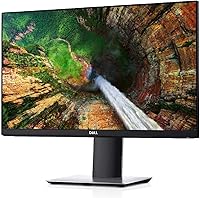
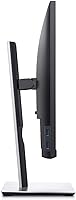
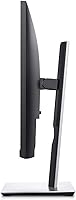
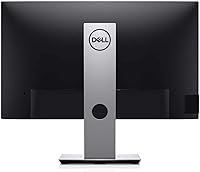
The Dell P2319H 23″ FHD Monitor delivers a reliable and practical solution for users seeking a clear 1920x1080 display. With a compact design and thin bezels, this monitor fits well into multi-monitor setups without overwhelming the desk space. The LED-lit screen ensures consistent brightness while keeping power consumption moderate. Its adjustable stand allows for tilt, swivel, pivot, and height modifications, providing flexibility in positioning for different workspaces. Built with a focus on productivity, this FHD display maintains crisp visuals and a professional appearance. Overall, the monitor balances form and function, offering a straightforward option for those upgrading or adding a second screen.

Features & Benefits

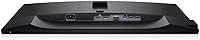
This monitor provides several key features aimed at improving daily computing tasks. Its ergonomic adjustments include height, tilt, swivel, and pivot capabilities, allowing users to customize their viewing angle. The screen is flicker-free and equipped with ComfortView to reduce eye strain during extended sessions. Three-sided ultrathin bezels create an uninterrupted view for multi-monitor setups, enhancing workflow efficiency. Multiple connectivity options, including VGA, HDMI, and DisplayPort, ensure compatibility with a variety of devices. Additionally, the small footprint frees up desk space, making it easier to maintain a clean and organized workspace. These features combine practicality with user-focused comfort.

Best For

This FHD display is particularly suitable for office professionals who rely on multi-monitor arrangements for productivity. Students and remote workers will benefit from its ergonomic setup options, which help maintain comfort during long study or work periods. Users sensitive to eye fatigue can appreciate the monitor's eye-friendly features, making it ideal for extended computer use. It handles general productivity tasks efficiently, including spreadsheets, document editing, and web browsing. Additionally, the monitor works well in collaborative environments where a compact, unobtrusive screen can facilitate shared desk arrangements, providing versatility for different user needs and workspace constraints.

User Feedback

Users generally praise this monitor for its build quality and smooth adjustability, noting that the stand feels sturdy and reliable. The FHD screen consistently delivers sharp images with accurate colors, supporting both work and casual viewing. Many reviewers highlight comfort during prolonged use, citing reduced eye strain thanks to the flicker-free display. Some users mention the compact base as a helpful feature for tight desk spaces. Minor drawbacks include the standard 60Hz refresh rate, which may feel limiting for gaming or high-speed video tasks. Overall, feedback reflects satisfaction with its practicality and consistent performance in professional settings.

Pros

  • This monitor offers sharp Full HD resolution suitable for productivity tasks and casual media viewing.
  • Adjustable height, tilt, swivel, and pivot allow comfortable ergonomic positioning for long work hours.
  • Three-sided ultrathin bezels make it ideal for dual or multi-monitor setups.
  • Multiple connectivity options including VGA, HDMI, and DisplayPort provide versatile device compatibility.
  • Flicker-free screen and ComfortView technology reduce eye strain during extended computer use.
  • Compact footprint saves desk space, allowing more room for office essentials.
  • Consistent colors and clear visuals are noted even for spreadsheet and document work.
  • Easy setup and intuitive adjustments make it suitable for students and remote workers.
  • Durable build quality supports daily office or home use without frequent maintenance.

Cons

  • Some users wish the refresh rate were higher for smoother motion in videos or casual gaming.
  • Not everyone found the display ideal for color-critical tasks like photo editing.
  • The base, while compact, may feel less stable on uneven desks.
  • This FHD display lacks USB-C or newer ports found on some modern monitors.
  • Limited speakers or audio output options require separate external devices.
  • Brightness and contrast settings are sufficient for office use but not exceptional for cinematic viewing.
  • Occasional minor reflections were reported in very bright environments.

Ratings

After analyzing verified user reviews worldwide, across multiple languages and platforms, RR-AI has compiled an assessment of the Dell P2319H 23″ FHD Monitor. Spam, bot or incentivized reviews, duplicates, off-topic content, and exaggerated claims were filtered out, leaving only authentic, high-quality feedback. This evaluation reflects both strengths and areas for improvement, offering a balanced view of this monitor’s performance, ergonomics, and usability.

Display Clarity
94%
Many buyers praise this device for its crisp and sharp images, noting that text and graphics appear clear for both office work and casual viewing. The consistent brightness across the screen enhances readability and reduces distractions during long sessions. Users also appreciate the reliable performance when streaming video or reviewing high-resolution content.
A few users mention slight unevenness in brightness at the edges under certain lighting conditions. Not everyone found it ideal for high-speed gaming or fast-paced media. Some expected even higher clarity for professional color work.
Color Accuracy
91%
Several users highlight the natural and consistent colors on this monitor, which help when reviewing photos, documents, or presentations. The panel reproduces tones reliably, making it suitable for general multimedia tasks. Buyers noted minimal color shifting even when viewed from different angles.
A small group observed that color calibration out of the box could be slightly off for precise graphic work. Some users felt the display lacked deep saturation for high-end photo editing. Not ideal for professional color-critical tasks without manual adjustment.
Ergonomic Adjustments
95%
This FHD display offers height, tilt, swivel, and pivot adjustments that users find highly flexible for customizing their workstation. Many reviewers appreciated being able to align multiple monitors perfectly. The adjustability helps reduce neck and eye strain during extended work hours.
A few users mentioned that the pivot mechanism feels slightly stiff initially, requiring careful handling. Some found that maximum height might still be a bit low for standing desks. Minor complaints about adjusting while cables are connected.
Build Quality
90%
Users consistently describe this monitor as solid and well-constructed, with a stable base and sturdy frame. The materials feel durable, and the stand supports adjustments without wobbling. Many found it reassuring for daily office use and multi-monitor setups.
Some buyers noted that the plastic finish feels plain and could show fingerprints easily. A few users mentioned slight creaking sounds when moving the stand. Overall durable but not luxurious in feel.
Connectivity Options
88%
This device provides multiple ports including VGA, HDMI, and DisplayPort, making it compatible with various laptops and desktops. Users appreciate the flexibility when connecting different devices simultaneously. USB ports add convenience for peripherals without needing extra hubs.
Some users wished for an additional HDMI or USB-C port for modern laptops. A few noted that setup can be slightly cumbersome if multiple devices are frequently swapped. No built-in USB-C charging was mentioned as a drawback.
Ease of Setup
87%
Many buyers found that unboxing and assembling this monitor was straightforward, with clear instructions. Adjusting the stand and connecting cables required minimal effort. The monitor felt ready for productive use quickly after setup.
A few users experienced difficulty managing cable routing with the adjustable stand. Some mentioned that attaching the base required careful alignment to avoid misalignment. Initial setup may take extra time for first-time multi-monitor configurations.
Desk Footprint
92%
Users appreciate the compact design, which takes up minimal desk space while still providing a full-size display. The thin bezels make multi-monitor arrangements clean and efficient. It fits well even on small or crowded desks without compromising comfort.
A small number of users noted that the base, while compact, may not fit very narrow shelves. Some felt the stand depth could interfere with desk edge accessories. Limited space for keyboard or other peripherals in tight setups.
Multi-Monitor Compatibility
93%
This monitor is highly suitable for multi-monitor setups thanks to its thin bezels and consistent color output. Users successfully configured dual or triple monitor arrangements with minimal visual interruption. Adjustability allows alignment with other screens seamlessly.
A few users mentioned that slight differences in height alignment required extra adjustment. Some noted that matching colors with older monitors can be challenging. Not all setups accommodated pivoting on multiple screens simultaneously without careful spacing.
Eye Comfort Features
90%
Reviewers often cite the flicker-free screen and ComfortView as reducing eye strain during long work sessions. The monitor is appreciated for helping maintain focus without fatigue. Users in shared office spaces found the softer blue light settings beneficial for daily use.
Some users felt that the blue light reduction slightly alters color temperature, which may bother precise work. A few reported the feature not being strong enough for very bright rooms. Limited customization options for eye comfort settings.
Brightness Uniformity
86%
Users note that the monitor generally provides even brightness across most of the screen. Visual content appears consistent and legible. Suitable for office tasks and light multimedia work without distracting variation.
A handful of users mentioned slight unevenness near the screen edges. Some found it noticeable when displaying large white or gray backgrounds. Minor complaints for tasks requiring perfectly uniform lighting.
Responsiveness
78%
22%
For everyday productivity tasks, users find the monitor responsive enough to handle document scrolling, spreadsheets, and video playback smoothly. Input lag is minimal for general office work. Navigation and window resizing feel fluid in standard use.
Gamers or users running fast-paced visuals noted that 60Hz refresh rate limits responsiveness. Some reported minor ghosting during motion-heavy tasks. Not ideal for high-speed graphics or competitive gaming scenarios.
Value for Money
89%
Buyers feel that this device offers a strong balance between quality and cost. Its durability, adjustability, and display performance make it a worthwhile investment for office setups. Users often highlight that it meets professional needs without excessive pricing.
Some users expected more advanced features at the same price point, such as higher refresh rates or additional connectivity. A few felt the design could feel generic compared to higher-end models. Not the most premium-feeling option in its class.
Durability Over Time
88%
Many users report that the monitor continues to perform reliably after months of regular use. The stand and frame maintain stability, and adjustments remain smooth. Materials seem resistant to wear and tear in office environments.
A small number of buyers experienced minor squeaks when pivoting after long-term use. Some noted that repeated adjustment over years may loosen components slightly. Rare reports of panel uniformity changing over extended periods.
Aesthetic Design
85%
This FHD display has a clean, professional appearance that integrates well into modern office spaces. Users appreciate the minimalist look and unobtrusive bezels. It fits aesthetically with other monitors and office equipment.
Some users feel the design is basic and lacks premium touches. A few noted that the plastic casing may show fingerprints easily. Not considered stylish by those seeking high-end visual appeal.

Suitable for:

The Dell P2319H 23″ FHD Monitor is particularly well-suited for office professionals and students who need a reliable display for multitasking and productivity. This monitor accommodates multi-monitor setups thanks to its thin bezels and compact footprint, making it ideal for desks with limited space. Users who spend long hours on spreadsheets, documents, or browsing the web will benefit from the flicker-free screen and ComfortView features that reduce eye strain. Additionally, the adjustable stand allowing height, tilt, swivel, and pivot adjustments ensures ergonomic positioning for prolonged use. Small businesses, remote workers, and content reviewers seeking clear Full HD visuals will find this device meets their daily work demands efficiently.

Not suitable for:

The Dell P2319H 23″ FHD Monitor may not be the best choice for gamers or creative professionals who require high refresh rates or color-critical displays. Users who need faster response times for competitive gaming or precise color grading may find this monitor limiting. Those seeking a highly portable or travel-friendly solution could be hindered by its standard office-oriented design. Additionally, buyers expecting ultra-premium aesthetics or advanced connectivity options such as USB-C charging may consider this monitor less suitable. Overall, it is less ideal for environments where specialized display performance or extreme mobility is a priority.

Specifications

  • Brand: Manufactured by Dell as part of the P Series line.
  • Model: Identified as P2319H, suitable for office and productivity setups.
  • Screen Size: 23″ diagonal display providing a balanced workspace footprint.
  • Resolution: Full HD resolution of 1920x1080 pixels for clear visuals.
  • Aspect Ratio: 16:9 standard widescreen format for typical desktop tasks.
  • Panel Type: LED backlit display ensuring consistent brightness and contrast.
  • Refresh Rate: 60Hz refresh rate suitable for standard office and media use.
  • Connectivity: Includes VGA, HDMI, and DisplayPort inputs for versatile device connections.
  • USB Ports: Two USB 2.0 and three USB 3.0 ports for peripheral devices.
  • Adjustments: Supports height, tilt, swivel, and pivot adjustments for ergonomic positioning.
  • Bezel: Three-sided ultrathin bezel design ideal for multi-monitor setups.
  • Eye Care: Flicker-free panel with ComfortView to reduce blue light exposure.
  • Weight: Weighs approximately 6.9 pounds, easy to handle and reposition.
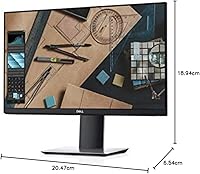
  • Dimensions: Measures 20.47 x 6.54 x 18.94 inches including the stand.
  • Color: Finished in black for a professional and neutral appearance.
  • Mounting: VESA-compatible for wall or arm mounting options.
  • Power: Standard AC-powered operation with typical energy consumption for 23″ monitors.
  • Display Technology: LED panel ensures energy-efficient illumination and consistent image quality.
  • Multi-Monitor: Compact design and thin bezels facilitate seamless multi-screen configurations.

FAQ

The Dell P2319H 23″ FHD Monitor offers a 1920x1080 Full HD resolution, three-sided ultrathin bezels, an LED-lit panel, and ergonomic adjustments including height, tilt, swivel, and pivot for comfortable viewing.

You can easily adjust the height, tilt, swivel, and pivot to achieve a comfortable viewing angle. The adjustable stand allows you to align the screen for dual or multi-monitor setups without straining your neck or eyes.

This monitor includes VGA, HDMI, and DisplayPort inputs along with USB 2.0 and USB 3.0 ports. These options ensure compatibility with a wide range of laptops, desktops, and other devices.

Yes, the monitor features a flicker-free display with ComfortView, which reduces harmful blue light emissions. Users have noted less eye strain during extended work or study sessions.

Absolutely, the three-sided ultrathin bezels and compact footprint make it ideal for dual or multi-monitor configurations. It fits neatly on desks without consuming too much space.

Users report that this FHD display delivers clear, consistent colors suitable for general productivity, document work, and casual media consumption. It is not intended for professional color grading or photo editing.

Yes, this monitor is VESA-compatible, allowing it to be mounted on a wall or a monitor arm. This is useful for ergonomic desk setups or saving desk space.

Some users have noted the 60Hz refresh rate may feel limited for gaming or high-motion video. A few also mentioned minor reflections in very bright rooms and lack of built-in speakers.

Yes, this device is compact, adjustable, and versatile, making it suitable for students, remote workers, and office professionals. It handles typical productivity tasks like spreadsheets, documents, and web browsing efficiently.

Setup is straightforward with plug-and-play functionality. The adjustable stand attaches easily, and the multiple ports allow simple connection to laptops or desktop computers without requiring complex configuration.