Overview

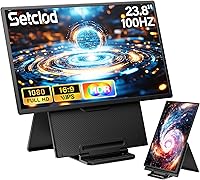
The Setclod D1 23.8″ Portable Monitor occupies a genuinely unusual position in a market crowded with 15- and 17-inch options — at nearly two feet of diagonal screen, it is hard to ignore. Setclod is a newer brand with no long track record to lean on, but the specs punch above the price tier. Setup takes seconds: plug in a USB-C or HDMI cable, no drivers required, and you are working. That convenience is real. The honest trade-off is weight — this is not something you will forget is in your bag — and a 30W power requirement that can catch users off guard when connecting to underpowered hubs or laptop ports.
Features & Benefits

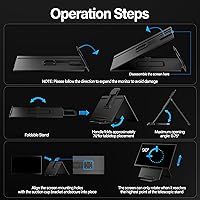
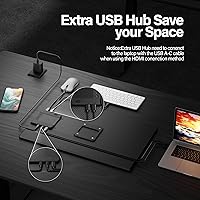
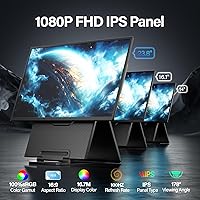
The IPS panel delivers a noticeably wide color range — 125% sRGB coverage means photos, video, and even casual browsing look richer than on most panels in this category. The 100Hz refresh rate keeps motion crisp during gaming or fast scrolling, which matters more than people expect on a secondary display. At 300 cd/m², brightness is comfortable for desk use, though near a sunlit window the glossy surface produces real glare. The built-in USB-A hub is a practical addition — plug in a keyboard and mouse without sacrificing your laptop's own ports. The kickstand tilts up to 75°, detaches cleanly, and the VESA compatibility gives this screen extender more placement flexibility than most rivals at this size.

Best For

This large portable monitor makes the most sense for people who genuinely need screen real estate — not just a modest sidebar. Frequent travelers who work from hotel desks or shared spaces will appreciate having a secondary screen that rivals a desktop setup. Students juggling multiple apps at once, from lecture notes to research to messaging, get real value from the extra display room. Console gamers will find it works well with Nintendo Switch and Xbox, turning any room into a usable setup. Home office users not ready to commit to a full monitor arm can use the kickstand as a practical stand-in, and creative freelancers doing light photo work benefit from the accurate color rendering.

User Feedback

Buyers who appreciate the Setclod travel display tend to highlight the screen size and color quality first — many report it genuinely replaced a second monitor on their desk, and setup earns consistent praise for being fast and fuss-free. The criticisms, though, are worth taking seriously. Weight is the biggest complaint: at over 10 pounds, this is notably heavier than comparable portable monitors, which typically land under 4 pounds — a difference you feel on any commute. Several users ran into power issues when connecting through underpowered hubs; the 30W minimum is not negotiable. Kickstand stability gets mixed mentions, with some reporting loosening over extended use. The USB hub earns quiet appreciation rather than loud excitement.

Pros

  • The 23.8-inch screen is genuinely rare in the portable monitor category and makes a real difference for multitasking.
  • IPS panel with 125% sRGB delivers colors that look accurate and vibrant, not washed out like cheaper panels.
  • 100Hz refresh rate keeps motion smooth during gaming and fast scrolling on a secondary display.
  • Plug-and-play setup works without any driver installation across Windows, macOS, and Chrome OS.
  • The built-in USB-A hub lets you connect a keyboard and mouse without burning your laptop ports.
  • VESA compatibility gives this screen extender more placement flexibility than most rivals its size.
  • Works with Nintendo Switch, Xbox, Android, and Linux — broader device support than many competitors.
  • Detachable kickstand adjusts up to 75° and gives stable viewing angles for desk use.
  • Includes all necessary cables in the box, including USB-C and HDMI, so you are ready immediately.
  • Color and screen size earn consistent praise from buyers who use it as a daily secondary display.

Cons

  • At over 10 pounds, this large portable monitor is dramatically heavier than the 2–4 pound portable monitor norm.
  • The 30W power requirement is non-negotiable and causes real connectivity issues with underpowered hubs or ports.
  • The glossy screen surface creates noticeable glare near windows or under direct overhead lighting.
  • Kickstand durability gets mixed feedback, with some users reporting loosening after extended daily use.
  • Setclod has a limited track record, so long-term reliability and warranty support remain unproven.
  • Only one USB-A hub port is included, which limits expansion for users with multiple peripherals.
  • The size and weight make this a poor fit for commuters or anyone carrying a compact travel bag.
  • No HDR support limits its appeal for buyers doing more demanding creative or media production work.

Ratings

The scores below were generated by AI after analyzing verified buyer reviews from global markets, with spam, bot activity, and incentivized feedback actively filtered out before any scoring was applied. The Setclod D1 23.8″ Portable Monitor earns strong marks in areas like screen quality and setup convenience, but the data also surfaces real friction points — particularly around weight and power requirements — that are reflected transparently in every category score.
Screen Size & Usability
91%
At 23.8 inches, this screen extender consistently surprises buyers who upgrade from the typical 15-inch portable options. Remote workers report that having near-desktop screen real estate at a hotel desk or co-working space fundamentally changes how usable the setup feels for spreadsheets, browser-heavy workflows, and side-by-side app use.
The sheer physical size means it does not slip into a laptop sleeve or slim backpack — it needs its own compartment. A few buyers found that the large footprint was impractical for tight café tables or airplane tray setups where they had hoped to use it.
Display Quality
88%
The IPS panel with 125% sRGB coverage draws consistent praise for producing colors that look vibrant and accurate rather than flat or overcooked. Buyers doing light photo reviews and video editing on the road note that the color rendering holds up well compared to generic portable screens they have used previously.
While indoor performance is strong, the glossy surface creates visible reflections near windows or under overhead fluorescent lighting, which a meaningful number of reviewers flagged as a daily annoyance. A matte coating would have made this panel significantly more versatile across varied working environments.
Portability & Weight
34%
66%
For users who drive to client sites or work from a fixed secondary location, the weight is less of an obstacle — the monitor fits in a padded carry bag and the large screen justifies the bulk for desk-bound travel setups.
At just over 10 pounds, this is a serious outlier in a category where most competitors land under 4 pounds. Commuters, backpack travelers, and anyone relying on public transit have flagged it as impractical for daily carrying, and it is by far the most repeated complaint across buyer reviews.
Setup & Connectivity
86%
Plug-and-play operation across USB-C and HDMI earns consistent praise for being genuinely fast and friction-free — most buyers report being fully connected and working within a minute of unboxing, with no driver downloads or menu configuration required. The included cable bundle means you are ready to go immediately.
The 30W minimum power requirement creates a real stumbling block when buyers assume any USB-C source will work. Several reviewers reported the monitor not powering on or behaving erratically when connected through underpowered laptop ports or basic hubs, leading to frustrating early experiences that require a dedicated charger to resolve.
Power Requirements
51%
49%
Once users identify and use an appropriate 30W USB-C power adapter, the monitor runs stably without interruption. The requirement itself is not unusual for a display this size, and buyers who do their homework before setup report no ongoing power-related issues during regular use.
The 30W threshold is not prominently communicated at the point of purchase, and it catches a notable portion of buyers off guard — especially those expecting to power it from a laptop port or a basic multi-port charger. This single issue accounts for a disproportionate share of negative early reviews and support requests.
Color Accuracy
83%
The 125% sRGB rating translates into real-world color that looks noticeably richer than the budget portable panels it competes against. Freelancers reviewing client photos or working through light design tasks on the road report that colors appear consistent and true, without the greenish or washed-out bias common in cheaper IPS alternatives.
This is not a factory-calibrated professional display, and buyers who need delta-E accuracy for print production or broadcast color grading will find the out-of-box calibration inconsistent enough to require adjustment. It covers the bases for general creative work but should not be positioned as a professional reference screen.
Refresh Rate & Motion
79%
21%
The 100Hz refresh rate is a genuine step up from the 60Hz norm for portable monitors, and gamers using it with Switch or Xbox in hotel rooms comment that gameplay feels noticeably smoother and more responsive than on standard travel displays. Fast-scrolling through long documents also benefits from the higher rate.
While 100Hz is appreciated, the FHD resolution means that users upgrading from high-refresh-rate gaming monitors may notice the pixel density is a step below what they are used to. It is a good spec at this price tier but not exceptional compared to emerging 120Hz and higher portable options.
Built-in USB Hub
72%
28%
Having a USB-A port built directly into the monitor body is a practical convenience that most competing screens at this size skip entirely. Users connecting a wireless keyboard and mouse dongle through the hub report that it simplifies cable management and saves their laptop ports for other uses during long work sessions.
With only a single USB-A output, the hub is more of a courtesy port than a true expansion solution. Buyers who hoped to connect multiple peripherals simultaneously find it falls short, and those accustomed to multi-port hubs will likely still need a separate dock alongside this screen extender.
Kickstand & Stand Design
66%
34%
The detachable kickstand adjusts up to 75° of tilt and gives buyers a reasonable range of viewing angles for different desk heights and seating positions. For occasional use on flat surfaces, it holds the monitor securely at a comfortable angle without requiring any additional accessories.
Long-term durability of the hinge is a recurring concern in user feedback, with multiple buyers noting that the stand develops play or looseness after several months of daily adjustment. The VESA mount option is a useful backup, but the kickstand alone may not feel confidence-inspiring for buyers expecting it to hold up to frequent travel and repeated setup cycles.
Device Compatibility
89%
Broad compatibility across Windows, macOS, Chrome OS, Android, Linux, Dex, Nintendo Switch, and Xbox is a genuine differentiator that buyers with mixed device ecosystems value highly. Reviewers using it across a MacBook for work and a Switch for evening gaming specifically appreciate not needing to own two separate displays.
While compatibility is wide, the experience is not perfectly uniform across all platforms. A handful of Android and Dex users report needing to troubleshoot resolution scaling or refresh rate recognition, and the manual is inconsistent about which features are fully supported versus partially dependent on the host device.
Build Quality
68%
32%
The overall construction feels solid in hand and the panel itself draws no significant complaints about dead pixels, backlight bleed, or manufacturing defects from most buyers. For a newer brand, the fit and finish on arrival is generally better than the price tier suggests.
The plastic chassis shows cosmetic wear faster than premium monitor brands, and some buyers report minor flex in the panel body when adjusting the stand. Setclod has limited post-sale build data given its brief market history, so long-term durability remains an open question that only time and more reviews will answer.
Brightness Performance
74%
26%
At 300 cd/m², the Setclod travel display is bright enough for comfortable use in most indoor environments — offices, dorm rooms, and hotel rooms with controlled lighting all work well. Buyers using it as a primary workstation extender in typical office conditions rarely flag brightness as an issue.
Outdoor or near-window use exposes the limits of 300 cd/m² fairly quickly, especially combined with the glossy panel surface. Buyers who work in bright conservatories, near large glass walls, or occasionally outside will find the screen washes out in ways that affect usability and eye comfort.
Value for Money
77%
23%
Measured against what the category typically offers, the combination of a 23.8-inch IPS panel, 100Hz refresh rate, 125% sRGB, and a built-in USB hub at this price represents a competitive spec-per-dollar ratio. Buyers who prioritize screen size above portability tend to rate the value highly relative to comparable desktop monitors.
The weight penalty and power gotcha undercut the value proposition for buyers who did not anticipate those limitations upfront. If you factor in the likely need for a dedicated 30W charger and a purpose-built carry bag to protect the unit, the total cost of ownership edges closer to small desktop monitor territory.
Packaging & Unboxing
81%
19%
Multiple buyers comment that the box is well-organized and the monitor arrives protected without visible transit damage. The inclusion of all three cable types — USB-C to USB-C, USB-C to USB-A, and HDMI — is specifically praised as a thoughtful touch that avoids the frustration of discovering a missing cable after setup.
The printed manual receives mixed feedback, with some users finding the connectivity instructions unclear, particularly around the power requirement and HDMI versus USB-C routing differences. A clearer quick-start guide would prevent a meaningful portion of the early setup confusion reported in negative reviews.

Suitable for:

The Setclod D1 23.8″ Portable Monitor is a strong match for anyone who finds typical portable screens too small to be genuinely useful. Remote professionals who work from hotels, co-working spaces, or client sites will appreciate having a near-desktop-sized secondary display without needing to source a full monitor on location. Students multitasking across research, notes, and communication apps get real productivity headroom from the extra screen space. Console gamers who want a capable travel display for Switch or Xbox sessions away from home will find the 100Hz IPS panel more than adequate. Creative freelancers doing light photo editing or color-sensitive work on the road benefit from the wide color gamut. Home office workers who want a second screen but are not ready for a permanent desktop setup can use this screen extender as a practical, semi-permanent solution with its VESA mount or kickstand.
Not suitable for:

The Setclod D1 23.8″ Portable Monitor is not the right pick for buyers who prioritize true portability — at over 10 pounds, it is more than twice the weight of most portable monitors on the market, and that difference is felt immediately when commuting or traveling light. Anyone expecting to run it from a standard laptop USB port or a basic power bank will run into frustration, since the 30W minimum power requirement often exceeds what these sources can reliably deliver. Users who need glare-free performance in bright rooms or outdoor settings will find the glossy panel a genuine liability. Buyers seeking a proven brand with an established support track record may want to wait for more long-term reliability data, as Setclod is still building its reputation. Finally, anyone needing a 4K display or HDR support for professional-grade visual work should look elsewhere.
Specifications

  • Screen Size: The display measures 23.8 inches diagonally, making it one of the larger options available in the portable monitor category.
  • Resolution: Native resolution is 1920×1080 (Full HD), delivered at a 16:9 aspect ratio for standard widescreen content.
  • Panel Type: An IPS panel is used, providing wide viewing angles and consistent color reproduction compared to TN alternatives.
  • Refresh Rate: The display runs at 100Hz, offering smoother motion than the 60Hz standard found on most portable monitors.
  • Color Gamut: Color coverage is rated at 125% sRGB and 90% NTSC, suitable for color-sensitive work such as photo editing and design review.
  • Brightness: Peak brightness is 300 cd/m², which performs well in controlled indoor lighting but may struggle against direct sunlight or bright windows.
  • Screen Surface: The panel has a glossy finish, which enhances color vibrancy but increases reflections in high-ambient-light environments.
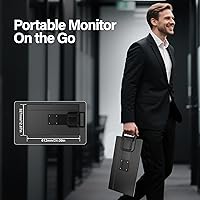
  • Dimensions: The monitor measures 15.9 × 11.16 × 2.81 inches, giving it a physical footprint comparable to a mid-size laptop when laid flat.
  • Weight: Unit weight is 10.03 pounds, which is significantly heavier than the 2–4 pound range typical for most portable monitors.
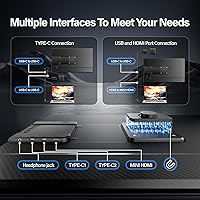
  • Connectivity: Inputs include a full-featured USB-C port, an HDMI port, and a USB-A hub output for peripheral connection.
  • Power Requirement: A minimum 30W power supply is required for reliable operation; underpowered sources may cause instability or failure to display.
  • USB Hub: One USB-A port is built into the monitor body, allowing a keyboard or mouse to be connected without using the host device's own ports.
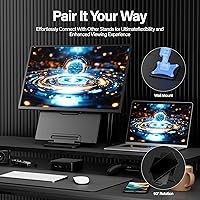
  • Stand: A detachable kickstand supports tilt adjustment up to 75°, offering multiple viewing angle options for desk or flat-surface use.
  • VESA Mount: The monitor is VESA-compatible, enabling wall mounting or arm attachment for more permanent or flexible installation setups.
  • Aspect Ratio: The 16:9 aspect ratio is standard for productivity and media content, ensuring full compatibility with typical video formats and desktop layouts.
  • Compatibility: Supported operating systems and platforms include Windows, macOS, Chrome OS, Android, Linux, Samsung Dex, Nintendo Switch, and Xbox.
  • Cables Included: The package includes a USB-C to USB-C cable, a USB-C to USB-A cable, and an HDMI cable, covering the most common connection scenarios.
  • Model Number: The official model identifier is D1, manufactured and sold under the Setclod brand.

Related Reviews
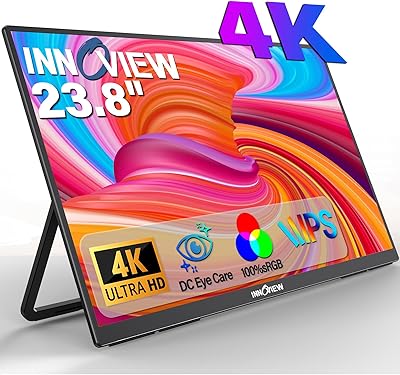
InnoView PM608 23.8-inch 4K Portable Monitor
76%
91%
Image Sharpness
88%
Color Accuracy
54%
Portability & Weight
83%
Stand & Flexibility
76%
USB-C Connectivity
More
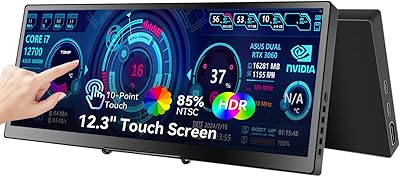
Prechen HD-123 12.3-inch Portable Touchscreen Monitor
67%
78%
Display Clarity
74%
Touch Responsiveness
61%
Connectivity Setup
88%
AIDA64 Integration
83%
Build Quality
More
VisionOwl V-Y23QH 23.8-Inch Portable Monitor
76%
88%
Image Quality
86%
Build Quality
83%
Gaming Performance
62%
Portability
58%
Brightness
More
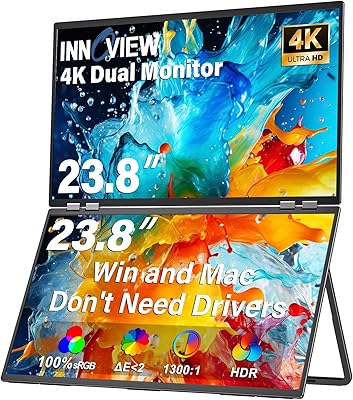
InnoView 23.8″ Dual Portable Monitor 4K
82%
91%
Display Quality
88%
Portability & Design
94%
Ease of Setup
87%
Connectivity Options
82%
Build Quality
More
InnoView 23.8-inch 144Hz Portable Monitor
79%
88%
Display Quality
83%
Refresh Rate Performance
61%
Portability & Form Factor
86%
Stand & Ergonomics
79%
Connectivity & Compatibility
More
Redalf 23.8-inch 2K 180Hz Portable Monitor
86%
88%
Display Quality
92%
Portability
90%
Gaming Performance
85%
Compatibility
91%
Ease of Setup
More
Dell S2425HS 23.8-inch FHD Monitor
84%
88%
Image & Color Accuracy
83%
Refresh Rate & Motion Smoothness
91%
Eye Comfort & Blue Light Reduction
93%
Ergonomics & Stand Adjustability
87%
Build Quality & Materials
More
Acer KB242Y 23.8-inch IPS Monitor
75%
83%
Image Quality
88%
Refresh Rate & Smoothness
71%
Response Time
81%
Color Accuracy
58%
Brightness
More
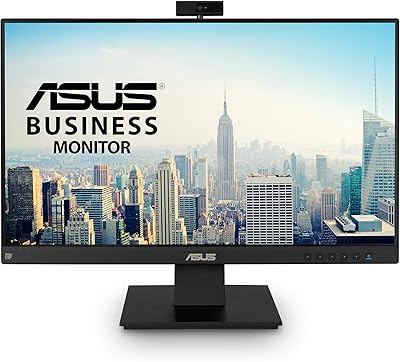
ASUS BE24EQK 23.8-inch Business Monitor
76%
83%
Built-in Webcam Convenience
76%
Microphone Quality
78%
Display Image Quality
88%
Eye Comfort
81%
Value for Money
More
HP V241ib 23.8″ FHD Monitor
77%
81%
Image Quality
78%
Color Accuracy
84%
Eye Comfort
52%
Ergonomics
74%
Build Quality
More

FAQ

No, it is fully plug-and-play. Connect it via USB-C or HDMI and your operating system should detect it automatically without any driver installation. This works across Windows, macOS, and Chrome OS.

Probably not reliably. The monitor requires a minimum 30W power input, and most standard USB-A laptop ports deliver well under that. You will get the best results using a dedicated 30W USB-C charger or a powered hub. Using an underpowered source is the most common reason users report the screen not turning on or flickering.

It works via HDMI when the Switch is docked, or through USB-C in certain modes. Just make sure your power source meets the 30W requirement, since the Switch dock alone may not supply enough power to drive the screen. Most users find the setup straightforward once they have the right cable and charger in place.

It depends on how you travel. If you commute by car and work from a hotel desk or office, the weight is manageable. But if you are carrying a backpack through airports or on public transit, 10 pounds on top of your laptop and gear adds up quickly. Most portable monitors weigh under 4 pounds, so this is a meaningful difference worth thinking through before buying.

It depends on where your light sources are. If you work with a window behind you or directly overhead bright lighting, you will see reflections on the glossy surface. Positioning the monitor so light comes from the side or behind it minimizes the issue significantly. If glare is a consistent problem in your workspace, a matte-panel monitor would be a safer choice.

Yes. The monitor is VESA-compatible, so it can be attached to a standard monitor arm or wall mount. This is actually a great option for home office users who want to save desk space and get a wider range of height and tilt adjustments than the kickstand alone provides.

There is one USB-A port on the monitor body. It is useful for connecting a single peripheral like a mouse or keyboard, but it will not replace a multi-port hub if you need to connect several devices at once. Think of it as a convenience port rather than a full expansion solution.

Yes, it works with macOS. The USB-C connection is the cleanest option if your MacBook has a full-featured Thunderbolt or USB-C port, as it handles both video and power in one cable. The HDMI route works too but requires a separate power connection since HDMI does not carry power.

On a flat, firm surface it holds steady at various angles up to 75°. Some users have noted that the hinge can develop a little looseness after extended daily use, so it may not feel as rigid months down the line as it does out of the box. For occasional travel use it holds up well; for heavy daily use, the VESA mount option may be more reliable long-term.

For casual and semi-professional color work, yes. The 125% sRGB coverage is solid for a monitor at this price tier and gives you a meaningful advantage over basic portable displays. It is not a professional-grade color-critical display, so if you are doing final print-ready work you will still want to calibrate or verify on a reference monitor, but for general editing and client reviews it handles color well.