Overview

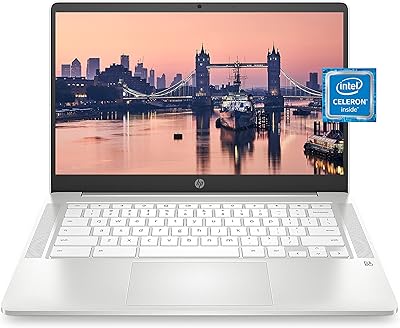
The HP Chromebook x360 14a Touchscreen Laptop is a budget-friendly 2-in-1 designed for students and everyday home users who don't need a heavy-duty machine. The standout physical feature is the 360-degree hinge, which lets you flip the screen all the way around — something you won't find on a standard clamshell. It runs Chrome OS, which means your world revolves around a browser and Google apps. If you're deep in the Google ecosystem, that's fine. If you need desktop software like Photoshop or Microsoft Office, you'll hit a wall fast. The blue metallic finish looks surprisingly decent for the price, though the chassis has some flex. Treat this as a capable light-use machine, not a workhorse.

Features & Benefits

The 360-degree hinge is the most practical thing about the HP x360 14a — flip it into tent mode for watching videos, stand mode for presentations, or full tablet mode for casual browsing with the touchscreen. Speaking of touch, the 14-inch BrightView display responds well to finger input, which matters more on Chrome OS than you might expect. The Celeron N4020 with 4GB of RAM handles light tasks without drama — Google Docs, YouTube, video calls — but open a dozen tabs and things start to drag. Storage is tight at 64GB eMMC, so leaning on Google Drive is basically required. Battery life, though, is a genuine strength: all-day performance in real use is very much achievable.

Best For

This 2-in-1 Chromebook is a natural fit for K-12 and college students who spend most of their time in Google Classroom, Docs, Sheets, or Meet. Parents hunting for a no-fuss school machine that won't break the budget will find it checks most of the right boxes. Light home users — people who stream Netflix, hop on video calls, and occasionally write an email — will be comfortable here too. That said, if your workflow depends on Windows software, local file storage, or an always-offline setup, this isn't the right machine. It thrives in environments where Wi-Fi and cloud storage are reliable and the workload stays on the lighter side.

User Feedback

Owners of the HP x360 14a tend to highlight two things right away: battery longevity and how well the touchscreen holds up with regular use. Portability gets consistent praise too — at under four pounds, it's easy to carry around. On the flip side, the 4GB RAM ceiling comes up repeatedly; once you're juggling several tabs and a video stream, slowdowns are noticeable. Several users also ran into storage limits faster than expected and had to rework their habits around cloud storage. Keyboard feedback gets mixed reviews — comfortable enough for short stints, less so for long writing sessions. The hinge generally holds up, though a few longer-term owners note it can loosen with heavy daily use. Display brightness outdoors is another common gripe.

Pros

  • The 360-degree hinge genuinely adds flexibility, enabling tent, stand, and tablet modes that a standard laptop cannot offer.
  • Battery life is a real highlight — most users report getting through a full school or work day on a single charge.
  • At under four pounds, this Chromebook is light enough to carry all day without fatigue.
  • The touchscreen is responsive and well-integrated into Chrome OS navigation, making daily use feel natural.
  • Chrome OS boots fast and stays fast for light tasks, with virtually no maintenance overhead compared to Windows.
  • The blue metallic finish looks more polished than what you typically expect at this price point.
  • Dual USB-C ports offer modern connectivity, including charging flexibility from either side.
  • Setup is quick and straightforward, especially for anyone already using a Google account.
  • Wi-Fi 802.11ac and Bluetooth 5.0 provide reliable wireless performance for streaming and peripherals.

Cons

  • 4GB of RAM creates noticeable slowdowns when multiple tabs or apps are running simultaneously.
  • 64GB of eMMC storage fills up faster than expected, forcing heavy reliance on Google Drive for everyday file management.
  • Chrome OS cannot run native Windows or macOS applications, which is a hard dealbreaker for many workflows.
  • The display resolution of 1366 x 768 looks soft by modern standards, especially noticeable on a 14-inch screen.
  • Screen brightness struggles in direct sunlight or brightly lit rooms, limiting outdoor usability.
  • The keyboard feels adequate for short tasks but becomes less comfortable during extended writing sessions.
  • The hinge can loosen over time with frequent folding, which is a concern for heavy daily use.
  • No dedicated headphone jack — only a combo headphone and microphone port, which can cause compatibility issues with some accessories.
  • Offline functionality is limited; without internet, a significant portion of Chrome OS capabilities become unavailable.

Ratings

Our AI rating engine analyzed thousands of verified global purchases of the HP Chromebook x360 14a Touchscreen Laptop, actively filtering out incentivized, duplicate, and bot-generated submissions to surface what real everyday users actually experienced. The scores below reflect a balanced picture — genuine strengths are recognized, and recurring frustrations are not glossed over. Whether this 2-in-1 Chromebook earns a place in your bag or not depends heavily on your workflow, and these ratings are designed to help you make that call honestly.

Battery Life
88%
Battery performance is one of the most consistently praised aspects of this Chromebook across user feedback. Students regularly report making it through a full school day — classes, lunch, study hall — without reaching for the charger. For a budget machine, that kind of endurance is genuinely hard to find.
The 12-hour figure is best-case territory; sustained video streaming or high-brightness use trims that down to around 8 to 9 hours in practice. A small number of users also noted that battery capacity degraded more noticeably than expected after 12 to 18 months of daily charging cycles.
Value for Money
83%
For buyers who understand what Chrome OS is and need a dependable light-use machine, the price-to-capability ratio here is genuinely solid. The 360-degree hinge, touchscreen, and long battery life are features that typically cost more on competing devices, and getting all three at this price point earns real appreciation from value-conscious buyers.
Users who expected a Windows-capable laptop and only discovered Chrome OS limitations after purchase tend to rate value much lower, which pulls the score down. The 64GB eMMC storage and 4GB RAM feel increasingly constrained as time goes on, making the long-term value proposition weaker than it appears at the point of sale.
Performance
61%
39%
For its intended use case — Google Docs, casual browsing, YouTube, video calls — the Celeron N4020 keeps up without obvious stuttering. Chrome OS is notably lightweight compared to Windows, which means the processor punches slightly above its weight class when the workload stays lean and focused.
Open eight or more browser tabs simultaneously and the cracks start to show — lag, delayed keystrokes, and occasional app freezes are common complaints. The 4GB RAM ceiling is the real culprit, and since it is soldered in place, there is absolutely no upgrade path available to address this down the line.
Display Quality
63%
37%
The 14-inch screen provides a comfortable amount of working space, and for everyday tasks like reading, writing, and video streaming it is entirely functional. Users in dimmer indoor environments generally have no major complaints, and the BrightView finish does a reasonable job under controlled lighting.
The 1366 x 768 resolution is behind what most competitors offer at similar prices today, and text edges look noticeably soft compared to a 1080p screen. Outdoor visibility is a recurring complaint — the display washes out in direct sunlight and even bright indoor rooms, which frustrates students who work near windows.
Portability
91%
At 3.64 pounds with a slim profile, the HP x360 14a is genuinely easy to carry through a full day of classes or commuting. Users frequently mention that it does not add meaningful weight to an already-loaded school bag, and the compact footprint fits comfortably on tighter desks and cafe tables.
The dimensions are slightly wider than some competing 13-inch machines, which can feel like a tight fit in smaller laptop compartments or sleeve-style cases. A handful of users also noted that the charger itself adds weight and bulk to the carry load, particularly since the included adapter is not the smallest on the market.
Build Quality
69%
31%
The blue metallic finish gives the HP x360 14a a more premium appearance than most plastic-bodied competitors in the same price range. The overall construction feels solid enough for everyday student use, and the chassis does not flex dramatically when picked up from one corner.
Flex in the keyboard deck and display lid becomes apparent under any real pressure, and the bottom panel creaks slightly when the device is handled firmly. Several long-term users reported that the finish develops fine scratches more quickly than expected, and the hinge area shows wear over time with heavy daily folding.
Keyboard & Trackpad
67%
33%
For short writing sessions — homework assignments, emails, quick notes — the keyboard is comfortable enough, with a layout that Chrome OS users will find familiar and logical. Key spacing is reasonable for a 14-inch chassis, and the trackpad handles basic gestures without misfiring under normal conditions.
Extended typing sessions expose a lack of key travel depth, which causes fatigue for users who write at length regularly. The trackpad, while functional, lacks the precision and surface feel of more premium offerings, and a few users reported inconsistent click registration near the corners during prolonged use.
Touchscreen Responsiveness
79%
21%
Touch input on the HP x360 14a is one of its more pleasant surprises — response time is quick, tap registration is accurate, and swiping through web content or navigating Chrome OS feels natural. In tablet and tent modes, the touchscreen becomes the primary interaction method, and it holds up well for casual browsing and media use.
The screen surface picks up fingerprints aggressively, which is an unavoidable trade-off with glossy touchscreen panels but frustrating for users who care about display cleanliness. Precision tasks — like selecting small UI elements or using stylus-adjacent tools — expose limitations in the panel's fine-touch accuracy.
Storage
52%
48%
For cloud-first Chrome OS users who store documents and media in Google Drive, the 64GB eMMC is workable in the short term, especially combined with the microSD card slot for local media expansion. Boot and load times benefit from eMMC being faster than a traditional spinning hard drive.
The usable free space after Chrome OS and system files is considerably less than 64GB, and users who download apps, store photos locally, or use Android apps heavily find the ceiling uncomfortably low within months. This is the single most common source of buyer regret in long-term user feedback, particularly among those not accustomed to cloud-reliant workflows.
Hinge Versatility
76%
24%
The 360-degree hinge genuinely earns its place on this device — tent mode is popular for watching lectures or movies on a desk, and tablet mode gives it a casual flexibility that standard laptops simply cannot offer. Users who initially thought they would ignore the extra modes often find themselves using at least tent mode regularly.
Hinge tightness is a durability concern that emerges in feedback from users who have owned the device for over a year with frequent mode-switching. A looser hinge can make the display wobble noticeably in laptop mode on uneven surfaces, which becomes an annoyance during video calls or typing sessions.
Webcam Quality
58%
42%
The 720p webcam handles everyday video calls on Google Meet or Zoom without embarrassing output — faces are recognizable, color is adequate, and it works reliably without drivers or setup on Chrome OS. For basic remote schooling or casual family calls, it clears the minimum bar comfortably.
Low-light performance drops off significantly, producing grainy and washed-out images in anything less than a well-lit room. Users who participate in frequent professional or academic video calls note that the image quality lags visibly behind competitors offering 1080p webcams, which have become increasingly common even at budget price points.
Audio Quality
64%
36%
Stereo speaker placement works reasonably well in laptop mode, producing sound that is audible and directional enough for casual video watching or listening to music at moderate volumes. Users in quiet environments — a bedroom, a library — find the audio output adequate for solo media consumption.
Volume ceiling is low, which makes the speakers struggle in any environment with ambient noise — a classroom, a kitchen, or outdoors. Bass response is nearly absent, and at higher volumes audio quality thins out and can sound slightly tinny, which is a common limitation at this price tier but still worth noting.
Connectivity & Ports
73%
27%
The dual USB-C setup is a practical advantage — users can charge from either side, and both ports support data transfer and display output, giving genuine flexibility depending on desk setup. The addition of a USB-A port means older peripherals like flash drives and wired mice connect without needing an adapter.
The absence of a dedicated headphone-only jack is a friction point for users with non-combo headsets, as some microphone-headphone combinations do not play well with the single combo port. There is also no HDMI port built in, so connecting to an external monitor or projector requires a USB-C adapter that is not included.
Chrome OS Experience
74%
26%
For buyers already embedded in the Google ecosystem — Drive, Docs, Gmail, Classroom — Chrome OS feels intuitive and responsive almost immediately out of the box. Automatic updates run silently in the background, and the overall OS experience is notably clean and low-maintenance compared to Windows.
Users who need Windows-native applications hit a hard wall that no workaround fully resolves — web app alternatives exist but rarely match the full functionality of desktop software. Dependency on reliable Wi-Fi is a real constraint, and new Chrome OS users often experience a learning curve adjusting to the browser-centric workflow.
Setup & Ease of Use
86%
Out-of-box setup is among the fastest of any laptop category — sign into a Google account and the device is essentially ready to use within minutes, with no bloatware removal or driver hunting required. This makes it particularly appealing for parents setting up a school machine for younger children who need something that just works.
The simplicity of setup can mislead buyers into underestimating Chrome OS constraints until they are already committed to the device. Users who are not familiar with cloud-first workflows may feel frustrated early on when they discover that certain habits from Windows or macOS simply do not translate directly.

Suitable for:

The HP Chromebook x360 14a Touchscreen Laptop is a strong pick for students from middle school through early college who live inside Google Workspace — Docs, Slides, Classroom, Meet — and don't need anything beyond a browser and some apps. Parents shopping for a secondary school machine that won't cause stress if it gets knocked around in a backpack will find it hits the right balance of affordability and functionality. The 360-degree hinge makes it genuinely more versatile than a standard school laptop, whether a kid wants to prop it up in tent mode to watch a tutorial or use it flat as a tablet for sketching notes. Light home users who primarily stream, browse, and video call will also feel right at home here. If you're already committed to the Google ecosystem and rely on cloud storage over local files, the limitations of Chrome OS will barely register in daily use.

Not suitable for:

Anyone who depends on Windows or Mac software — Adobe Creative Suite, full Microsoft Office desktop apps, industry-specific tools — should look elsewhere, because the HP Chromebook x360 14a Touchscreen Laptop simply cannot run them. Professionals who need to work offline frequently will also run into friction, since Chrome OS is built around internet connectivity and much of its functionality diminishes without a reliable Wi-Fi connection. If your workload involves heavy multitasking — many browser tabs open simultaneously alongside apps and media — the 4GB of RAM will become a bottleneck you'll notice every single day. Content creators, even hobbyist-level video editors, will find both the processor and storage inadequate for that kind of work. And if display quality matters to you — whether for photo editing, detailed design work, or just a preference for sharp, vivid screens — the 1366 x 768 HD panel will likely disappoint.

Specifications

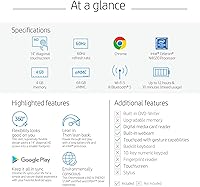
  • Screen Size: The display measures 14 inches diagonally with a 1366 x 768 HD resolution and a BrightView anti-glare finish.
  • Touchscreen: The screen supports full multi-touch input, compatible with all four usage modes enabled by the 360-degree hinge.
  • Processor: Powered by an Intel Celeron N4020 dual-core processor running at a base clock of 1.1GHz, with burst speeds up to 2.8GHz.
  • RAM: Equipped with 4GB of LPDDR4 memory running at 2400MHz, soldered to the motherboard and not user-upgradeable.
  • Storage: Includes 64GB of eMMC flash storage, which is faster to boot than a traditional hard drive but slower than a modern SSD.
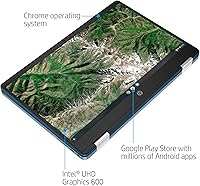
  • Operating System: Ships with Chrome OS, Google's cloud-centric operating system designed around the Chrome browser and Google Workspace apps.
  • Battery Life: HP rates battery life at up to 12 hours of mixed use on a full charge with a built-in lithium polymer cell.
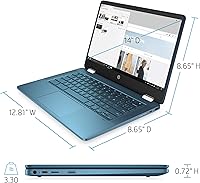
  • Weight: The unit weighs approximately 3.64 pounds, making it light enough for everyday carry in a school bag or backpack.
  • Hinge Design: Features a 360-degree convertible hinge that supports laptop, tent, stand, and tablet modes for versatile use scenarios.
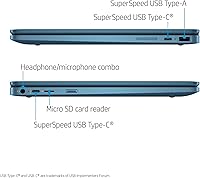
  • Ports: Connectivity includes two USB-C ports, one USB-A port, and one combination headphone and microphone 3.5mm jack.
  • Wireless: Supports 802.11a/b/g/n/ac Wi-Fi (dual-band) and Bluetooth 5.0 for wireless peripherals and audio devices.
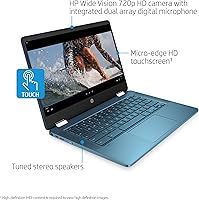
  • Webcam: Built-in HP Wide Vision 720p HD camera is positioned above the display, suitable for video conferencing and remote classes.
  • Graphics: Uses Intel UHD Graphics 600, an integrated GPU sharing system memory, capable of HD video playback but not gaming.
  • Dimensions: The chassis measures approximately 21 x 12 x 3 inches (L x W x H) when closed in laptop configuration.
  • Color & Finish: Available in a Blue Metallic colorway with a textured finish that resists minor smudges better than glossy plastic alternatives.
  • Audio: Equipped with stereo speakers tuned for general media consumption, positioned to deliver front-facing sound in laptop mode.
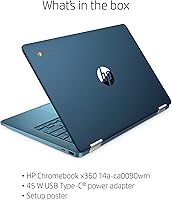
  • Power Input: Charges via USB-C at 45 watts, allowing either port to be used for charging with a compatible adapter.
  • Memory Card: Includes a built-in memory card reader that supports microSD cards, providing an easy way to expand available local storage.

Related Reviews
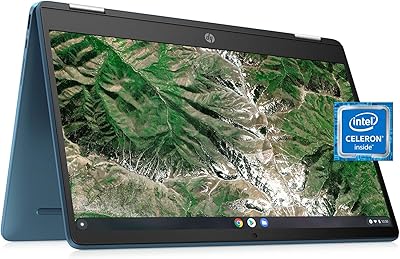
HP Chromebook x360 14a-ca0190wm
85%
91%
Value for Money
94%
Battery Life
89%
Portability & Weight
85%
Performance for Light Tasks
83%
Display Quality
More
HP Chromebook 14a-nf0009nr 14-inch Laptop
82%
91%
Battery Life
88%
Portability & Weight
92%
Value for Money
80%
Performance for Everyday Tasks
85%
Display Quality
More
HP Chromebook Plus x360 14-inch 2-in-1 Laptop
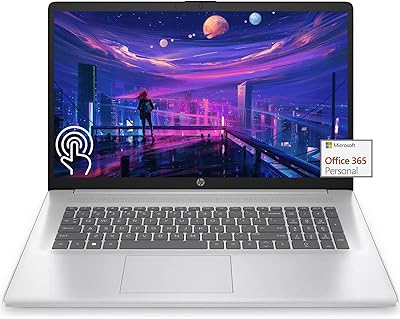
76%
78%
Display Quality
82%
Performance & Speed
71%
Battery Life
81%
Build Quality & Hinge
76%
Keyboard & Trackpad
More
HP 17 17.3″ Touchscreen Laptop
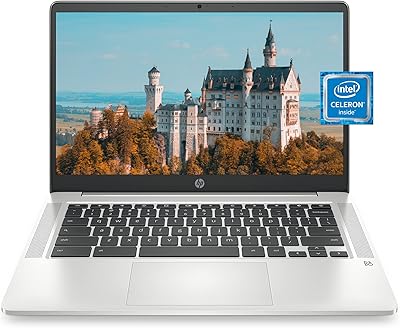
61%
83%
Screen Size & Usability
76%
Touch Screen Performance
41%
Performance & Speed
38%
RAM Adequacy
53%
Storage & Space
More
HP Chromebook 14a 14-inch Chromebook
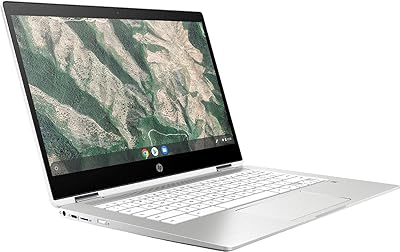
73%
91%
Battery Life
88%
Portability
83%
Value for Money
61%
Performance
58%
Display Quality
More
HP Chromebook 14a Laptop
72%
83%
Battery Life
88%
Value for Money
61%
Performance
44%
Storage
67%
Display Quality
More
HP Chromebook x360 14-inch 2-in-1 Laptop
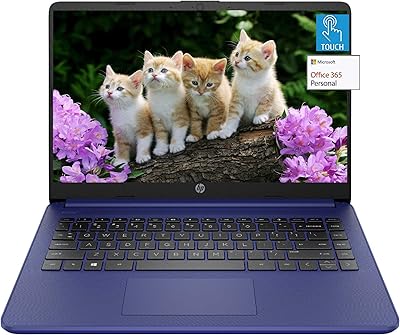
71%
88%
Battery Life
82%
Value for Money
61%
Performance
57%
Display Quality
63%
Build Quality
More
HP 14″ Touchscreen Laptop, Intel Celeron N4020, 16GB RAM, 192GB Storage
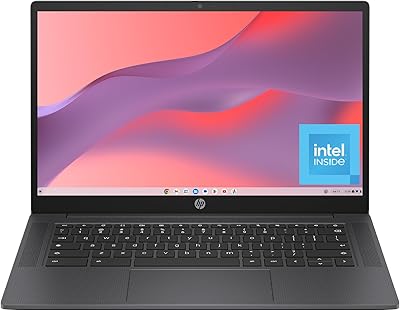
79%
81%
Performance
65%
Display Quality
55%
Battery Life
73%
Build Quality
88%
Portability
More
HP Chromebook 14a-nf0099nr
73%
88%
Value for Money
79%
Performance
63%
Display Quality
71%
Build Quality & Design
74%
Keyboard & Typing Experience
More
HP Chromebook 14 AMD A4 Laptop
75%
83%
Value for Money
71%
Performance
67%
Display Quality
74%
Build Quality
88%
Portability
More

FAQ

Not the full desktop versions, no. Chrome OS does not support traditional Windows or Mac applications. You can use Microsoft 365 through a browser or the Android app versions from the Google Play Store, but functionality is more limited than the full desktop software. Photoshop has a web-based version that works on Chromebooks, though it is stripped down compared to the native app.

It works offline, but with noticeable limitations. Some Google apps like Docs and Sheets have offline modes you can enable in advance, and Android apps downloaded from the Play Store can function offline depending on the app. That said, Chrome OS is fundamentally built around cloud connectivity, so a significant chunk of what makes it useful depends on having Wi-Fi available.

It depends on your habits. Chrome OS itself takes up a portion of that 64GB, so your actual usable space is closer to 50GB or less. If you store files locally — downloaded videos, large projects, photos — you will hit the ceiling faster than expected. The practical fix is to lean on Google Drive for storage and use a microSD card for any media you want to keep offline. Most students and casual users manage fine with this approach once they adjust.

More useful than you might expect, especially for students. Tent mode is great for watching videos on a desk without taking up much space. Tablet mode works well for casual reading or sketching with a stylus, though this model does not come with a stylus included. If you primarily use it as a standard laptop, the hinge is just there as an option, but it does not get in the way.

If you keep things reasonable — a handful of tabs, Google Docs or Slides, maybe a YouTube video in the background — it handles school tasks comfortably. Where it starts to drag is when you stack up ten or more browser tabs, run a Meet call alongside other apps, and try to multitask heavily. The 4GB of RAM is the main constraint here, and it is not upgradeable, so this is the performance ceiling you are working with.

It is acceptable, not impressive. The 1366 x 768 resolution on a 14-inch screen is on the lower end of what you find today, and text and images are noticeably less sharp than on a 1080p display. For schoolwork, streaming, and video calls it gets the job done. In bright sunlight or a well-lit room, the screen can wash out, so outdoor use is a weak spot.

The touchscreen supports touch input, but the HP x360 14a is not officially marketed as a stylus-compatible device and does not include one. Basic capacitive styluses may work to a limited degree, but do not expect the precision of a proper active stylus experience. If pen input is important to your workflow, you would want to look at a Chromebook with official stylus support.

For most users it holds up well during the first year or two of regular use. Some owners who fold and unfold it multiple times daily have reported the hinge feeling looser after extended use, which is not unusual for convertible laptops at this price point. Treating it with reasonable care — not forcing the hinge past its range, not using it as a handle — will extend its lifespan considerably.

Real-world results tend to land somewhere between 8 and 11 hours for typical school or light home use, which is still excellent for the category. Battery drain accelerates if the screen brightness is cranked up, you are streaming video continuously, or you have Bluetooth devices connected. For a student going through a full school day without a charger, it comfortably makes it.

Yes, the Google Play Store is available on this model, so you can install Android apps just like you would on a phone or tablet. The experience varies by app — some are optimized for larger screens and work great, while others are clearly designed for phones and feel awkward. It does meaningfully expand what the device can do beyond just browser-based tasks, which is one of the stronger arguments for choosing Chrome OS over a basic laptop.

Where to Buy