Overview
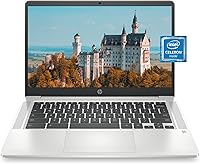
The HP Chromebook 14a 14-inch Chromebook has carved out a solid niche as a no-fuss, budget-friendly laptop designed for students, home users, and remote workers who don't need serious computing muscle. At 3.24 pounds and just 0.7 inches thin, it slides easily into any bag without weighing you down. Chrome OS keeps the experience tidy: automatic security updates, built-in protection, and Google Play Store access all come standard, with zero maintenance headaches. That said, this Chromebook isn't for everyone. If you rely on Windows-only software or need real local processing power, it will frustrate you quickly. For everyone else, the HP 14a remains a practical, well-rounded pick even a few years after its 2021 release.
Features & Benefits
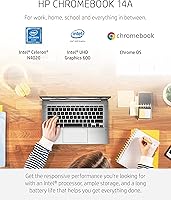
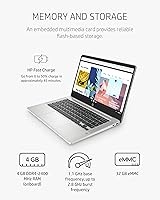
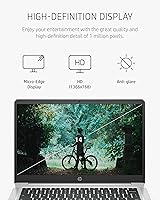
The 14-inch HD display at 1366x768 won't impress anyone stepping down from a high-res screen, but it's perfectly watchable for documents, video calls, and casual streaming. The Intel Celeron N4020 handles everyday tasks — browsing, Google Docs, YouTube — without complaint, though it slows noticeably when too many tabs pile up. The 4GB of RAM and 32GB of eMMC storage are modest; cloud-first users will rarely feel the pinch, but local file hoarders should plan carefully. Where this budget laptop truly shines is battery life: up to 13.5 hours of real use, backed by Fast Charge that hits 50% in roughly 45 minutes. The backlit keyboard and B&O-tuned speakers add more polish than you'd expect at this price.
Best For
This Chromebook hits its sweet spot with students and light users who live inside a browser. If your day revolves around Google Classroom, Docs, Sheets, or Meet, the HP 14a handles all of it without friction. It also works well as a shared household device — Chrome OS user profiles make switching between family members painless, and automatic updates mean nobody plays IT support. Remote workers depending on Google Workspace or web-based tools will find it more than capable. On the flip side, creative professionals, gamers, or anyone needing traditional desktop applications should look at a Windows machine instead. This is a focused tool for the web-first crowd, not a powerhouse.
User Feedback
Buyers consistently praise the battery life and the laptop's light, portable build — two things that actually hold up in practice. The Chrome OS setup process earns frequent compliments too; most users are productive within minutes of unboxing. Criticism tends to center on storage: 32GB fills up faster than expected for anyone saving files locally, and multitaskers report noticeable slowdowns past six or seven open browser tabs. A fair number of reviewers switching from Windows mention a learning curve with Chrome OS, particularly around Android app compatibility gaps. Screen sharpness is a mild but recurring concern, with some buyers wishing for a crisper panel. Build quality lands mostly as solid and functional — reliable for daily use, though not designed to absorb rough handling.
Pros
- Battery life genuinely lasts a full day of real use, reducing dependence on chargers when out of the house.
- HP Fast Charge gets this Chromebook from empty to 50% in about 45 minutes, which is a practical lifesaver.
- At 3.24 pounds and 0.7 inches thin, the HP 14a is easy to carry in any bag without fatigue.
- Chrome OS stays updated and secure automatically, meaning no manual patches or antivirus headaches.
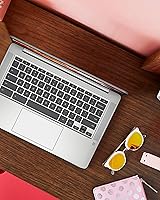
- The backlit keyboard makes typing in dim environments comfortable and reduces eye strain.
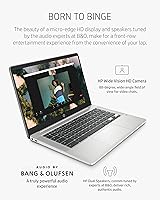
- B&O-tuned stereo speakers produce noticeably better audio than most laptops at this price tier.
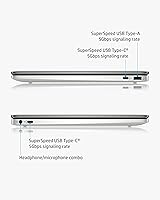
- Three USB 3.0 ports give you solid connectivity without relying on adapters for most peripherals.
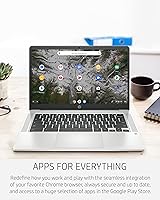
- The Google Play Store opens up a wide library of Android apps beyond just Chrome browser tools.
- Setup is fast and beginner-friendly — most users are up and running within a few minutes of unboxing.
- The 1-year limited hardware warranty provides baseline peace of mind for a budget-tier purchase.
Cons
- 32GB of local storage fills up fast if you save files, download apps, or store media offline.
- Performance noticeably degrades when six or more browser tabs are open simultaneously.
- The 1366x768 display resolution looks soft compared to sharper screens now common in the same price range.
- 4GB of RAM leaves little headroom for multitasking, and cannot be upgraded after purchase.
- Android app compatibility on Chrome OS is inconsistent — some apps behave poorly or lack full functionality.
- Users switching from Windows face a real adjustment period and may find certain workflows unavailable.
- The eMMC storage is significantly slower than SSD drives found in competing laptops at similar prices.
- No webcam privacy shutter or dedicated media card slot, which some buyers will notice are missing.
- Intel Celeron N4020 performance feels dated even by budget laptop standards in 2024.
- Local software installation is not possible, which is a hard dealbreaker for anyone needing Windows-only programs.
Ratings
The scores below for the HP Chromebook 14a 14-inch Chromebook were generated by our AI engine after analyzing thousands of verified global user reviews, with spam, bot-submitted, and incentivized feedback actively filtered out. Each category reflects the honest distribution of real buyer experiences — where this Chromebook earns genuine praise and where it consistently draws criticism. Both sides of the picture are represented without bias toward the manufacturer or the price point.
Battery Life
Portability
Value for Money
Performance
Display Quality
Storage Capacity
Keyboard & Typing Experience
Audio Quality
Chrome OS Experience
Build Quality
Connectivity
Setup & Ease of Use
Webcam Quality
Thermal Management
Suitable for:
The HP Chromebook 14a 14-inch Chromebook is built for people whose computing lives revolve around a browser and a Google account. Students are the obvious sweet spot — it handles Google Classroom, Docs, Slides, and video calls without breaking a sweat, and the all-day battery means they're not scrambling for a wall outlet between classes. Families looking for a reliable shared device will also appreciate how Chrome OS manages multiple user profiles cleanly and keeps itself updated and secure without anyone having to think about it. Remote workers who live in Google Workspace, use web-based project tools, or just need a dependable machine for email and video meetings will find the HP 14a more than capable for that workload. Its light weight and slim profile make it genuinely easy to carry daily, and the Fast Charge feature adds real convenience for anyone always on the move.
Not suitable for:
The HP Chromebook 14a 14-inch Chromebook is a poor match for anyone who depends on traditional desktop software. If your workflow requires Microsoft Office installed locally, Adobe Creative Suite, specialized Windows applications, or any professional-grade tools, Chrome OS simply cannot deliver — browser-based alternatives exist, but they are not always adequate substitutes. The 32GB of local storage fills up quickly for users who save media, large files, or offline content, making this a frustrating experience for anyone who is not committed to cloud storage. Gamers should look elsewhere entirely; while the machine can stream 4K video, its integrated graphics and modest processor cannot handle modern PC gaming in any meaningful way. Power users who routinely juggle a dozen browser tabs, run video editing tools, or multitask heavily will hit the performance ceiling sooner than they expect. Anyone switching from Windows who is not prepared to adjust their workflow may find the Chrome OS ecosystem limiting, particularly around Android app compatibility.
Specifications
- Processor: Powered by an Intel Celeron N4020 dual-core processor running at up to 2.8 GHz, designed for efficient everyday computing rather than heavy workloads.
- RAM: Equipped with 4GB of DDR4 SDRAM, which is adequate for browser-based tasks but leaves limited headroom for aggressive multitasking.
- Storage: Includes 32GB of eMMC flash storage, a solid-state format that is reliable and fast to boot, though capacity is modest for offline file storage.
- Display: Features a 14-inch HD micro-edge display with a resolution of 1366x768 pixels, suitable for everyday viewing and video calls.
- Graphics: Uses integrated Intel UHD Graphics 600, capable of smooth 4K video streaming but not suited for PC gaming or GPU-intensive applications.
- Operating System: Runs Chrome OS, Google's browser-centered platform that receives automatic updates and security patches without user intervention.
- Battery Life: Rated for up to 13.5 hours of use on a single charge under typical workload conditions.
- Fast Charge: Supports HP Fast Charge technology, which brings the battery from 0 to 50% in approximately 45 minutes.
- Weight: Weighs 3.24 pounds, making it one of the lighter options in the 14-inch laptop category for daily carry.
- Dimensions: Measures 12.82 x 8.6 x 0.7 inches, offering a slim and compact footprint that fits comfortably in most laptop bags.
- USB Ports: Includes three USB 3.0 ports, providing ample wired connectivity for peripherals without needing a hub for most users.
- Wireless: Supports 802.11a/b/g/n/ac Wi-Fi and Bluetooth, covering standard home, school, and office network environments.
- Keyboard: Comes with a backlit Ash Gray keyboard, allowing comfortable typing in low-light conditions.
- Audio: Equipped with stereo speakers tuned by Bang and Olufsen, delivering above-average sound quality for a laptop in this price range.
- Color: Available in Mineral Silver, a neutral and professional-looking finish that resists showing minor smudges.
- Warranty: Covered by a 1-year limited hardware warranty from HP, providing basic protection against manufacturing defects.
- Optical Drive: Does not include an optical drive; all software installation and media access must be handled via cloud services or USB.
- Memory Type: Uses DDR4 SDRAM, a current-generation memory standard that is energy-efficient and reliable for everyday computing tasks.
Related Reviews

HP Chromebook 14a 14-inch Laptop
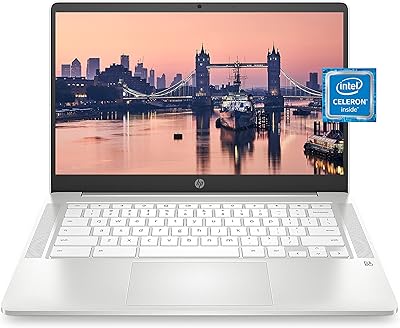
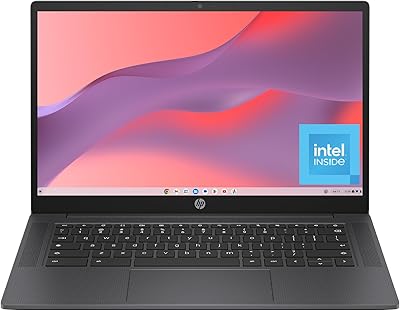
HP Chromebook 14a-nf0099nr

HP Chromebook 14 AMD A4 Laptop

HP Chromebook Plus x360 14-inch 2-in-1 Laptop

HP 14-dq0020nr 14-Inch Laptop

HP 14 Celeron 14-inch Touchscreen Laptop
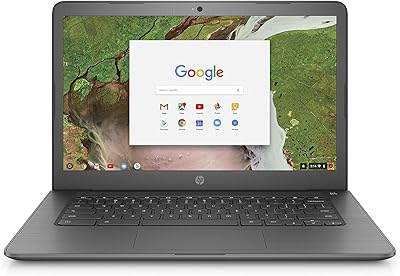
HP Chromebook 14-ca020nr
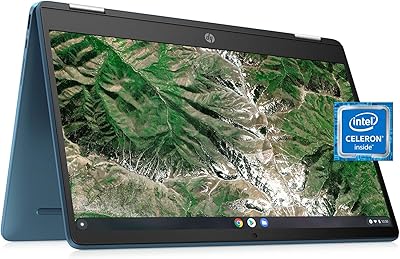
HP Chromebook x360 14a Touchscreen Laptop
