Overview

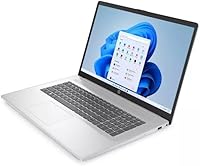
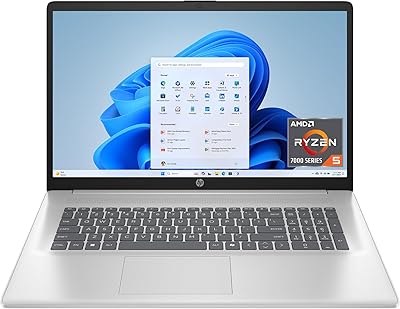
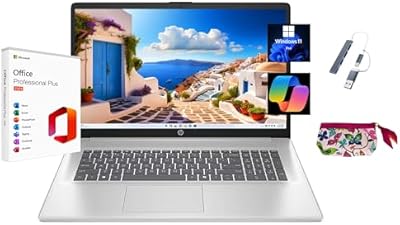
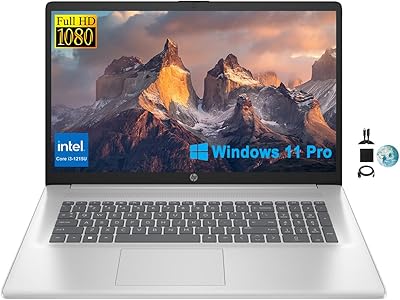
The HP 17 17.3″ Touchscreen Laptop is a budget-oriented machine built for students and light everyday users who want a large screen without spending much. It runs Windows 11 Home in S Mode, which is worth understanding before you buy — S Mode restricts app installations to the Microsoft Store only, meaning popular tools like Chrome or VLC won't install unless you switch out of it (which is free but permanent). The processor is an Intel Pentium Silver N5030 paired with 4GB of RAM, which is genuinely limiting for multitasking. Boot times are quick thanks to the SSD, but this entry-level HP machine is built for simplicity, not speed.
Features & Benefits

The 17.3-inch HD+ display is genuinely one of the better things about this budget touchscreen laptop — it's large enough for comfortable reading, video calls, or side-by-side document work, and the anti-glare coating helps in brightly lit rooms. Touch input works well for scrolling and tapping through apps, which is a nice convenience. Ports are practical: USB-C, two USB-A, HDMI, and a headphone/mic combo cover most everyday needs. The integrated Intel UHD Graphics 600 handles basic tasks without issue, but skip this if you edit photos or play games. The bundled Microsoft 365 subscription adds genuine value, and startup times are noticeably fast thanks to the SSD.

Best For

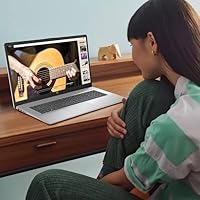
This entry-level HP machine fits a pretty specific kind of buyer, and being clear about that saves a lot of frustration. Students who spend most of their day in a browser, Google Classroom, or Word will find it completely adequate for classwork. It's also a solid choice for seniors or first-time laptop users who appreciate a big screen and simple touch navigation. Home users who mostly stream, video chat, or write emails will get along fine. That said, if you regularly juggle a dozen browser tabs, run Zoom alongside other apps, or want to install non-Store software freely, the hardware and OS restrictions will frustrate you fairly quickly.

User Feedback

Buyers tend to split pretty clearly on this budget touchscreen laptop. On the positive side, many appreciate the generous screen size for the price, and touch responsiveness gets consistent praise — people genuinely use it. The hinge feels adequate for daily use, though a few buyers note it's not built to withstand rough handling over years. On the downside, real-world battery life frequently falls short of the rated five hours under typical use. The RAM situation is the most common complaint: four gigabytes leads to noticeable slowdowns when several tabs or apps are open simultaneously. S Mode also catches buyers off guard — some feel that limitation should be front-and-center before purchase.

Pros

  • The 17.3-inch display is genuinely large and comfortable for extended reading, streaming, or document work.
  • Touch screen responsiveness is reliable and makes casual navigation noticeably more convenient day-to-day.
  • Anti-glare coating on the display holds up well in brightly lit rooms or near windows.
  • SSD storage means boot times are fast, even with modest overall hardware.
  • Port selection covers practical everyday needs — USB-C, two USB-A, HDMI, and a headphone combo jack.
  • Bundled Microsoft 365 subscription adds immediate, concrete value without extra cost.
  • HP brand reliability offers some peace of mind compared to lesser-known budget alternatives.
  • At its price point, this entry-level HP machine is one of the few with a large touchscreen built in.
  • Lightweight enough at 4.6 pounds to carry between rooms or toss in a bag without strain.

Cons

  • Four gigabytes of RAM causes real slowdowns when multiple browser tabs or apps are open simultaneously.
  • Windows 11 S Mode blocks non-Microsoft Store apps, which surprises many buyers after purchase.
  • Real-world battery life frequently falls short of the advertised five-hour estimate under normal use.
  • 128GB of storage fills up quickly once the OS, updates, and a handful of apps are installed.
  • The Pentium Silver N5030 processor struggles with anything beyond simple, single-task use.
  • Build quality and hinge durability raise concerns for buyers expecting years of daily heavy use.
  • The 1600x900 screen resolution feels dated compared to what competitors offer at similar price points.
  • No RAM upgrade path is practical for most buyers, meaning the 4GB limitation is essentially permanent.
  • Wi-Fi is limited to older AC standard, lacking the newer Wi-Fi 6 found on competing models.

Ratings

Our AI rating system analyzed thousands of verified global reviews for the HP 17 17.3″ Touchscreen Laptop, actively filtering out incentivized, duplicate, and bot-generated submissions to surface what real buyers actually experienced. The scores below reflect a transparent balance of genuine praise and recurring frustrations — nothing is glossed over. Where this budget touchscreen laptop earns trust, the data shows it; where it falls short, that is reflected just as clearly.

Screen Size & Usability
83%
The 17.3-inch display is one of the most consistently praised aspects across buyer feedback. Users working from home, students reading course materials, and seniors navigating the web all cite the generous screen real estate as a meaningful daily comfort — especially compared to the cramped 15-inch displays common at this price tier.
The 1600x900 resolution starts to show its age when compared side-by-side with competing budget laptops offering full 1080p panels. Text and images are acceptable for casual use, but detail-oriented work like reading dense spreadsheets or watching high-definition content feels noticeably softer than it should in 2024.
Touch Screen Performance
76%
24%
Touch responsiveness gets solid marks for everyday interactions — tapping through websites, scrolling documents, and navigating Windows menus all feel accurate enough that users genuinely incorporate it into their daily workflow rather than ignoring it. For first-time touchscreen laptop users, it delivers a pleasant introductory experience.
The touch layer is not calibrated for precision tasks, and users attempting finer input like handwriting or detailed on-screen annotation report inconsistent accuracy. A handful of buyers also noted occasional touch registration delays after extended use, which suggests the hardware is adequate but not polished.
Performance & Speed
41%
59%
For completely isolated single-task use — typing a Word document, watching a YouTube video, or browsing a few static web pages — the Pentium N5030 keeps things moving without obvious hitches. Boot times are genuinely fast thanks to the SSD, which makes the machine feel more responsive on startup than its specs might suggest.
The moment real-world multitasking enters the picture, the combination of a Pentium processor and 4GB RAM creates a bottleneck that buyers notice quickly and complain about consistently. Running a video call alongside a browser with several open tabs is enough to trigger lag, and users who tried editing even basic documents while streaming audio reported sluggishness that disrupted their workflow.
RAM Adequacy
38%
62%
For the narrowest of use cases — primarily single-app sessions on a freshly booted machine with minimal background processes — 4GB technically clears the minimum bar for Windows 11 operation. A user checking email or typing a single document in a clean session will not immediately notice a problem.
Four gigabytes is the single most criticized specification in buyer feedback and represents the most tangible daily frustration. Chrome alone with five or six tabs open consumes the available memory, and users report that task-switching becomes noticeably sluggish within minutes of a normal browsing session — a recurring complaint that directly shapes the overall ownership experience.
Storage & Space
53%
47%
The SSD makes a real difference to perceived speed compared to the older spinning-disk hard drives still found in some competing budget models. Startup times are quick, file access feels snappy, and the drive performs its core function reliably for light everyday tasks.
One hundred and twenty-eight gigabytes disappears faster than buyers anticipate — after Windows 11, system updates, and a few installed apps, usable space can drop below 80GB almost immediately. Users who store photos, download offline content, or install several programs find themselves managing storage anxiety within months of purchase.
Battery Life
49%
51%
Under very light conditions — screen dimmed, Wi-Fi off, running a single low-demand app — the battery can approach the five-hour rated figure. For users who primarily work near an outlet and only need occasional unplugged flexibility, the battery is technically functional.
Real-world battery performance consistently falls short of HP's rated estimate, with most verified buyers reporting three to four hours under normal conditions involving Wi-Fi, reasonable screen brightness, and a couple of open applications. Users who bought this machine expecting a full school or workday of unplugged use were frequently disappointed.
Software & OS Experience
55%
45%
Windows 11 itself runs cleanly on the hardware for basic tasks, and the interface is familiar and accessible for users coming from older Windows versions. The inclusion of Microsoft 365 for a year adds genuine practical value that buyers across all demographics appreciated immediately.
S Mode is a persistent source of frustration in user feedback — many buyers did not fully understand the app restriction before purchasing and only discovered it when trying to install a browser or communication tool. While switching out of S Mode resolves the problem, the experience of discovering it post-purchase left a noticeably negative impression on a large segment of buyers.
Build Quality & Durability
57%
43%
The laptop holds together adequately under gentle daily home use — it opens, closes, and sits on a desk without issue for users who treat it with care. For a light-duty backup machine or a child's first homework laptop kept primarily at a desk, the construction does its job.
The all-plastic chassis and hinge design draw clear criticism from buyers expecting more structural confidence. Several verified owners reported the lid developing flex and the hinge feeling less secure after several months of regular use, and the overall material impression reinforces that this is a budget machine rather than a durable long-term investment.
Display Quality
62%
38%
The anti-glare coating earns genuine appreciation from users working near windows or under overhead lighting — reduced glare makes long reading or streaming sessions more comfortable than glossy screens at a similar price. Colors are adequate for casual media consumption and everyday document viewing.
Color accuracy and contrast are mediocre even by budget standards, and users with any interest in photo viewing, design work, or vibrant media found the display flat and muted. The resolution gap compared to 1080p alternatives also becomes apparent when viewing fine text or detailed web content.
Connectivity & Ports
74%
26%
The port layout covers the practical bases that most everyday users actually need — HDMI for connecting to a TV or external monitor, two USB-A ports for standard peripherals, and a combo audio jack for headphones or a basic headset. Buyers setting this up as a home workstation found it connected without hassle.
The USB-C port is data transfer only, which limits its versatility compared to laptops where USB-C doubles as a charging or video output option. There is also no SD card reader, which frustrates users who regularly transfer photos from cameras or other devices.
Keyboard & Trackpad
68%
32%
The larger chassis accommodates a full-size keyboard with a numeric keypad — a feature buyers doing data entry or spreadsheet work genuinely appreciated and one that smaller 15-inch budget laptops often sacrifice. Key travel is adequate for comfortable typing sessions.
The trackpad surface feels plasticky and lacks the smooth glide of higher-end materials, which becomes a minor annoyance during extended navigation sessions. Key feedback is acceptable but not satisfying, and a few buyers noted the keyboard flexes slightly when typing firmly in the center.
Setup & Out-of-Box Experience
66%
34%
Initial setup follows the standard Windows 11 onboarding process and is manageable for first-time users and seniors — the large screen actually makes the setup wizard easier to read and interact with than on smaller laptops. Most buyers had it running within 20 to 30 minutes.
The S Mode discovery during or after setup creates a friction point that a surprising number of buyers mentioned unprompted in their reviews. Pre-installed bloatware also contributes to a slightly cluttered first impression, and activating the Microsoft 365 subscription requires a few additional steps that can confuse less experienced users.
Value for Money
71%
29%
At its price point, the combination of a large touchscreen, HP branding, SSD storage, and a bundled Microsoft 365 year is a competitive package for buyers with genuinely light needs. For a first laptop for a younger student or a no-frills home browsing machine, the math makes reasonable sense.
Value perception drops sharply for buyers who push the machine beyond basic tasks and encounter the RAM and processor limitations quickly. Several reviewers expressed that a modest additional spend would have bought meaningfully better hardware, making this entry-level HP machine feel like a compromise rather than a smart deal in retrospect.

Suitable for:

The HP 17 17.3″ Touchscreen Laptop makes the most sense for buyers whose daily computing needs are genuinely light and predictable. Students in middle school, high school, or early college who spend their time in a browser, Google Docs, or Microsoft Word will find it handles classwork without complaint. It's also a strong fit for seniors or first-time laptop owners who want a large, easy-to-read screen and appreciate the simplicity of touch navigation — the display size alone makes a real difference for accessibility and comfort. Home users who mainly stream video, video chat with family, or write occasional emails will rarely push it past its limits. Anyone hunting for a secondary or backup machine that just needs to work for basic tasks will find this budget touchscreen laptop a practical, low-risk pick. The inclusion of a one-year Microsoft 365 subscription means it's ready for productive use straight out of the box, which adds honest day-one value for the target audience.
Not suitable for:

The HP 17 17.3″ Touchscreen Laptop is not the right tool for anyone who needs genuine multitasking capability or relies on software outside the Microsoft Store ecosystem. Four gigabytes of RAM sounds workable on paper, but in practice, opening more than a handful of browser tabs alongside any other app will cause noticeable slowdowns — this is a real daily frustration, not a minor edge case. Windows 11 in S Mode restricts installations to Microsoft Store apps only, so common tools like Chrome, Zoom's standard installer, or VLC simply won't run without first switching out of S Mode — a step many buyers don't realize is necessary until after purchase. Anyone involved in photo editing, video work, or casual gaming should look elsewhere entirely, as the integrated graphics and processor cannot handle that workload. The 128GB SSD fills up faster than most people expect, especially once Windows updates and a few applications settle in, so storage-heavy users will find themselves managing space constantly. If you need a laptop that stays productive for more than a few hours away from an outlet, the real-world battery performance may also disappoint.
Specifications

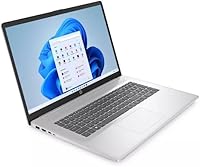
  • Screen Size: The display measures 17.3 inches diagonally with an HD+ resolution of 1600x900 pixels and a responsive touch layer.
  • Display Coating: An anti-glare coating is applied to the screen surface to reduce reflections in bright or mixed-light environments.
  • Processor: The laptop is powered by an Intel Pentium Silver N5030 quad-core processor with a maximum clock speed of 3.1 GHz.
  • RAM: It ships with 4GB of DDR4 SDRAM, which handles light single-task use but can feel constrained with multiple apps open.
  • Storage: A 128GB solid-state drive provides the primary storage, delivering faster boot and file access than a traditional spinning hard drive.
  • Graphics: Integrated Intel UHD Graphics 600 handles everyday visual tasks including video playback and basic display rendering.
  • Operating System: Windows 11 Home in S Mode comes pre-installed, restricting app installations to the Microsoft Store unless the user switches out of S Mode.
  • Battery Life: HP rates battery life at approximately 5 hours, though real-world duration varies depending on screen brightness and active workload.
  • Weight: The laptop weighs 4.6 pounds, making it portable enough for moving between rooms or carrying in a bag.
  • Dimensions: Physical dimensions are 15.78 x 10.15 x 0.78 inches, giving it a relatively slim profile despite the large screen footprint.
  • Ports: Connectivity includes one USB-C port (data transfer only), two USB-A ports, one HDMI output, and one combination headphone/microphone jack.
  • Wireless: Wi-Fi support covers 802.11a/b/g/n/ac standards for reliable connection to modern dual-band routers.
  • Webcam: A built-in webcam is included for video calls and virtual meetings, standard for this laptop category.
  • Keyboard: A full-size keyboard with numeric keypad is included, which is a practical advantage of the larger 17-inch chassis.
  • Included Software: A one-year subscription to Microsoft 365 is bundled with the laptop, providing access to Word, Excel, PowerPoint, and related apps.
  • Power Input: The laptop charges via an AC smart pin power adapter operating at 11.4 volts with a lithium-ion battery pack.
  • Memory Type: System memory uses the DDR4 SDRAM standard, which is the baseline expectation for laptops in this tier and release period.
  • Optical Drive: No optical drive is included, consistent with modern slim laptop designs where disc reading is handled externally if needed.

Related Reviews
HP 17.3″ Touchscreen Laptop
70%
74%
Value for Money
61%
Display Quality
58%
Performance
83%
Storage & Speed
78%
Touchscreen Usability
More
HP 17 Essential 17.3-inch Laptop, Core i7, 64GB RAM, 1TB SSD
83%
92%
Performance
88%
Display Quality
80%
Battery Life
65%
Portability
95%
Multitasking Ability
More
HP Laptop 17-cp2199nr
70%
83%
Value for Money
61%
Display Quality
78%
Performance & Speed
87%
Storage Performance
84%
RAM & Multitasking
More
HP Laptop 17 Ryzen 5 7430U 32GB 1TB
70%
88%
Value for Money
84%
Processing Performance
91%
RAM & Multitasking
89%
Storage Speed & Capacity
76%
Display Quality
More
HP 2025 17.3″ Laptop, Intel Core i3-N305, 16GB RAM, 1TB SSD
82%
88%
Value for Money
81%
Display Quality
85%
Performance
74%
Battery Life
90%
Storage Capacity
More
HP Essential 17 (2025) 17.3-inch Laptop, Ryzen 5, 64GB RAM, 2TB SSD
73%
88%
Value for Money
83%
Performance & Speed
93%
RAM & Multitasking Headroom
91%
Storage Capacity & Speed
79%
Display Quality
More
HP 17.3″ Laptop i3-1215U 32GB RAM 1TB SSD
70%
82%
Value for Money
88%
RAM & Multitasking Performance
86%
Storage Speed & Capacity
71%
Display Quality
54%
Battery Life
More
HP 15-inch Touchscreen Laptop, AMD Ryzen 3 3250U, 8 GB RAM, 256 GB SSD
82%
92%
Value for Money
89%
Battery Life
87%
Touchscreen Responsiveness
88%
Portability
84%
Display Quality
More
GIGABYTE AORUS 17 RTX 4070 Gaming Laptop
73%
93%
Display Quality
88%
Gaming Performance
67%
Thermal Management
61%
Fan Noise
44%
Battery Life
More
Tangcorle 17.3-inch 26L Travel Laptop Backpack
78%
91%
Value for Money
88%
Organizational Layout
86%
Laptop Protection
84%
Carry-On Compliance
67%
Build Quality
More

FAQ

It includes a one-year Microsoft 365 subscription, but you will need to download and activate it after setup. It is not pre-installed and ready to open out of the box, so plan for a few minutes of initial configuration when you first start.

S Mode means the laptop will only install apps from the Microsoft Store by default — so things like Google Chrome, Zoom's standard installer, or VLC will not work until you switch out of it. Switching out of S Mode is free and takes just a few minutes through Windows Settings, but it is a one-way change you cannot reverse. Most buyers end up switching fairly quickly once they realize the limitation.

Technically, RAM upgrades depend on whether the slots are accessible and not soldered to the motherboard. On budget HP 17 models in this class, RAM is commonly soldered, meaning upgrading is not a practical option for most users. It is safer to assume 4GB is what you get for the life of the machine.

It can be, but it fills up faster than most people expect. Windows 11 itself consumes a significant chunk, and after updates, a few apps, and personal files, you may find yourself near capacity within a year. An external USB drive or a cloud storage subscription like OneDrive is a smart addition if you plan to store photos, videos, or a lot of documents.

Yes, video calling works fine on this budget touchscreen laptop as long as you switch out of S Mode first to install Chrome or the standard Zoom app. The built-in webcam and combo audio jack handle calls adequately for personal or classroom use, though do not expect outstanding camera quality.

Most users find the touch response quite accurate for basic interactions like scrolling, tapping links, or navigating the Windows interface. It is not a precision drawing surface, but for everyday navigation it works reliably. Pairing it with the included touchpad and keyboard is still the more efficient setup for extended typing tasks.

It depends entirely on what the student needs. For writing papers, browsing research, attending virtual classes, or using basic Office apps, it handles those tasks without issue. Students who need to run specialized software, play games, or regularly multitask across many open apps may find the 4GB RAM and Pentium processor limiting fairly quickly.

The rated five hours is an optimistic estimate based on light usage conditions. In typical real-world use — with Wi-Fi on, screen brightness at a comfortable level, and a couple of browser tabs open — most users report somewhere in the three-to-four hour range. Keeping a charger nearby for longer work sessions is a practical habit with this machine.

Yes, the HDMI port makes connecting to a TV or external monitor straightforward. This is genuinely useful for presentations or for turning the laptop into a more comfortable desktop setup at home. The USB-C port is data-transfer only on this model, so it cannot be used for video output.

The build quality is functional but clearly reflects the budget price point — the chassis is mostly plastic and the hinge works fine under normal daily use. A few buyers have noted the hinge and lid flex a bit more than expected over time, so it is not built for rough handling or years of heavy travel. For light home and desk use, durability is generally adequate.