Overview
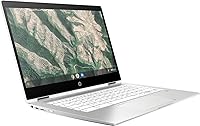
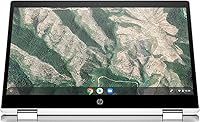
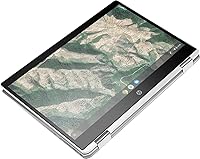
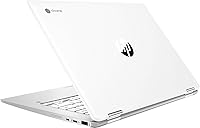
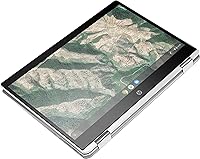
The HP Chromebook x360 14-inch 2-in-1 Laptop is a straightforward, well-priced machine built for people who live mostly in a browser. Its 360-degree hinge lets you flip between laptop, tent, and tablet modes depending on what you need — a genuinely useful feature at this price. Chrome OS is the real story here: it boots fast, stays out of your way, and rarely needs maintenance. You won't be running Photoshop or heavy desktop software on it, and that's fine — it was never meant for that. Think of it as a cloud-first device that handles everyday tasks without fuss.
Features & Benefits
The 14-inch touchscreen runs at 1366x768 — not the crispest panel around, but perfectly adequate for video calls, reading, and Google Docs. The Intel Celeron N4000 handles browsing and streaming without complaint; just don't stack too many tabs or expect snappy performance under pressure. Four gigabytes of RAM keeps Chrome OS moving at a reasonable pace for moderate use. Storage is the tightest constraint — 32GB fills up faster than expected if you save files locally, so leaning heavily on Google Drive is almost mandatory. That said, 12-hour battery life is a legitimate strength, and the four USB ports cover most everyday peripherals without needing an adapter.
Best For
This Chromebook is a natural fit for K-12 and early college students who spend their days in Google Classroom, Docs, and YouTube. It's also worth considering for older adults or casual users who want a computer that's simple to operate and largely immune to the malware headaches that come with Windows. Households looking for an affordable secondary machine — something to hand off to a kid or keep on the coffee table — get solid value here. Frequent travelers will appreciate how light and long-lasting it is on a single charge. If you're coming from a tablet and miss having a real keyboard, this 2-in-1 bridges that gap comfortably.
User Feedback
Owners consistently praise the portability, the battery that genuinely lasts a full school day, and how quickly the whole thing gets up and running. The criticisms are equally consistent: the screen resolution feels a step behind modern expectations, and the 32GB of storage catches buyers off guard if they aren't prepared to work primarily in the cloud. Performance slowdowns tend to surface when running ten or more tabs simultaneously or during video calls, where the Celeron chip hits its ceiling. Build quality earns mixed reactions — the lightweight body is appreciated, but the plastic chassis doesn't feel premium. One important note: Chrome OS auto-update support expires on a set date, so verify HP's AUE schedule before purchasing.
Pros
- All-day battery life of up to 12 hours holds up well for students and commuters.
- Chrome OS boots in seconds and stays fast without regular maintenance or antivirus software.
- The 360-degree hinge makes it easy to switch between laptop, tent, and tablet modes.
- At 3.5 pounds, this Chromebook is light enough to carry comfortably in a backpack all day.
- Four USB ports — a mix of 2.0 and 3.0 — handle most everyday peripherals without needing a hub.
- Setup is nearly instant for anyone already using a Google account.
- Chrome OS is inherently resistant to the malware and ransomware that plagues Windows machines.
- The 14-inch touchscreen is responsive and adds genuine usability in tablet mode.
- Solid value for households that need a secondary machine without a significant budget commitment.
Cons
- The 1366x768 screen resolution looks noticeably dated compared to most modern laptops in this class.
- 32GB of local storage fills up fast if you store anything beyond a handful of files offline.
- Performance drops are noticeable with 10 or more browser tabs open simultaneously.
- Video calls under load can cause sluggishness, making it unreliable for heavy remote work use.
- The plastic build feels lightweight in ways that also raise questions about long-term durability.
- Chrome OS auto-update support has an expiration date that limits how many years the device remains secure.
- No compatibility with Windows or Mac desktop applications is a hard stop for many professional workflows.
- 4GB of RAM leaves little headroom for multitasking beyond basic everyday tasks.
- No SD card slot mentioned, limiting easy media transfer options for photographers or content creators.
- Integrated graphics make it entirely unsuitable for even casual gaming or GPU-accelerated tasks.
Ratings
The scores below for the HP Chromebook x360 14-inch 2-in-1 Laptop were generated by our AI review engine after processing thousands of verified global buyer reviews, with spam, bot activity, and incentivized feedback actively filtered out. Every category reflects the honest distribution of real-world experiences — not just the highlights. Where users consistently praised something, the score climbs; where recurring frustrations emerged, those are reflected just as transparently.
Battery Life
Value for Money
Performance
Display Quality
Build Quality
Keyboard & Trackpad
Portability
Storage Capacity
Chrome OS Experience
Touchscreen Usability
Setup & Ease of Use
Connectivity & Ports
Long-Term Reliability
Audio Quality
Suitable for:
The HP Chromebook x360 14-inch 2-in-1 Laptop is genuinely well-matched for students, casual users, and anyone whose digital life revolves around a browser rather than locally installed software. K-12 students who spend their days in Google Classroom, Docs, and Meet will find it more than capable, and the all-day battery means they can get through school without hunting for an outlet. Older adults who want a simple, low-maintenance computer for email, video calls, and light browsing will appreciate how little Chrome OS demands of them — no antivirus subscriptions, no lengthy update cycles. It also makes an excellent secondary household machine: something to keep on the couch, hand to a child for homework, or toss in a bag for a weekend trip. The 360-degree hinge adds real flexibility for users who occasionally want a touchscreen in tablet or tent mode without paying a premium for it.
Not suitable for:
Anyone who relies on Windows or Mac-specific applications — Adobe Creative Suite, Microsoft Office desktop apps, specialized engineering or accounting software — will hit a hard wall with this 2-in-1, and Chrome OS simply cannot bridge that gap. Power users who keep a dozen browser tabs open while on a video call will regularly bump into the performance ceiling that the Celeron N4000 and 4GB of RAM impose. The 32GB of local storage is also a real constraint for anyone who works heavily with large files, video, or offline content — cloud dependency here is a necessity, not a choice. Gamers should look elsewhere entirely; the integrated Intel graphics are strictly functional, not capable. It is also worth noting that all Chromebooks have a published auto-update expiration date, and prospective buyers should verify the remaining support window before committing, as a device approaching end-of-life loses access to Chrome OS security updates.
Specifications
- Processor: Powered by an Intel Celeron N4000 dual-core processor running up to 2.6GHz, suited for everyday web-based tasks and light multitasking.
- RAM: Comes with 4GB of DDR4 SDRAM, which keeps Chrome OS responsive for moderate use with several browser tabs open at once.
- Storage: Equipped with 32GB of eMMC flash storage, a fast but compact drive that works best alongside Google Drive for file management.
- Display: Features a 14-inch HD touchscreen panel with a 1366x768 pixel resolution, suitable for browsing, streaming, and everyday productivity tasks.
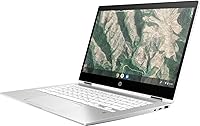
- Hinge Design: A 360-degree convertible hinge allows the device to be used in laptop, tablet, tent, and stand modes.
- Operating System: Runs Chrome OS, Google's cloud-first operating system that offers fast boot times, automatic updates, and built-in virus protection.
- Battery Life: Rated for up to 12 hours of use on a single charge, making it practical for a full school day or long travel day.
- Weight: Weighs 3.5 pounds, keeping it light enough to carry comfortably in a backpack or bag for daily commutes.
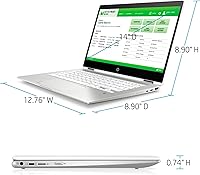
- Dimensions: Measures 12.8 x 8.9 x 0.7 inches, a slim and compact footprint that fits easily into standard laptop sleeves and bags.
- Graphics: Uses Intel integrated graphics built into the Celeron N4000 chipset, capable of handling video playback and basic display tasks.
- USB Ports: Includes two USB 2.0 ports and two USB 3.0 ports, providing flexibility for connecting drives, peripherals, and accessories simultaneously.
- Wireless: Supports Bluetooth connectivity for pairing wireless keyboards, mice, headphones, and other compatible accessories.
- Color: Available in Silver White, giving it a clean, understated look that works for both school and casual home environments.
- Model Number: The official HP model number for this unit is 14B-CA0013DX, which can be used to verify compatibility with accessories and support resources.
- Power Input: Operates at 120 volts and is designed for standard North American power outlets with the included charging adapter.
Related Reviews
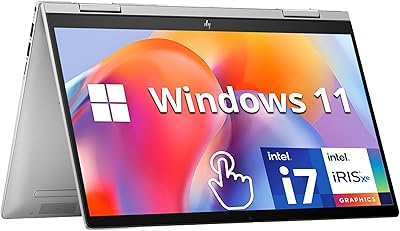
HP Envy x360 14″ 2-in-1 Laptop

HP Chromebook Plus x360 14-inch 2-in-1 Laptop
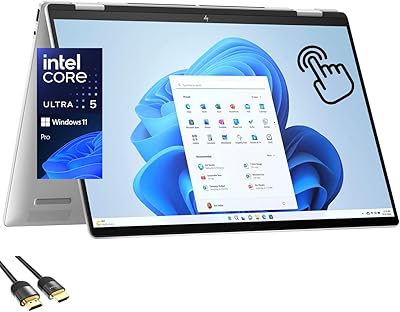
HP Envy x360 16-inch 2-in-1 Laptop (Core Ultra 5 125U, 16GB, 1TB)

HP OmniBook X Flip 14″ 2K Touch-Screen 2-in-1 Laptop, AMD Ryzen AI 7 3500U, 24GB RAM, 1.5TB Storage

HP Chromebook 14a 14-inch Laptop

HP Chromebook 14 AMD A4 Laptop

HP 14-dq0020nr 14-Inch Laptop
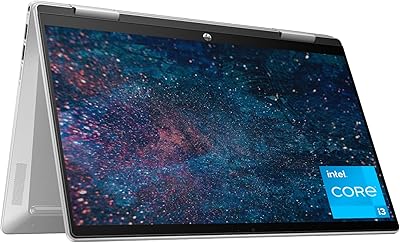
HP Pavilion x360 14-inch 2-in-1 Laptop
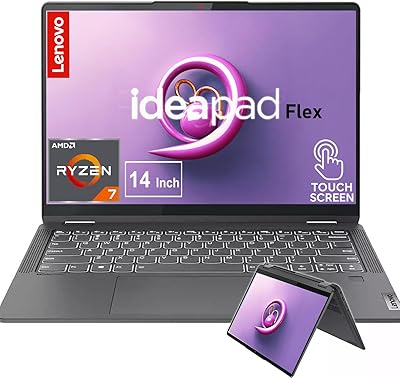
Lenovo IdeaPad Flex 5 14 1TB Laptop

