
Overview
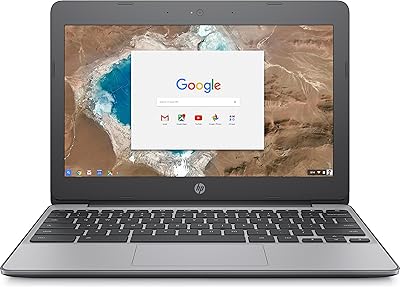
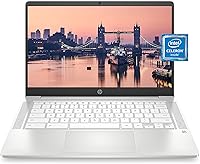
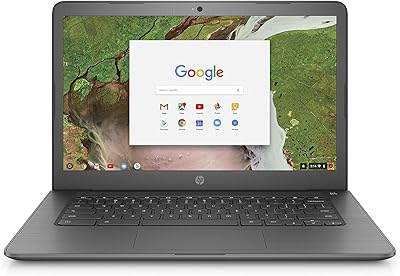
The HP Chromebook 14a Laptop is a no-frills machine built for people who spend most of their computing life inside a browser. At just 3.24 pounds, this Chromebook slips easily into a backpack without adding noticeable weight — a practical advantage for students and commuters alike. Chrome OS keeps things refreshingly simple: boot times are fast, updates happen quietly in the background, and the built-in security means you're not wrestling with antivirus software. The ceramic white finish looks clean, though that's more of a bonus than a selling point. Set your expectations correctly and this budget laptop delivers exactly what it promises.
Features & Benefits
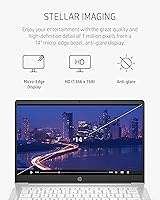
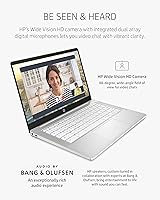
The 14-inch anti-glare screen is comfortable for extended indoor use — it handles typical classroom or home office lighting well, though it can struggle in direct sunlight. The Intel Celeron N4000 handles web browsing, Google Docs, and streaming without any fuss, but push it with too many open tabs and you will notice the strain. 4 GB of RAM is enough for focused work sessions, not multitasking marathons. Storage is where buyers need to pay attention: 32 GB fills up faster than most people expect, so leaning on Google Drive is essential, not optional. Battery life is a genuine strong point; real-world use typically lands between 9 and 11 hours. The built-in webcam and dual microphones perform reliably for video calls.
Best For
This Chromebook makes a lot of sense for specific types of users. Students who live in Google Classroom or need a reliable machine for essays, research, and video lectures will find it more than adequate. Remote workers whose entire workflow runs through a browser — Gmail, Slack web, Google Meet — will get on just fine. It also works well as a first laptop for kids, where simplicity matters more than raw specs. Casual users who stream shows, browse, and check email will appreciate the long battery life. What it is not suited for is anything demanding: photo editing, heavy gaming, or intensive Android app use all push this machine past its comfort zone.
User Feedback
Owners consistently praise the lightweight portability and how effortlessly this Chromebook sets up — most people are browsing within minutes of unboxing. Battery longevity earns frequent compliments, with many confirming it holds through a full day without a charge. The most common frustration is storage: buyers new to cloud-first computing quickly find that 32 GB disappears fast once Chrome starts caching data locally. Some users also report that performance dips noticeably when juggling multiple tabs or streaming alongside other tasks. Keyboard and trackpad feedback is generally described as functional but unremarkable. Webcam quality tends to pleasantly surprise people given the price tier. Overall, satisfaction runs high among those who understood what they were buying before clicking.
Pros
- All-day battery life regularly reaches 9 to 11 hours of real use, covering a full school or work day.
- At just 3.24 pounds, this Chromebook is genuinely comfortable to carry in a bag all day.
- Chrome OS boots in seconds and stays fast for web-based tasks without any tuning required.
- Built-in security and automatic updates mean far less maintenance than a typical Windows laptop.
- The 14-inch anti-glare screen reduces eye strain during long indoor work or study sessions.
- The webcam and dual microphones perform better than expected for video calls and online classes.
- Setup takes minutes — ideal for kids, non-technical users, or anyone who just wants to get started.
- Wi-Fi and Bluetooth connectivity are reliable and cover all modern standards.
- HP backs it with a one-year limited hardware warranty, which adds peace of mind at this price tier.
- The slim, clean design holds up well in backpacks and tight desk spaces.
Cons
- 32 GB of local storage fills up faster than most buyers anticipate, forcing near-total reliance on cloud storage.
- Running more than 6 to 8 browser tabs simultaneously can cause noticeable sluggishness.
- The 1366 x 768 screen resolution looks soft compared to modern HD and Full HD displays.
- Chrome OS locks out popular Windows and macOS desktop applications entirely.
- The keyboard and trackpad feel functional but lack the tactile quality of pricier laptops.
- Android app performance through the Play Store is inconsistent and not a reliable workaround for missing software.
- The display washes out in bright sunlight or near windows, limiting outdoor usability.
- 4 GB of RAM leaves little buffer when Chrome starts accumulating memory across tabs and extensions.
- Users unfamiliar with cloud-first computing often feel blindsided by the storage constraints after purchase.
Ratings
The HP Chromebook 14a Laptop scores below are generated by AI after analyzing thousands of verified global user reviews, with spam, bot-submitted, and incentivized feedback actively filtered out. The result is an honest, balanced picture of where this budget Chromebook genuinely delivers and where real buyers have run into friction. Both consistent strengths and recurring pain points are reflected transparently in every category.
Battery Life
Value for Money
Performance
Storage
Display Quality
Build Quality
Keyboard & Trackpad
Webcam & Microphone
Portability
Ease of Setup
Software & App Ecosystem
Screen Brightness
Connectivity
Suitable for:
The HP Chromebook 14a Laptop is a smart pick for anyone whose daily computing needs revolve around a web browser and Google's ecosystem. Students at the middle school, high school, or community college level will find it handles Google Classroom, Docs, Meet, and YouTube without any friction. Remote workers who live in Gmail, Google Calendar, and web-based productivity tools will appreciate the all-day battery life and the light carrying weight on commutes or coffee shop runs. Parents searching for a first laptop for younger children benefit from Chrome OS's inherent simplicity — there is very little to misconfigure and the built-in security keeps things manageable. Casual users who primarily stream video, browse social media, and handle light email will get solid daily mileage out of this Chromebook without feeling like they overpaid for capability they never needed.
Not suitable for:
Buyers who need a general-purpose Windows or macOS laptop should look elsewhere before committing to the HP Chromebook 14a Laptop, because Chrome OS is a real constraint, not just a software preference. Anyone who relies on desktop applications — Adobe Creative Suite, Microsoft Office desktop versions, specialized engineering or accounting software — will hit a hard wall almost immediately. The 32 GB of local storage is genuinely tight; users who prefer to keep files locally rather than trust everything to the cloud will find themselves managing storage constantly. The Celeron N4000 processor, while adequate for light tasks, does not have the headroom for serious multitasking, meaning power users who habitually keep 15 browser tabs open alongside a video call and a music app will notice real slowdowns. Gamers, video editors, or anyone processing large files should rule out this budget laptop entirely — it was simply not designed for that kind of workload.
Specifications
- Display Size: The screen measures 14 inches diagonally with a micro-edge, anti-glare coating that reduces reflections during indoor use.
- Resolution: Native screen resolution is 1366 x 768 pixels, which is standard HD but not Full HD.
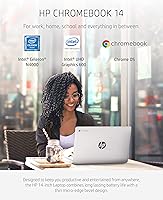
- Processor: Powered by an Intel Celeron N4000 dual-core processor running at a base clock of 1.1 GHz.
- RAM: Equipped with 4 GB of DDR4 SDRAM running at 2400 MHz, soldered to the motherboard and not user-upgradeable.
- Storage: Includes 32 GB of eMMC internal flash storage, which functions similarly to an SSD but is not removable or expandable via standard means.
- Graphics: Uses integrated Intel UHD Graphics 600, which shares system memory and is suitable for HD video playback and light visual tasks only.
- Operating System: Ships with Chrome OS, Google's cloud-first operating system that receives automatic security updates and supports Android apps via the Google Play Store.
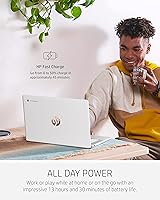
- Battery Life: HP rates battery life at up to 13 hours and 30 minutes; real-world wireless streaming use typically falls between 9 and 11 hours depending on screen brightness and workload.
- Weight: The unit weighs 3.24 pounds, making it one of the lighter options in the 14-inch laptop category.
- Dimensions: Physical footprint is 12.82 x 8.60 x 0.70 inches, keeping the profile slim enough to fit in most standard laptop sleeves.
- Webcam: Features a Wide Vision HD camera positioned above the display, paired with dual array digital microphones for clearer voice capture during calls.
- Wireless: Supports Wi-Fi standards 802.11a/b/g/n/ac (dual-band) and includes Bluetooth for wireless peripherals.
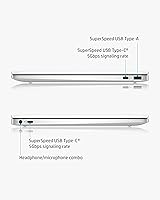
- Ports: Connectivity includes USB-A and USB-C ports, a headphone/microphone combo jack, and a MicroSD card slot for minor storage expansion.
- Color: Available in Ceramic White, a matte-style finish that resists minor smudging better than gloss surfaces.
- Warranty: Covered by HP's 1-Year Limited Hardware Warranty, which addresses manufacturing defects but does not cover accidental damage.
Related Reviews

HP Chromebook 14a 14-inch Laptop
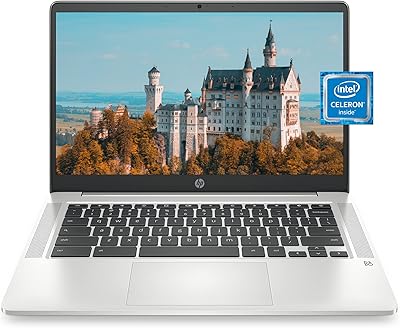
HP Chromebook 14a 14-inch Chromebook
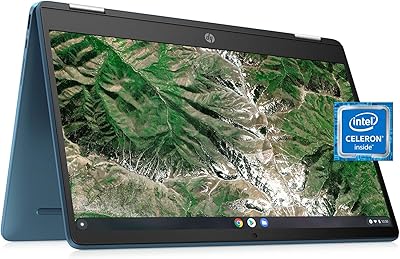
HP Chromebook x360 14a Touchscreen Laptop
HP Chromebook x360 14a-ca0190wm Convertible Laptop
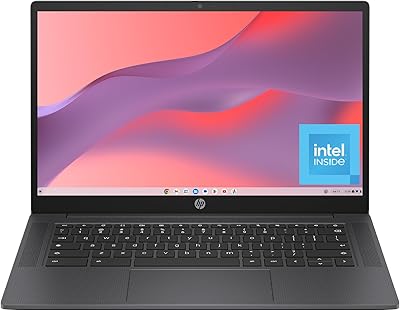
HP Chromebook 14a-nf0099nr

HP Chromebook 14 AMD A4 Laptop
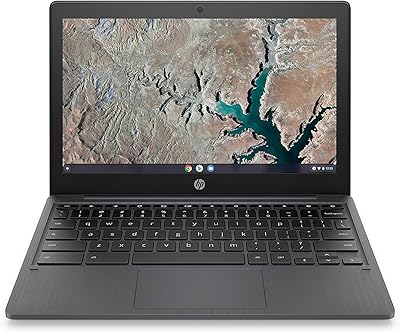
HP Chromebook 11a 11.6-inch Laptop

HP Chromebook Plus x360 14-inch 2-in-1 Laptop
HP Chromebook 14-ca020nr