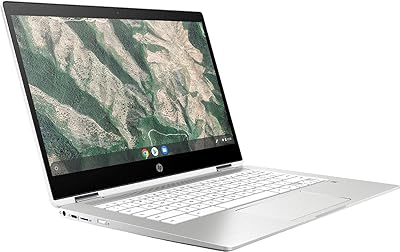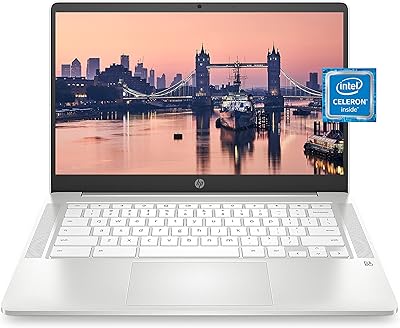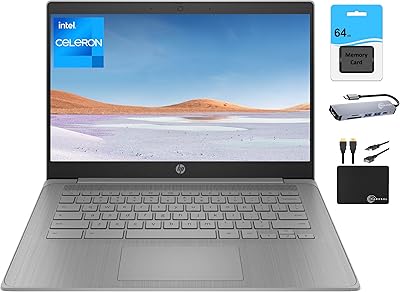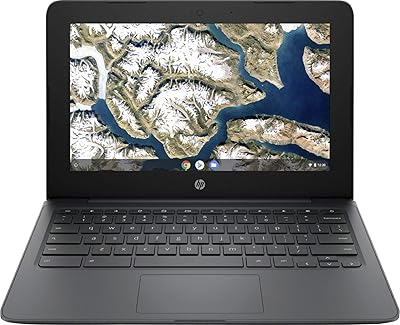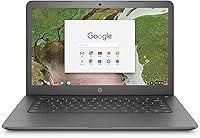
Overview

The HP Chromebook 14-ca020nr is a budget-friendly laptop designed for everyday computing. This 14-inch device is powered by an Intel Celeron N3350 processor, paired with 4GB of RAM and 16GB of eMMC storage, making it suitable for basic tasks. The lightweight design (3.39 lbs) and slim profile make it easy to carry around, making it an ideal companion for on-the-go users. Running on Chrome OS, this Chromebook offers a simple and secure platform for users looking for a straightforward laptop to handle web browsing, email, and document editing.

Features & Benefits

This Chromebook offers a range of features that enhance usability, starting with its 180-degree hinge for flexible viewing angles. Whether you're working or streaming content, the anti-glare display ensures visibility in various lighting conditions. With up to 11.5 hours of battery life, the device can last through a full day of tasks without needing to recharge. It also includes 100GB of Google Drive storage for cloud backup, and the simple interface of Chrome OS makes it efficient for web-based activities, ensuring that even new users can quickly adapt.

Best For

The HP Chromebook 14 is best suited for students, light users, and those who need a reliable, portable laptop for basic computing tasks. It’s perfect for people who primarily browse the web, use Google apps, or stream media. If you're on a budget and require a device for email, browsing, or document editing, this laptop fits the bill. Its compact size and battery life make it an ideal choice for anyone who values portability without sacrificing usability, especially in education or casual home use.

User Feedback

User reviews highlight several positives and a few drawbacks. Many users appreciate its lightweight design and portability, making it easy to carry around for work or school. However, some find the 16GB storage a bit limiting, especially when dealing with larger files or applications. The battery life, though generally praised, is not as impressive when running multiple applications at once. A common complaint involves the screen resolution, with some users wishing for a higher-definition display. Overall, this Chromebook is well-regarded for light usage but may struggle with more demanding tasks.

Pros

  • This Chromebook is lightweight and portable, making it ideal for students or commuters who need a device for on-the-go use.
  • Battery life lasts up to 11.5 hours, providing ample power for long work or school days without needing to recharge.
  • The 180-degree hinge offers flexible viewing angles, perfect for presentations or sharing content with others.
  • Included 100GB of Google Drive storage for two years helps users manage files and ensures cloud backup for peace of mind.
  • The anti-glare display is a standout feature, making it easier to use in bright environments, such as outdoor or well-lit rooms.
  • Chrome OS is simple and efficient, making this Chromebook a great choice for web-based tasks like browsing and email.

Cons

  • The 16GB eMMC storage can feel restrictive, especially for users who need to store large files or multiple apps.
  • Some users find the screen resolution of 1366x768 pixels too low for media consumption or detailed work like photo editing.
  • The Intel Celeron N3350 processor may struggle with multitasking or running more resource-intensive applications.
  • It’s not the best choice for users who need advanced software for heavy workloads or high-performance tasks.
  • The build quality feels a bit flimsy for those expecting a more robust or durable device for heavy everyday use.
  • Limited internal storage means users might have to rely heavily on cloud storage, which could be inconvenient for some.

Ratings

After analyzing verified user reviews from multiple platforms and countries, the scores for the HP Chromebook 14-ca020nr reflect a balanced mix of strengths and areas for improvement. Spam, bot, and incentivized reviews were filtered out, ensuring that only authentic feedback informed these results. Users appreciate its portability, battery life, and value for money, while some noted limitations in storage and screen resolution. This review is based on genuine feedback from a diverse set of sources, covering different languages and regions.

Value for Money
91%
Many users highlight the excellent value this device offers, especially for those on a tight budget. The combination of affordability with essential features like a reliable processor, good battery life, and an intuitive operating system makes it a great option for cost-conscious buyers.
However, some users feel that the 16GB storage limits their ability to store larger files and apps. Additionally, while it's a good value for basic tasks, it may not be suitable for those who need more robust performance for advanced software or heavy multitasking.
Portability/Weight
94%
The compact, lightweight design is frequently praised, making it easy to carry around for students or professionals on the go. Weighing just 3.39 lbs, it's perfect for travel or daily commuting, allowing users to take it anywhere without feeling burdened.
A few users mentioned that while the laptop is light, the plastic build may feel less durable. Some also wish for a slightly sturdier feel, especially for those who travel frequently or need a more rugged device for various environments.
Battery Life
89%
The impressive battery life of up to 11.5 hours is a standout feature, especially for students or anyone who needs a reliable device for a full day's work or study. Many users have shared positive experiences, noting that it easily lasts through long sessions without needing a recharge.
However, there are occasional reports where users have experienced battery drain faster than expected. Some factors like browser use or running multiple apps seem to reduce battery longevity for certain users, making it a bit less dependable under heavy load.
Performance for Basic Tasks
83%
For basic tasks like web browsing, document editing, and video streaming, this Chromebook performs well. The Intel Celeron processor, combined with 4GB of RAM, offers a smooth experience for users who need a reliable but low-cost device for everyday tasks.
On the downside, some users report sluggishness when multitasking or running more demanding applications. While it's great for basic use, it's not the best option for power users who need higher processing speeds or heavy multitasking capabilities.
Build Quality
78%
22%
The design is minimalistic and clean, with a simple, functional build. It offers a solid feel for the price point, and users appreciate its sleek look despite being a budget model.
However, there are complaints about the plastic construction feeling cheap, with some mentioning that the build lacks the sturdiness of more premium devices. It may not withstand the same level of wear and tear over time compared to higher-end models.
Display Quality
68%
32%
The display's anti-glare feature is appreciated by many, especially for users who need to work outdoors or in bright environments. The 14-inch size is also comfortable for browsing, streaming, and document work.
On the flip side, the 1366 x 768 resolution leaves much to be desired, with some users finding the screen a bit too pixelated for tasks like photo editing or media consumption. This can make it feel less sharp compared to other budget laptops with higher resolutions.
Storage Capacity
60%
40%
The inclusion of 100GB of Google Drive storage is a nice touch, allowing users to store documents, photos, and other files in the cloud. For users who primarily rely on cloud storage, this is a beneficial perk.
The 16GB eMMC storage, however, is widely criticized as too small for users who need to store large files locally. This limitation can be frustrating for those who work with heavy media files or who prefer having more offline storage capacity.
Usability/Ergonomics
85%
The Chromebook offers a clean and simple user experience, thanks to Chrome OS. It's easy to navigate, and many appreciate the seamless integration with Google apps, making it a breeze for light users or students who are familiar with the ecosystem.
Despite the ease of use, some users find the trackpad and keyboard slightly cramped or less responsive compared to other laptops. This can hinder long typing sessions or tasks that require precise control, especially for those who are accustomed to more premium devices.
Operating System Experience
91%
Chrome OS is optimized for speed and simplicity, offering a fast boot time and smooth performance for cloud-based tasks. Many users find it to be a reliable, intuitive system for browsing, email, and document editing.
Some users who are used to Windows or macOS find the transition to Chrome OS a bit difficult. While it's a great system for basic tasks, it's not as versatile as traditional desktop operating systems, which may frustrate users who need specialized software or features.
Customer Support/Warranty
70%
30%
HP's customer service is generally responsive, with many users reporting satisfactory experiences when seeking help for common issues. The warranty included provides peace of mind for those who want assurance of product support.
However, a portion of users expressed dissatisfaction with slow response times or unhelpful support in certain situations. Some report having trouble getting issues resolved promptly, which detracts from the overall customer service experience.

Suitable for:

The HP Chromebook 14-ca020nr is an excellent choice for budget-conscious users who need a simple, reliable laptop for everyday tasks. Students, especially those on a tight budget, will benefit from its affordable price while enjoying the ability to browse the web, use Google apps, and handle basic document editing. Its lightweight design and long battery life make it a great companion for commuters or anyone needing a portable device for work or school. For individuals who primarily use cloud-based tools and need a basic laptop for light computing, this Chromebook delivers great value.

Not suitable for:

This Chromebook may not be the best option for users requiring more powerful performance or additional storage. The limited 16GB eMMC storage will be inadequate for those who need to store larger files or run multiple heavy applications. Users who require a sharper display for media consumption or photo editing may also find the 1366 x 768 resolution disappointing. Additionally, professionals or power users who need more robust processing power for multitasking or advanced software will likely find the device's Intel Celeron processor too limiting.

Specifications

  • Display: 14-inch diagonal screen with a resolution of 1366 x 768 pixels.
  • Processor: Intel Celeron N3350 processor for basic computing tasks.
  • RAM: 4GB LPDDR4 RAM for smooth handling of light tasks.
  • Storage: 16GB eMMC storage, with the option to expand via cloud or external storage.
  • Operating System: Runs on Chrome OS, optimized for web-based tasks and Google apps.
  • Battery Life: Up to 11.5 hours of battery life, ideal for all-day use.
  • Weight: Weighs 3.39 lbs, making it highly portable and easy to carry.
  • Hinge: 180-degree hinge for flexible viewing angles.
  • Google Drive: Includes 100GB of Google Drive storage for cloud-based file storage (2 years).
  • Camera: HD webcam for video conferencing and online meetings.
  • Audio: Dual stereo speakers for basic audio performance during media consumption.
  • Wi-Fi: Wi-Fi 802.11ac support for reliable wireless internet connectivity.
  • Bluetooth: Bluetooth 4.2 for connecting to wireless peripherals.
  • USB Ports: One USB 3.1 Type-C port and two USB 3.0 ports for connectivity.
  • Audio Jack: Standard 3.5mm headphone/microphone combo jack.
  • Color: Available in a sleek grey finish.
  • Display Type: Anti-glare display for improved visibility in bright environments.
  • Expansion: Supports external storage via microSD card slot for additional space.
  • Security: Built-in security features via Chrome OS, including automatic updates.

Related Reviews

HP Chromebook 14a-nf0009nr 14-inch Laptop
82%
91%
Battery Life
88%
Portability & Weight
92%
Value for Money
80%
Performance for Everyday Tasks
85%
Display Quality
More
HP Chromebook x360 14 – Celeron N4000, 4GB RAM, 32GB eMMC
81%
89%
Portability
94%
Battery Life
88%
Value for Money
60%
Storage Capacity
74%
Performance
More
HP Chromebook 14a-na0021nr, 14-inch, 4GB RAM, 32GB eMMC
82%
90%
Value for Money
87%
Battery Life
92%
Portability/Weight
70%
Display Quality
80%
Performance for Everyday Tasks
More
HP 2024 14″ Chromebook, Intel Celeron N4120, 4GB RAM, 128GB Storage
80%
92%
Value for Money
89%
Battery Life
91%
Portability
75%
Performance
68%
Display Quality
More
HP Chromebook 14-inch Laptop AMD A4-9120C, 4GB RAM, 32GB Storage
81%
90%
Value for Money
92%
Portability & Weight
88%
Battery Life
68%
Display Quality
82%
Performance for Basic Tasks
More
HP Chromebook 14a-nf0099nr
73%
88%
Value for Money
79%
Performance
63%
Display Quality
71%
Build Quality & Design
74%
Keyboard & Typing Experience
More
HP Chromebook Plus x360 14-inch Laptop, Intel Core i3-N305, 8GB RAM, 128GB Storage
83%
84%
Overall Performance
91%
Battery Life
88%
Display Quality
79%
Build Quality
93%
Portability
More
HP 14-dq0020nr 14-inch Laptop 64GB
80%
72%
Performance
94%
Portability
88%
Battery Life
81%
Build Quality
75%
Display Quality
More
HP 14 Laptop, Intel Celeron N4500, 4GB RAM, 64GB eMMC, 14-inch Display
79%
91%
Portability & Weight
85%
Performance for Basic Tasks
80%
Battery Life
75%
Display Quality
62%
Storage Capacity
More
HP Chromebook 11-v010nr
82%
91%
Value for Money
93%
Battery Life
89%
Portability & Weight
80%
Display Quality
85%
Performance for Basic Tasks
More

FAQ

The HP Chromebook 14-ca020nr is a budget-friendly 14-inch laptop powered by an Intel Celeron N3350 processor, 4GB of RAM, and 16GB of eMMC storage. It runs on Chrome OS and weighs just 3.39 lbs, making it a portable option for basic tasks like web browsing, email, and document editing.

This Chromebook offers up to 11.5 hours of battery life, which is ideal for students or professionals who need an all-day device for tasks like browsing, streaming, or working on documents without constantly needing to charge.

While the 16GB eMMC storage is limited, it's suitable for basic usage, such as storing documents and light files. For larger files or more storage, you'll need to rely on cloud services like Google Drive, which comes with 100GB of space for 2 years.

The HP Chromebook 14-ca020nr features a 1366x768 resolution display. While it's fine for basic tasks like browsing and working on documents, some users may find it lacking when it comes to media-heavy activities like watching HD videos or working with detailed graphics.

Yes, this Chromebook is an excellent choice for students. It offers portability, long battery life, and seamless integration with Google apps like Google Docs and Google Drive, making it great for schoolwork and online learning.

Unfortunately, the RAM and storage on the HP Chromebook 14-ca020nr are not upgradeable, as both are soldered to the motherboard. For more storage, you would need to rely on external drives or cloud services.

The Chromebook’s Intel Celeron N3350 processor and 4GB of RAM are sufficient for basic multitasking like browsing multiple tabs or running Google Docs alongside a few other apps. However, it may struggle with more demanding tasks like running many apps simultaneously or using resource-heavy software.

This Chromebook is ideal for light users, such as students, casual browsers, or those who need a device for basic tasks like checking emails, browsing the web, and document editing. It's also perfect for people who prioritize portability and affordability.

At just 3.39 lbs, this Chromebook is lightweight and portable, making it suitable for travel. However, its plastic build may not be as durable as more premium models, so extra care may be needed during travel to avoid damage.

Yes, the HP Chromebook 14 features an anti-glare display, which makes it more usable outdoors in bright sunlight. While it's not as vivid as higher-end screens, it performs decently in outdoor conditions for basic tasks.