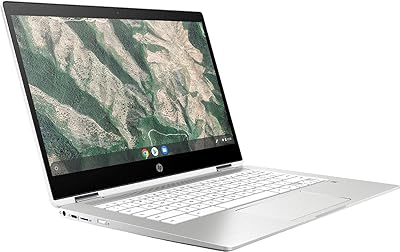
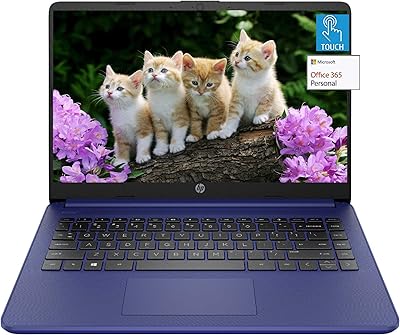
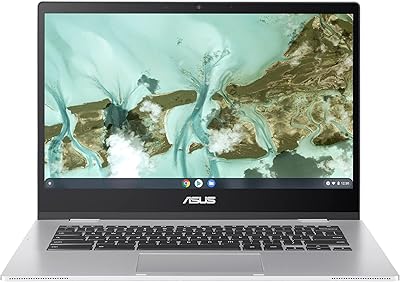
HP 2024 14″ Chromebook, Intel Celeron N4120, 4GB RAM, 128GB Storage
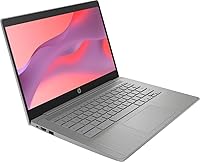
HP 2024 14″ Chromebook, Intel Celeron N4120, 4GB RAM, 128GB Storage — image 1
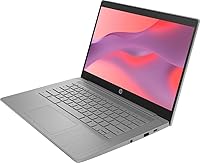
HP 2024 14″ Chromebook, Intel Celeron N4120, 4GB RAM, 128GB Storage — image 2
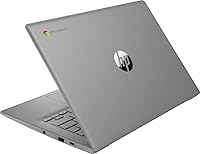
HP 2024 14″ Chromebook, Intel Celeron N4120, 4GB RAM, 128GB Storage — image 3
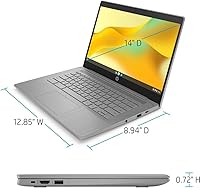
HP 2024 14″ Chromebook, Intel Celeron N4120, 4GB RAM, 128GB Storage — image 4
HP 2024 14″ Chromebook, Intel Celeron N4120, 4GB RAM, 128GB Storage — image 5

HP 2024 14″ Chromebook, Intel Celeron N4120, 4GB RAM, 128GB Storage — image 6
HP 2024 14″ Chromebook, Intel Celeron N4120, 4GB RAM, 128GB Storage — image 7
80%
20%

Overview

The HP 2024 14″ Chromebook, Intel Celeron N4120, 4GB RAM, 128GB Storage is an affordable and lightweight laptop tailored for everyday use. With its compact design, this budget-friendly device delivers the essentials needed for basic computing tasks. Whether it's browsing the web, checking emails, or watching videos, this Chromebook provides a seamless experience with its 14-inch HD display and Chrome OS. It's a reliable choice for those looking for an entry-level laptop that doesn’t break the bank, offering the perfect blend of performance and portability.

Features & Benefits

This Chromebook stands out with its 14-inch HD screen offering clear, vibrant visuals for everyday tasks. Powered by the Intel Celeron N4120 processor, it handles light computing efficiently, while 4GB of RAM ensures smooth multitasking. The combination of 128GB storage (64GB eMMC + 64GB card) offers adequate space for documents and apps. Users will appreciate its impressive long battery life, capable of lasting up to 14 hours on a single charge, making it ideal for those on the go. At just 3.35 pounds, it’s a compact and lightweight option for anyone who needs a portable device.

Best For

This Chromebook is best suited for students who need an affordable, reliable laptop for schoolwork. It’s also great for individuals who primarily use web-based applications and cloud services. The lightweight design and long battery life make it a solid choice for remote workers and casual users looking for a convenient device for browsing, video streaming, or document editing. However, it may not meet the needs of power users or those requiring a higher-end laptop for tasks like gaming or intensive software.

User Feedback

Users generally praise this Chromebook for its affordability and simplicity. The easy-to-use Chrome OS and solid battery performance are frequently highlighted, with many reporting up to 14 hours of continuous use. Some reviewers note the display resolution could be sharper for those needing high-definition clarity for tasks like photo editing or media creation. Others point out that while the 128GB of storage is sufficient for basic tasks, it may not be enough for users with heavier storage needs, such as those working with large files or applications.

Pros

  • This Chromebook is lightweight and easy to carry, making it a good option for students and remote workers on the go.
  • The 14-inch HD display offers clear visuals for daily tasks like browsing and video streaming.
  • Users appreciate the smooth performance of the Intel Celeron N4120 processor for basic computing needs.
  • Battery life is a major strength, with up to 14 hours of use on a single charge, ideal for long work or study sessions.
  • With 128GB of storage, this laptop provides enough space for typical web-based applications and cloud storage users.
  • Its affordable price point makes it an attractive choice for budget-conscious buyers looking for a simple, reliable device.

Cons

  • Some users report that the 1366 x 768 display resolution could be sharper for more detailed work, like graphic design or video editing.
  • The 4GB RAM may not be sufficient for users who need to run multiple heavy applications or perform intensive multitasking.
  • The storage capacity can feel limiting for users who need to store a large number of files or install multiple programs.
  • The Intel Celeron N4120 processor may struggle with more demanding tasks, such as gaming or video editing.
  • This Chromebook might not be suitable for users who prefer more traditional desktop-like operating systems or more powerful laptops.
  • Limited USB ports (3 in total) may feel restrictive for users needing more connectivity options.

Ratings

After analyzing verified user reviews worldwide, across multiple languages and platforms, the ratings for the HP 2024 14″ Chromebook, Intel Celeron N4120, 4GB RAM, 128GB Storage reflect a balanced mix of strengths and pain points. Spam, bot/incentivized, duplicated, off-topic, and exaggerated reviews were filtered out to ensure authenticity. Users consistently praise the device's affordability, battery life, and portability, while some note limitations related to storage and display sharpness. The following ratings summarize key areas of user feedback from diverse sources.

Value for Money
92%
Many users express satisfaction with the affordable price point of this Chromebook, especially considering its solid performance for everyday tasks. The combination of a reliable Intel Celeron processor and ample storage makes it a great option for budget-conscious buyers looking for a dependable laptop for school or work.
A few users feel that the low price comes at the expense of more premium features. Some point out that the storage capacity may not be sufficient for more intensive use, such as storing large files or running demanding applications.
Battery Life
89%
The long-lasting battery is one of the standout features of this device. Users commonly report being able to work, browse, or stream content for up to 14 hours on a single charge, making it perfect for long days at school or remote work without needing to plug in.
A small group of users note that battery life may be less impressive when the laptop is used for more resource-heavy tasks or while running multiple applications simultaneously, which may cause it to drain quicker than expected.
Portability
91%
This laptop’s lightweight design and compact size make it ideal for portability. Many buyers appreciate how easy it is to carry around for daily commutes, school, or travel. It fits comfortably in most bags and doesn’t add much weight, making it a top choice for on-the-go users.
However, a few users mention that while it’s portable, its durability may be compromised due to the lightweight plastic build. Some feel that a sturdier frame would make it more resilient for travel and everyday use.
Performance
75%
25%
Users find the performance of this Chromebook sufficient for basic computing tasks such as browsing, document editing, and light video streaming. The Intel Celeron N4120 processor and 4GB of RAM handle everyday applications without noticeable lag, offering smooth operation for users with modest needs.
Some users report that the device struggles with multitasking or running more demanding software. Performance tends to slow down when handling multiple tabs or heavier applications, making it less suitable for power users or those looking for high-end performance.
Display Quality
68%
32%
While the 14-inch HD display is adequate for everyday tasks, users generally find the screen bright and clear for web browsing and document work. It provides a decent visual experience for users who aren’t too focused on high-definition content.
On the downside, some users find the display resolution of 1366 x 768 pixels a bit lacking, especially when watching HD videos or working on detailed design tasks. The screen's sharpness and color vibrancy fall short for those who require a higher-quality display for media consumption or professional work.
Build Quality
80%
20%
The build quality of this Chromebook is generally appreciated for its slim and lightweight design. Users often mention that the laptop feels solid despite its affordable price, offering a good balance between portability and sturdiness for everyday use.
However, a few users feel the plastic construction makes it feel less premium. Some mention that while the device is lightweight, it could benefit from a more robust design, particularly for users concerned about long-term durability.
Storage Capacity
60%
40%
The 128GB storage, split between 64GB eMMC and a 64GB card, is fine for users who primarily rely on cloud storage or only need space for basic documents and apps. It’s sufficient for lighter users who prefer web-based services over local storage.
Many users express frustration with the limited storage, especially those who need to store larger files or install a variety of applications. The reliance on expandable storage via a microSD card is seen as a temporary workaround rather than a long-term solution.
Ease of Use
85%
The Chromebook runs Chrome OS, which is well-regarded for being simple, intuitive, and fast. Many users find it easy to set up, navigate, and use for both beginners and more experienced users who prefer straightforward functionality without unnecessary complexity.
While the OS is simple, a few users feel that it lacks some advanced features available on other operating systems like Windows or macOS. Certain software and applications are not fully compatible with Chrome OS, limiting its versatility for some tasks.
Connectivity
80%
20%
Users generally appreciate the connectivity options, including Wi-Fi 5 and Bluetooth, which provide reliable and fast internet connections. The inclusion of three USB ports is also seen as a plus for connecting external devices like a mouse or keyboard.
Some users wish the laptop supported more modern wireless features, such as Wi-Fi 6, for better future-proofing. Additionally, the lack of additional ports may limit the connectivity options for users needing to connect multiple devices simultaneously.
Software Experience
83%
Chrome OS provides a smooth and streamlined software experience, with access to the Google Play Store and a wide range of apps. Many users appreciate the speed, ease of updates, and security features of the OS, making it a hassle-free option for general computing needs.
However, some users feel that the Chrome OS ecosystem is limiting, particularly when it comes to running traditional desktop applications or professional-grade software. The OS may not be ideal for those who need specialized software or prefer a more traditional computing experience.
Customer Support
70%
30%
HP's customer support is generally seen as responsive and helpful, with many users appreciating the ease of reaching out for assistance through various channels. Warranty options and online resources are also noted as convenient for troubleshooting and repairs.
However, some customers report slower response times and unhelpful solutions during the support process. There are occasional complaints about difficulty getting satisfactory resolutions for issues, which may deter some buyers from fully relying on the brand's customer service.
Overall Satisfaction
84%
Overall, users are generally satisfied with the Chromebook’s value, portability, and battery life. It’s especially well-suited for those seeking a reliable, budget-friendly device for light computing tasks, making it a strong choice for students or remote workers.
Despite the overall satisfaction, some users express concerns about the limitations in storage and display quality. These aspects can detract from the experience for those with higher performance or media consumption needs, though the device excels in its primary function.

Suitable for:

The HP 2024 14″ Chromebook, Intel Celeron N4120, 4GB RAM, 128GB Storage, is an excellent choice for students on a budget or remote workers who need a portable, cost-effective device for basic computing tasks. Its lightweight design makes it ideal for daily commuting, and the long battery life ensures you can work for hours without needing to recharge. This laptop is perfect for light computing tasks such as browsing the web, word processing, and streaming videos. Users who rely on cloud-based applications and storage will also appreciate the Chromebook’s fast, simple operation with Chrome OS.

Not suitable for:

While the HP 2024 14″ Chromebook is a great option for casual users, it may not meet the needs of those requiring higher performance. Power users who need to run more demanding software or multitask extensively may find the Intel Celeron N4120 processor and 4GB RAM limiting. Additionally, its 1366 x 768 resolution display may fall short for tasks that require sharper visuals, such as detailed photo editing or high-definition media consumption. Users with significant storage needs may also be disappointed with the 128GB storage, which may not be enough for large files or applications.

Specifications

  • Display: 14-inch HD display with a resolution of 1366 x 768 pixels for clear visuals during everyday use.
  • Processor: Powered by an Intel Celeron N4120 processor for smooth performance with basic tasks.
  • RAM: 4GB LPDDR4 RAM providing adequate memory for multitasking and basic operations.
  • Storage: 128GB of storage, including 64GB eMMC storage and a 64GB SD card for expanded capacity.
  • Battery Life: Up to 14 hours of battery life on a single charge, making it ideal for long hours of use.
  • Operating System: Runs Chrome OS, providing access to web apps, Google Play Store, and cloud-based productivity tools.
  • Graphics: Intel UHD Graphics 600 for handling light graphical tasks and video playback.
  • Weight: Lightweight design weighing just 3.35 pounds, making it easy to carry and ideal for portability.
  • Dimensions: Compact dimensions of 12.85 x 8.94 x 0.72 inches, suitable for on-the-go use.
  • Connectivity: Includes Wi-Fi 5 (802.11a/b/g/n/ac) for fast internet connection and Bluetooth for wireless peripherals.
  • USB Ports: Equipped with 3 USB ports, including 2 USB 3.1 and 1 USB-C for connecting external devices.
  • Audio: Stereo speakers for basic audio needs, suitable for casual media consumption.
  • Camera: Integrated 720p HD webcam for video calls and online meetings.
  • External Storage Support: Supports external storage devices via USB ports or cloud storage solutions.
  • Color: Available in a sleek gray color for a professional, understated look.
  • Ports: Includes HDMI and a 3.5mm audio jack for additional connectivity options.
  • Security: Offers built-in security features such as verified boot and automatic updates through Chrome OS.
  • Keyboard: Features a full-size keyboard with a comfortable typing experience for everyday tasks.
  • Warranty: Comes with a 1-year limited warranty for added peace of mind.

Related Reviews
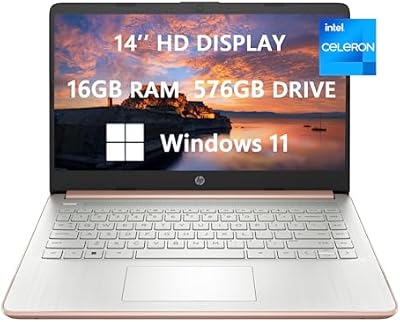
HP 14-dq0054dx Laptop, Intel Celeron N4120, 16GB RAM, 576GB Storage
83%
91%
Value for Money
85%
Performance
93%
Portability
70%
Storage Speed
83%
Build Quality
More
Acer Chromebook 14 CB3-431, Intel Celeron N3160, 4GB RAM, 32GB Storage
83%
91%
Value for Money
89%
Portability/Weight
93%
Battery Life
85%
Display Quality
78%
Performance (General)
More
Lenovo 15.6″ FHD Chromebook Intel Celeron N4120 4GB RAM 320GB Storage
84%
91%
Battery Life
88%
Display Quality
90%
Value for Money
85%
Build Quality
87%
Performance for Basic Tasks
More
Acer Chromebook 315 15.6″ (Intel Celeron N4500, 4GB RAM, 128GB Storage)
85%
92%
Value for Money
91%
Battery Life
85%
Performance for Everyday Tasks
80%
Build Quality
89%
Portability
More
ASUS Vivobook Go 14-inch Laptop, Intel Celeron N4500, 4GB RAM, 128GB Storage
80%
92%
Value for Money
85%
Battery Life
90%
Portability
80%
Performance for Basic Tasks
75%
Build Quality
More
HP Chromebook Plus x360 14-inch Laptop, Intel Core i3-N305, 8GB RAM, 128GB Storage
83%
84%
Overall Performance
91%
Battery Life
88%
Display Quality
79%
Build Quality
93%
Portability
More
HP 14 Laptop, Intel Celeron N4500, 4GB RAM, 64GB eMMC, 14-inch Display
79%
91%
Portability & Weight
85%
Performance for Basic Tasks
80%
Battery Life
75%
Display Quality
62%
Storage Capacity
More
HP Chromebook x360 14 – Celeron N4000, 4GB RAM, 32GB eMMC
81%
89%
Portability
94%
Battery Life
88%
Value for Money
60%
Storage Capacity
74%
Performance
More
ASUS Chromebook CX1 14″, Intel Celeron N3350, 64GB eMMC, 4GB RAM
81%
91%
Battery Life
93%
Portability/Size/Weight
87%
Build Quality/Durability
84%
Display Quality
82%
Performance for Everyday Tasks
More
HP 14″ HD Laptop, Intel Celeron N150, 16GB RAM, 384GB Storage
82%
90%
Value for Money
94%
Portability & Weight
87%
Performance for Everyday Tasks
89%
Battery Life
75%
Build Quality
More

FAQ

This Chromebook features a 14-inch HD display, powered by an Intel Celeron N4120 processor, 4GB RAM, and 128GB storage (with 64GB eMMC + 64GB card). It's designed for lightweight, everyday computing tasks like browsing, document editing, and streaming. Its long battery life of up to 14 hours makes it ideal for school and work on the go.

Setting up this Chromebook is quick and easy. Simply power it on, connect to Wi-Fi, and sign in with your Google account. The device runs on Chrome OS, so most apps are accessible through the web or Google Play Store. No complex installation steps are needed.

The 1366 x 768 pixel resolution on the 14-inch display is fine for basic tasks like browsing and document editing, but may not be sharp enough for high-definition video or graphic design work. For everyday use, the display provides clear and comfortable viewing, though some users prefer a higher resolution for detailed work.

This Chromebook is not suitable for high-end gaming. While casual web-based games and lightweight apps can run fine, the Intel Celeron N4120 processor and integrated Intel UHD Graphics 600 are not powerful enough to support demanding games. It's best used for basic computing, browsing, and streaming.

The battery life on this Chromebook is impressive, offering up to 14 hours of use on a single charge, depending on your activities. This makes it a great option for long days at school, work, or while traveling without needing to plug in frequently.

Yes, the Chromebook offers a total of 128GB storage (64GB eMMC + 64GB SD card), which can be expanded through cloud storage services or external storage devices like USB drives. However, the internal storage might be limiting for users with larger file storage needs, such as for media-heavy tasks.

Yes, the HP 2024 14″ Chromebook supports Android apps via the Google Play Store. This allows you to install and use a wide range of apps for productivity, entertainment, and more, alongside web-based apps commonly used with Chrome OS.

This Chromebook includes Wi-Fi 5 (802.11a/b/g/n/ac) and Bluetooth connectivity, along with three USB ports (2 USB 3.1, 1 USB-C) for connecting peripherals. It also supports HDMI for external display connection and has a 3.5mm audio jack.

The HP 2024 14″ Chromebook is ideal for students, remote workers, and anyone who needs a budget-friendly device for everyday tasks like browsing, document editing, and video streaming. Its portability, long battery life, and simplicity make it an excellent choice for people who rely on web-based applications.

While the HP 2024 14″ Chromebook is great for basic tasks, it has some limitations. The display resolution may not be sharp enough for those needing high-definition visuals, and the 4GB RAM may not support heavy multitasking. Additionally, the storage may feel restrictive for users with more intensive file needs.