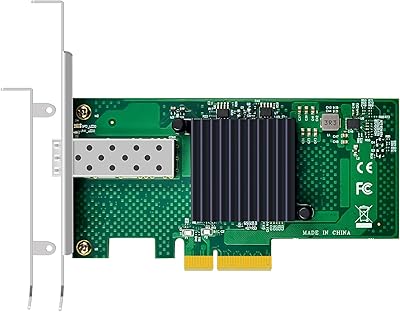
H!Fiber.com 82576-2T-X1 Dual-Port Gigabit Network Card


Overview
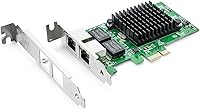
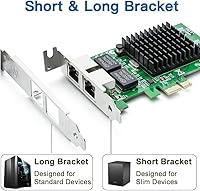
The H!Fiber.com 82576-2T-X1 Dual-Port Gigabit Network Card is a no-frills, genuinely capable NIC built around Intel's well-regarded 82576EB controller — a chipset with a long track record in both enterprise and home lab environments. It fits into any PCIe x1, x4, x8, or x16 slot, making it easy to drop into almost any desktop or server motherboard. The box includes both a low-profile and full-height bracket, so compact builds aren't left out. Think of it as a practical stand-in for the pricier Intel E1G42ET. One important caveat upfront: VMware ESXi 7.0 and macOS are not supported, so verify your platform before buying.
Features & Benefits
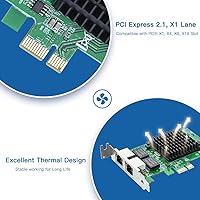
The heart of this dual-port NIC is the Intel 82576EB controller, which handles a surprising amount of work in hardware rather than pushing it onto your CPU. TCP checksum offloading, jumbo frames up to 9.5KB, SR-IOV, VMDq, and DPDK support are all baked in — features you would normally pay significantly more for. Both RJ45 ports run at 10/100/1000Mbps and support Cat5e cable up to 100 meters, covering virtually any wiring scenario in a home or small office. Wake-on-LAN and PXE boot support make it handy for managed environments where remote administration matters. On-chip QoS keeps traffic prioritized without burdening the host processor, and the PCIe 2.0 x1 interface slots into nearly every modern motherboard configuration.
Best For
This Intel-chipset network adapter hits a sweet spot for a specific kind of buyer. Home lab builders running pfSense, OPNsense, or a Proxmox cluster will appreciate the dual ports for network segmentation without spending much. IT admins repurposing older slim-form-factor desktops as lightweight servers benefit from the included low-profile bracket — no hunting for a separate one. On the virtualization side, SR-IOV support makes it a solid pick for ESXi 5/6 setups needing dedicated VM network paths, though ESXi 7.0 users must look elsewhere. Linux users on Ubuntu, Debian, CentOS, or FreeBSD will find the 82576 essentially plug-and-play, thanks to mature kernel driver support that has been stable for years.
User Feedback
With a 4.3-star average across nearly 500 ratings, the 82576-based card has built a quiet but solid reputation. The most consistent praise centers on Linux compatibility — reviewers frequently report the card is recognized immediately on Ubuntu, Debian, and CentOS with no manual driver work needed. Long-term users, some running it for two or three years without incident, reinforce that reliability holds up well. On the critical side, the most common complaint is not about performance — it is the ESXi 7.0 limitation catching buyers off guard after purchase. A handful of users note that bracket installation can be slightly fiddly on very compact cases, though most consider it a minor inconvenience. For the price, the consensus is that it punches well above expectations.
Pros
- The Intel 82576EB controller has a proven track record and is trusted by the home lab community for years.
- SR-IOV support lets you assign dedicated virtual network interfaces to individual VMs — rare at this price point.
- Linux plug-and-play compatibility is excellent; most major distros recognize the card instantly with no extra steps.
- Both low-profile and full-height brackets are included, so the card fits standard towers and slim desktops alike.
- Wake-on-LAN and PXE boot support make this 82576-based card genuinely useful in managed or headless server setups.
- On-chip QoS and TCP offloading reduce CPU overhead, which matters on older or lower-powered host machines.
- Jumbo frame support up to 9.5KB improves throughput efficiency for iSCSI and NAS workloads.
- The three-year warranty from H!Fiber.com provides reasonable peace of mind given the accessible price.
- PCIe x1 physical size fits into x1 through x16 slots, making motherboard compatibility nearly universal.
- Drivers are available directly from Intel, so you are not dependent on a smaller brand for long-term support.
Cons
- VMware ESXi 7.0 compatibility is a hard no — buyers must check their hypervisor version before purchasing.
- macOS is entirely unsupported, with no driver path available for Apple hardware.
- Windows 10 NIC teaming is not supported, which limits bonded-link configurations on that OS.
- The H!Fiber.com brand carries no broad name recognition, which may concern buyers used to OEM reliability assurances.
- The Intel 82576 controller is an older-generation chip; it works well but lacks features found in newer Intel NICs like the I350.
- Bracket swapping on very compact cases can be fiddly and may require a steady hand and small screwdriver.
- No support for VMware ESXi 7.0 is not clearly surfaced in all listings, leading to avoidable returns.
- Windows Server 2016 and 2019 are listed as supported, but some users report needing manual driver installation on those versions.
- No 10Gb option exists in this product line, so users anticipating future bandwidth upgrades will eventually need a different card.
Ratings
Our AI rating engine analyzed verified global buyer reviews for the H!Fiber.com 82576-2T-X1 Dual-Port Gigabit Network Card, actively filtering out incentivized, duplicate, and bot-generated submissions to surface what real users actually experienced. The scores below reflect both the genuine strengths that keep buyers coming back and the pain points that have frustrated a meaningful subset of purchasers. Nothing has been smoothed over — the numbers tell the full story.
Value for Money
Linux Compatibility
Installation Ease
Virtualization Support
Build Quality
Driver Support
OS Breadth
Performance Consistency
Feature Set Depth
Thermal & Power Behavior
Long-Term Reliability
Packaging & Documentation
Slot & Form Factor Fit
Suitable for:
The H!Fiber.com 82576-2T-X1 Dual-Port Gigabit Network Card is a strong fit for anyone building or expanding a home lab on a tight budget — particularly those running pfSense, OPNsense, or Proxmox who need two physical network interfaces without spending heavily. Linux users on Ubuntu, Debian, CentOS, or FreeBSD will find the Intel 82576EB chipset is recognized by the kernel without any manual driver hunting, which saves real time during setup. IT administrators repurposing older slim desktops or small-form-factor servers will appreciate that both a low-profile and full-height bracket ship in the box, removing a common compatibility headache. Small business owners who need a cost-effective dual-port upgrade for a file server or lightweight router appliance will also get solid value here. Virtualization users still running VMware ESXi 5 or 6 can take advantage of SR-IOV to dedicate network resources to individual VMs — a feature typically reserved for much pricier cards.
Not suitable for:
Buyers running VMware ESXi 7.0 or newer should stop here — this dual-port NIC is explicitly incompatible with that platform, and no workaround exists. Mac users are similarly out of luck, as macOS is not supported at all. Anyone who needs 10-gigabit throughput for high-bandwidth workloads like video production, large-scale NAS transfers, or dense virtualization clusters will find 1Gb limiting by design — this card was never meant to compete in that space. Those who expect genuine Intel branding and the assurance of OEM support may also feel uneasy with a lesser-known manufacturer, even if the underlying chipset is identical. Finally, Windows 10 users who want NIC teaming should note that teaming is not supported on this platform, which could be a dealbreaker in bonded-link configurations.
Specifications
- Controller: Powered by the Intel 82576EB Gigabit Ethernet controller, a mature and widely supported chipset in both home lab and light enterprise environments.
- Ports: Features two RJ45 Ethernet ports, each capable of auto-negotiating connections at 10, 100, or 1000Mbps depending on the connected network equipment.
- Interface: Uses a PCIe 2.0 x1 edge connector, physically compatible with x1, x4, x8, and x16 PCIe slots on standard desktop and server motherboards.
- Jumbo Frames: Supports jumbo frames up to 9.5KB per packet, which can improve throughput efficiency on iSCSI and large-file-transfer workloads.
- SR-IOV: Single Root I/O Virtualization is supported, allowing the card to present multiple virtual functions to a hypervisor for dedicated per-VM network assignment.
- Wake-on-LAN: Wake-on-LAN is supported on both ports, enabling remote power-on of a host machine from a networked management system.
- PXE Boot: Both ports support PXE network boot, making this card suitable for diskless workstation setups or automated OS deployment environments.
- Offload Engines: On-chip hardware handles TCP checksum offloading, QoS prioritization, and traffic management to reduce processing load on the host CPU.
- Brackets Included: The package ships with both a standard full-height bracket and a low-profile bracket, covering installation in tower servers and slim small-form-factor cases.
- Cable Support: Each RJ45 port is compatible with Cat5e or better Ethernet cable at distances up to 100 meters per the IEEE 802.3 specification.
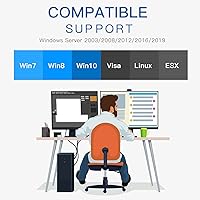
- OS Support: Compatible with Windows XP through 10, Windows Server 2003 through 2019, major Linux distributions including Ubuntu, Debian, CentOS, and FreeBSD, and VMware ESXi 5 and 6.
- Unsupported Platforms: VMware ESXi 7.0 and above are explicitly not supported, and no macOS driver is available for this card.
- Windows Teaming: NIC teaming under Windows 10 is not supported; users requiring bonded links on Windows should verify this limitation before purchasing.
- Networking Standards: Complies with IEEE 802.3az (Energy Efficient Ethernet), 802.1Q (VLAN tagging), 802.3ad (link aggregation), and 802.3x (flow control).
- Dimensions: The card measures 8.8″ in length, 1.2″ in width, and 5.7″ in height using the full-height bracket configuration.
- Weight: The assembled card with bracket weighs 5.3 ounces, making it straightforward to handle and install without stressing the PCIe slot.
- Warranty: H!Fiber.com provides a three-year replacement warranty along with stated lifetime technical support for this product line.
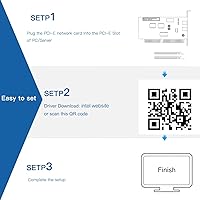
- Driver Source: Drivers are sourced directly from Intel's official website or via a QR code printed on the card itself, ensuring access to up-to-date and trusted software.
- DPDK Support: The card supports DPDK (Data Plane Development Kit), which is relevant for users building high-performance packet-processing applications on Linux.
- Manufacturer: Produced by H!Fiber.com, a networking hardware brand that uses original Intel controller chips across its product lineup.
Related Reviews
ULANSeN Intel 82576 Dual-Port Gigabit Network Card
Jeirdus Intel 82546 Dual-Port Gigabit NIC
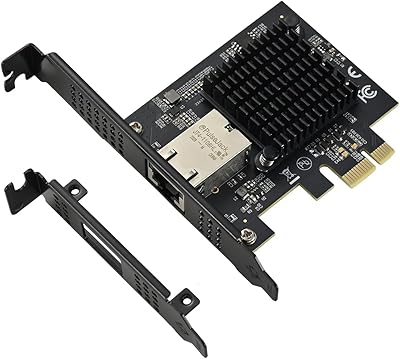
IO CREST AQC113 10Gbps PCIe Network Card
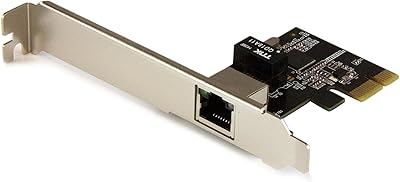
StarTech ST1000SPEXI PCIe Gigabit Network Card
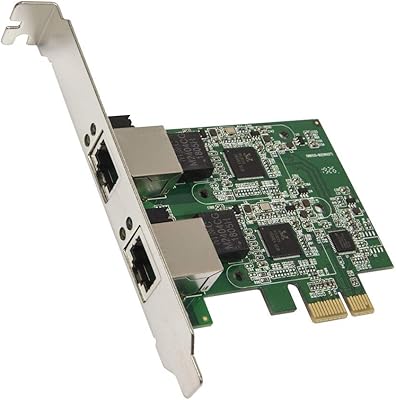
Syba SD-PEX24066 Dual 2.5GbE PCIe Adapter
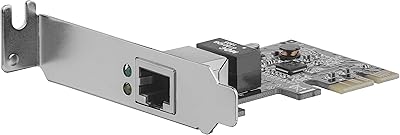
StarTech ST1000SPEX2L 1-Port PCIe Network Card
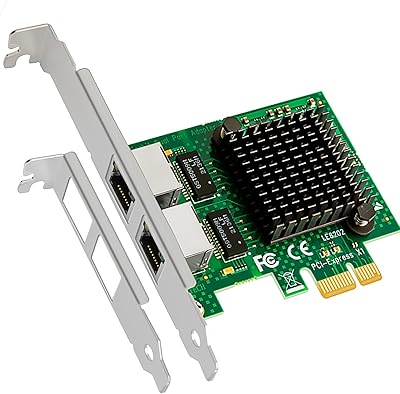
GLOTRENDS LE8202 2-Port Gigabit PCIe Network Card
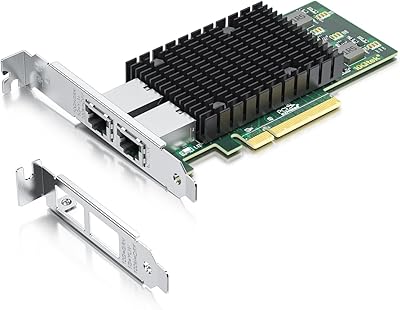
10Gtek X540-10G-2T Dual-Port 10GbE Network Card
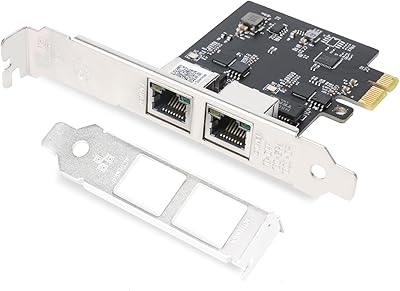
QINIYEK RTL8125B Dual-Port 2.5G PCIe NIC