Jeirdus Intel 82546 Dual-Port Gigabit NIC

Overview
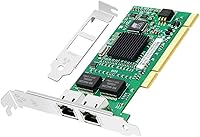
The Jeirdus Intel 82546 Dual-Port Gigabit NIC is a no-frills PCI network card aimed squarely at home lab builders, IT pros, and anyone keeping older desktop server hardware alive. Jeirdus is a third-party manufacturer that sources Intel's well-established 82546 chipset rather than designing proprietary silicon — a sensible move that delivers broad OS support out of the box. One thing to get straight before buying: this card uses a PCI or PCI-X slot, not PCIe. That distinction matters enormously. If your motherboard only has PCIe expansion slots, this card won't physically fit. For those working with legacy PCI infrastructure, though, it fills a genuine gap at a price that's hard to argue against.
Features & Benefits
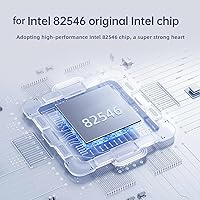
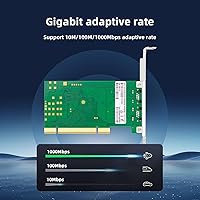
The real draw of this dual-port NIC is what's under the hood: Intel's 82546 chipset, which integrates a dual MAC and PHY controller in a single package. Both RJ-45 ports handle 10/100/1000Base-T, making the card practical for link aggregation setups, traffic separation between a LAN and a management network, or basic failover configurations. TCP Segmentation Offload and Large Send Offload push packet-processing work off the host CPU — useful when running a busy virtualization stack. Interrupt Moderation keeps CPU overhead manageable under sustained network load. The included full-height and low-profile brackets mean you won't need to source the right bracket separately, which is a small but appreciated detail.
Best For
This Intel 82546 card hits its sweet spot with a specific crowd. Proxmox and ESXi users running virtualization on older PCI-equipped machines will appreciate the native driver support — the e1000 driver in most Linux kernels picks it up without manual intervention. It's equally at home in a pfSense or OPNsense box where two physical ports are needed and PCI remains the only expansion option. Small IT shops doing budget NIC replacements on aging workstations will find it practical. Worth noting: the PCI bus carries a shared bandwidth ceiling near 133 MB/s, so this isn't the right tool for high-throughput production workloads — it's a legacy-hardware solution, and it's upfront about that.
User Feedback
Buyers consistently highlight plug-and-play recognition as the standout positive — especially on Linux and VMware ESXi, where the card appears cleanly without hunting down third-party drivers. The bundled low-profile bracket gets frequent praise too, since it spares users a separate parts hunt. On the downside, a handful of buyers report IRQ conflicts on very old motherboards where PCI resource allocation gets complicated, so checking BIOS settings before installation is worth a few minutes. Build quality feedback lands in the middle: most describe the Jeirdus PCI adapter as functional and solid enough relative to its price, though expectations should stay grounded. A small number of users mention DOA units, so buying from a seller with a straightforward return policy is advisable.
Pros
- Linux, ESXi, and BSD pick up the Intel 82546 chipset automatically — no manual driver installation needed in most setups.
- Two RJ-45 Gigabit ports on a single card saves a slot compared to running two separate single-port NICs.
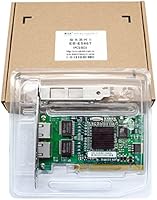
- Both full-height and low-profile brackets are included in the box, covering most case form factors without extra sourcing.
- TCP Segmentation Offload and Large Send Offload reduce CPU strain on older processors running busy virtualization workloads.
- The 82546 chipset runs entirely passively and stays cool without dedicated airflow in typical lab conditions.
- Interrupt Moderation keeps CPU interrupt counts manageable during sustained file transfers or streaming sessions.
- Mature Intel silicon means community documentation, forum support, and OS compatibility guides are abundant and easy to find.
- Advanced Cable Diagnostics lets you check physical link integrity without pulling cables or using a separate cable tester.
- The price makes this dual-port NIC one of the most affordable ways to add redundant Gigabit to legacy PCI hardware.
Cons
- PCI and PCIe are frequently confused — buyers who order without checking their slot type will need to return the card.
- Shared PCI bus bandwidth limits aggregate throughput significantly when both ports are under simultaneous heavy load.
- A measurable minority of buyers report receiving dead-on-arrival units, with minimal recourse from the manufacturer.
- Jeirdus offers no meaningful customer support — resolving defects depends almost entirely on the seller's return policy.
- Minimal packaging protection means the card occasionally arrives with physical scuffs or bent bracket pins.
- Windows Server 2019 and 2022 users may need to manually download Intel PROSet drivers for full functionality.
- Very old motherboards with rigid PCI IRQ steering can require manual BIOS configuration to avoid resource conflicts.
- No product documentation is included or available from Jeirdus — setup relies entirely on community resources.
- The low-profile bracket occasionally misaligns slightly in certain chassis designs, requiring minor fitting adjustments.
Ratings
The scores below for the Jeirdus Intel 82546 Dual-Port Gigabit NIC were generated by our AI engine after analyzing verified buyer reviews from multiple global marketplaces, with spam, bot-submitted, and incentivized feedback actively filtered out. We assessed this dual-port NIC across categories that genuinely matter to its target audience — home lab builders, IT administrators, and legacy hardware maintainers — rather than applying a generic consumer-electronics lens. Both the recurring strengths and the friction points buyers actually encountered are reflected honestly in every score.
Driver Compatibility
Value for Money
PCI Bus Compatibility
Build Quality
Bracket Inclusion & Flexibility
TCP Segmentation & CPU Offload
Interrupt Moderation
Advanced Cable Diagnostics
Dual-Port Utility
Shipping & Packaging
Thermal Performance
BIOS & IRQ Compatibility
Documentation & Support
Link Aggregation & Failover Readiness
Suitable for:
The Jeirdus Intel 82546 Dual-Port Gigabit NIC is built for a specific kind of buyer, and that buyer will find it genuinely useful. Home lab enthusiasts spinning up Proxmox clusters or ESXi hosts on repurposed desktop hardware are the obvious fit — the Intel 82546 chipset is recognized natively by nearly every major hypervisor and Linux kernel without any manual driver work. IT administrators keeping older PCI-equipped workstations or servers in service will also find it practical as a cost-effective NIC replacement when the original onboard port fails or proves unreliable. pfSense and OPNsense builders working with legacy PCI desktop hardware get two usable ports on a single card, which is exactly what a basic router build needs. Anyone who simply needs dual-path or redundant Gigabit connectivity on a machine that has PCI slots but no free PCIe lanes will find this Intel 82546 card covers that gap without requiring a major hardware upgrade.
Not suitable for:
The Jeirdus Intel 82546 Dual-Port Gigabit NIC is the wrong card if your motherboard only has PCIe slots — and that describes the vast majority of machines built after roughly 2010. This is a PCI and PCI-X card, full stop, and no adapter or riser will make it work in a PCIe slot without significant added complexity. Users expecting true dual-channel Gigabit throughput should also look elsewhere: the shared PCI bus caps aggregate bandwidth well below what two simultaneous full-speed Gigabit links would demand, making this a poor choice for high-throughput NAS builds or production network infrastructure. Anyone running a modern server platform with PCIe Gen 3 or Gen 4 slots has no practical reason to reach for this card when far more capable options exist at comparable prices. Buyers who need responsive manufacturer support or detailed product documentation will also be disappointed — Jeirdus provides essentially none, and you are on your own if something goes wrong outside the return window.
Specifications
- Brand: Manufactured by Jeirdus, a third-party adapter brand specializing in Intel chipset-based networking cards.
- Model Number: The card carries the model designation FBM-82546-T2, used for identification and driver sourcing purposes.
- Chipset: Built around the Intel 82546 dual integrated MAC and PHY controller, a mature and broadly supported networking chipset.
- Ports: Equipped with two RJ-45 ports supporting 10/100/1000Base-T Ethernet connections at up to 1 Gbps per port.
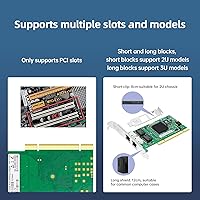
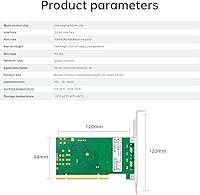
- Bus Interface: Compatible with PCI-X 1.0 and PCI 2.2 buses — this is a legacy PCI card and is not compatible with PCIe slots.
- Bus Width: Supports both 32-bit and 64-bit PCI bus widths, providing flexibility across a range of older motherboard configurations.
- Data Protocol: Operates over the standard Ethernet data link protocol, compatible with standard Cat5e and Cat6 copper cabling infrastructure.
- Transfer Rate: Rated for data transfer at up to 1 Gigabit per second per port under ideal single-port conditions.
- CPU Offload: Supports TCP Segmentation Offload and Large Send Offload to shift packet-processing workload from the host CPU to the NIC hardware.
- Interrupt Moderation: Includes hardware-level Interrupt Moderation to reduce CPU interrupt frequency and overhead under sustained network traffic.
- Cable Diagnostics: Features Advanced Cable Diagnostics accessible via Intel PROSet utilities or ethtool, enabling physical link fault detection without external tools.
- Brackets Included: Ships with both a full-height and a low-profile bracket, with a screw-on attachment mechanism compatible with standard expansion slot openings.
- Dimensions: The card measures 3.94 x 5.91 x 0.79 inches, fitting within standard full-height PCI slot envelopes and most ATX cases.
- Weight: Weighs approximately 3.53 ounces (around 100g), consistent with a standard single-slot expansion card.
- OS Compatibility: Natively supported by Linux kernel e1000 driver, VMware ESXi, FreeBSD, OpenBSD, and Windows via Intel PROSet driver package.
- Cooling: Operates entirely passively with no onboard fan or heatsink, relying on ambient case airflow for thermal management.
- UPC: Universal Product Code is 669591923558, usable for inventory tracking and product verification at point of purchase.
- Availability: Listed as not discontinued by the manufacturer as of the date first available, which was January 1, 2018.
Related Reviews
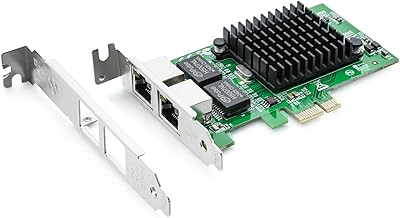
H!Fiber.com 82576-2T-X1 Dual-Port Gigabit Network Card
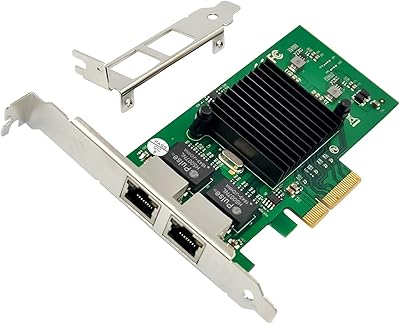
ULANSeN Intel 82576 Dual-Port Gigabit Network Card

YuLinca 6-Port Gigabit PoE Switch with 4 PoE+ Ports
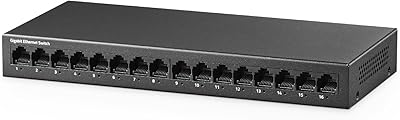
YuLinca UMG16 16-Port Gigabit Network Switch
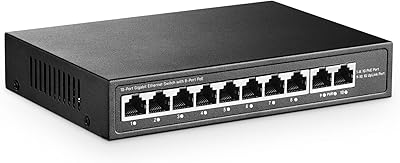
YuLinca G1002G 8-Port PoE Gigabit Switch
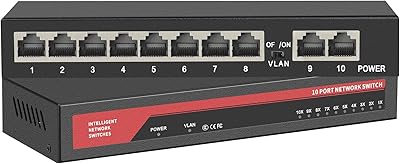
ienRon 10-Port Gigabit Ethernet Switch
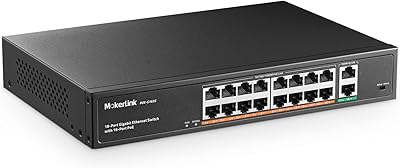
MokerLink POE-G162G 18-Port Gigabit PoE Switch
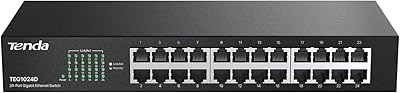
Tenda TEG1024D 24-Port Gigabit Ethernet Switch
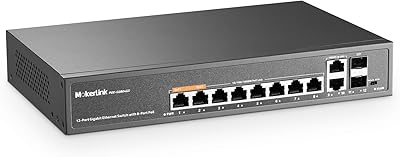
MokerLink 12-Port Gigabit PoE+ Unmanaged Switch