
Overview
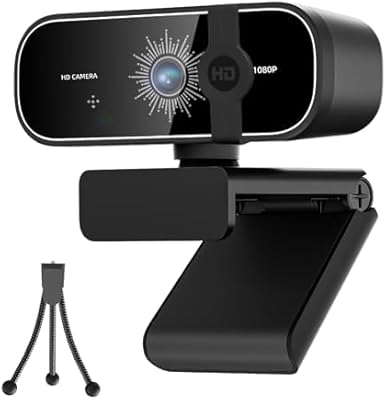
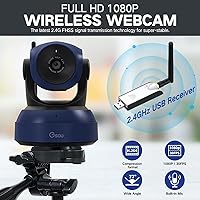
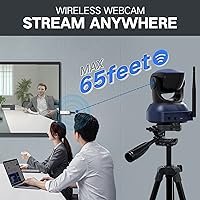
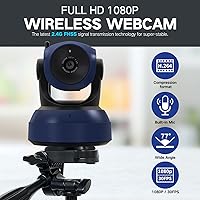
The Gsou W31 Wireless 1080P Webcam solves a problem most people don't notice until they're stuck hunting for a USB port behind a cluttered desk or lugging a laptop between rooms mid-call. Unlike standard webcams, this wireless webcam connects through a small 2.4GHz USB receiver and works up to 65 feet from your computer — no cable required. A 5200mAh rechargeable battery keeps it running for up to nine hours, so you're not chasing power outlets either. The included telescopic tripod stand adds genuine placement flexibility beyond a monitor clip. This is a solid 1080p, 30FPS camera built for practical everyday use — not a prosumer studio tool.
Features & Benefits
Setup takes about thirty seconds: plug the receiver into a USB port, power on the camera, and you're live — no drivers to install. The 1080p CMOS sensor records at 30 frames per second, and H.264 encoding (essentially smart video compression) keeps footage looking smooth even when your internet connection isn't cooperating. The built-in microphone picks up voice clearly at roughly arm's length — adequate for solo desk calls, but it won't replace a dedicated mic for anything more demanding. Battery life is a genuine highlight; nine hours per charge covers a full workday comfortably. The 2.4GHz signal uses frequency-hopping encryption to stay private and interference-resistant in busy wireless environments.
Best For
This cable-free camera makes the most sense for people whose work demands real flexibility. Remote workers who move between a home office and living room, freelancers presenting from spaces with no convenient USB access, or teachers running sessions where cable management is a headache — these are the buyers who will get genuine value here. Streamers and content creators benefit too, since the tripod stand lets you position the camera independently of your monitor. If you routinely sit through back-to-back video calls and don't want to babysit a charging cable, all-day battery life is a meaningful perk. Privacy-conscious users will also appreciate the encrypted wireless link.
User Feedback
Sitting at 3.9 stars across 93 reviews, the Gsou W31 earns decent marks without standing out. Buyers consistently praise the wireless setup convenience and stable connection within a normal room's range — most report it simply works, which is the baseline expectation. On the critical side, the microphone draws the most complaints; it handles close-range voice but sounds noticeably thin compared to even a modest external mic. Some buyers question whether the price premium over a quality wired 1080p alternative is fully justified, particularly since low-light performance is unremarkable. Long-term reliability appears reasonable, though the tripod stand gets mixed notes — functional, but not particularly sturdy under repeated use.
Pros
- Truly wireless operation with a simple plug-and-play USB receiver — no driver installation required.
- Up to 65 feet of transmission range covers most home and office environments comfortably.
- Nine-hour battery life is enough for a full workday of calls without recharging.
- The included telescopic tripod stand enables flexible camera placement beyond a monitor clip.
- 2.4GHz FHSS encryption adds a layer of signal privacy not found on standard wired webcams.
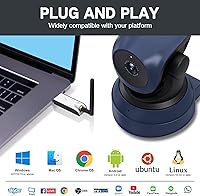
- Works across Windows, Mac, Chrome OS, Android, and Linux with no compatibility headaches.
- H.264 encoding keeps video looking smooth even on slower or inconsistent internet connections.
- Compatible with virtually every major conferencing app including Zoom, Teams, Meet, and OBS.
- Straightforward setup — most users report being up and running in under a minute.
Cons
- Built-in microphone quality is mediocre; voice sounds thin and lacks depth compared to even a budget external mic.
- Low-light video performance is unremarkable — image quality drops noticeably in dim or unevenly lit rooms.
- The price premium over a quality wired 1080p webcam is hard to justify if you sit at a fixed desk.
- At over three pounds, this cable-free camera is bulky and not practical for travel or compact setups.
- The tripod stand, while useful, feels flimsy and may not hold up well to frequent repositioning.
- Battery recharge time is not clearly specified, which can be frustrating if you need a quick top-up between sessions.
- Only 30FPS — adequate for calls, but limiting for anyone wanting smoother motion in streaming or recordings.
- The 3.9-star average across reviews suggests reliability and consistency are not universally guaranteed.
- No optical zoom or autofocus adjustments, limiting control over framing in varied environments.
Ratings
The scores below reflect an AI-driven analysis of verified buyer reviews for the Gsou W31 Wireless 1080P Webcam, sourced globally and filtered to remove incentivized, bot-generated, and duplicate feedback. Each category is rated on real-world user experiences, covering both what works well and where the product falls short. The goal is a transparent picture — not a sales pitch.
Wireless Connectivity
Ease of Setup
Battery Life
Video Quality
Microphone Quality
Build Quality
Tripod Stand
App Compatibility
OS Compatibility
Low-Light Performance
Value for Money
Signal Security
Portability
Long-Term Reliability
Suitable for:
The Gsou W31 Wireless 1080P Webcam is a natural fit for remote workers and freelancers who genuinely move around during their day — think switching from a home office desk to a kitchen table for an afternoon call, or presenting from a room where a USB port isn't conveniently placed. Teachers and trainers running sessions in classrooms or shared spaces will appreciate not having to route a cable across a setup that changes regularly. Content creators and streamers who want to position a camera independently of their monitor — on a shelf, across the room, or at an unusual angle — get real value from the included tripod and the 65-foot wireless range. The nine-hour battery is a practical advantage for anyone who stacks video calls back-to-back without wanting to think about charging mid-day. If wireless freedom and placement flexibility are the primary reasons you're shopping, this camera delivers on both counts in a straightforward, no-fuss way.
Not suitable for:
The Gsou W31 Wireless 1080P Webcam is not the right choice if video and audio quality are your top priorities. Buyers who need sharp performance in dim lighting, a detailed background for professional broadcasts, or a microphone that sounds polished on recordings will find this camera falls short — the CMOS sensor struggles in low-light conditions, and the built-in mic is functional at best, noticeably thin at anything beyond close range. If you work from a fixed desk with easy USB access, a wired 1080p webcam at a lower price will likely deliver comparable or better image quality without the battery management overhead. Professionals who rely on a camera for client-facing video presentations where visual impression matters should look at higher-resolution alternatives. The camera's size and weight — over three pounds with the tripod — also make it a poor fit for anyone wanting something compact and lightweight for travel.
Specifications
- Model Number: The camera is manufactured by Gsou under the model designation W31.
- Resolution: Video is captured at 1080p Full HD using a CMOS image sensor with an effective pixel count of 2 megapixels.
- Frame Rate: The camera records and streams at 30 frames per second under standard operating conditions.
- Video Encoding: H.264 compression is used to keep video streams smooth and bandwidth-efficient on slower connections.
- Video Format: Recorded video files are saved in MOV format.
- Audio Format: Audio is captured and stored in PCM format via the built-in microphone.
- Microphone Range: The integrated microphone is rated to pick up voice clearly within approximately 2 meters of the camera.
- Wireless Standard: The camera uses a 2.4GHz FHSS (Frequency-Hopping Spread Spectrum) wireless connection for stable, encrypted transmission.
- Transmission Range: The wireless signal supports a working distance of up to 65 feet between the camera and the USB receiver.
- Battery Capacity: A built-in 5200mAh rechargeable lithium battery powers the camera without requiring a wired power source.
- Battery Life: On a full charge, the camera supports up to 9 hours of continuous operation.
- Connectivity: The camera pairs with a computer via a compact plug-and-play USB receiver that requires no driver installation.
- Tripod Stand: A telescopic tripod stand is included in the box, allowing the camera to be positioned independently of a monitor.
- Dimensions: The full package measures 24.41 x 5.91 x 3.94 inches, reflecting the camera assembled with its tripod stand.
- Weight: The total item weight is 3.19 pounds including the tripod stand and accessories.
- OS Compatibility: The camera is compatible with Windows XP SP3 and later, Mac OS, Chrome OS, Android 5.0 and later, and Ubuntu Linux 10.04 and later.
- App Compatibility: Supported conferencing and streaming applications include Zoom, Skype, Google Meet, Microsoft Teams, OBS, Twitch, YouTube, Webex, and others.
- Focal Length: The lens has a maximum focal length of 10 millimeters.
- Screen Size: The camera unit features a 2.7-inch built-in display screen.
- Security: The 2.4GHz FHSS signal uses digital encryption technology to protect against interception and wireless interference.
Related Reviews
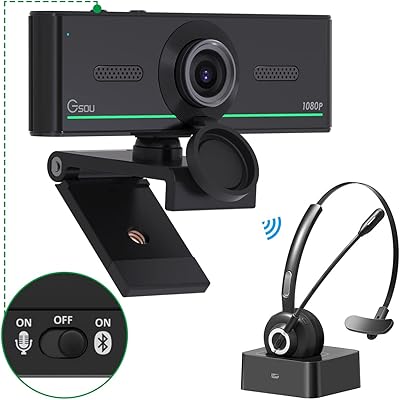
Gsou 1080P Webcam W20

HuddleCamHD HC-WEBCAM-94

ZIQIAN 1080P USB-C Webcam

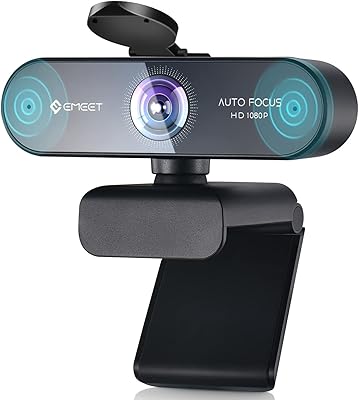
EMEET Nova 1080p Autofocus Webcam with Microphone
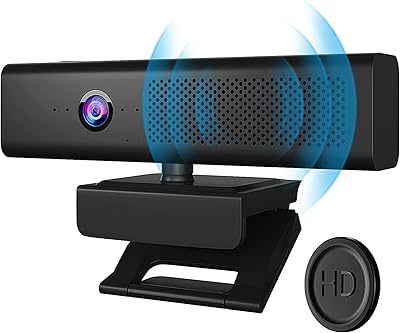
Maciebelle CP008
NexiGo N680 1080P Webcam
Spedal 920 Pro
Angetube 962 1080P Webcam with Ring Light