

Overview

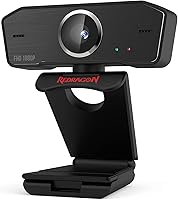
The Redragon GW800 is a budget 1080p webcam that punches well above its $25 price tag — at least for everyday use. Redragon has built its name around affordable gaming peripherals, and this webcam follows that same philosophy: give buyers a capable, no-fuss option without asking them to spend serious money. Since its release in mid-2020, it has accumulated nearly 1,000 ratings and holds a 4.4-star average, which is genuinely encouraging for a camera at this price. It is not trying to compete with prosumer gear. It is squarely aimed at students, remote workers, and casual streamers who want a reliable upgrade from the grainy camera built into their laptop.

Features & Benefits

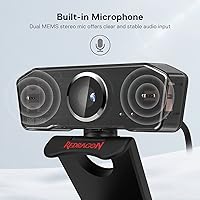
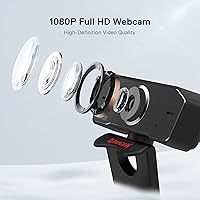
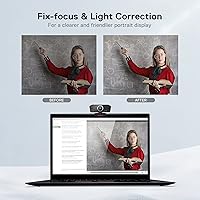
The camera shoots at 1080p and 30 FPS using a CMOS sensor that includes built-in light correction — handy if your home office lighting is less than ideal. Focus is fixed rather than automatic, which keeps things simple but does mean close-up shots will not look sharp. The built-in dual MEMS microphones are a genuine highlight; they handle background noise reasonably well and produce clear, stable audio that most people will not need to supplement with a separate mic. Mounting is flexible too: the rotatable clip attaches firmly to a monitor or laptop lid, and the camera pivots 360 degrees horizontally to help you find the right angle fast. Plug in the USB cable and it works — no driver installation required.

Best For

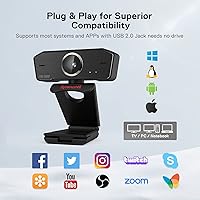
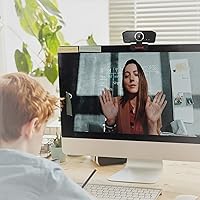
This budget camera makes the most sense for anyone who needs something that works right out of the box without any technical setup. Students jumping on Zoom or Google Meet for classes will notice an immediate improvement over a built-in laptop camera. Remote workers who want to look presentable on video calls without spending $100 or more will find it handles the job comfortably. It also suits casual streamers filming desk setups or hands-on content at a consistent fixed distance — autofocus is not part of the package, so subjects at arm's length or further will look their best. Compatible with Windows, macOS, and Linux, and works with OBS, Discord, Skype, and Twitch right away.

User Feedback

Buyers are largely satisfied, and consistent image brightness across different lighting conditions comes up often as a genuine highlight. The built-in microphone quality also earns real praise — many people were pleasantly surprised the audio was clear enough to forgo a separate mic entirely. On the downside, the fixed focus draws fair criticism from users who expected more flexibility; anything held close to the lens will appear noticeably soft. A small number of reviewers also flag that the physical unit can look slightly different between production batches, which can be mildly surprising at unboxing. At this price tier though, most negative feedback traces back to expectations rather than any actual fault with the hardware itself.

Pros

  • Clear 1080p image quality that noticeably outperforms built-in laptop cameras.
  • Dual built-in microphones deliver surprisingly clean audio for everyday calls.
  • No driver installation needed — plug in the USB cable and it works immediately.
  • Automatic light correction helps maintain a usable image in variable lighting conditions.
  • Compatible with every major platform: Zoom, Teams, OBS, Discord, Twitch, and more.
  • Flexible mounting works on monitors, laptop lids, or freestanding on a desk.
  • 360-degree horizontal rotation makes it easy to dial in your preferred camera angle.
  • At around $25, the value relative to performance is genuinely difficult to beat.
  • Works reliably across Windows, macOS, and Linux without any compatibility headaches.
  • Nearly 1,000 verified ratings and a 4.4-star average signal consistent real-world satisfaction.

Cons

  • Fixed focus means close-up shots — held objects, notes, or product demos — come out soft.
  • No autofocus option at all, which limits flexibility for varied shooting scenarios.
  • Low-light performance degrades noticeably once ambient lighting drops below comfortable levels.
  • No dedicated software app for adjusting brightness, contrast, or white balance manually.
  • Frame rate is capped at 30 FPS with no higher option available.
  • The USB cable is fixed and non-removable, so damage means replacing the whole unit.
  • No privacy shutter, which some users consider a basic security feature on any webcam.
  • Production batch inconsistencies mean the physical unit may look different from listing images.
  • No tripod thread limits creative placement options beyond the standard monitor clip.
  • Background noise bleeds into recordings more than expected in louder home environments.

Ratings

Our AI rating engine analyzed verified global buyer reviews for the Redragon GW800, actively filtering out incentivized, duplicate, and bot-generated feedback to surface what real users actually experience day to day. The scores below reflect a balanced picture — where this budget webcam genuinely delivers and where it falls short — so you can make an informed decision before buying.

Image Quality
78%
22%
For a sub-$30 webcam, the 1080p output holds up well in well-lit rooms — faces appear clear and colors look natural rather than washed out. The built-in light correction helps considerably when users are backlit by a window or sitting in a dim home office.
In low-light environments the image can turn grainy, and fine details like text on a whiteboard behind the speaker tend to soften. Users coming from higher-end cameras will notice a ceiling on overall sharpness fairly quickly.
Microphone Performance
74%
26%
The dual MEMS microphones surprised a lot of buyers who expected built-in audio to be an afterthought. Voice clarity during Zoom and Google Meet calls is solid enough that many users stopped bothering with a headset for routine meetings.
In louder environments — a fan running nearby, an open window, a shared apartment — background noise does bleed through more than dedicated USB microphones would allow. The anti-interference design helps but does not fully compensate for acoustically challenging rooms.
Focus & Depth
55%
45%
Fixed focus works perfectly well for standard video call distances — sitting roughly two to four feet from the camera produces a consistently sharp image without any hunting or refocusing lag that autofocus cameras sometimes exhibit.
This is the GW800's most commonly cited limitation. Anything closer than arm's length — a product held up to the camera, handwritten notes, or close-up demo work — comes out noticeably soft. Users who need flexible focal distances will find this frustrating.
Value for Money
91%
At around $25, this webcam is hard to argue against as a first external camera. It delivers a meaningful, visible upgrade over integrated laptop cameras without requiring any real financial commitment, and the included microphone adds genuine value.
The value calculation shifts if you need features like autofocus, a privacy shutter, or a ring light — all of which are absent here. Spending another $20 to $30 on a competing model may be the smarter move for users with slightly more demanding use cases.
Plug-and-Play Ease
93%
USB plug-in and immediate recognition is the norm across Windows 10, Windows 11, macOS, and Linux — buyers consistently report zero driver installation needed. It also works out of the box with every major video platform, which removes a real friction point for less tech-savvy users.
There is no software companion app, meaning users who want to tweak brightness, contrast, or white balance manually have no native tool to do so. Third-party apps like OBS can fill the gap, but that requires extra setup some buyers are not expecting.
Build Quality
67%
33%
The plastic housing feels reasonably solid for the price tier — it does not creak or flex under normal handling, and the clip mechanism has enough grip tension to stay firmly attached to a monitor bezel or laptop lid without slipping.
A handful of reviewers flagged visible differences between production batches — the camera they received looked slightly different from product photos, which created some unnecessary unboxing anxiety. The overall material quality does signal budget origins under close inspection.
Mounting & Flexibility
82%
18%
The rotatable clip handles most standard monitor thicknesses without issue, and the 360-degree horizontal rotation means finding the right framing for a desk setup or conference call is quick and intuitive. The option to stand it freestanding on a flat surface is a genuine bonus.
The clip is not designed for monitors with unusually thick or beveled frames, and a couple of users reported it felt slightly loose on slim laptop lids. There is no tripod thread, which limits placement options for users wanting more creative camera positioning.
Low-Light Performance
59%
41%
The automatic brightness correction does lift shadows and brighten the image in dim conditions, which is more than most webcams at this price offer. Evening calls in a normally lit room remain usable without needing to add a desk lamp.
Once ambient light drops below a comfortable reading level, noise and color distortion become visible. The fixed aperture leaves little room for the sensor to compensate, and there is no ring light or supplemental lighting built in — unlike some competing models at a slightly higher price.
Software Compatibility
88%
Confirmed working with Zoom, Microsoft Teams, Google Meet, Skype, Discord, OBS, and Twitch without any configuration steps. For streamers using OBS in particular, the camera is recognized immediately as a standard video capture device.
There is no dedicated Redragon software for adjusting camera settings, so users relying purely on native operating system tools have limited control over the image output. Power users will need to rely on third-party capture software to unlock any manual adjustments.
Frame Rate & Motion
71%
29%
30 FPS is the standard for video conferencing and casual streaming, and this webcam delivers it consistently without visible frame drops during normal use. For static or slow-moving content — a talking-head call, an online lecture — it performs exactly as expected.
30 FPS is also the ceiling, which matters for fast-moving content or users wanting smoother video. There is no 60 FPS option, so gaming streamers or anyone capturing quick hand movements will see motion blur in action sequences.
Cable & Connectivity
76%
24%
The USB 2.0 cable is of adequate length for most desk setups and the connection stays stable — no intermittent disconnects reported under normal use. Broad compatibility with older USB ports means it works on virtually any machine without needing an adapter.
USB 2.0 is functional but increasingly dated, and the fixed cable cannot be replaced if it gets damaged. Users with cable-managed desks may also find the cord length slightly short depending on where their USB ports are positioned.
Setup & Unboxing Experience
81%
19%
Most buyers are up and running within a minute of opening the box — there is no software CD, no account creation, and no calibration process required. The straightforward experience is particularly appreciated by users who are not comfortable with technical setup steps.
Documentation inside the box is minimal, and the appearance variation between older and newer production units has caused some confusion. A small number of buyers were unsure whether they had received the correct product because it looked different from the listing photos.
Audio Clarity in Quiet Settings
79%
21%
In a quiet room, voice reproduction is natural and free from obvious distortion — conversation partners on the other end of a call consistently report hearing speech cleanly without the hollow or compressed sound common to cheaper single-microphone webcams.
The audio quality advantage narrows quickly as room noise increases. Users in co-working spaces or shared households may find that the dual mics pick up ambient conversations and HVAC noise more than they would like, particularly during longer calls.

Suitable for:

The Redragon GW800 is a strong match for anyone who needs a functional, no-hassle webcam without spending serious money. Students jumping into online classes will immediately notice a sharper, cleaner image compared to a built-in laptop camera, and the plug-in setup means there is nothing to figure out before the first lecture. Remote workers who spend their days on Zoom or Microsoft Teams calls will find the image quality more than adequate for looking professional on screen, especially in a reasonably lit room. Casual streamers who film desk setups, tutorials, or hands-on content at a consistent distance from the camera will also get solid results, since the fixed focus performs reliably at normal sitting distances. If you are a first-time webcam buyer working within a tight budget and just need something dependable that works across Windows, macOS, or Linux, this webcam is one of the safest choices available under $30.

Not suitable for:

The Redragon GW800 is not the right tool for buyers who need autofocus — if you frequently hold products up to the camera, demonstrate handwriting, or shift between different focal distances during a stream, the fixed-focus lens will produce soft, blurry results that frustrate both you and your audience. Content creators who demand 60 FPS for smoother motion, a built-in privacy shutter, or manual control over exposure and white balance through dedicated software will hit a hard ceiling here. The absence of a ring light or any supplemental illumination means low-light performance is acceptable at best and visibly noisy at worst — users in dim rooms or shooting against strong backlighting will struggle. Anyone expecting a polished, premium-feeling build should also adjust expectations; this is a plastic, budget-tier peripheral, and minor cosmetic differences between production batches mean the unit you receive may not look exactly like the product photos.

Specifications

  • Resolution: Captures video at 1920x1080 (1080p Full HD) for clear, detailed image output during calls and recordings.
  • Frame Rate: Records and streams at 30 frames per second, which is the standard rate for video conferencing and casual streaming.
  • Sensor Type: Uses a CMOS image sensor with built-in automatic light correction to maintain a consistent, balanced exposure across varying lighting conditions.
  • Focus Type: Fixed focus lens with a maximum focal length of 10mm, optimized for subjects seated at a normal desk distance from the camera.
  • Aperture: Maximum aperture of f/2, allowing a reasonable amount of light into the sensor for acceptable low-light performance at this price tier.
  • Microphone: Features dual built-in MEMS microphones with an anti-interference design intended to reduce background noise and deliver cleaner voice capture.
  • Connectivity: Connects via a fixed USB 2.0 cable, compatible with standard Type-A ports found on virtually all desktops and laptops.
  • Rotation: Supports 360-degree horizontal rotation and up to 90-degree vertical tilt, allowing flexible camera angle adjustment without repositioning the mount.
  • Mount Type: Includes a rotatable clip-on mount that attaches to monitor bezels and laptop lids, and can also stand freestanding on a flat desk surface.
  • Dimensions: Measures 5 x 4.02 x 2.01 inches, making it compact enough to sit on most monitors without obstructing a significant portion of the screen.
  • Weight: Weighs 7.1 ounces, which is light enough to clip onto a laptop lid without putting noticeable stress on the screen hinge.
  • Video Format: Records video in MP4 format for broad compatibility with editing software and media players on all major operating systems.
  • Audio Formats: Supports AAC, MP3, and PCM audio formats, covering the standard requirements of most recording and streaming applications.
  • OS Compatibility: Works natively with Windows, macOS, and Linux without requiring any driver installation or additional software setup.
  • Software Support: Compatible out of the box with Skype, OBS, Discord, Zoom, Microsoft Teams, Twitch, and YouTube Live, among other major video platforms.
  • Plug & Play: Operates as a standard UVC (USB Video Class) device, meaning the operating system recognizes it automatically upon connection with no manual configuration needed.
  • Privacy Cover: Does not include a built-in privacy shutter or lens cover; users who require one will need to source a third-party clip-on solution separately.
  • Ring Light: No supplemental ring light or LED fill light is included; users shooting in dim environments may need an external light source for optimal image quality.
  • Digital Zoom: Does not support digital zoom functionality; the field of view is fixed and cannot be narrowed or widened through software controls natively.
  • Manufacturer: Produced by Redragon, a brand established in gaming peripherals that has expanded into webcams and accessories targeting budget-conscious buyers.

Related Reviews
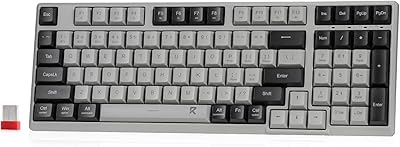
Redragon BK7114 Wireless Keyboard
85%
91%
Typing Experience
89%
Connectivity Options
85%
Design and Build Quality
93%
Quietness of Keypress
88%
Compatibility with Multiple Devices
More
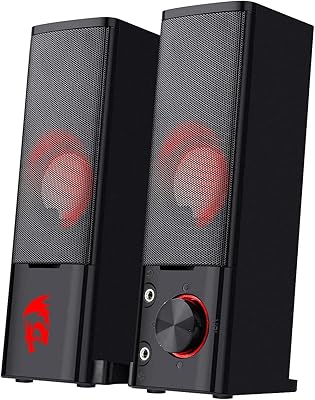
Redragon GS550 PC Speakers
78%
91%
Value for Money
74%
Sound Quality
52%
Bass Performance
63%
Build Quality
82%
Design & Aesthetics
More
Redragon GS814
Redragon GS814
75%
71%
Sound Quality
58%
Bass Performance
83%
Bluetooth Connectivity
88%
RGB Lighting
67%
Touch Controls
More
Redragon GS510 Waltz
85%
78%
Acoustic Clarity
94%
Ease of Setup
86%
Lighting Customization
79%
Build Quality
91%
Volume Control
More
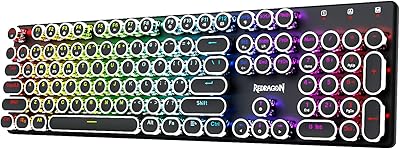
Redragon K710 Wireless Typewriter Mechanical Keyboard
76%
88%
Build Quality
84%
Wireless Reliability
81%
Typing Experience
52%
Noise Level
77%
RGB & Lighting
More
Redragon GS560
Redragon GS560
77%
91%
Value for Money
88%
RGB Lighting Quality
67%
Sound Quality
53%
Bass Performance
94%
Ease of Setup
More
Redragon M915WL Wireless Gaming Mouse
86%
88%
Performance
91%
Build Quality
94%
Battery Life
85%
Ergonomics/Comfort
89%
Precision & DPI Control
More
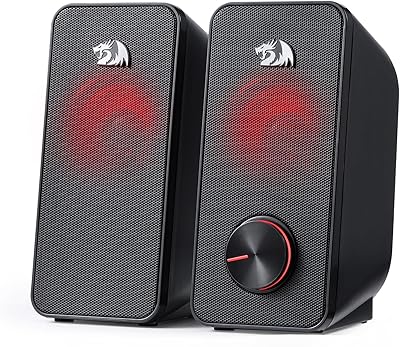
Redragon GS500 Stentor PC Speakers
76%
78%
Sound Clarity
54%
Bass Performance
91%
Value for Money
63%
Build Quality
94%
Setup & Ease of Use
More
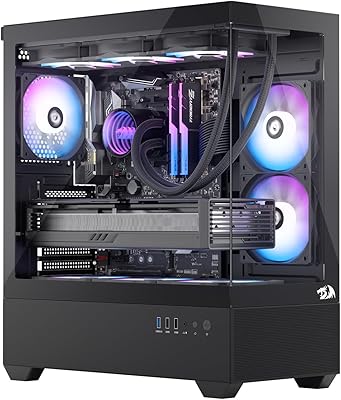
Redragon CA606 Gaming PC Case
86%
94%
Cooling Performance
88%
Build Quality
92%
Aesthetic Appeal
89%
Ease of Installation
86%
Cable Management
More
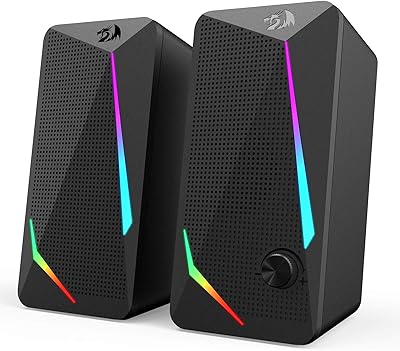
Redragon GS515 RGB Desktop Soundbar
84%
87%
Sound Quality
90%
RGB Lighting Customization
82%
Bluetooth Connectivity
92%
Ease of Setup
68%
Control Dial Sensitivity
More

FAQ

No, you do not. The Redragon GW800 is a plug-and-play device that Windows, macOS, and Linux all recognize automatically when you plug it in. Just connect the USB cable and open your video app of choice — it should appear as an available camera within seconds.

Yes, it works with both without any extra setup. It also plays nicely with Google Meet, Skype, Discord, and most other video conferencing platforms. Just select it as your camera source in the app settings the first time you use it.

Most likely nothing is wrong. This webcam uses a fixed-focus lens, which means it is optimized for subjects sitting roughly two to four feet away. If you are too close to the camera — or if you are holding something up to show it — the image will appear soft. Try sitting at a normal desk distance and the sharpness should improve noticeably.

For everyday video calls in a quiet room, most users find the dual microphones perfectly adequate — voice comes through clearly and without obvious distortion. However, if you are in a noisy environment, work near a loud fan, or share space with others, you may want a dedicated microphone for cleaner audio.

Yes, it works fine as a streaming camera in OBS, Streamlabs, and similar tools. It is best suited for talking-head streams, desk setups, or tutorials filmed at a consistent distance. Just keep in mind it only captures at 30 FPS and lacks autofocus, so fast-moving content or close-up demos will not look their best.

Probably not. Redragon has updated the physical design of this webcam across production runs, and several buyers have noticed minor cosmetic differences between older and newer batches. The core hardware and functionality remain the same — the appearance change is a manufacturing revision, not a defect or counterfeit indicator.

Yes, it works on macOS including machines running Apple Silicon chips. Because it uses the standard UVC protocol, macOS recognizes it natively without any driver or software installation. Just plug it in and select it in FaceTime, Zoom, or whichever app you are using.

Not through any native Redragon software, as none is provided. The camera handles light correction automatically. If you want manual control over image parameters, you can use a third-party tool like OBS or ManyCam, both of which offer filter and correction options for connected webcams.

Most users report the clip holds firmly on standard laptop lids and monitor bezels. On very slim laptop screens it can feel slightly less secure, and on unusually thick or beveled monitor frames it may not grip as snugly. For most setups it is stable enough for daily use, but if you are worried, placing it freestanding on your desk is a reliable alternative.

It is genuinely one of the better choices at this price. The image is a clear step above built-in laptop cameras, the microphone handles quiet room conditions well, and there is zero setup involved. For attending lectures, submitting video assignments, or joining group study sessions, this budget camera covers all the basics without requiring any investment in additional accessories.