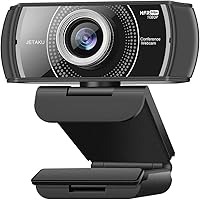
JETAKu XZC-920phro Webcam 1080P 60FPS
Overview
The JETAKu XZC-920phro Webcam 1080P 60FPS entered the market in late 2020 as a budget-to-mid-range option for streamers and remote workers who wanted smoother footage without spending premium prices. JETAKu isn't a household name, and that's worth acknowledging upfront — you won't find a robust support ecosystem or a long warranty track record behind this camera. What you do get is a plug-and-play USB device that requires zero driver installation, which counts for a lot when you just want something that works out of the box. It holds a respectable spot inside the top 1,600 webcams on Amazon, and the inclusion of a physical privacy cover is a genuinely useful touch that many rivals at this price skip entirely.
Features & Benefits
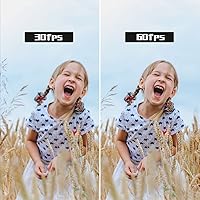
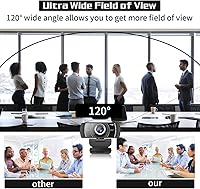
The headline spec is the 60fps frame rate at 1080p — and it actually makes a visible difference. Most webcams in this range top out at 30fps, so motion during calls or streams looks noticeably more fluid with this 60fps webcam. One thing worth flagging: the product title mentions autofocus, but the detailed spec sheet lists manual focus — a discrepancy buyers should clarify before purchasing. The 120-degree wide-angle lens uses six fully coated optical elements, which helps keep the image bright rather than washed out under overhead lighting. Dual stereo microphones handle background noise reasonably well at distances up to three meters — solid for calls, though not a substitute for a standalone microphone. A magnetic-ring USB cable rounds things out, keeping signal transmission stable.
Best For
This JETAKu webcam hits a practical sweet spot for a few specific types of buyers. Home office workers who hop on multiple video calls daily will appreciate the no-fuss setup — there's nothing to install, nothing to configure. Entry-level streamers who want 60fps footage for Twitch or YouTube without committing to a higher-priced camera will find it a reasonable starting point. It also works well for teachers, students, or anyone running webinars in a reasonably lit space. And if you share a desk or work somewhere where privacy matters, the physical lens cover is a straightforward, no-software-required way to guarantee the camera stays off when you need it to.
User Feedback
With a 3.9-star average across 125 reviews, the XZC-920phro sits in honest middle ground — appreciated by some, but not without real criticism. The smooth 60fps output draws the most praise, with buyers calling it a clear step up from older or bundled cameras. Setup ease is another consistent win. On the downside, low-light performance gets flagged fairly often — autofocus or focus behavior can waver when lighting isn't ideal, which ties back to the autofocus-versus-manual-focus ambiguity in the specs. Microphone quality is adequate for daily calls but won't satisfy anyone accustomed to a dedicated mic. A handful of users also report noticeable edge distortion from the wide-angle lens at its full extent. Reasonable camera, honest trade-offs.
Pros
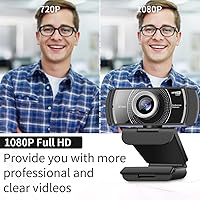
- 60fps at 1080p delivers noticeably smoother video than most webcams at this price point.
- Plug-and-play USB setup works instantly — no drivers, no software, no wasted time.
- The physical privacy cover is a rare and genuinely useful inclusion at this price tier.
- 120-degree wide-angle lens fits a full desk setup or multiple people into frame comfortably.
- Dual noise-cancelling microphones handle everyday call audio without needing an external mic.
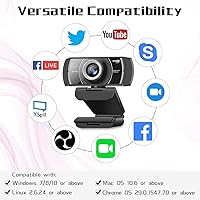
- Broad compatibility covers Windows, macOS, Linux, Android, and Chrome OS out of the box.
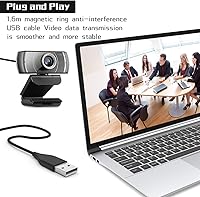
- The anti-interference USB cable with magnetic ring helps maintain a stable signal during long sessions.
- Works reliably with OBS, Zoom, Teams, Skype, and most major streaming and conferencing platforms.
- A solid upgrade option for anyone still relying on a built-in laptop camera or an old 720p webcam.
Cons
- Low-light image quality drops significantly — grain and color noise make evening sessions look rough.
- The autofocus versus manual focus labeling is inconsistent across the listing, leaving buyers uncertain about actual focus behavior.
- Edge distortion from the wide-angle lens is noticeable and can be distracting during screen-share presentations.
- The microphones struggle with irregular background noise like conversations or traffic beyond the window.
- JETAKu offers minimal after-sales support — there is no dedicated support portal or firmware update history.
- The non-detachable cable means a damaged wire requires replacing the entire unit.
- The privacy cover hinge feels loose on some units and can slide open with accidental contact.
- Some conferencing apps cap output at 30fps regardless of camera capability, neutralizing the headline spec.
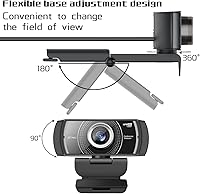
- The plastic build feels functional rather than durable — repeated folding of the clip mount can loosen the hinge over time.
- At its price, competing cameras from more established brands offer better low-light sensors and clearer product documentation.
Ratings
The scores below reflect an AI-driven analysis of verified global buyer reviews for the JETAKu XZC-920phro Webcam 1080P 60FPS, with spam, bot-generated, and incentivized feedback actively filtered out before any scoring was applied. This 60fps webcam earns real praise in several areas — but it also carries genuine trade-offs that are just as transparently reflected here. What you see is an honest cross-section of what actual buyers experienced, not a polished highlight reel.
Video Smoothness at 60fps
Image Clarity & Resolution
Low-Light Performance
Autofocus Reliability
Microphone Quality
Wide-Angle Lens & Field of View
Setup & Ease of Use
Privacy Cover
Build Quality & Durability
Cable Quality & Length
OS & Platform Compatibility
Value for Money
Brand Trust & After-Sales Support
Suitable for:
The JETAKu XZC-920phro Webcam 1080P 60FPS is a practical pick for remote workers and home office users who need a reliable, no-hassle camera for daily video calls and don't want to spend time wrestling with drivers or software. It fits particularly well for entry-level streamers on Twitch or YouTube who want the tangible smoothness of 60fps footage without stretching their budget toward a premium camera. Teachers, tutors, and students running webinars or online classes will find the wide-angle lens and built-in microphones handle a standard desk setup without needing additional accessories. The physical privacy cover makes it a sensible choice for shared workspaces or anyone who simply wants a hardware-level guarantee that the lens is off — no software trust required. If you're upgrading from a built-in laptop camera or an aging 720p webcam, this 60fps webcam delivers a meaningful and visible improvement in video quality for the investment.
Not suitable for:
The JETAKu XZC-920phro Webcam 1080P 60FPS is not the right tool for anyone whose work depends on consistent, high-quality video in variable or low-light conditions — the camera's low-light performance is one of its weakest areas, and the autofocus behavior is inconsistently documented between the product title and the spec sheet, which is a red flag for buyers who need reliable focus accuracy. Professional content creators, streamers building a more polished production setup, or anyone doing client-facing video work where image sharpness genuinely matters should look at more established brands with better sensor quality and clearer product documentation. The built-in microphones are adequate for casual calls but will not satisfy podcasters, educators who need clean audio for recorded content, or anyone who already owns a dedicated USB microphone. Buyers who care about long-term brand support, firmware updates, or warranty reliability should also think twice — JETAKu has a minimal after-sales presence, and if the camera develops a fault after the return window closes, there is little recourse beyond buying a replacement. Finally, users who need accurate, distortion-free imaging at the edges of frame — such as those sharing screens or presenting visual materials — may find the wide-angle lens more of a liability than an asset.
Specifications
- Resolution: Captures full HD video at 1920x1080 pixels, delivering a sharp and detailed image for calls, streaming, and recording.
- Frame Rate: Records and streams at up to 60 frames per second at 1080p, producing noticeably smoother motion than standard 30fps webcams.
- Sensor Type: Uses a CMOS image sensor, which is standard for webcams in this price tier and performs adequately in well-lit environments.
- Field of View: Features a 120-degree wide-angle lens that captures a broad view of the room, suitable for multi-person setups or spacious desk environments.
- Lens Construction: Built with 6 double-sided, fully coated optical glass elements with antireflection treatment to reduce glare and improve image brightness.
- Microphones: Equipped with two built-in stereo microphones featuring noise cancellation, with an effective pickup range of approximately 3 meters.
- Connectivity: Connects via USB 2.0 with true plug-and-play support — no drivers or additional software installation required on any supported operating system.
- Cable Length: Includes a 1.6-meter (approximately 5ft) fixed USB cable with a magnetic interference-reduction ring to stabilize data transmission.
- Privacy Cover: Fitted with a physical sliding cover that mechanically blocks the lens when closed, providing a hardware-level privacy guarantee independent of any software.
- OS Compatibility: Compatible with Windows XP through 10, macOS 10.6 and above, Android 5.0 and above, Linux 2.6.24 and above, and Chrome OS 29.0.1547.70 and above.
- Platform Support: Works with major conferencing and streaming platforms including Zoom, Microsoft Teams, Skype, OBS, YouTube, Facebook, XSplit, and Xbox One.
- Weight: Weighs 7.4 ounces, making it light enough for standard monitor-top mounting without putting strain on thinner display bezels.
- Dimensions: Packaged dimensions measure 4.57 x 4.57 x 2.72 inches, indicating a compact physical footprint suitable for most desk setups.
- Color: Available in matte black, which blends unobtrusively with most monitors, laptops, and desk peripherals.
- Model Number: Officially designated as model XZC-920phro, manufactured under the JETAKu brand.
- Low-Light Mode: Includes an automatic light correction feature that attempts to compensate for dim environments, though performance in very low light remains limited.
- Audio Format: Captured audio is encoded in PCM format, which is broadly compatible with all major video conferencing and recording software.
- Video Format: Records video in AVI format, a widely supported container compatible with most editing and playback software without conversion.
Related Reviews
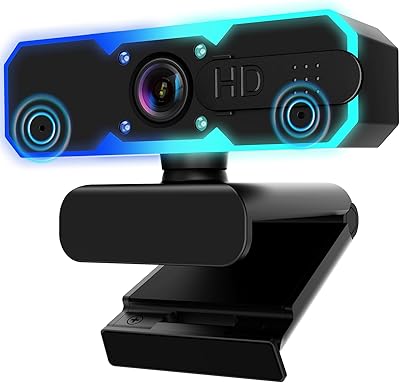
NBPOWER H782 1080p Webcam
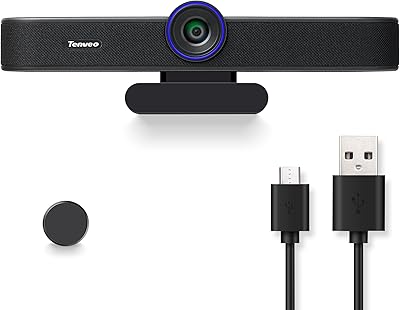
Tenveo VA300A
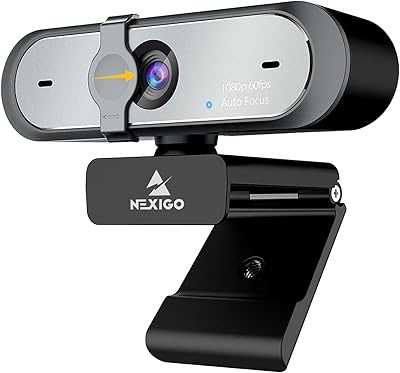
NexiGo N660P
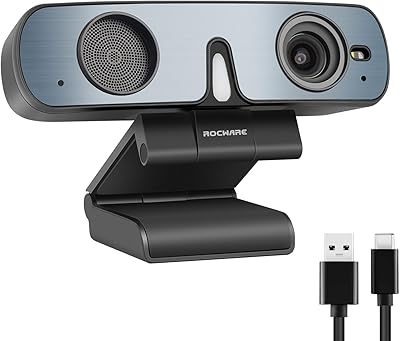
ROCWARE RC28 1080P Dual-Mic Webcam
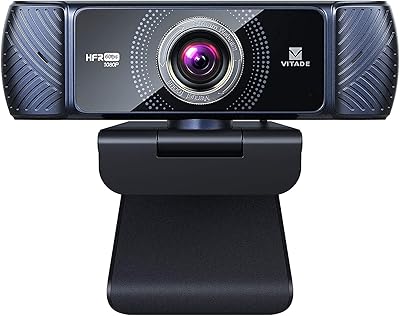
VITADE 682H 1080P 60fps Webcam
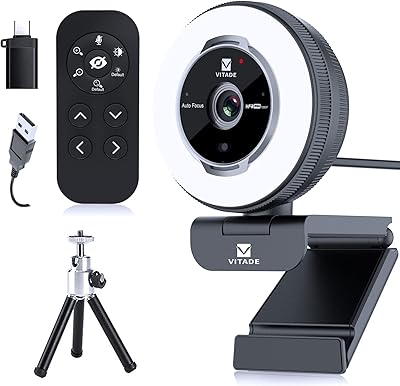
VITADE 862Pro 1080P Streaming Webcam

HuddleCamHD HC-WEBCAM-94


ZIQIAN 1080P USB-C Webcam