Overview

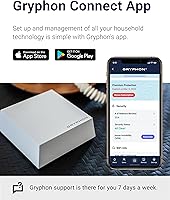
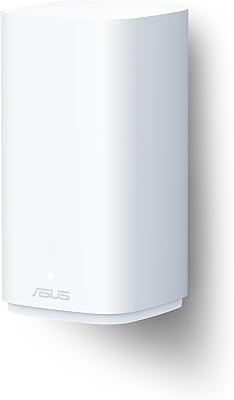
The Gryphon Guardian Mesh WiFi Router is a family-oriented networking device that does something most routers ignore: bundle serious parental controls and hardware security into an accessible package. It has been on the market since late 2019 and has accumulated over 4,000 ratings, giving it a meaningful track record. The unit is remarkably compact at just 4x4x1 inches, so it sits flat on a shelf without drawing attention. You can run it as a standalone router for a smaller home or apartment, or drop it in as an extra node to broaden coverage in an existing Guardian-based network. The Gryphon Connect app handles everything from WiFi management to device-level controls, all in one place.
Features & Benefits

This family WiFi system runs on the 802.11ac dual-band standard, pairing 2.4GHz and 5GHz radios with 2x2 MU-MIMO to cover up to 1,500 square feet per node — though real-world results vary depending on walls and home layout. The built-in firewall goes beyond basic router protection, blocking malware, ransomware, and phishing attempts while running 24/7 intrusion detection without requiring a separate device. Parental controls let you schedule screen time, filter content by category, and manage apps on a per-device basis. Hardware includes one WAN port and one Gigabit LAN port, plus WPS support. New buyers receive a 90-day Premium Protection trial, backed by a one-year hardware warranty and a 90-day money-back guarantee — though continued security coverage after the trial is not free.

Best For

This mesh router is a strong fit for parents who want built-in content controls without paying for separate software — managing every household device from one app is genuinely practical when kids are involved. Apartment renters or anyone in a smaller space will find the per-node coverage sufficient for everyday use. Security-conscious buyers who want firewall-level protection built into their home network, rather than added on separately, will also appreciate what it offers. If you are already running a Guardian-based setup and need to extend range, adding another node is straightforward. One honest caveat: heavy bandwidth users — households doing lots of 4K streaming or online gaming — may find the AC1200 speed class starts to feel constrained.

User Feedback

With a 3.9-star average across more than 4,300 ratings, the Guardian node sits in solid-but-honest territory — dependable for its target audience, but not without real complaints. Buyers frequently highlight the app experience, noting that initial setup is quick and that parental control customization is accessible even for non-technical users. The recurring frustrations are harder to dismiss: the Guardian-only mesh ecosystem locks you into Gryphon hardware if you ever want to expand, and customer support responsiveness gets mixed marks, with some buyers reporting slow turnaround. A notable number of users were also surprised by the paid subscription that follows the 90-day trial. Worth knowing before you buy, not after.

Pros

  • Parental controls are genuinely practical — scheduling screen time per device takes minutes, not a manual.
  • Built-in firewall handles malware, ransomware, and phishing protection without a separate security device.
  • The Gryphon Connect app is one of the cleaner router interfaces at this price tier.
  • Setup is fast — most users are online and configured in under ten minutes.
  • Compact 4x4x1-inch footprint fits on any shelf without cluttering the space.
  • Per-device content filtering lets different household members have different access rules.
  • Coverage is reliable in apartments and smaller homes without requiring multiple nodes.
  • The 90-day money-back guarantee reduces the risk of a purchase that does not work out.
  • 24/7 intrusion detection runs passively — no manual monitoring required from the user.
  • Doubling as an add-on node makes this mesh router a cost-effective way to extend an existing Guardian network.

Cons

  • AC1200 speeds feel dated in households with heavy simultaneous streaming or gaming.
  • The Guardian-only mesh ecosystem locks you in — no mixing with Eero, Nest, or other brands.
  • Advanced security features require a paid subscription after the 90-day trial ends.
  • Real-world coverage often falls noticeably short of the 1,500-square-foot claim in older or multi-story homes.
  • Customer support response times are inconsistent, with some users waiting days for basic issue resolution.
  • Determined teenagers can bypass network-level filters using VPNs or alternate DNS settings.
  • Device identification in the app relies on hardware IDs by default, requiring manual renaming for clarity.
  • No external antennas limit the ability to physically optimize signal direction.
  • The subscription cost is not clearly communicated at point of purchase, catching many buyers off guard.
  • App sync delays after making changes — like unblocking a device — can take longer than expected to apply.

Ratings

The scores below reflect an AI-driven analysis of thousands of verified buyer reviews for the Gryphon Guardian Mesh WiFi Router, with spam, incentivized, and bot-generated feedback actively filtered out before any scoring was applied. Categories cover everything from raw wireless performance to the day-to-day parental control experience, so parents, renters, and security-minded buyers each get a clear picture of where this family WiFi system delivers and where it falls short.

Parental Controls
88%
For households managing screen time across multiple kids and devices, the per-device scheduling and content filtering available through the Gryphon Connect app is genuinely practical. Parents consistently note that blocking categories, setting bedtime cutoffs, and reviewing browsing activity takes minutes rather than a tech deep-dive.
The most granular controls — advanced filtering profiles, detailed usage reports — sit behind the paid Premium Protection subscription once the 90-day trial ends. Buyers who did not anticipate an ongoing fee after purchase often feel blindsided, which dampens long-term satisfaction.
Network Security
84%
Having malware blocking, ransomware detection, phishing filters, and 24/7 intrusion detection baked directly into the hardware is a meaningful differentiator at this price tier. Users who previously relied on separate security software appreciate not needing an additional subscription just to protect smart home devices.
After the trial period, the advanced threat intelligence updates require a paid plan, meaning security protection is partially subscription-dependent rather than fully hardware-permanent. A handful of users also noted that intrusion detection alerts can be overly aggressive, flagging legitimate traffic.
WiFi Speed & Performance
61%
39%
For a two-bedroom apartment with moderate internet usage — video calls, standard streaming, a handful of connected devices — the AC1200 dual-band radio performs reliably without drops or frustrating reconnects. Casual users who are not pushing multiple simultaneous 4K streams rarely report speed as an issue.
AC1200 is a WiFi 5 speed class that was already mid-range when this unit launched in 2019, and it shows in households with heavy concurrent usage. Gamers, 4K streaming enthusiasts, or homes with 20-plus connected devices frequently report throughput as a genuine bottleneck compared to newer WiFi 6 alternatives.
Coverage & Range
72%
28%
In open-plan apartments or single-story homes under 1,400 square feet, the Guardian node handles coverage competently with minimal dead zones. Users in condos and smaller rental units often find a single node sufficient for their entire living space.
The advertised 1,500-square-foot ceiling is an optimistic figure that assumes favorable conditions. Homes with thick concrete walls, multiple floors, or densely packed rooms consistently see meaningful signal degradation, and the Guardian-only mesh restriction means you cannot supplement coverage with a third-party extender.
App Experience
83%
The Gryphon Connect app is one of the more polished router management interfaces in its category — clean layout, logical navigation, and no requirement to log into a browser-based admin panel. First-time router owners particularly appreciate being able to manage everything from a single smartphone screen.
Occasional sync delays between app commands and actual router behavior frustrate users when changes — like unblocking a device or adjusting a schedule — do not take effect immediately. A small but consistent group also reports the app becoming unresponsive after firmware updates.
Setup & Installation
86%
Getting the Guardian node online typically takes under ten minutes — plug in, open the app, follow a short guided flow. Non-technical buyers repeatedly cite the setup process as one of the least stressful router experiences they have had, which matters for the family-focused audience this device targets.
Users adding a second Guardian node to an existing network occasionally hit pairing hiccups that require a full reset to resolve. WPS support helps with device connections, but the app-only setup approach means anyone without a smartphone nearby faces a friction point.
Mesh Ecosystem Flexibility
53%
47%
Within a Guardian-only setup, expanding the network by adding additional nodes is straightforward and the units communicate well with each other. Users who committed to the Gryphon ecosystem from the start rarely encounter compatibility headaches.
The Guardian node only pairs with other Guardian units, creating a hard lock-in that prevents mixing with other mesh brands like Eero or Google Nest. For buyers who already own a non-Gryphon router or want flexibility to mix hardware in the future, this is a genuine structural limitation that should factor into the purchase decision.
Build Quality & Design
77%
23%
The flat, compact form factor — 4x4x1 inches — means it slides onto a shelf or sits behind a TV without looking out of place. The white finish is neutral enough to blend into most home interiors, and the unit feels solid rather than hollow or cheap for its price tier.
There are no external antennas, which contributes to the clean look but leaves some users uncertain about signal optimization. A few buyers noted minor cosmetic scuffs arriving on delivery, suggesting packaging protection could be better for a device of this size.
Value for Money
74%
26%
At its price point, bundling a mesh router, hardware firewall, and full parental control suite into one device represents real cost efficiency compared to buying those capabilities separately. For a family apartment setup where all three functions matter, the upfront cost is easy to justify.
The value equation shifts once the 90-day Premium Protection trial expires. Depending on which subscription tier a buyer opts into, the total annual cost climbs noticeably — and if a buyer decides against subscribing, a portion of the advertised security functionality is effectively locked away.
Content Filtering Accuracy
79%
21%
Category-based content filtering works reliably for the most common parental control use cases — blocking adult content, social media during homework hours, or gaming sites on school nights. Parents managing younger children report high confidence in the filters holding up under normal browsing conditions.
Older teenagers with moderate technical literacy have reportedly found workarounds using VPNs or alternate DNS settings, which the standard filter layer does not fully intercept. Filter categories can also occasionally over-block legitimate educational content, requiring manual exceptions.
Customer Support
56%
44%
Gryphon provides email and in-app support channels, and the included one-year hardware warranty gives buyers a formal fallback if hardware fails within the first year. Some users report helpful interactions when their issue was straightforward to resolve.
Response times are a recurring complaint across user reviews — several buyers describe multi-day waits for replies on issues that needed faster resolution, particularly around connectivity failures or app login problems. Support quality appears inconsistent, with satisfaction varying significantly depending on the specific agent and issue type.
Screen Time Management
81%
19%
Scheduling internet access by time window — shutting off a child's tablet at 9 PM or disabling a phone during school hours — works consistently and does not require re-configuration each week once set. The per-profile approach means different rules for different family members without constant manual intervention.
Schedules apply at the network level, meaning a child can still use downloaded offline content or apps that do not require live internet access during blocked windows. There is no integration with device-level screen time tools, so it works as a complement rather than a complete replacement.
Subscription Model Transparency
48%
52%
The 90-day Premium Protection trial is a fair enough gesture — it gives buyers a genuine window to evaluate whether the advanced security and filtering features justify the ongoing cost before committing. The 90-day money-back guarantee adds a parallel layer of purchase confidence.
The subscription requirement is not prominently communicated at the point of purchase, and many buyers only discover the paywall when their trial expires. This leads to a disproportionate share of post-trial negative reviews from users who felt the full feature set was implied to be permanent.
Device Management
80%
20%
Seeing every connected device on the network, assigning profiles, and applying rules individually is handled cleanly through the app interface. Households with a mix of phones, tablets, smart TVs, and IoT gadgets find this level of visibility genuinely useful for understanding what is actually on their network.
Device naming and identification can be imprecise out of the box — some devices show up with cryptic hardware identifiers rather than readable names, requiring manual labeling. Users managing large device counts also note the interface becomes slower to navigate as the connected device list grows.

Suitable for:

The Gryphon Guardian Mesh WiFi Router is a well-matched choice for parents who want meaningful control over what their kids access online without needing to be technically savvy — the app-based interface makes screen time scheduling and content filtering genuinely manageable for everyday use. Renters and apartment dwellers in spaces under 1,400 square feet will find the per-node coverage sufficient for standard daily tasks like video calls, music streaming, and remote work, all without a complicated setup process. Security-conscious households who want firewall-level protection baked into the router itself — rather than relying on a separate software subscription or standalone device — will appreciate having malware blocking and intrusion detection running passively in the background. It also makes practical sense for anyone already invested in the Guardian ecosystem who needs an affordable additional node to fill a coverage gap in a specific room or hallway. If your household's internet demands are moderate and your primary motivation is family safety rather than raw network performance, this family WiFi system is a genuinely sensible fit.
Not suitable for:

The Gryphon Guardian Mesh WiFi Router is a harder sell for households where network speed and bandwidth are the top priorities. The AC1200 WiFi 5 spec was already a mid-tier standard at launch, and in homes with heavy concurrent usage — multiple people streaming in 4K, active online gaming, or a dense mix of smart home devices — it can become a real throughput bottleneck compared to newer WiFi 6 routers available at comparable price points. Buyers who want a flexible mesh setup that can incorporate hardware from other brands will also run into a firm wall: the Guardian node only pairs with other Guardian units, so if you already own a different mesh system or want to mix and match in the future, this device does not accommodate that. The subscription model is another consideration worth weighing upfront — the advanced security and filtering features that make this device distinctive are partially tied to a paid plan after the 90-day trial, so the true long-term cost is higher than the sticker price alone suggests. Anyone expecting lifetime full-feature access from a one-time hardware purchase may end up frustrated once that trial window closes.

Specifications

  • WiFi Standard: Operates on 802.11ac (WiFi 5), supporting dual-band simultaneous transmission across both 2.4GHz and 5GHz frequencies.
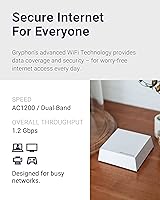
  • Speed Class: Rated at AC1200, combining up to 300Mbps on the 2.4GHz band and up to 867Mbps on the 5GHz band under ideal conditions.
  • MIMO Technology: Equipped with 2x2 MU-MIMO, allowing the router to communicate with multiple devices simultaneously rather than sequentially.
  • Coverage: Rated for up to 1,500 sq ft of wireless coverage per node, though real-world range varies based on building materials and layout.
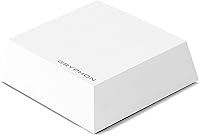
  • Dimensions: Measures 4 x 4 x 1 inches, making it one of the more compact mesh router units in its category.
  • Weight: Weighs 14.4 oz, light enough to be repositioned easily without any mounting hardware required.
  • Ethernet Ports: Includes one WAN port for internet source input and one Gigabit LAN port for wired device connections.
  • Special Features: Supports WPS (Wi-Fi Protected Setup) for simplified device pairing without manual password entry.
  • Mesh Compatibility: Compatible exclusively with other Guardian units; does not support cross-brand mesh networking with third-party routers or extenders.
  • Security Features: Provides a built-in next-generation firewall with malware and ransomware blocking, phishing protection, and 24/7 automated intrusion detection.
  • Parental Controls: Supports per-device screen time scheduling, category-based content filtering, safe search enforcement, and app usage management via the Gryphon Connect app.
  • Management App: Managed entirely through the Gryphon Connect app, available on both iOS and Android, with no browser-based admin panel required.
  • Trial Inclusion: Each unit ships with a 90-day Premium Protection trial, which activates advanced security intelligence and extended filtering capabilities.
  • Warranty: Backed by a 1-year limited hardware warranty that includes access to Gryphon technical support during the coverage period.
  • Return Policy: Comes with a 90-day money-back satisfaction guarantee, giving buyers a meaningful evaluation window before committing.
  • Manufacturer: Designed and sold by Gryphon Online Safety, Inc., a company focused specifically on family-oriented network security products.
  • Release Date: First made available in December 2019, giving the product over five years of real-world deployment and user feedback.
  • Color: Available in white, with a flat profile that blends into most home shelf or desk environments without drawing visual attention.

Related Reviews
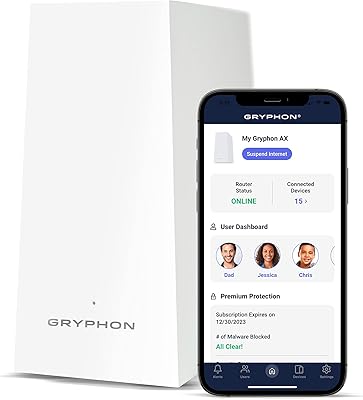
Gryphon AX Mesh WiFi 6 Router
73%
91%
Parental Controls
88%
Network Security
76%
WiFi Speed & Performance
78%
Coverage & Range
84%
Setup & Installation
More
Linksys MR8300 Mesh WiFi Router
84%
88%
Wi-Fi Performance
81%
Ease of Setup
90%
Coverage Area
85%
Device Support
89%
Gaming Performance
More
Linksys AX2200 WiFi 6 Mesh Router
84%
88%
WiFi Speed & Performance
91%
Ease of Setup
85%
Coverage & Range
72%
Reliability in Large Homes
90%
App Functionality & Control
More
Reyee RG-R6 AX3200 Mesh WiFi 6 System (1-Pack)
71%
88%
Value for Money
91%
Setup & Ease of Use
76%
WiFi Coverage
79%
Network Speed & Throughput
82%
Multi-Device Performance
More
Linksys MR6350 Dual-Band Mesh WiFi Router

74%
91%
Ease of Setup
62%
WiFi Coverage
84%
Connection Stability
71%
Real-World Speed
68%
App Experience
More
D-Link AX3000 M30 WiFi 6 Mesh Router
78%
74%
WiFi Coverage & Range
78%
WiFi Speed & Throughput
88%
Setup & Installation
71%
App Experience
83%
Parental Controls
More
Linksys LN3121 WiFi 6 Mesh Router
73%
91%
Ease of Setup
74%
WiFi Coverage
78%
Connection Speed
82%
Multi-Device Performance
83%
Network Stability
More
Linksys MX8000 Velop Mesh WiFi Router 2-Pack
75%
86%
Coverage & Range
74%
WiFi Speed Performance
83%
Multi-Device Handling
91%
Setup & Installation
78%
App Experience
More
TP-Link Deco BE23 WiFi 7 Mesh Router
82%
93%
Value for Money
91%
Setup & Ease of Use
84%
Wi-Fi Speed Performance
82%
Coverage & Signal Range
89%
Wired Port Quality
More
NETGEAR Orbi LBR20 4G LTE WiFi Router
71%
71%
Cellular Connectivity
74%
WiFi Coverage
86%
Setup Experience
58%
Value for Money
78%
Mesh Expandability
More

FAQ

Not really. The setup process is handled entirely through the Gryphon Connect app — you plug the unit in, open the app, and follow a guided flow that most users complete in under ten minutes. It is genuinely one of the more beginner-friendly router setups available, and you never need to touch a browser-based admin panel.

No, and this is worth knowing before you buy. The Guardian node only pairs with other Guardian units, so it cannot be added to a mesh network from a different brand. If you are already running Eero, Nest, or any other ecosystem, this device would need to replace your existing setup rather than extend it.

The core router functionality — WiFi, basic parental controls, and the firewall hardware — continues to work after the trial. However, some of the more advanced threat intelligence features, including updated malware definitions and enhanced filtering, are tied to the Premium Protection subscription. Gryphon offers paid plans to continue those capabilities, so it is worth factoring that into your long-term cost estimate before purchasing.

A single unit is generally sufficient for apartments and smaller homes under about 1,200 to 1,400 square feet with open layouts. If your home is larger, has multiple floors, or has thick concrete or brick walls, coverage will likely fall short of the advertised 1,500 sq ft, and a second Guardian node would help fill the gaps.

The controls work well for younger children and typical browsing scenarios — blocking content categories, setting bedtime internet shutoffs, and limiting app access are all reliable. For older, tech-savvy teenagers, the network-level filters can be bypassed using a VPN or by changing DNS settings on their device, which is a real limitation shared by most router-based parental control systems. It works best as one layer of a broader approach rather than a standalone solution.

For one or two people doing moderate streaming, it handles the load fine. But if your household regularly runs multiple 4K streams simultaneously, plays online games competitively, or has a large number of active smart home devices, the AC1200 speed class will likely become a bottleneck. Households with that kind of bandwidth demand would be better served by a WiFi 6 router with higher throughput.

It works as a standalone router but still needs a separate modem to connect to your ISP. You plug the modem into the Guardian node's WAN port, and the router handles everything from there. It is not a modem-router combo unit.

Yes. The Gryphon Connect app lets you create individual profiles for each family member and assign specific devices to each profile. That means your youngest can have strict content filters and an early bedtime cutoff, while a teenager has a different set of rules — all managed from the same app without interfering with each other.

This is one of the weaker points based on user feedback. Support is available through email and in-app channels, and the one-year hardware warranty provides a formal safety net for hardware failures. That said, response times have been inconsistent according to a notable share of reviewers, with some reporting multi-day waits on issues that needed quicker resolution. It is something to factor in if fast support is important to you.

The app provides visibility into online activity including search monitoring and browsing categories, which gives parents a general picture of what is being accessed on each device. The depth of logging and reporting available depends on whether you are on the free tier or a paid Premium Protection plan after the trial ends — the paid tier offers more detailed historical activity data.

Where to Buy