Overview
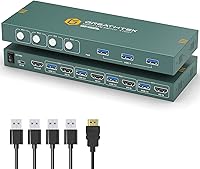
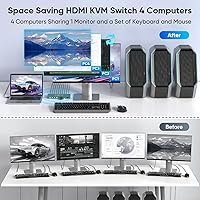
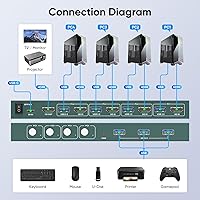
The GREATHTEK 4-Port HDMI KVM Switch sits in a practical middle ground: capable enough for serious multi-PC setups, priced for buyers who don't want to overspend on enterprise-grade hardware. The core idea is simple — one monitor, one keyboard, one mouse shared across up to four computers. GREATHTEK isn't a household name in the KVM space the way IOGear or TESmart might be, but holding #6 in KVM Switches on Amazon with over 530 ratings is a credible signal that real buyers are choosing it and coming back satisfied. One thing to know upfront: switching is physical only — there's a button on the unit, and that's your method. No hotkeys, no software.
Features & Benefits
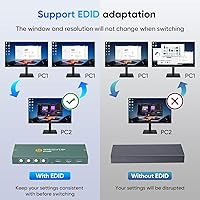
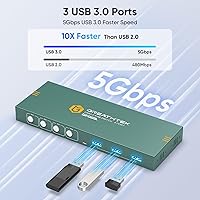
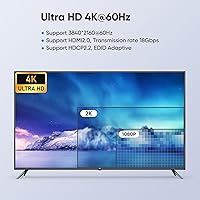
This KVM switch handles 4K at 60Hz over HDMI, with Adaptive EDID support that helps it handshake cleanly with different monitors rather than defaulting to lower resolutions mid-session. Beyond video, three USB 3.0 ports mean you're not just sharing a keyboard and mouse — you can plug in an external drive or webcam and have those available on whichever PC is active. Setup is genuinely straightforward: connect the cables, which are all included in the box, and it simply works. No driver installation, no configuration utility to navigate. The unit itself is compact at roughly 9 by 6 inches, so it fits most desk setups without demanding prime real estate.
Best For
This 4-port switcher makes the most sense for home office users juggling two to four machines at once — a work laptop, a personal desktop, maybe a dedicated test rig, all feeding into one clean workstation. IT professionals and developers who hop between systems throughout the day will appreciate the no-fuss approach. If you're running a 4K monitor, this switch won't force it down to 1080p on a different input, which matters more than people expect. What it's genuinely not built for: anyone who needs hotkey switching to stay in flow without lifting their hands from the keyboard. If that's a firm requirement, look elsewhere before buying.
User Feedback
Across more than 530 ratings, a clear pattern emerges. Most buyers report that the 4K signal stays stable without fussing with display settings, and USB 3.0 sharing speed gets consistent praise, particularly from people running external drives. On the downside, the absence of hotkey switching comes up often enough to take seriously — for frequent switchers, reaching for a physical button genuinely breaks rhythm. A smaller group of reviewers notes occasional delays when USB devices re-register after a source change. The included cables are functional but basic. At 4.4 stars overall, the GREATHTEK switch delivers well for buyers with straightforward needs, and less so for power users expecting finer control.
Pros
- Stable 4K output at 60Hz means no resolution compromises when switching between computers.
- Adaptive EDID support handles monitor handshaking automatically without manual reconfiguration.
- Three USB 3.0 ports let you share more than just a keyboard and mouse across all connected PCs.
- Plug-and-play setup works right out of the box with no software or driver installation required.
- All necessary cables are included, so you can get running without a separate trip to the accessories aisle.
- The compact 9-by-6-inch footprint sits comfortably on most desks without consuming valuable workspace.
- A 4.4-star average across hundreds of real buyers reflects a consistently solid ownership experience.
- USB 3.0 speeds make peripheral sharing practical for external drives and webcams, not just input devices.
- Physical button switching is reliable and introduces no lag or signal dropout during source changes.
- Ranked in the top ten of its Amazon category, which gives some reassurance for a lesser-known brand.
Cons
- No hotkey switching means you must physically press a button every time you want to change sources.
- Occasional USB re-enumeration delays after switching can interrupt workflows that depend on instant peripheral recognition.
- Included cables are basic quality and may need upgrading if you are running longer cable runs.
- No audio passthrough requires a separate workaround for users routing speakers or headsets through their setup.
- Single HDMI output rules out any dual-monitor or multi-display configurations.
- GREATHTEK has a limited public support presence compared to established KVM brands, which may concern some buyers.
- No software or app control means there is no way to automate or schedule source switching.
- The device requires its own power connection via the included cable, adding one more cord to manage.
Ratings
The scores below reflect an AI-driven analysis of verified global buyer reviews for the GREATHTEK 4-Port HDMI KVM Switch, with spam, incentivized, and bot-generated feedback actively filtered out before scoring. Each category is evaluated against real-world usage patterns reported by actual owners, from home office professionals to developers running multi-machine setups. Both the standout strengths and the genuine frustrations are reflected transparently so you can make a clear-eyed decision.
Video Signal Quality
Switching Performance
USB Peripheral Sharing
Setup Experience
Build Quality
4K Compatibility
Cable Quality
Hotkey Support
Audio Handling
Multi-Monitor Support
Value for Money
Brand Reliability
Compatibility Range
Ease of Daily Use
Suitable for:
The GREATHTEK 4-Port HDMI KVM Switch is a strong fit for anyone running a multi-PC desk setup who wants to cut through cable chaos without a steep learning curve. Home office workers juggling a work-issued laptop, a personal desktop, and perhaps a secondary machine will find the single-monitor, single-keyboard arrangement genuinely freeing. Developers and IT professionals who regularly bounce between a production environment, a test rig, and a personal machine get a lot of practical value here, especially since the three USB 3.0 ports let them share an external drive or webcam across systems without replug gymnastics. If you own a 4K monitor and are tired of watching your resolution drop every time you manually swap inputs, the 4K-at-60Hz output with Adaptive EDID handles that quietly in the background. It also works well for small businesses setting up shared workstations on a budget, where simplicity and reliability matter more than advanced control features.
Not suitable for:
The GREATHTEK 4-Port HDMI KVM Switch is not the right tool for users who rely on keyboard shortcuts to stay in flow throughout the day, because hotkey switching simply is not supported — you will be reaching for a physical button every single time you change sources, and for fast-paced workflows that friction adds up. Audio passthrough is also absent, so anyone routing speakers or a headset through their KVM will need a separate solution or manual audio switching, which defeats some of the convenience. Users who need to extend across dual monitors are out of luck here, as this is a single-display-output device only. Those in professional broadcast, video production, or color-critical environments should also look at more specialized hardware, since this switcher is built for general computing tasks rather than precision display work. And if brand reputation and dedicated customer support infrastructure are deciding factors for you, the relatively limited public profile of GREATHTEK compared to established names like IOGear or TESmart is worth factoring in before committing.
Specifications
- Computer Ports: The switch accepts up to 4 computers via dedicated input ports, all managed through a single shared monitor output.
- Video Output: HDMI output supports a maximum resolution of 3840x2160 (4K) at 60Hz, with backward compatibility for lower resolutions including 1080p.
- EDID Support: Adaptive EDID technology allows the switch to correctly identify and communicate display capabilities to each connected computer automatically.
- USB Ports: Three USB 3.0 ports are available for sharing peripheral devices — such as keyboards, mice, external drives, and webcams — across all connected computers.
- Switching Method: Source switching is performed exclusively via a physical push button on the unit; hotkey and software-based switching are not supported.
- Plug and Play: No drivers or software installation are required; the device is recognized and operational as soon as cables are connected.
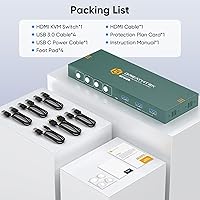
- Included Cables: The package includes one HDMI cable, four USB 3.0 cables, and one power cable, providing everything needed for a basic four-computer setup.
- Dimensions: The unit measures 9 x 6 x 2 inches (L x W x H), offering a compact form factor suited to most desktop workstations.
- Weight: The switch weighs approximately 1 pound, making it light enough to reposition on a desk without any effort.
- Operating Voltage: The device operates at 5 volts DC, powered via the included power cable.
- Current Rating: The unit is rated at 1 amp, consistent with standard low-power peripheral switching hardware.
- Hotkey Switching: Hotkey-based switching between computers is explicitly not supported by this device.
- Audio Passthrough: This switch does not include audio passthrough functionality; audio devices must be managed independently of the KVM.
- Display Outputs: The switch supports a single monitor output only and does not accommodate dual-display or multi-monitor configurations.
- Connector Types: The device uses HDMI for video and USB 3.0 for data and peripheral connections on both host and peripheral sides.
- Temperature Rating: The unit is rated for operation up to 70 degrees Celsius, suitable for standard indoor office environments.
- Protection Rating: The device carries an IP00 rating, meaning it is not rated for dust or moisture resistance and should be used in clean, dry environments.
- Brand: Manufactured by GREATHTEK, a brand specializing in KVM switching solutions for consumer and small-business desktop setups.
- Best Sellers Rank: Ranked #6 in the KVM Switches category on Amazon, based on sustained sales performance across its listing history.
- User Rating: The product holds a 4.4-star average rating drawn from over 530 verified buyer ratings on Amazon.
Related Reviews

ANXQQ ANQ-8401B 4-Port HDMI KVM Switch

StarTech SV431HDU3A2 4-Port HDMI KVM Switch

DGODRT KS604H 4-Port HDMI KVM Switch
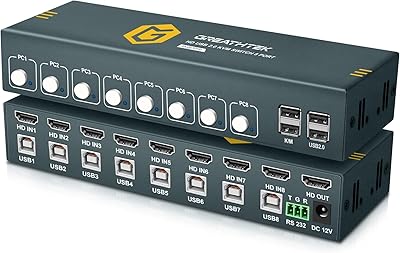
GREATHTEK 8-Port HDMI KVM Switch
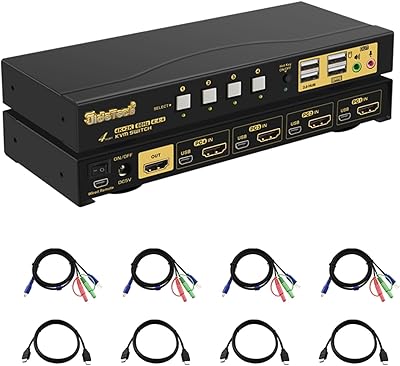
JideTech 64H2UA 4-Port HDMI KVM Switch

Steetek STK-S7415H 4-Port HDMI KVM Switch
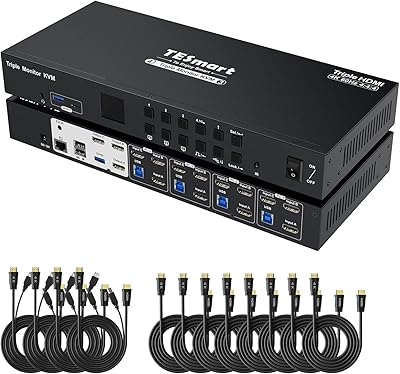
TESmart HKS403-P23 4-Port Triple Monitor KVM Switch
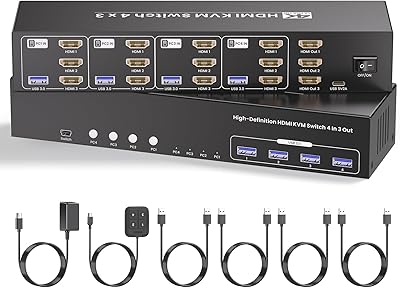
Scyniney 4-Port Triple-Monitor HDMI KVM Switch
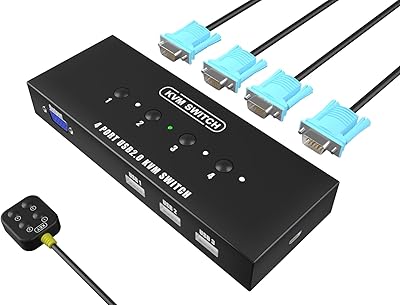
KAGO 4-Port VGA KVM Switch
