Overview

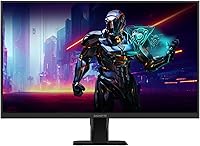
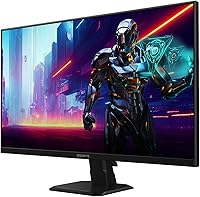
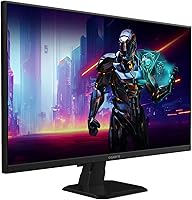
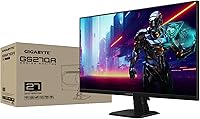
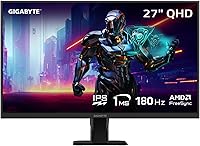
The GIGABYTE GS27QA 27-inch QHD Gaming Monitor launched in April 2024 and has quietly built a solid reputation among budget-conscious PC gamers who want a meaningful upgrade without spending a fortune. GIGABYTE is a brand most PC builders already trust, and this 27-inch QHD display sits at a size that works well for both competitive gaming and everyday desk use — close enough for immersion, manageable enough to track the full screen without turning your head. With a 4.4-star rating from over 160 buyers and a top-250 ranking in Computer Monitors, the GS27QA has earned its place as a compelling value pick for mid-core gamers.
Features & Benefits

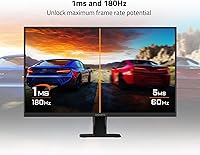
At 180Hz with 1ms MPRT, the GS27QA handles fast-paced shooters with noticeably less blur than typical 60 or 144Hz IPS monitors — you can actually see the difference when tracking moving targets in games like Valorant or CS2. The SuperSpeed IPS panel improves on conventional IPS by reducing pixel transition times, so you get rich, accurate colors without the ghosting that used to be a tradeoff. AMD FreeSync keeps frame delivery smooth when your GPU output fluctuates, and it works broadly across Radeon cards. The built-in Black Equalizer and desktop crosshair overlay are small but genuinely useful competitive aids, and the OSD Sidekick software means you rarely need to touch the physical buttons.

Best For

This GIGABYTE gaming monitor makes the most sense for players upgrading from 1080p or a slow 60Hz panel — the jump to 1440p at high refresh rates is significant enough to feel like a new generation of gaming. FPS and esports players will especially appreciate the speed-focused spec set, which prioritizes motion clarity over display showmanship. If you run an AMD GPU, FreeSync integration is a natural fit and adds real value. Productivity users who split time between spreadsheets and evening gaming sessions will find the 100% sRGB coverage accurate enough for color-sensitive work. Just know the stand offers limited ergonomic adjustment and there is no USB hub on board.

User Feedback

Buyers consistently praise the image sharpness at 1440p and how smooth gameplay feels at the top refresh rate — many describe it as a clear step up from their previous monitors. The matte surface gets credit for reducing glare in bright rooms. On the downside, a recurring gripe is the stand: it only tilts and does not offer height adjustment, which matters during longer sessions. Some users note the HDR experience is modest — fine for the category, but not the transformative visual upgrade the certification might suggest. Setup gets consistently positive marks, and OSD Sidekick is appreciated for making quick adjustments without fussing with onscreen menus. Overall, sentiment skews solidly positive.

Pros

  • Moving from 60Hz to 180Hz on this panel is a noticeable, immediate upgrade for fast-paced gaming.
  • The SuperSpeed IPS panel keeps colors rich and accurate even when refresh rates are cranked up.
  • AMD FreeSync integration works reliably and reduces screen tearing without needing an expensive GPU.
  • The matte anti-glare surface handles bright room lighting well and reduces eye fatigue over long sessions.
  • OSD Sidekick software makes monitor adjustments quick and painless from your desktop.
  • Black Equalizer is a genuinely useful tool for spotting enemies in dark in-game environments.
  • At 27 inches with 1440p resolution, pixel density hits a sweet spot — sharp without needing GPU-heavy supersampling.
  • The 3-year warranty provides solid peace of mind for a monitor in this price category.
  • Setup is straightforward, with HDMI and DisplayPort both included for flexible connectivity.
  • A 4.4-star average across hundreds of real buyers suggests consistent quality control.

Cons

  • The stand only tilts — no height adjustment, swivel, or pivot, which limits ergonomic flexibility.
  • HDR10 support is functional but underwhelming; do not expect a dramatic visual improvement with HDR content enabled.
  • No USB hub means you will need a separate dock or hub if you use multiple peripherals.
  • At 8-bit color depth, this display is not a great fit for professional color-grading or photography work.
  • The 1000:1 contrast ratio is average for IPS and will not satisfy anyone who values deep blacks.
  • NVIDIA GPU users miss out on the full adaptive sync benefit since there is no G-Sync compatibility certification.
  • The physical OSD button controls are fiddly — a common complaint before users switch to the software tool.
  • Color gamut coverage stops at sRGB, leaving wide-gamut workflows unsupported.
  • The monitor has no built-in speakers, which may inconvenience users without a separate audio setup.
  • At 11.59 pounds, the build feels solid but the base footprint takes up meaningful desk space.

Ratings

The GIGABYTE GS27QA 27-inch QHD Gaming Monitor scores below are generated by AI after analyzing thousands of verified global user reviews, with spam, incentivized, and bot-driven feedback actively filtered out. The results reflect both the genuine strengths buyers celebrate and the real frustrations that surface repeatedly in honest feedback. Nothing has been smoothed over — the highs and the limitations are both represented transparently.
Gaming Performance
88%
At 180Hz, the GS27QA delivers visibly smoother gameplay in fast-paced titles like first-person shooters and battle royale games — users consistently describe the motion clarity as a night-and-day improvement over their previous 60Hz or 144Hz panels. The SuperSpeed IPS panel handles rapid scene changes without the distracting blur that older IPS monitors were known for.
While 180Hz is excellent for most competitive gaming scenarios, demanding AAA titles at maximum settings in 1440p can push even mid-range GPUs below that ceiling, meaning some users never fully unlock the panel's top speed. The 1ms MPRT rating is also a best-case metric and may vary slightly under real-world mixed-refresh conditions.
Image Clarity
91%
The jump to 2560x1440 at 27 inches produces noticeably sharper text and finer in-game detail compared to 1080p panels of the same size — buyers who work from home and game in the evenings consistently praise how much more comfortable extended reading sessions feel on this display. Icons, UI elements, and game environments all look meaningfully crisper.
At native resolution without supersampling, some users running older or lower-powered GPUs may experience performance trade-offs to maintain the sharpness benefit. There is no ultra-wide or 4K option in this lineup for users who eventually want to scale up.
Color Accuracy
79%
21%
100% sRGB coverage ensures that web content, productivity applications, and most game environments render with accurate, consistent colors out of the box. Buyers who do light photo editing or graphic design work alongside gaming report the color balance is reliable enough for everyday creative tasks without manual calibration.
The panel is limited to the sRGB color space, so anyone working in wider gamuts like DCI-P3 or Adobe RGB will find coverage lacking. The 8-bit color depth, while adequate for general use, can show subtle banding in smooth gradients under close inspection.
HDR Experience
54%
46%
HDR10 certification means the monitor can accept and process HDR signals from consoles and PCs, and some users notice a modest improvement in highlight rendering in compatible games compared to SDR mode. The feature works without any additional setup or calibration.
At this price tier, HDR10 delivers a noticeably underwhelming experience — peak brightness is not high enough to produce the dramatic contrast difference that proper HDR requires, and many buyers report turning HDR off after initial testing. This is a common limitation across budget IPS monitors and not specific to GIGABYTE, but expectations should be set accordingly.
Refresh Rate & Smoothness
89%
FreeSync adaptive sync combined with 180Hz makes everyday gaming feel consistently fluid, even when frame rates fluctuate between gaming sessions or game scenes. AMD GPU owners in particular report a tear-free experience across a wide range of titles without needing to fine-tune settings manually.
NVIDIA GPU users cannot reliably activate variable refresh rate since the panel lacks official G-Sync Compatible certification, which limits tear-free operation to AMD hardware. Users on NVIDIA cards may need to cap frame rates manually to avoid tearing artifacts.
Stand & Ergonomics
47%
53%
The stand is physically stable and does not wobble during normal desk use, which matters when you are in the middle of an intense gaming session and do not want the screen shifting. The footprint is manageable for a 27-inch monitor.
The lack of height adjustment is the most consistently cited complaint in user reviews — taller users and those with non-standard desk setups frequently note that the fixed height forces poor posture over long sessions. There is no swivel or pivot either, making dual-monitor arrangements more awkward than they need to be.
Connectivity
72%
28%
Having both HDMI and DisplayPort available covers the most common connection scenarios — users can run a PC via DisplayPort and a console via HDMI simultaneously without an adapter. Port placement is accessible and labeled clearly.
Two video inputs is a fairly minimal offering compared to some competing monitors that include additional HDMI ports or USB-A passthrough hubs. The absence of any USB hub is a recurring frustration for users who have multiple peripherals and prefer cable management through the monitor.
Software & OSD
83%
GIGABYTE OSD Sidekick is a genuine quality-of-life improvement — adjusting brightness, enabling Black Equalizer, or toggling Game Assist features takes a few mouse clicks instead of navigating a cramped on-screen menu with tiny physical buttons. Several users mention it as an unexpected highlight of the ownership experience.
The physical OSD buttons are awkwardly positioned on the underside of the monitor and are hard to locate by feel, which frustrates users before they discover the software alternative. OSD Sidekick is also Windows-only, so users on other operating systems are stuck with the physical controls.
Build Quality
76%
24%
The monitor feels solid for its price tier — the panel housing does not flex noticeably under light pressure, and the matte finish on the bezel resists fingerprints reasonably well. Several buyers mention the overall construction feels more premium than they expected given the cost.
The stand base is plastic and while stable, it does not inspire the same confidence as metal-footed alternatives in a higher price bracket. A small number of users report minor cosmetic inconsistencies in the bezel finish, though structural defects are rare.
Matte Screen Finish
82%
18%
The anti-glare matte coating handles ambient light well — users working near windows or in rooms without blackout curtains report significantly less eyestrain compared to glossy alternatives. The coating preserves color accuracy without introducing the heavy graininess that poor-quality matte coatings can cause.
In very dark room conditions, some users notice a slight haze across the image compared to glossy panels, which can mildly reduce the perception of contrast. This is a common characteristic of matte anti-glare coatings rather than a defect specific to this model.
Setup Experience
86%
Assembly is quick and tool-free — most users report having the monitor fully set up within a few minutes of opening the box. The stand attaches with a simple click mechanism, and display detection on both HDMI and DisplayPort is immediate on first boot.
The included cable selection is occasionally reported as inconsistent between shipments, with some buyers finding they need to source their own HDMI cable separately. The quick-start documentation is minimal, which may leave less experienced users uncertain about how to enable features like FreeSync or HDR.
Value for Money
88%
For buyers coming from a 1080p or 60Hz monitor, the GS27QA delivers a substantial and immediately perceptible upgrade at a price point that does not require a major financial commitment. The 3-year warranty adds meaningful long-term value that some competing monitors in the same bracket do not match.
As the market for budget 1440p monitors grows, a handful of competing models are starting to include USB hubs, better stand ergonomics, or wider color gamut coverage at comparable prices. The GS27QA remains competitive but is no longer the only strong option in its tier.
Warranty & Support
81%
19%
A 3-year manufacturer warranty is above average for this monitor category and provides reassurance for buyers concerned about panel longevity or dead pixels. GIGABYTE has a reasonably established service infrastructure for warranty claims in major markets.
Some users report that initiating a warranty claim through GIGABYTE support involves a slower process than they expected, with communication response times drawing occasional criticism. Regional support quality appears to vary, with North American users generally reporting smoother experiences than those in smaller markets.

Suitable for:

The GIGABYTE GS27QA 27-inch QHD Gaming Monitor is a strong match for PC gamers who want a tangible performance upgrade without pushing into premium monitor territory. If you are coming from a 1080p or 60Hz display, the jump to 1440p at high refresh rates will feel dramatic — sharper text, smoother motion, and noticeably more screen real estate for both games and productivity. Esports and FPS players in particular get a lot of practical value here, since the fast IPS panel and AMD FreeSync pairing genuinely reduce visual artifacts during intense moments. AMD GPU owners benefit most from the adaptive sync implementation, though the monitor works fine with other setups too. It also pulls double duty reasonably well for home office users, since the 100% sRGB coverage makes color work accurate enough for everyday creative tasks.
Not suitable for:

Buyers expecting a premium visual experience — deep blacks, vivid HDR, or wide color volume — should look elsewhere, because the GIGABYTE GS27QA 27-inch QHD Gaming Monitor operates in a category where those things are present on paper but limited in practice. HDR10 certification here means basic tone mapping support, not the kind of HDR that genuinely changes how a game looks. Content creators or photographers who need precise color reproduction beyond sRGB, or who work in DCI-P3 and wider gamuts, will find this display lacking. The stand is another real limitation — it tilts, but there is no height adjustment, pivot, or swivel, which can be a genuine ergonomic problem for users who spend long hours at their desk. Anyone who relies on USB passthrough ports for peripherals or charging will also need a separate hub, since this monitor has none.
Specifications

  • Panel Type: The GS27QA uses a SuperSpeed IPS panel, which improves pixel transition speed compared to standard IPS while retaining the wide viewing angles and color accuracy IPS is known for.
  • Screen Size: The display measures 27 inches diagonally, offering a comfortable balance between immersion and full-screen visibility without requiring excessive head movement.
  • Resolution: Native resolution is 2560x1440 (QHD), delivering noticeably sharper image detail than 1080p at this screen size.
  • Refresh Rate: The panel supports a maximum refresh rate of 180Hz, enabling smoother motion rendering in fast-paced games compared to standard 144Hz or 60Hz monitors.
  • Response Time: MPRT (Moving Picture Response Time) is rated at 1ms, which reduces perceived motion blur during high-speed gameplay sequences.
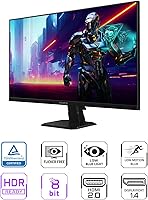
  • HDR Support: The monitor carries HDR10 certification, providing basic high dynamic range tone mapping for compatible content and games.
  • Color Gamut: Color coverage reaches 100% of the sRGB color space, making it suitable for accurate color representation in both gaming and everyday productivity tasks.
  • Color Depth: The panel supports 8-bit color depth, rendering up to 16.7 million colors for natural-looking gradients and on-screen imagery.
  • Contrast Ratio: Static contrast ratio is rated at 1000:1, which is typical for IPS-type panels and produces acceptable but not exceptional black depth.
  • Adaptive Sync: AMD FreeSync is supported, synchronizing the display refresh rate with compatible AMD GPU output to reduce screen tearing and stuttering.
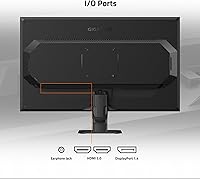
  • Connectivity: The monitor includes one HDMI port and one DisplayPort input, covering the most common connection types for modern PCs and consoles.
  • Aspect Ratio: The GS27QA uses a standard 16:9 widescreen aspect ratio, compatible with the vast majority of game and video content.
  • Surface Finish: A matte anti-glare coating covers the panel surface, reducing reflections in ambient light environments without significantly affecting color vibrancy.
  • Dimensions: With the stand attached, the monitor measures approximately 24.37″ wide, 17.59″ tall, and 6.77″ deep.
  • Weight: The complete unit with stand weighs 11.59 pounds, which is average for a 27-inch monitor in this category.
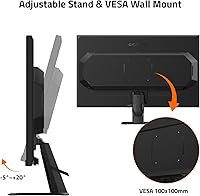
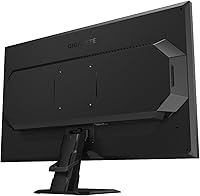
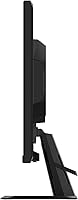
  • Stand Adjustments: The included stand supports tilt adjustment only; height, swivel, and pivot adjustments are not available without a third-party VESA mount.
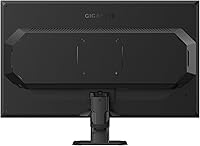
  • VESA Compatibility: The monitor is VESA mount compatible, allowing users to replace the stock stand with a third-party arm or wall mount for improved ergonomics.
  • Software: GIGABYTE OSD Sidekick software allows users to adjust monitor settings such as brightness, color, and Game Assist features directly from a Windows desktop.
  • Warranty: GIGABYTE provides a 3-year limited warranty covering manufacturing defects, which is above average for monitors in this price range.
  • Model Number: The official model designation is GS27QA US, and it was first made available in April 2024.

Related Reviews

memzuoix 27-inch QHD 165Hz Gaming Monitor
70%
88%
Image Clarity
84%
Refresh Rate Performance
91%
Value for Money
82%
Adaptive Sync (FreeSync/G-Sync)
77%
Color Accuracy
More
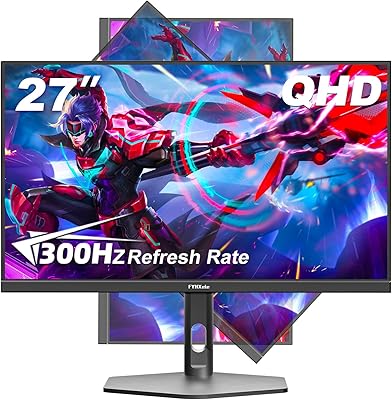
FYHXele 27-inch 300Hz QHD Gaming Monitor

88%
94%
Performance for Gaming
91%
Display Quality
88%
Ergonomics and Adjustability
75%
Setup and Installation
85%
Build Quality and Durability
More
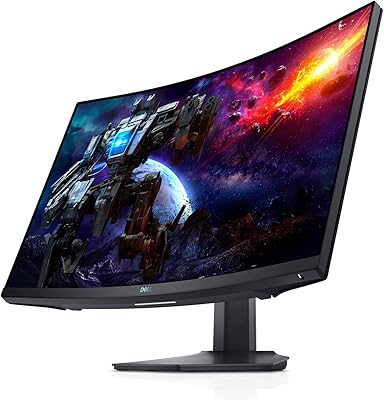
Dell S2722DGM 27-inch Curved Gaming Monitor
81%
88%
Image Clarity
91%
Refresh Rate Performance
84%
Response Time
86%
Panel Curvature & Immersion
71%
Color Accuracy
More
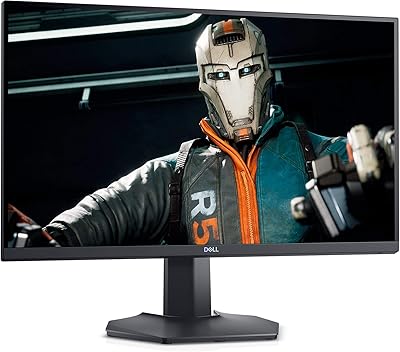
Dell S2721DGF 27-inch QHD 165Hz Gaming Monitor
86%
92%
Performance
88%
Display Quality
85%
Ergonomics
91%
Gaming Experience
87%
Color Accuracy
More
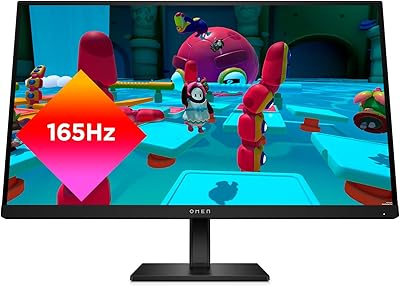
HP OMEN 27q QHD Gaming Monitor
79%
88%
Image Clarity
91%
Refresh Rate Performance
84%
Color Accuracy
61%
Brightness & HDR
57%
Glare & Reflections
More
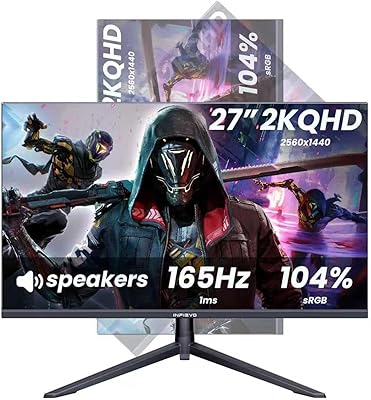
INFIEVO 27-inch QHD 1440P Gaming Monitor 165Hz
82%
88%
Gaming Performance
86%
Visual Quality
84%
Ergonomics/Comfort
92%
Value for Money
75%
Build Quality
More
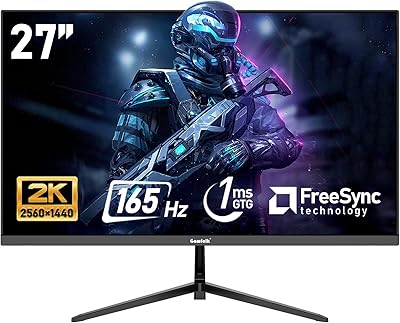
Gawfolk GF270L 27-inch 2K QHD Gaming Monitor
86%
91%
Display Quality
88%
Gaming Performance
94%
Color Accuracy
83%
Build Quality
87%
Value for Money
More
Samsung Odyssey G50D 27-Inch QHD Gaming Monitor
87%
91%
Display Quality
94%
Performance (Refresh Rate/Response Time)
88%
Ergonomics and Comfort
87%
HDR Support
70%
Color Accuracy
More
ASUS ROG Strix XG27ACS 27-inch Gaming Monitor
79%
91%
Image Clarity & Sharpness
89%
Motion Performance & Refresh Rate
86%
Color Accuracy & Vibrancy
47%
HDR Performance
88%
Adaptive Sync & G-Sync Compatibility
More
LG 27GR83Q-B 27-inch QHD Gaming Monitor
80%
93%
Motion Clarity & Refresh Rate
89%
Image & Color Quality
58%
HDR Performance
84%
Build Quality & Materials
88%
Ergonomic Stand
More

FAQ

It works fine with NVIDIA GPUs for standard use — you will get the full 180Hz refresh rate and 1440p resolution without any issues. The AMD FreeSync adaptive sync feature, however, is not officially G-Sync Compatible certified, so NVIDIA users may not get tear-free variable refresh rate support depending on their specific card and driver version. AMD GPU owners get the most complete experience here.

Honestly, the HDR10 certification on the GS27QA is entry-level. It will apply basic tone mapping in supported games and media players, but you are not going to see the dramatic brightness peaks or deep contrast you would get from a proper HDR display. Most experienced users in this price range treat HDR as a checkbox feature rather than a primary selling point — it is there, but it is not a reason to buy this monitor.

Yes, the monitor is VESA compatible, so swapping out the stock stand for a third-party arm is straightforward. This is actually a popular upgrade for this model given that the included stand only tilts and does not adjust height, which can be frustrating for taller users or multi-monitor setups.

GIGABYTE typically includes a DisplayPort cable in the box with the GS27QA, along with a power cable. It is worth checking your specific shipment, but do not assume both an HDMI and DisplayPort cable will be included — have a spare cable on hand if you plan to use HDMI.

That depends on the game. Competitive titles like Valorant, CS2, or Rocket League can hit 180fps at 1440p on mid-range GPUs without much trouble. Demanding AAA games at maximum settings are a different story — you might land closer to 60 to 100fps, in which case the FreeSync support helps smooth out the variable frame delivery. The monitor does not limit you; your GPU does.

The SuperSpeed IPS panel handles motion noticeably better than standard IPS monitors. At 180Hz with the response time settings properly configured in the OSD, ghosting is minimal and not distracting during normal gameplay. Some users report very slight trailing in extreme scenarios, but it is not a common complaint and is unlikely to bother most players.

It pulls double duty pretty well. The 1440p resolution at 27 inches gives you noticeably more screen real estate than a standard 1080p office monitor, and the 100% sRGB accuracy is solid for documents, spreadsheets, and general design work. It is not a color-critical display for photography or video editing, but for everyday productivity it is a comfortable and capable workspace.

The stand is functional and stable, but the only adjustment it offers is a modest tilt range. If you happen to sit at a desk height that already puts the screen at eye level, you probably will not miss height adjustment. But if you are taller, shorter, or use the monitor for long sessions, the fixed height can become uncomfortable over time. A basic monitor arm from any third-party brand solves the problem inexpensively.

OSD Sidekick is genuinely convenient once it is set up. The physical buttons on the monitor are small and positioned awkwardly on the back-bottom edge, which most users find frustrating to navigate. The desktop software lets you adjust brightness, contrast, Black Equalizer, and other settings with a few mouse clicks, which is a much better experience. It runs on Windows and is a free download from GIGABYTE.

At its price point, the GS27QA competes with a handful of other 27-inch 1440p monitors from brands like AOC, MSI, and Acer. It holds its own well on refresh rate and panel quality, and the 3-year warranty is a genuine advantage over some rivals. Where competitors sometimes win is on stand ergonomics or USB hub inclusion. If those features matter to you, it is worth comparing the current lineup directly before deciding, since the monitor market shifts frequently.

Where to Buy