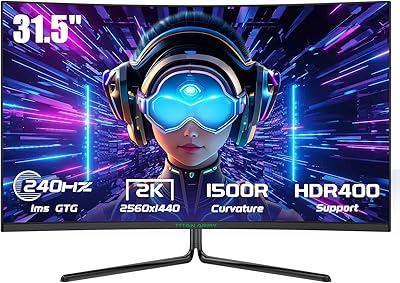
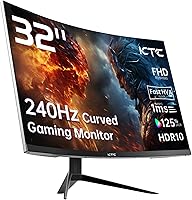
KTC H32S17F 32-inch Curved Gaming Monitor

Overview
The KTC H32S17F 32-inch Curved Gaming Monitor enters the market as a straightforward value play for gamers who want a large, fast screen without spending heavily. KTC is not a household name — the brand is a Chinese manufacturer still building its reputation in a crowded field — but that is part of the calculation here. The 1500R curved panel and 240Hz refresh rate are the two specs doing the heavy lifting, wrapped around a 1080p FHD resolution. That resolution on a 32-inch screen is worth thinking about honestly: pixel density is lower than many enthusiasts prefer, but if raw speed matters more to you than sharpness, this budget 240Hz screen makes a compelling case.
Features & Benefits
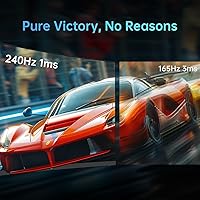
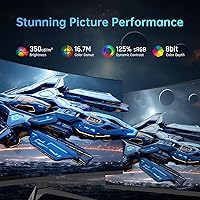
At its core, this curved gaming monitor is built around speed. The 240Hz refresh rate combined with a 1ms response time keeps motion blur in check during fast-paced shooters and racing titles — you will notice the difference immediately if you are upgrading from a 144Hz panel. Color performance punches above its class too, covering 125% of the sRGB spectrum with a 3500:1 contrast ratio that makes dark scenes look genuinely deep. Connectivity is well-rounded: two HDMI 2.0 ports, a DisplayPort 1.4, and a USB 2.0 port cover most setups. Both FreeSync and G-Sync are supported, so you are not locked into one GPU brand. Anti-glare coating, anti-flicker, and blue light filtering round things out for longer sessions.
Best For
You might love this curved gaming monitor if raw frame rate matters more to you than pixel-perfect sharpness. It is a natural fit for competitive FPS players on a budget — the kind of setup where 240Hz makes a tangible difference in reaction time. Console gamers with a PS5, Xbox, or Switch will find the large curved screen genuinely satisfying without the premium price of bigger brands. If you are coming from a 60Hz or even 144Hz display, the jump to 240Hz will feel significant. One honest caveat: if you sit close and care about text clarity, the 1080p resolution at 32 inches may feel soft. Dimmer environments also suit the 350-nit brightness better than bright, sunlit spaces.
User Feedback
Buyers who picked up the KTC 32-inch display tend to praise the smoothness of 240Hz gameplay and how much value the screen delivers for the price. The out-of-box colors get mixed notes — some users were satisfied immediately, while others spent time in the OSD adjusting brightness and saturation before things looked right. A recurring concern worth flagging: several reviewers mention that 1080p at this screen size looks noticeably soft when sitting within arm's reach, particularly for desktop work. Stand stability draws occasional criticism too, with a few buyers describing it as wobblier than expected. On the positive side, packaging appears solid based on reported delivery conditions, and dead pixel complaints are relatively rare among verified purchasers.
Pros
- 240Hz refresh rate delivers genuinely smooth motion that makes fast-paced gaming feel more responsive and controlled.
- The 1500R curve adds real immersion at 32 inches, reducing eye movement and making gameplay feel more enveloping.
- 125% sRGB coverage produces punchy, vibrant colors that stand out compared to standard-gamut displays at this price.
- Dual HDMI 2.0 ports plus a DisplayPort 1.4 input make connecting multiple devices or switching between console and PC straightforward.
- FreeSync and G-Sync compatibility means you are not locked into a specific GPU brand to benefit from adaptive sync.
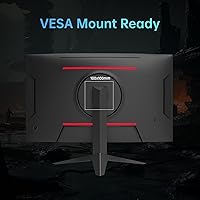
- VESA mount support makes it easy to swap out the stand for an arm and reclaim desk space.
- Anti-glare coating and flicker-free technology make long gaming or work sessions noticeably more comfortable.
- The contrast ratio of 3500:1 gives dark scenes real depth, which is particularly noticeable in atmospheric or horror titles.
- HDR10 support adds at least some dynamic range headroom for compatible content and games.
- Packaging and delivery reliability appear consistent based on buyer reports, with dead pixel issues being relatively uncommon.
Cons
- 1080p resolution on a 32-inch screen produces soft pixel density that can look blurry for desktop use or close-range viewing.
- The panel type has not been officially disclosed, making it difficult to assess color accuracy or response time behavior with confidence.
- Out-of-box color calibration is inconsistent — some buyers need to manually adjust settings before colors look natural.
- The stand only offers tilt adjustment, with no height, swivel, or pivot options to fine-tune ergonomics.
- At 350 nits of peak brightness, the display can look washed out in well-lit or sunlit rooms.
- KTC is a relatively unknown brand with limited third-party reviews, making long-term reliability harder to gauge than established competitors.
- The single USB 2.0 port is a minimal hub offering that limits peripheral convenience at the desk.
- HDR10 support at this brightness level is functional on paper but unlikely to deliver a meaningful HDR experience in practice.
Ratings
The scores below for the KTC H32S17F 32-inch Curved Gaming Monitor were generated by our AI system after analyzing thousands of verified buyer reviews from global markets, with spam, bot activity, and incentivized feedback actively filtered out. Each category reflects the full picture — what real users genuinely praised and where they ran into frustrations — so you can make a confident, informed decision without having to dig through review pages yourself.
Refresh Rate Performance
Value for Money
Motion Clarity
Color & Visual Quality
Resolution & Sharpness
Immersion & Curvature
Connectivity & Ports
Adaptive Sync
Eye Comfort
Stand & Ergonomics
Build Quality
Brightness
Setup & Installation
Panel Type Transparency
Suitable for:
The KTC H32S17F 32-inch Curved Gaming Monitor is a strong fit for budget-conscious gamers who rank refresh rate and screen real estate above all else. If you play fast-paced titles like first-person shooters, battle royales, or racing games, the 240Hz panel will deliver a noticeably smoother experience than most displays in this price range. Console players with a PS5, Xbox Series X, or Nintendo Switch will appreciate the large 1500R curved screen for its immersive feel without the premium price tag that bigger-name brands command. It also makes a lot of sense for anyone upgrading from an older 60Hz or 144Hz monitor, since the jump in motion clarity at 240Hz is immediately obvious and rewarding. Gamers who prefer dimmer setups or play mostly in the evenings will find the 350-nit brightness perfectly adequate for their needs.
Not suitable for:
The KTC H32S17F 32-inch Curved Gaming Monitor is a harder sell if you sit close to your screen and care about image sharpness, because 1080p spread across 32 inches produces a noticeably lower pixel density than most professionals or detail-oriented users will find comfortable. If you do creative work — photo editing, video production, or graphic design — the color accuracy straight out of the box may require calibration, and the panel type has not been officially confirmed by the manufacturer, which is a meaningful gap for anyone who relies on consistent color representation. Power users who need height adjustment, swivel, or pivot for ergonomic flexibility will find the stand limiting, as tilt is the only adjustment on offer. Those already on a 1440p or 4K display will almost certainly feel they are stepping backward in visual fidelity, regardless of the refresh rate gains. Finally, buyers in very bright rooms may find the 350-nit peak brightness struggles to compete with ambient light.
Specifications
- Screen Size: The display measures 32 inches diagonally, offering a wide viewing area suited to immersive gaming and casual desktop use.
- Resolution: Native resolution is 1920x1080 pixels (Full HD), spread across the 32″ panel at a pixel density lower than 1440p alternatives at this size.
- Refresh Rate: The panel runs at a maximum of 240Hz, enabling up to 240 frames per second for significantly smoother motion in fast-paced content.
- Response Time: Rated at 1ms response time, which helps reduce ghosting and trailing artifacts during rapid on-screen movement.
- Panel Curvature: The screen uses a 1500R curvature radius, meaning the panel curves to match a circle with a 1500mm radius for a wraparound viewing effect.
- Color Gamut: Covers 125% of the sRGB color space, producing more saturated and vivid colors than standard 100% sRGB monitors in the same category.
- Color Depth: Supports 16.7 million colors, consistent with 8-bit panel output for smooth gradients and natural-looking imagery.
- Contrast Ratio: The static contrast ratio is rated at 3500:1, delivering deep blacks and bright highlights that improve visibility in dark game environments.
- Brightness: Peak brightness is 350 cd/m² (nits), adequate for moderately lit rooms but potentially limiting in very bright or sunlit environments.
- HDR Support: Compatible with HDR10 content, though the peak brightness ceiling means the HDR effect will be subtle rather than dramatic.
- Adaptive Sync: Supports both AMD FreeSync and Nvidia G-Sync compatibility, allowing variable refresh rate operation with a wide range of graphics cards.
- Connectivity: Includes two HDMI 2.0 ports, one DisplayPort 1.4, and one USB 2.0 port for connecting PCs, consoles, and peripherals.
- Ergonomics: The stand allows tilt adjustment from 5° forward to 15° backward, though it does not support height, swivel, or pivot adjustments.
- VESA Mount: Features a 4-hole VESA mounting pattern using M4x8mm screws, compatible with most standard third-party monitor arms and wall mounts.
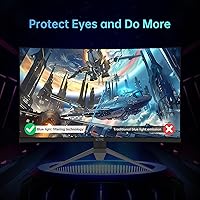
- Eye Care: Built-in anti-blue light filtering, anti-flicker technology, and a matte anti-glare coating work together to reduce eye strain during extended use.
- Aspect Ratio: Standard 16:9 widescreen aspect ratio, compatible with all modern gaming platforms and video content without letterboxing or stretching.
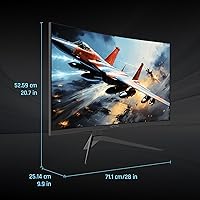
- Dimensions & Weight: The assembled monitor measures approximately 21 x 10 x 49 inches and weighs around 18 pounds including the stand.
- Power Supply: Operates on 19V DC input, and the monitor is designed for standard household power with an external adapter configuration.
Related Reviews

KTC H32S17C 32-inch Curved Gaming Monitor
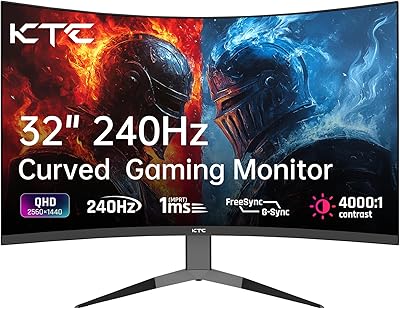
KTC H32S25E 32-inch Curved Gaming Monitor

KOORUI G3221SC 32″ Curved QHD Gaming Monitor

Samsung S39C 32-Inch Curved Gaming Monitor

AOC C32G2 32″ Curved Gaming Monitor
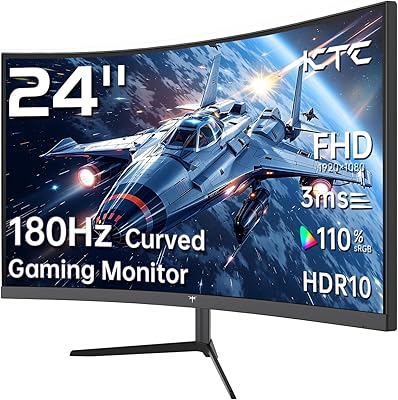
KTC 24-inch 1500R Curved Gaming Monitor

Gawfolk GF320C 32-Inch Curved Gaming Monitor
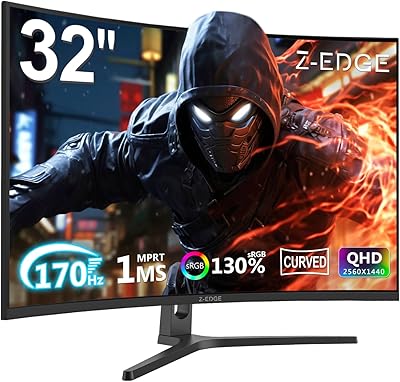
Z-Edge UG32 32-inch Curved Gaming Monitor
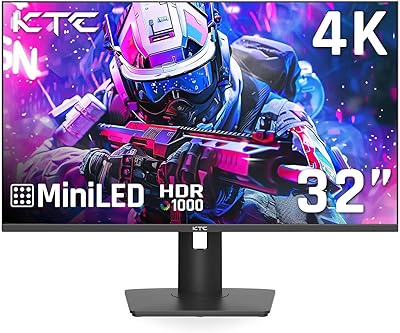
KTC M32P10 32-inch 4K Mini LED Monitor