Overview

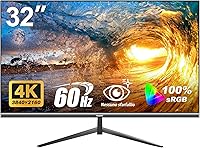
The Gawfolk GF320F 32-Inch 4K UHD Monitor enters a crowded market with a straightforward pitch: a large, high-resolution screen without the brand-name markup. Made by Shenzhen Qinghong Zhuoyue Technology, Gawfolk has little history compared to established display makers, so buyers are essentially betting on specs over reputation. That trade-off is worth understanding upfront. This is a no-frills panel — no factory calibration, no premium stand engineering, no extended warranty. The 12-month coverage is notably shorter than the three-year standard many competitors offer. If you can accept those limitations, this Gawfolk monitor makes a compelling case purely on screen size and resolution for the price.

Features & Benefits

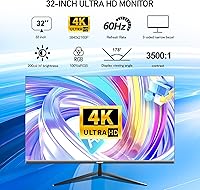
The GF320F uses a VA panel with a 3500:1 contrast ratio, which means blacks look genuinely dark rather than the washed-out grey you often get from budget IPS screens. At 32 inches, the 3840×2160 resolution works out to around 138 pixels per inch — sharp enough for reading fine text, editing photos, or simply watching 4K content without pixel grain. The 100% sRGB coverage handles everyday creative work well, though this is not a factory-calibrated display and professionals needing precise color output should keep that in mind. The 178° viewing angle holds up nicely off-axis, and the HDMI plus DisplayPort connectivity covers most setups. VESA 100×100 mounting support is a practical bonus.

Best For

This 32-inch 4K display hits its stride for home office upgraders moving up from a 1080p screen — the jump in sharpness for spreadsheets, documents, and video calls is immediately obvious. Students and remote workers benefit most from the sheer screen real estate, which makes splitting windows far less cramped. Streaming fans will appreciate the large, vibrant panel for movies and shows, though the 200 cd/m² brightness ceiling is something to factor in if your room gets a lot of daylight. Those with tight desk space should also note the VESA mount compatibility, which opens the door to a clean, stand-free wall setup.

User Feedback

Buyers consistently highlight out-of-the-box color quality as a pleasant surprise — the vibrancy of the VA panel tends to impress people coming from older or smaller monitors. That said, the most common complaint is brightness: 200 cd/m² is on the lower end, and users in sun-lit rooms notice it quickly. Feedback on the stand is mixed at best; several buyers describe it as functional but not particularly sturdy. On the upside, setup is generally reported as straightforward, and port access gets positive marks. The low blue light mode earns genuine appreciation from those doing long work sessions. Customer service feedback is sparse, which is worth noting given the shorter-than-average warranty.

Pros

  • The VA panel delivers genuinely deep blacks and strong contrast that budget IPS screens at this size rarely match.
  • A 32-inch 4K canvas gives you a meaningful productivity boost for multitasking, document work, and video calls.
  • 100% sRGB color coverage produces vibrant, accurate-enough images for everyday photo editing and content creation.
  • The 178-degree viewing angle holds color consistency well, making it easy to share the screen with someone beside you.
  • Both HDMI and DisplayPort inputs are included, covering the vast majority of modern GPU and laptop setups.
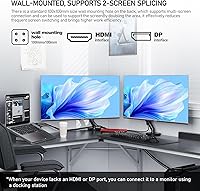
  • VESA 100x100 wall-mount support gives you flexible placement options and helps keep your desk clutter-free.
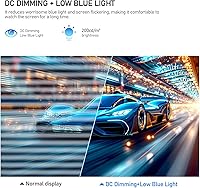
  • DC dimming and a dedicated low blue light mode make long work sessions noticeably more comfortable for many users.
  • Setup is straightforward out of the box, with ports that are easy to access without fussing with cable routing.
  • For the price, the raw resolution-to-screen-size ratio is hard to beat among new monitors in this segment.

Cons

  • The 12-month warranty is significantly shorter than the 3-year coverage that most competing brands provide as standard.
  • At 200 cd/m², brightness is low enough to cause real visibility problems in rooms with strong natural light.
  • The stand feels less stable than expected, with some users reporting noticeable wobble during everyday desk use.
  • Gawfolk has little brand history or established support reputation, which adds uncertainty if something goes wrong post-purchase.
  • The glossy screen surface picks up reflections easily, compounding the brightness limitations in lit environments.
  • No published high refresh rate or fast response time makes the GF320F a poor choice for fast-paced gaming.
  • Color accuracy relies on the panel out of the box with no factory calibration, so results can vary unit to unit.
  • Customer service feedback is thin and inconsistent, making it harder to gauge what post-purchase support actually looks like.
  • Build materials feel noticeably budget-grade, which may be a concern for buyers expecting long-term physical durability.

Ratings

The scores below reflect an AI-powered analysis of verified global buyer reviews for the Gawfolk GF320F 32-Inch 4K UHD Monitor, with spam, bot-generated, and incentivized feedback actively filtered out before scoring. Every category captures both what users genuinely praised and what frustrated them in real-world daily use. The results are transparent — strong scores where this display earns them, and honest ones where it falls short.

Image Clarity
88%
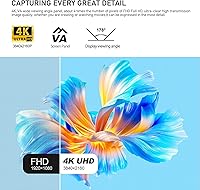
Users coming from 1080p displays consistently describe the jump to 4K on a 32-inch panel as immediately striking — text is sharp, fine details in spreadsheets and photos are crisp, and 4K video content looks genuinely impressive on the large canvas. The pixel density sits at a sweet spot that makes content feel immersive without needing to sit too close.
A handful of buyers noted that without proper GPU scaling support, non-native resolutions can look slightly soft, which matters if your computer struggles to push full 4K output. The glossy surface also introduces reflections that can undermine perceived sharpness in bright environments.
Contrast & Color Depth
83%
The VA panel's 3500:1 contrast ratio produces genuinely dark blacks that make movies and dark-themed applications look far better than what budget IPS panels typically deliver. Users streaming films in dim rooms particularly praised how well shadow detail is preserved without crushing blacks entirely.
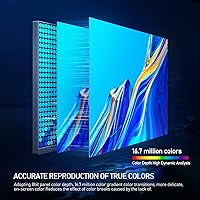
The 8-bit color depth and absence of factory calibration mean some units arrive with slightly inconsistent white balance or color temperature out of the box. Users doing serious photo editing noticed they needed manual calibration adjustments to get accurate results, which adds friction for non-technical buyers.
Brightness
51%
49%
In controlled or dim environments — evening home office setups, media rooms, or spaces without direct sunlight — the 200 cd/m² output is adequate for comfortable viewing. Users who work primarily at night or in windowless rooms reported no major issues with the brightness level in practice.
This is the most consistently flagged limitation across buyer feedback. Anyone using this display near a window or in a room with overhead fluorescent lighting finds the screen noticeably dim and prone to washout. At 200 cd/m², the GF320F falls meaningfully below the 250–300 cd/m² that most comparable monitors offer.
Color Accuracy
74%
26%
For everyday web content, video consumption, and casual photo work, the 100% sRGB coverage produces colors that look vibrant and pleasing out of the box. Home office users and students who are not color-critical found the panel more than satisfying for their daily workload without any adjustments.
This is not a factory-calibrated display, and professional creatives who depend on accurate color reproduction for print or broadcast work will feel the gap. Without calibration hardware, the results vary enough from unit to unit that relying on it for color-sensitive deliverables carries real risk.
Viewing Angle
81%
19%
The 178-degree viewing angle holds up well in shared workspaces and meeting scenarios where a colleague looks at the screen from beside you. Users in open-plan home offices who occasionally share their screen noted that color and contrast stay reasonably consistent even at wide angles.
Like most VA panels, extreme off-axis angles — nearly perpendicular to the screen — do produce a subtle gamma shift or color cast that IPS panels handle more cleanly. It is not a dealbreaker for most buyers, but it is something to note if multiple people regularly view the monitor simultaneously.
Eye Comfort
79%
21%
The DC global dimming backlight eliminates PWM flicker across the full brightness range, which users who work long hours specifically called out as a genuine comfort improvement compared to their previous monitors. The low blue light mode also earned consistent praise from remote workers doing eight-hour days in front of the screen.
The low blue light mode introduces a visible warm color cast that some users find distracting during daytime work, making it more of an evening-use feature than an all-day setting. A few buyers also noted they would have preferred a matte screen coating to further reduce fatigue from reflective glare.
Build Quality
58%
42%
The monitor's overall footprint and weight are well-suited to standard desks, and the physical panel itself feels solid with no reported issues around flexing or dead pixels at the center of the screen. For buyers planning to wall-mount using the VESA bracket, build concerns largely disappear since the stand becomes irrelevant.
The stand is the most criticized physical element — multiple buyers described it as wobbly, with minor desk vibrations visibly transferring to the screen. The plastic casing quality is clearly budget-grade, and the overall construction does not inspire long-term confidence the way a mid-range LG or Dell panel would.
Connectivity
77%
23%
Including both HDMI and DisplayPort inputs covers the practical needs of most users — desktop GPU owners, laptop users with dongles, and those connecting a console or streaming device on the side can all plug in without buying adapters. Port placement was frequently described as accessible and not awkwardly recessed.
The absence of USB-C input is a real inconvenience for MacBook and modern laptop users who work in a single-cable setup. There is also no built-in USB hub, which means users who need to connect peripherals through the monitor will need a separate dock or hub alongside this display.
Setup Experience
84%
Assembly is consistently reported as quick and tool-free, with most buyers getting the monitor up and running within ten to fifteen minutes. The on-screen menu is straightforward enough that users rarely needed to consult the manual to find brightness, contrast, or input switching controls.
The included documentation is minimal, and non-technical users occasionally reported confusion around enabling 4K resolution on their computer after connecting, particularly when using older HDMI cables that defaulted to a lower resolution without explanation.
Wall Mount Compatibility
86%
The VESA 100×100 mm standard is one of the most universally supported mounting patterns, and buyers who chose to wall-mount or arm-mount the GF320F reported a smooth experience with widely available third-party hardware. Removing the stand is straightforward, and several users noted that wall mounting actually improved their overall satisfaction with the display significantly.
No wall mount hardware is included in the box, which is expected at this price but still requires an additional purchase. Buyers who were not already familiar with VESA mounting occasionally expressed surprise at the added cost of sourcing a compatible arm or bracket separately.
Value for Money
82%
18%
For buyers whose priority is maximum screen size and resolution per dollar spent, this 32-inch 4K display delivers a ratio that is genuinely difficult to beat in its category. Users who compared it against branded alternatives consistently noted they would have spent considerably more for the equivalent screen area and resolution elsewhere.
The value calculation shifts if you factor in the short 12-month warranty and the brand uncertainty around long-term support. Buyers who view a monitor as a five-year investment rather than a shorter-term purchase may find the true cost-of-ownership argument less compelling once post-warranty risk is included.
Brand & Warranty Confidence
44%
56%
A small number of buyers reported positive interactions with Gawfolk support when reaching out with questions during the warranty period, suggesting that responsive service is at least possible even if not guaranteed. For buyers who rarely need manufacturer support, the limited brand history may feel like a non-issue.
The 12-month warranty is the single most cited structural concern in buyer feedback — it is well below the 3-year standard that LG, Samsung, and Dell routinely offer on comparable panels. Combined with Gawfolk being a new and relatively unknown brand, buyers have limited recourse if a panel issue emerges in year two or beyond.
Glare & Reflection Control
55%
45%
In well-controlled lighting — a dim room or a setup where light sources are positioned to the side — the glossy surface produces punchy, saturated colors that some users genuinely prefer over the slightly duller look of matte coatings. Media consumption in these conditions benefits from the finish.
Reflections are a persistent complaint from users in typical home environments where overhead lighting or windows are part of the setting. The glossy coating has no anti-glare treatment, which amplifies the already modest brightness limitation and compounds visibility problems in lit rooms.

Suitable for:

The Gawfolk GF320F 32-Inch 4K UHD Monitor is a strong fit for home office workers and students who are ready to leave 1080p behind but are not ready to spend heavily on a name-brand display. If your daily routine involves juggling multiple browser tabs, documents, or video calls, the sheer amount of screen real estate at this resolution makes a noticeable practical difference. Remote workers who want to wall-mount their display and reclaim desk space will also appreciate the VESA 100×100 compatibility, which is not always a given at this price point. Casual streamers and movie watchers will find the VA panel's contrast and color vibrancy genuinely satisfying for entertainment use. Anyone working in a dim or controlled-light environment will get the most out of this panel, since the brightness is modest and works best when ambient light is kept in check.

Not suitable for:

Buyers who need a monitor they can trust for another three to five years with full manufacturer backing should think carefully, because the 12-month warranty on the GF320F sits well below what established brands typically offer in this category. Graphic designers, photographers, or video editors who require factory-calibrated, wide-gamut color accuracy will find 100% sRGB coverage limiting — this display covers the sRGB standard reasonably well, but it is not a professional color-critical tool. If your workspace gets a lot of natural daylight or you prefer a very bright screen, the 200 cd/m² ceiling will likely frustrate you on a daily basis. Competitive gamers will also want to look elsewhere, as the panel lacks a published high refresh rate or fast response time specification that gaming monitors prioritize. Finally, buyers who value build premium and robust stand engineering in their hardware will find the physical construction of this Gawfolk monitor underwhelming compared to mid-range alternatives from well-established brands.

Specifications

  • Panel Type: The GF320F uses a VA (Vertical Alignment) panel, which is known for stronger contrast and deeper blacks compared to IPS panels at a similar price.
  • Resolution: The display outputs at 3840×2160 pixels (4K UHD), delivering approximately 138 pixels per inch on the 32-inch screen.
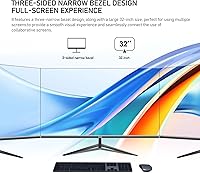
  • Screen Size: The active display area measures 32 inches diagonally, providing generous screen real estate for multitasking and media consumption.
  • Aspect Ratio: The panel uses a standard 16:9 widescreen aspect ratio, compatible with the vast majority of modern video content and desktop layouts.
  • Color Depth: The monitor supports 8-bit color depth, rendering up to 16.7 million distinct colors across the display.
  • Color Gamut: The GF320F covers 100% of the sRGB color space, making it suitable for everyday photo editing and web-targeted content creation.
  • Contrast Ratio: A native contrast ratio of 3500:1 allows the panel to produce noticeably dark blacks and bright highlights without local dimming hardware.
  • Brightness: Peak brightness is rated at 200 cd/m², which is functional in dimly lit environments but may feel insufficient in bright or sunlit rooms.
  • Viewing Angle: The panel supports 178-degree horizontal and vertical viewing angles, with minimal color shift when viewed from off-center positions.
  • Ports: Connectivity includes one HDMI port and one DisplayPort input, covering most modern desktop GPU and laptop docking configurations.
  • VESA Mount: The rear of the monitor is compatible with the VESA 100×100 mm standard, allowing attachment to third-party wall mounts and monitor arms.
  • Screen Surface: The display uses a glossy screen surface, which can enhance color vibrancy but may produce reflections in brightly lit environments.
  • Flicker Reduction: DC global dimming is used across the full brightness range, eliminating the backlight flicker associated with PWM dimming methods.
  • Eye Care Mode: A dedicated low blue light mode is built into the monitor settings to reduce short-wave blue light exposure during extended use.
  • Dimensions: With the stand attached, the monitor measures approximately 30.82 inches wide, 19.8 inches tall, and 4.92 inches deep.
  • Weight: The complete unit including stand weighs 13.27 pounds, which is typical for a 32-inch monitor in this category.
  • Warranty: Gawfolk provides a 12-month manufacturer warranty, which is below the 3-year standard offered by many established monitor brands.
  • Model Number: The official model number for this display is GF320F, manufactured by Shenzhen Qinghong Zhuoyue Technology.

Related Reviews

ViewSonic VX3267U-4K 32-inch 4K IPS Monitor

74%
91%
Image Sharpness
83%
USB-C Functionality
76%
Color Accuracy
54%
HDR Performance
47%
Stand & Ergonomics
More
ViewSonic VP3256-4K 32-Inch 4K UHD Monitor
88%
94%
Display Quality
92%
Color Accuracy
88%
Ergonomics & Comfort
86%
Build Quality
90%
Ease of Setup
More
ViewSonic VP3268A-4K 32-inch 4K UHD IPS Monitor
86%
94%
Color Accuracy
88%
Ergonomics/Comfort
91%
Build Quality
83%
HDR Performance
85%
Connectivity Options
More
ViewSonic VX3276-4K-MHD 32-inch 4K Monitor

76%
91%
Image Clarity & Sharpness
74%
Color Accuracy
86%
Contrast & Black Levels
61%
HDR Performance
58%
Refresh Rate & Motion Handling
More
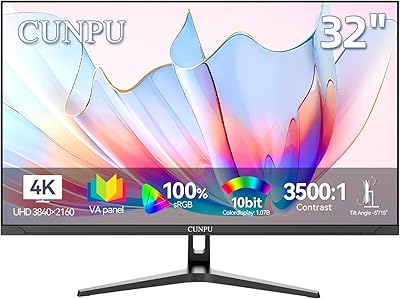
CUNPU 32-inch 4K UHD Computer Monitor
64%
88%
Image Sharpness
74%
Color Accuracy
83%
Contrast & Black Levels
53%
Brightness
41%
HDR Performance
More
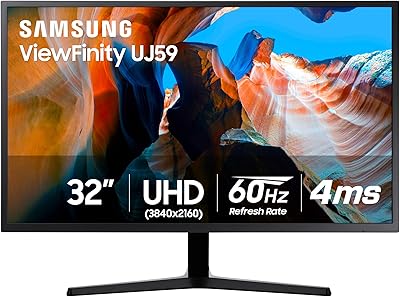
Samsung 32″ UJ59 4K UHD Monitor
74%
91%
Image Clarity & Resolution
83%
Color Reproduction
88%
Contrast & Black Levels
61%
Gaming Performance
43%
Ergonomics & Stand Design
More
BenQ EW3280U 32-inch 4K UHD Monitor
83%
94%
Display Quality
91%
Color Accuracy
78%
Ease of Setup
70%
Audio Performance
89%
Connectivity
More
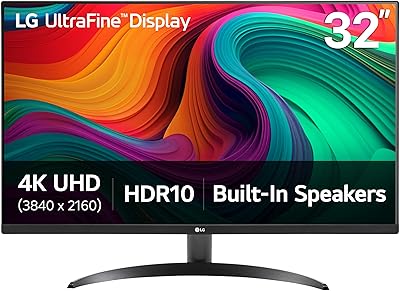
LG 32SQ780S 32-Inch 4K UHD Monitor
82%
91%
Display Quality
87%
Ergonomics and Adjustability
83%
Smart Features (webOS & ThinQ)
89%
Connectivity Options
78%
Ease of Setup
More
LG 32UL500-W 32-Inch 4K VA Monitor
74%
88%
Picture Quality
83%
Color Accuracy
62%
HDR Performance
54%
Refresh Rate & Gaming
41%
Ergonomics & Stand
More
ViewSonic XG320U 32-Inch 4K UHD Gaming Monitor
87%
93%
Display Quality
91%
Gaming Performance
95%
Color Accuracy
88%
Build Quality
89%
Ergonomics
More

FAQ

It depends on your laptop's output. The GF320F has HDMI and DisplayPort inputs, so you can connect most modern laptops using a compatible cable or adapter. It does not have USB-C input, so MacBook users will need a USB-C to DisplayPort or HDMI adapter, which are widely available and inexpensive.

Yes, it can display full 3840×2160 resolution, but you do need the right cable. For 4K output, use a DisplayPort cable or an HDMI 2.0 cable — older HDMI 1.4 cables will cap you at lower resolutions or refresh rates. Make sure your GPU also supports 4K output before buying.

In a typical home office or bedroom with controlled lighting, 200 cd/m² is workable. However, if your desk is next to a window or you work in a well-lit room during the day, you will likely find the image looks washed out at times. This is the most commonly flagged limitation among buyers.

Any VESA-compatible mount with a 100×100 mm hole pattern will work. This is one of the most common VESA standards, so you have plenty of affordable options. Just make sure the mount is rated to support at least 14 pounds to account for the monitor's weight.

It is fine for casual or slower-paced gaming where image quality matters more than speed. However, the GF320F does not advertise a high refresh rate or low response time spec, so competitive or fast-paced gaming is not where it shines. If gaming is your primary use, a monitor with a 144Hz or higher refresh rate would serve you better.

VA panels like this one generally produce deeper blacks and higher contrast than IPS panels at a similar price, which makes dark scenes in movies look better. The trade-off is that VA panels can show some color shift when viewed at extreme angles, though the 178-degree spec on this display keeps that to a minimum in normal viewing positions.

It is genuinely functional. The mode reduces short-wave blue light output, which many users find reduces eye fatigue during long sessions. It does shift the color temperature slightly warmer, so if color accuracy matters for your work, you may prefer to use it only during evening hours and keep it off for daytime tasks.

The stand is functional for everyday use, but it is not a premium build. Several users have noted it feels a bit wobbly compared to monitors from more established brands. If stability is important to you, using a third-party monitor arm with the VESA mount is a practical upgrade that many buyers make.

After 12 months, you are outside the manufacturer warranty period, and Gawfolk has limited established service infrastructure compared to major brands. This is worth factoring into your decision, especially if you plan to use the monitor heavily for several years. Keeping your purchase receipt and documentation is advisable in case you need to make a claim within the warranty window.

It can, depending on your environment. Glossy panels tend to make colors pop more than matte surfaces, but they reflect light sources behind you more visibly. If your setup has overhead lighting or a window behind your chair, you may notice reflections. Positioning the monitor so light sources are to the side rather than directly behind you helps significantly.