Overview

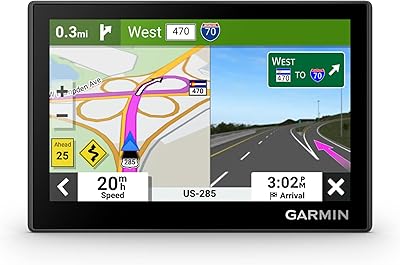
The Garmin nüvi 2689LMT GPS Navigator arrived in 2014 as a mid-range dedicated car GPS at a time when smartphones were already eating into the standalone navigation market. What kept it relevant was a 6-inch glass touchscreen — noticeably larger than most competitors at the time — with pinch-to-zoom and dual-orientation support that makes glancing at directions while driving far less squint-inducing. Bundled lifetime map and traffic updates remove the subscription anxiety that plagues some rivals. Add Bluetooth and voice-activated navigation, and this Garmin nüvi felt genuinely modern for its release year, even as phone-based GPS apps continued to improve around it.

Features & Benefits

The 6-inch dual-orientation display is genuinely easy to read at a glance, and the pinch-to-zoom response makes searching for addresses feel less fiddly than older GPS units with resistive screens. The Foursquare integration is a nice addition for finding nearby restaurants or shops on the fly, though it does require an active internet connection through Smartphone Link — so don't count on it working offline. The Direct Access feature earns its keep when navigating to airports or multi-level malls, routing you to a specific entrance rather than just dumping you at the building's edge. Lifetime maps and traffic come bundled at no extra cost, which honestly should be a baseline expectation, but still isn't universal across the competition.

Best For

This dedicated GPS unit makes the most sense for drivers who don't want to drain their phone battery or burn through mobile data on long trips. If you're planning a cross-country drive through areas with spotty cell coverage, having a fully offline navigation device with up-to-date North American maps is genuinely reassuring. The large screen is also a real advantage for older drivers who find small smartphone displays difficult to read quickly at highway speeds. Anyone regularly navigating complex locations — major airports, convention centers, large malls — will appreciate Direct Access doing the heavy lifting. And if you'd rather not pay subscription fees for traffic updates, the 2689LMT's included lifetime traffic makes that a non-issue.

User Feedback

The screen size comes up repeatedly in positive reviews — owners consistently mention how much easier it is to read compared to the 5-inch units they previously owned. Voice command recognition gets more mixed reactions; it works well in a quiet cabin but can struggle with background noise on the highway. Some buyers have had issues with the mount holding firm on textured dashboards, which is worth knowing before you buy. On the map update side, long-term owners report the process is straightforward but can be slow depending on your connection. One honest limitation: with roughly one hour of battery life, the 2689LMT is really a plugged-in device — treat it that way and it's a non-issue.

Pros

  • The 6-inch touchscreen is noticeably easier to read at a glance than the 5-inch screens found on comparable units.
  • Lifetime map updates are included at no extra cost, keeping North American routes accurate without ongoing fees.
  • Free lifetime traffic avoidance reroutes around congestion automatically, with no subscription or hidden ad interruptions.
  • Direct Access simplifies routing to airports and large malls by directing you to the correct entrance.
  • Dual-orientation display adapts to landscape or portrait mode to suit your mounting setup.
  • Voice-activated navigation reduces the need to touch the screen while driving, which genuinely improves safety.
  • Bluetooth connectivity supports hands-free calling and pairs with Smartphone Link for expanded functionality.
  • Pinch-to-zoom on the glass touchscreen feels responsive and far more intuitive than older resistive GPS displays.
  • At just 9.6 ounces, this Garmin nüvi sits lightly on a dashboard mount without creating noticeable strain.
  • Foursquare integration surfaces popular nearby restaurants and shops directly within the navigation interface when connected.

Cons

  • Battery life of roughly one hour makes this unit fully dependent on a car power outlet to stay functional.
  • Voice command accuracy drops noticeably in noisy environments, including highway driving with windows open.
  • The included dashboard mount has drawn repeated complaints about holding firm on textured or curved surfaces.
  • Foursquare point-of-interest search requires an active internet connection via Smartphone Link and will not work offline.
  • Released in 2014, the interface design shows its age compared to current navigation software on phones or newer units.
  • Map update downloads can be slow and require a USB connection to a computer, which some long-term owners find cumbersome.
  • Smartphone navigation apps have largely closed the gap on core features, making the standalone value case harder to justify.
  • No built-in Wi-Fi means all software updates depend entirely on manually connecting the device to a PC.
  • The 2689LMT lacks a backup camera input, which limits its appeal as a complete dashboard solution.
  • Bluetooth call quality can vary depending on phone compatibility and the acoustic conditions inside your vehicle.

Ratings

The scores below reflect an AI-powered analysis of thousands of verified owner reviews for the Garmin nüvi 2689LMT GPS Navigator, with spam, bot submissions, and incentivized feedback actively filtered out to ensure results represent genuine buyer experiences. Each category captures the full picture — where this dedicated GPS unit consistently delivers and where real-world limitations surface repeatedly across ownership timelines. Both strengths and friction points are weighted transparently so prospective buyers can form a clear, honest assessment before committing.

Screen Size & Readability
88%
Consistently one of the highest-praised aspects in long-term owner feedback, the 6-inch glass display is meaningfully easier to read at a glance than the 4.3-inch or 5-inch screens common in competing units. Drivers on busy highways particularly appreciate the larger text and easy-to-scan map view, which reduces eye strain during extended drives.
Under direct midday sun, the glass panel picks up glare that can wash out map details, especially on west-facing drives in the late afternoon. The dual-orientation feature helps by allowing mounting angle adjustments, but it does not fully resolve the glare issue for every vehicle setup.
Map Accuracy
83%
Long-term owners regularly credit the bundled lifetime map updates as a primary reason they chose this unit over similarly priced rivals. Roads added or rerouted in recent years show up correctly after updating, which matters most for drivers navigating growing suburban zones or newly developed commercial areas.
Map update files are large and the update process — done through Garmin Express on a computer — can take a significant amount of time on slower home internet connections. A vocal subset of owners also notes that update frequency does not always keep pace with rapid local construction in fast-growing regions.
Traffic Avoidance
86%
Free lifetime traffic rerouting with no subscription fees, no ads, and no hidden monthly charges is genuinely unusual in this category, and owners consistently flag it as a standout long-term benefit. On busy commuting corridors, the rerouting responds proactively and has saved drivers meaningful time across extended ownership.
Traffic data quality depends on regional coverage density, and some owners in less-populated areas report that alerts can be sparse or occasionally lag behind actual road conditions. The system also requires a clear satellite signal, which can underperform in dense urban canyons or heavily forested rural highways.
Ease of Use
84%
The purpose-built navigation interface — designed specifically for in-car use — is far more approachable for non-tech-savvy users than configuring a phone mount and managing app settings mid-journey. Menu navigation is logical, icons are large, and most drivers report being fully operational within minutes of removing it from the box.
The interface aesthetics and menu structure show their 2014 roots when placed alongside modern navigation software, and users accustomed to gesture-heavy smartphone UX may find certain interactions slightly clunky. Address entry by voice also demands reasonably clear pronunciation, which introduces friction for some users in noisy cabin conditions.
Direct Access Feature
79%
21%
Owners who regularly travel through major airports or multi-level shopping centers consistently cite Direct Access as a feature that quietly earns its keep, routing them to the correct terminal entrance or parking zone rather than dropping them at a vague perimeter address. For this specific use case, it outperforms most smartphone apps that handle complex venues poorly.
Direct Access coverage is limited to venues in Garmin's database, and some owners have found specific destinations — certain regional malls or smaller transit hubs — are not included. The feature is also not surfaced prominently in the device interface, meaning a number of owners discover it late or miss it entirely.
Voice Navigation
67%
33%
When conditions are right — a quiet cabin and clearly spoken commands — the voice-activated navigation performs well enough that many drivers complete long road trips without touching the screen once. The hands-free workflow is a real safety benefit on highway stretches where reaching for a touchscreen is both distracting and risky.
Background noise from road vibration, air conditioning, or passengers noticeably degrades voice recognition accuracy, leading to repeated attempts and frequent manual fallback. Several owners have flagged regional accents as a persistent recognition problem, which limits how consistently the feature can be relied upon in everyday driving environments.
Mount & Hardware
62%
38%
The suction-cup mount installs quickly and holds reliably on most smooth, clean windshields, making initial setup a straightforward two-minute task straight out of the box. Owners with standard passenger vehicles and flat glass windshields rarely report stability issues under typical daily driving conditions.
On textured dashboards, curved surfaces, or vehicles with unusual dash materials, the mount loses grip progressively and is a recurring complaint in one-star reviews. The absence of an included friction pad or adhesive disk as a fallback option is an oversight that has frustrated a meaningful share of long-term owners.
Battery Life
43%
57%
For its intended use case — permanently mounted and continuously powered from a vehicle USB port or 12V adapter — the battery limitation is largely a non-issue. Drivers who keep the unit plugged in at all times, which describes the vast majority of owners, never encounter a battery-related disruption during use.
One hour of standalone battery life is genuinely restrictive and catches some buyers off guard, particularly those who assumed they could carry the unit easily between vehicles or use it briefly away from a power source. This constraint cannot be addressed through a settings change or firmware update — it is a fixed hardware limitation.
Bluetooth Connectivity
71%
29%
Bluetooth pairing with Smartphone Link unlocks a useful range of connected features — live traffic data, Foursquare search, hands-free calling — that meaningfully extend what the device can do beyond its offline baseline. Initial pairing is generally straightforward for both Android and iOS users, and many owners leave it connected full-time.
Bluetooth call quality varies considerably based on vehicle acoustics and specific phone model, with some owners reporting audio that sounds hollow or inconsistent during calls. A subset of users also notes that the Smartphone Link connection requires occasional re-pairing after phone operating system updates, adding minor maintenance friction over time.
Value for Money
74%
26%
For drivers who genuinely need a dedicated GPS — long-haul travelers, frequent visitors to areas with poor cellular coverage, or users who prefer a purpose-built device — the bundled lifetime maps and traffic represent real accumulated savings with no ongoing spending required after purchase.
At this price point in the current market, smartphone navigation apps have become a compelling and effectively free alternative for most casual city drivers, making the value case harder to defend for buyers who are already happy with their phone-based setup. The 2014 hardware foundation adds further hesitation for buyers comparing options.
POI & Foursquare Search
63%
37%
Foursquare integration gives this GPS a layer of crowd-sourced discovery that older dedicated units simply lack, making it genuinely useful for road-trippers seeking well-reviewed local restaurants or fuel stops in unfamiliar territory — provided a phone connection is available at the time of the search.
The dependency on an active internet connection through Smartphone Link renders Foursquare search unavailable in exactly the low-signal environments where offline discovery would be most valuable. The static built-in POI database partially fills the gap, but its freshness and depth do not match what live crowd-sourced platforms can reliably deliver.
Software & Updates
69%
31%
The Garmin Express update pipeline is a well-established system that long-term owners generally find dependable once they get familiar with it. For a device that debuted in 2014, the continued availability of both map and firmware updates signals meaningful manufacturer support well beyond the typical post-launch window.
Garmin Express requires a wired USB connection to a computer — there is no wireless update option — and downloading large map revisions can stretch the process to several hours on average home internet speeds. Owners who are not comfortable using desktop software may find the entire update experience more involved than expected.
Build Quality
77%
23%
The device feels solid and well-constructed for its class, with a glass front panel and compact frame that hold up well to daily mounting and removal over years of regular use. The majority of long-term owners report no cracked screens, structural issues, or hardware failures after extended daily service.
The plastic body and overall surface finish feel noticeably less premium than the unit's mid-range positioning might imply, particularly around the button edges and charging port area. A number of owners have also reported the power port becoming intermittently loose over time due to repeated plugging and unplugging cycles.

Suitable for:

The Garmin nüvi 2689LMT GPS Navigator is a strong fit for anyone who has grown tired of navigation apps draining their phone battery or dropping out when cell coverage gets thin. Long-haul drivers and road-trippers who frequently cross regions with unreliable data signals will appreciate having a self-contained unit with North American maps loaded onboard. The large 6-inch screen is a genuine asset for older drivers or anyone who finds squinting at a phone mount frustrating and potentially unsafe at highway speeds. People who regularly navigate complex destinations — airports, large shopping centers, multi-entrance venues — will get real value out of the Direct Access feature, which handles tricky routing scenarios that trip up most standard GPS apps. And if you resent paying ongoing subscription fees for live traffic data, this device's bundled lifetime traffic updates are a meaningful long-term benefit.

Not suitable for:

The Garmin nüvi 2689LMT GPS Navigator is not the right choice for buyers expecting a portable handheld device — with roughly one hour of battery life, it needs to stay plugged into your car's power outlet to function reliably. If you already lean on Google Maps or Waze and are satisfied with your phone's performance, this dedicated unit won't offer a compelling enough advantage to justify the cost. Tech-forward buyers expecting deep smartphone integration, real-time app syncing, or wireless updates will find the feature set dated by current standards. The Foursquare POI search sounds convenient but depends on a live internet connection through Smartphone Link, making it essentially unavailable in low-coverage areas — which is precisely when offline discovery would matter most. Buyers with unusual dashboard surfaces may also find the included mount unreliable, which is a frustrating issue to encounter only after the purchase.

Specifications

  • Screen Size: The display measures 6 inches diagonally, placing it among the larger screens available in dedicated car GPS units of its release generation.
  • Display Type: The unit uses a glass capacitive touchscreen with pinch-to-zoom support, offering a more responsive feel than the resistive screens found on older GPS models.
  • Orientation: The screen supports both landscape and portrait orientations, automatically adjusting based on how the device is physically mounted in the vehicle.
  • Map Coverage: Pre-loaded maps cover the full North American region, including the United States, Canada, and Mexico.
  • Map Updates: Lifetime map updates are included at no charge and are downloaded via Garmin Express software on a Windows or Mac computer connected by USB.
  • Traffic Updates: Lifetime traffic alerts are bundled with the device and require no subscription fees or recurring charges to remain active throughout the life of the unit.
  • Connectivity: The unit connects to compatible smartphones via Bluetooth for hands-free calling and access to the Garmin Smartphone Link app.
  • Smartphone Link: The device is compatible with the Garmin Smartphone Link app, which enables live traffic data, Foursquare search, and additional connected features when a phone is paired.
  • Voice Navigation: Voice-activated navigation allows drivers to speak destinations and issue commands without taking their hands off the wheel or touching the screen.
  • POI Integration: Foursquare point-of-interest search is accessible through the device when an active internet connection is available via a paired smartphone running Smartphone Link.
  • Direct Access: The Direct Access feature provides specific routing guidance inside complex multi-entrance venues such as airports, shopping malls, and transit hubs.
  • Mount Type: The device ships with a suction-cup dashboard mount suitable for windshield or dashboard placement inside a standard passenger vehicle.
  • Battery Life: The internal battery provides approximately 1 hour of standalone use, making continuous vehicle power via a USB or 12V adapter connection the intended method of operation.
  • Item Weight: The device weighs 9.6 ounces, keeping the suction-cup mount free from excessive mechanical strain during daily use.
  • Dimensions: Physical dimensions are 0.8 x 6.6 x 3.7 inches, giving the unit a slim profile suited for unobtrusive placement on a vehicle dashboard.
  • Release Year: The device was first made available in September 2014, positioned as a mid-range option within Garmin's nüvi navigation lineup.
  • Model Number: The official model number is 010-01188-02, which should be referenced when downloading compatible software, firmware, or sourcing replacement accessories.

Related Reviews
Garmin Nüvi 2539LMT GPS Navigator
78%
91%
Ease of Use
88%
Navigation Accuracy
93%
Map Update Value
82%
Traffic Avoidance
74%
Display Quality
More
Garmin nüvi 2455LMT Portable GPS Navigator
71%
83%
Navigation Accuracy
78%
Map Coverage & Updates
76%
Ease of Use
74%
Display Quality
81%
Lane Assist & Junction Views
More
Garmin GPS 18x USB Navigation Receiver
67%
91%
Signal Accuracy
47%
Software Compatibility
78%
Build Quality
63%
Ease of Setup
84%
Long-Term Durability
More
Garmin Drive 53 GPS Navigator
76%
88%
Display Quality
91%
Ease of Use
86%
Navigation Accuracy
41%
Battery Life
63%
Mount & Stability
More
Garmin DriveSmart 55 GPS Navigator
74%
88%
Screen Readability
83%
Routing Accuracy
79%
Live Traffic Updates
91%
Ease of Use
57%
Voice Recognition
More
Garmin eTrex 32x Handheld GPS Navigator
78%
93%
Satellite Performance
91%
Battery Life
88%
Build & Durability
74%
Map Quality & Coverage
89%
Navigation Accuracy
More
Garmin eTrex 30x Handheld GPS Navigator
87%
89%
Build Quality & Durability
86%
Battery Life
86%
Battery Life Cons
More
Garmin DriveSmart 71 EX Car GPS Navigator
79%
83%
Display Clarity & Readability
88%
Navigation Accuracy & Routing
79%
Live Traffic & Rerouting
71%
Voice Assist Usability
74%
Map Update Process
More
Garmin eTrex Solar Handheld GPS Navigator
80%
91%
Battery Life
88%
GPS Accuracy
93%
Build Quality
58%
Display Quality
67%
Solar Performance
More
Garmin eTrex SE Handheld GPS Navigator
81%
97%
Battery Life
91%
GPS Accuracy
88%
Build Quality
63%
Display Quality
79%
Ease of Use
More

FAQ

No — the core turn-by-turn navigation works entirely offline. Maps are stored directly on the device, so you can navigate anywhere across North America without a phone or cellular signal. The only features that require a connected phone are Foursquare POI search and live traffic updates, both of which run through the Garmin Smartphone Link app.

You download Garmin Express, a free desktop application for Windows or Mac, and connect the device to your computer using the included USB cable. The software checks for available updates and walks you through the download. Fair warning: map update files can be large, so a stable internet connection helps — some owners report the process taking a while on slower connections.

It is really not designed for that. The one-hour battery is more of a short backup than a practical runtime for portable use. In everyday terms, this device works best when plugged into your car's USB port or 12V adapter — think of it the way you would a dashcam or radar detector. It lives in your car, powered by your car.

Unfortunately, no. Foursquare pulls live data through the Smartphone Link app on your phone, so an active internet connection is required. In areas without cell coverage, that feature will not be available. The built-in POI database still works offline though, covering standard stops like gas stations, restaurants, and hotels.

Standard GPS typically drops you at a general street address. Direct Access goes further for large or complex venues — airports, convention centers, big shopping malls — by guiding you to a specific terminal, entrance, or parking zone rather than just the outer edge of the property. If you have ever been sent to the wrong side of a major airport by a regular GPS, you will immediately understand the value.

Yes, this Garmin nüvi pairs with both iOS and Android devices via Bluetooth and the Smartphone Link app. That said, app compatibility can vary depending on your specific phone model and OS version, so it is worth checking the current Smartphone Link listing in your app store to confirm support before committing to a purchase.

It holds up reasonably well for a device from its era. The glass panel can pick up some glare in harsh midday sun, but the brightness level is adequate for most driving situations. The dual-orientation feature also lets you adjust your mounting angle, which can help reduce direct light hitting the screen in certain positions.

For regular city driving with strong cell coverage, Google Maps or Waze will often match or beat it on real-time data and map freshness. Where this dedicated unit holds its own is offline reliability, screen size without draining your phone battery, and consistent GPS signal independent of your carrier. If you drive frequently through low-coverage areas or prefer to keep your phone free, the case for a dedicated unit is still reasonable.

No — this model does not include a backup camera input. If rear-view camera integration is a firm requirement, you would need to look at a different Garmin model or another brand that specifically supports that feature. It is worth confirming this before purchasing if a camera connection matters to you.

The suction-cup mount works reliably on smooth glass windshields, but some owners have reported problems on textured dashboards or surfaces with a curve. If your vehicle has an unusual dash finish or a sloped mounting area, picking up a friction dashboard pad or an aftermarket mount bracket as a precaution is a smart move. A small upfront fix saves a lot of frustration later.

Where to Buy