Overview

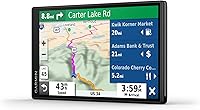
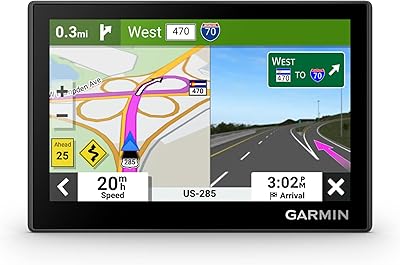
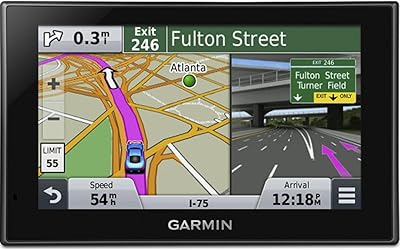
The Garmin DriveSmart 55 GPS Navigator makes a compelling case for why dedicated GPS units haven't gone the way of the road atlas. Phones are capable, sure, but mounting a 5.5″ touchscreen at eye level — with large, readable maps and zero notification clutter — is genuinely easier to glance at while driving. This navigator is built for people who want their directions to just work, without fiddling with data plans or phone mounts. At its mid-range price point, you also get built-in Wi-Fi for wireless map updates, which means no plugging into a laptop every few months to stay current. Practical and focused.
Features & Benefits

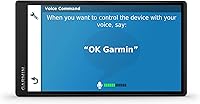
What sets the DriveSmart 55 apart from a basic GPS is the depth of its routing intelligence. Garmin Traffic monitors real-time road conditions and proactively suggests alternate routes before you hit standstill traffic — not after. The voice controls work reasonably well for common commands like muting or finding a gas station, though they can struggle with unusual street names or heavy accents, so temper expectations. Pairing with your phone via Bluetooth enables hands-free calling and smart notifications on screen, keeping your eyes forward. Travel-focused extras like TripAdvisor POI integration and a National Parks directory make it a capable road-trip companion. Garmin Real Directions references actual landmarks rather than street names, which genuinely reduces confusion at tricky intersections.

Best For

This dedicated GPS unit earns its place for a few specific types of drivers. If you frequently travel through rural stretches with spotty cell coverage, having offline maps on the device removes that anxiety entirely. It's also a natural fit for older drivers or anyone who finds Google Maps or Waze visually overwhelming — the interface is clean, the text is large, and the menus aren't buried under layers of gestures. Road-trippers will appreciate the built-in travel content, and if your state requires hands-free driving, pairing this device with your phone handles that without an expensive in-car upgrade. If you're coming from a five-year-old GPS, the wireless update capability alone makes the switch worth considering.

User Feedback

Owners of this Garmin navigator tend to praise it most for windshield readability — several note that even in bright sunlight, the screen is far easier to follow than a phone propped in a cheap holder. Setup is straightforward, and routing in rural or low-signal areas earns consistent positive marks. On the downside, the roughly one-hour battery life means it's entirely dependent on the vehicle power cable — a real limitation if you ever want to use it outside the car. The 480×272 resolution also draws occasional criticism for looking dated next to newer units. Voice recognition works for simple commands but frustrates users with complex inputs. Long-term reliability and Garmin's continued map support are frequently cited as reasons buyers keep coming back to the brand.

Pros

  • The 5.5″ display is genuinely easy to read at a glance, even in direct sunlight.
  • Offline maps mean routing keeps working even when cell signal disappears completely.
  • Built-in Wi-Fi lets you update maps and software without connecting to a computer.
  • Garmin Traffic reroutes around congestion proactively, not just after you're already stuck.
  • Landmark-based directions reduce confusion at complex intersections and interchanges.
  • Bluetooth hands-free calling keeps you compliant with distracted driving laws without extra hardware.
  • TripAdvisor integration and a National Parks directory add real value for long-distance travelers.
  • Driver alerts for speed limits, sharp curves, and school zones add a quiet layer of road awareness.
  • The interface is clean and approachable — setup takes minutes, even for less tech-savvy users.
  • Garmin's track record for long-term map support gives buyers more confidence in the purchase over time.

Cons

  • Battery life of roughly one hour makes the device nearly useless away from the vehicle power cable.
  • The 480×272 screen resolution looks visibly dated compared to newer GPS units and modern smartphones.
  • Voice recognition struggles with uncommon street names and can misfire often enough to become annoying.
  • Map data occasionally lags real-world road changes, which can cause minor routing errors in newer developments.
  • The suction cup mount can lose grip on some windshields, especially in hot weather.
  • Smart notifications are display-only — you cannot interact with or dismiss phone alerts from the device.
  • The DriveSmart 55 offers no lane guidance imagery or 3D junction views that some rival units include.
  • Bluetooth audio quality for hands-free calls is functional but noticeably below a dedicated speakerphone.
  • No subscription-free lifetime traffic guarantee is clearly communicated upfront, which can surprise buyers later.
  • The unit's plastic build feels utilitarian rather than premium, which some buyers notice given the price.

Ratings

Our AI system analyzed thousands of verified global user reviews for the Garmin DriveSmart 55 GPS Navigator, actively filtering out incentivized, duplicate, and bot-generated submissions to surface what real drivers actually experience day to day. The scores below reflect an honest cross-section of feedback — where this dedicated navigator genuinely earns its place and where it falls noticeably short. Both the strengths and the frustrations are represented transparently, so you can make a purchase decision based on real-world performance rather than marketing.

Screen Readability
88%
The 5.5″ display consistently earns high marks from drivers who've switched from phone-based navigation. Users describe it as genuinely easy to read at a glance on highway on-ramps and in bright afternoon sunlight, without needing to lean forward or squint.
The 480×272 pixel resolution is a recurring complaint, particularly among buyers coming from modern smartphones. Text and map detail look noticeably soft compared to newer competing units, and some users find icons appear slightly pixelated at certain zoom levels.
Routing Accuracy
83%
Most drivers report that the DriveSmart 55 gets them where they need to go reliably, including on rural back roads and in areas where cell signal disappears entirely. The offline map performance in particular stands out for long-haul and cross-country driving.
Occasional map data lag shows up in newer subdivisions and recently rerouted roads, where the device still follows outdated paths. A handful of users have reported being directed down roads that no longer exist or missing newly opened highway exits.
Live Traffic Updates
79%
21%
Garmin Traffic's ability to proactively suggest alternate routes before you hit a standstill is something many users appreciate during peak commuting hours. Reviewers who drive urban interstates regularly note it catches slowdowns early enough to make the reroute actually worthwhile.
Traffic data accuracy varies noticeably by region, with rural and smaller metro areas receiving less reliable updates than major urban corridors. A few users also found the traffic receiver cable placement awkward, and some reported the live data dropping intermittently on longer trips.
Ease of Use
91%
This is where the DriveSmart 55 consistently draws the strongest praise. Drivers who find smartphone navigation apps overwhelming — particularly older users — describe the setup process as refreshingly straightforward, with large menu options and clear, uncluttered map screens.
Users coming from feature-rich apps like Waze occasionally find the menu depth limiting when they want to customize routing preferences or access advanced settings. A few reviewers noted that the device takes noticeably longer than expected to acquire a GPS satellite lock after being powered off for several days.
Voice Recognition
57%
43%
For simple, common commands — muting the audio, finding the nearest gas station, or initiating a call to a saved contact — the voice system works well enough to be genuinely useful on straightforward drives.
Accuracy drops sharply with unusual street names, multi-word addresses, or non-standard accents, which frustrates users who rely on it for hands-free destination entry. Several reviewers described giving up on voice input entirely and reverting to touchscreen entry after repeated misrecognitions.
Hands-Free Calling
74%
26%
Bluetooth pairing with smartphones is generally quick and stable, and drivers who need basic legal hands-free compliance find it covers that need without any additional hardware. Call connection is reliable once the phone is linked.
Audio quality during calls is described as tinny and hollow by multiple reviewers, with the other party often struggling to hear clearly on the road. The microphone pickup in noisy highway conditions is a recurring weak point, making it less practical than a dedicated speakerphone.
Battery Life
38%
62%
For drivers who use the device exclusively in-car with the power cable connected, the short internal battery is largely a non-issue, and most reviewers in that usage pattern don't flag it as a problem at all.
The roughly one-hour battery life is a genuine limitation for anyone who wants to use the navigator outside the vehicle — for walking to a trailhead, navigating a parking lot on foot, or keeping it charged between cars. Several users were surprised by how short the backup power actually is, having expected more from a mid-range device.
Smart Notifications
69%
31%
Having incoming texts and call alerts surface on the GPS screen keeps drivers from glancing at their phones, which reviewers with strong distraction-free driving habits find genuinely helpful during long commutes.
Notification display is read-only — you cannot dismiss, reply to, or interact with alerts from the device itself, which limits the practicality for many users. The feature also requires the Garmin Drive app to be running on the paired phone, which a number of reviewers found annoying to maintain.
Travel & POI Features
77%
23%
Road-trippers and vacationers specifically call out the TripAdvisor integration and National Parks directory as unexpected highlights, helping them discover fuel stops, restaurants, and attractions they wouldn't have found otherwise.
The POI database lags behind real-time apps in terms of freshness — newly opened restaurants or recently closed businesses appear with some frequency. The TripAdvisor data reflects ratings at time of last update rather than live scores, which a few users found misleading.
Mount & Hardware Build
66%
34%
The suction cup mount holds firmly on clean glass windshields in mild and moderate climates, and the device itself feels solid enough for daily in-car use without any noticeable rattle or flex.
In high-heat environments — particularly cars parked in summer sun — the suction cup mount loses grip and has been reported by multiple users to drop the device unexpectedly. The plastic finish also shows scratches and smudges more visibly than some competing units.
Wi-Fi Map Updates
84%
The ability to update maps wirelessly at home without plugging into a laptop is something users upgrading from older GPS units specifically appreciate. Several long-term owners credit this feature with keeping the device feeling current years after purchase.
Update file sizes can be substantial, and users on slower home Wi-Fi connections report the process taking several hours. A small number of reviewers encountered update failures mid-download that required a manual restart and retry.
Garmin Real Directions
81%
19%
Using actual landmarks — bridges, buildings, traffic lights — instead of pure street names resonates strongly with drivers in unfamiliar cities or complex interchanges. Several users describe it as noticeably reducing wrong turns in areas where street signage is poor.
The landmark database is not exhaustive, and in smaller towns or less-mapped regions the feature falls back to standard street-name directions with less consistency. Occasionally the referenced landmark is no longer standing, which creates brief confusion at the critical moment of a turn.
Driver Alert System
76%
24%
Speed limit alerts, fatigue reminders, and school zone warnings are appreciated by safety-conscious drivers, particularly parents and those who regularly drive unfamiliar stretches of highway.
Some reviewers find the frequency of alerts during long drives becomes repetitive and distracting, with no straightforward way to selectively disable individual alert types without diving into settings mid-journey. Speed limit data is also occasionally outdated in areas with recent limit changes.
Value for Money
72%
28%
For buyers who need offline maps, a large display, and live traffic without touching their phone plan, this dedicated GPS unit delivers a coherent package at its mid-range price. Long-term map update support adds genuine value over the device's lifespan.
At this price tier, the dated screen resolution and limited battery life feel like trade-offs that more cost-conscious shoppers notice. Buyers comparing it against similarly priced newer entrants from other brands sometimes feel the hardware has not kept pace with the feature set.

Suitable for:

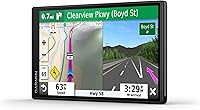
The Garmin DriveSmart 55 GPS Navigator is a strong match for drivers who want a dependable, no-fuss navigation experience that doesn't rely on a cellular signal. If you regularly drive through rural highways, mountain routes, or anywhere cell coverage drops in and out, having fully offline maps on a dedicated device is genuinely reassuring. It's also an excellent choice for older drivers or anyone who finds Google Maps visually busy — the large 5.5″ screen, clean menus, and straightforward interface remove a lot of the friction that smartphone apps introduce. Road-trippers will get real value from the built-in TripAdvisor points of interest, National Parks directory, and landmark-based directions that help in unfamiliar territory. Drivers who need to stay hands-free legally will appreciate the Bluetooth calling and smart notification features without having to invest in a full infotainment upgrade.
Not suitable for:

The Garmin DriveSmart 55 GPS Navigator is probably not the right call if you're already happy with Waze or Google Maps on a well-mounted phone and you drive primarily in urban areas with solid data coverage — in that scenario, you'd be paying for capabilities you don't need. Tech-forward buyers who want a crisp, modern display will likely feel the 480×272 resolution looks noticeably dated next to newer competitors or even a mid-range smartphone. If you're hoping to use this device for walking navigation or occasional outdoor use away from your car, the roughly one-hour battery life makes that impractical. Those who need highly reliable voice recognition — particularly for hands-free destination entry while driving — may find the accuracy inconsistent enough to be frustrating. And if your vehicle already has a built-in navigation system with live updates, adding a windshield-mounted unit is likely redundant.
Specifications

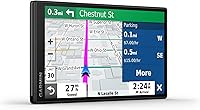
  • Screen Size: The device features a 5.5″ touchscreen display designed for easy readability while driving.
  • Resolution: The screen runs at 480×272 pixels, which is functional for navigation but on the lower end by current standards.
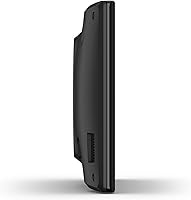
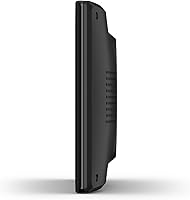
  • Dimensions: The unit measures 5.4 × 0.7 × 3 inches, keeping it compact enough for most windshield or dash positions.
  • Weight: At 5.3 ounces, the device is light enough that the suction cup mount handles it without issue under normal conditions.
  • Battery Life: The internal battery provides approximately one hour of use, making the included vehicle power cable essential for practical operation.
  • Connectivity: The device connects via Bluetooth for smartphone pairing, USB for data and charging, and built-in Wi-Fi for wireless map and software updates.
  • Voice Control: Voice-activated controls are supported for common commands, and hands-free calling is enabled through Bluetooth smartphone pairing.
  • Map Coverage: Preloaded maps cover city and street navigation, with updates available wirelessly through the built-in Wi-Fi connection.
  • Traffic Updates: Live traffic data is received via the included traffic receiver cable, enabling real-time rerouting around congestion and delays.
  • Special Features: The unit includes live traffic and weather, TripAdvisor POI data, driver alerts, smart notifications, National Parks directory, and Garmin Real Directions.
  • Input Method: The primary input is a capacitive touchscreen, supplemented by voice command support for hands-free interaction.
  • Audio Output: The device outputs stereo audio for turn-by-turn directions and call audio during hands-free phone sessions.
  • Model Number: The official Garmin model number for this unit is 010-02037-02.
  • In the Box: The package includes the GPS unit, a vehicle suction cup mount, a traffic receiver and vehicle power cable, a USB cable, and a quick start manual.
  • Compatibility: For computer-based updates or file management, the device is compatible with Windows XP or newer and Mac OS X 10.4 or later.
  • Brand: Manufactured by Garmin, a company with an established track record in consumer GPS and navigation hardware.
  • Power Source: The device is powered through the included vehicle power cable during normal use; internal battery serves as a short-term backup only.

Related Reviews
Garmin DriveSmart 71 EX Car GPS Navigator
79%
83%
Display Clarity & Readability
88%
Navigation Accuracy & Routing
79%
Live Traffic & Rerouting
71%
Voice Assist Usability
74%
Map Update Process
More
Garmin DriveSmart 61 6.95-inch GPS Navigator
75%
91%
Display Quality
88%
Navigation Accuracy
86%
Lifetime Map Updates
34%
Battery Life
78%
Voice Activation
More
Garmin Nuvi 2539LMT GPS Navigator
84%
91%
Ease of Use
89%
Display Quality
75%
Traffic Update Accuracy
85%
Bluetooth Connectivity
93%
Navigation Accuracy
More
Garmin Drive 53 GPS Navigator
76%
88%
Display Quality
91%
Ease of Use
86%
Navigation Accuracy
41%
Battery Life
63%
Mount & Stability
More
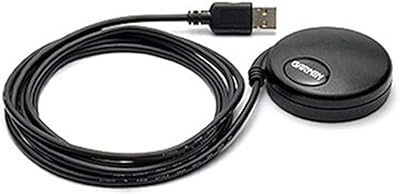
Garmin GPS 18x USB Navigation Receiver
67%
91%
Signal Accuracy
47%
Software Compatibility
78%
Build Quality
63%
Ease of Setup
84%
Long-Term Durability
More
Garmin Forerunner 55 GPS Running Watch
79%
91%
GPS Accuracy
88%
Battery Life
78%
Heart Rate Monitoring
93%
Ease of Setup & Use
84%
Training Features
More
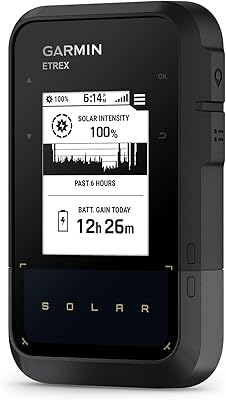
Garmin eTrex 30x Handheld GPS Navigator
87%
93%
Build Quality & Durability
87%
Battery Life
91%
Ease of Use
75%
Display & Visuals
90%
Mapping & Navigation Features
More
Garmin eTrex SE Handheld GPS Navigator
81%
97%
Battery Life
91%
GPS Accuracy
88%
Build Quality
63%
Display Quality
79%
Ease of Use
More
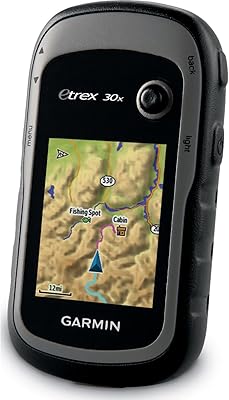
Garmin eTrex Solar Handheld GPS Navigator
80%
91%
Battery Life
88%
GPS Accuracy
93%
Build Quality
58%
Display Quality
67%
Solar Performance
More
Garmin eTrex 32x Handheld GPS Navigator
78%
93%
Satellite Performance
91%
Battery Life
88%
Build & Durability
74%
Map Quality & Coverage
89%
Navigation Accuracy
More

FAQ

Yes, and this is one of its genuine strengths. The maps are stored directly on the device, so it navigates fully offline without needing a data plan or Wi-Fi while you drive. Live traffic updates do require a connection via the included traffic receiver cable, but core turn-by-turn navigation works anywhere.

The easiest way is through the built-in Wi-Fi — connect the device to your home network and it will check for and download available map and software updates automatically. You can also update through a computer using Garmin Express software if you prefer that route.

Yes, as long as you pair it with a compatible smartphone via Bluetooth. Once connected, you can make and receive calls through the device, which uses your phone's cellular connection. It works well for basic call compliance, though the audio quality is functional rather than impressive.

It handles straightforward commands reasonably well — things like muting directions, finding nearby fuel, or dialing a contact. Where it tends to stumble is with unusual street names, complex addresses, or heavy accents. It's a useful feature, but don't count on it being flawless for destination entry.

The included mount is a suction cup designed for windshields, but many drivers use an adhesive dashboard disk alongside it for a flat-surface mount. Garmin and third-party manufacturers sell dashboard mounting discs that are compatible with the standard suction cup base.

For urban driving with reliable cell coverage, Google Maps is genuinely hard to beat for freshness of data and real-time traffic. Where this dedicated unit pulls ahead is screen size and readability, offline reliability, and not draining your phone battery. If you do a lot of rural or long-distance driving, the dedicated device earns its place.

Yes, when your phone is paired via Bluetooth and the Garmin Drive app is installed, incoming calls, texts, and app alerts will appear on the device screen. You can view them without touching your phone, though interaction options are limited — it is primarily a display function.

The internal battery gives you roughly an hour of use away from the power cable, so if your cable disconnects while driving you won't immediately lose navigation. That said, the battery is not designed for extended standalone use, so treat the vehicle power cable as a required accessory rather than optional.

Garmin offers free map updates for the life of the device through its standard update program, accessible via Wi-Fi or Garmin Express. It is worth confirming the current update terms directly with Garmin, as specific program conditions can change over time. Generally, buyers have found the map support to be a reliable long-term benefit.

Most users find the display holds up well in direct sunlight — it is one of the more commonly praised aspects of this navigator. The 5.5″ size helps significantly, since you are not squinting at a small phone screen. Positioning the mount to minimize glare from your windshield will get you the best results.

Where to Buy