Overview
The Garmin Drive 53 GPS Navigator makes a convincing case for itself in a world where most drivers have already handed navigation duties over to their phones. At its mid-range price point, buyers expect reliability and simplicity — and that is largely what they get. The physical unit is compact and light, built around a capacitive glass touchscreen that feels more refined than the resistive displays on older budget units. It arrives with full North America maps included, so there is nothing to download or subscribe to before your first drive. No data plan, no notification interruptions mid-route — just a device that does one job consistently.
Features & Benefits
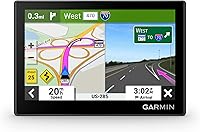
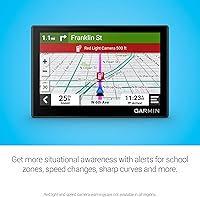
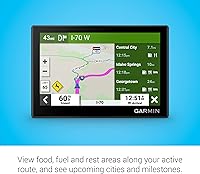
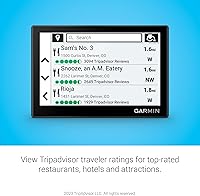
The 5-inch glass touchscreen stands out immediately — in direct sunlight it stays readable where cheaper plastic-panel competitors tend to wash out completely. Driver alerts add real value when you are in unfamiliar territory: the unit flags school zones, approaching speed changes, and sharp curves before you hit them, which keeps your attention where it belongs. Along-route displays for fuel, food, and rest stops are quietly useful on long hauls. The Tripadvisor integration surfaces restaurant and hotel ratings as you drive — a convenient bonus for road trippers, though not a replacement for a dedicated travel app. Rounding things out, the landmark-based directions feel more intuitive than sterile coordinate guidance, telling you to turn at recognizable reference points rather than abstract distances.
Best For
This dedicated GPS unit earns its place for a few specific types of drivers. If you travel regularly through rural stretches or mountain corridors where cell service disappears, you will appreciate that this Garmin navigator relies entirely on locally stored maps — no signal needed. National park visitors get a genuinely useful advantage: the built-in parks directory covers entrances, visitor centers, and internal landmarks that most phone-based apps handle poorly or not at all. It is also a natural fit for drivers who find smartphone navigation overly cluttered, since the menus here are clean and setup takes only minutes. Anyone who prefers a dedicated navigation screen to keep their phone free for calls or audio will also find this arrangement worth it.
User Feedback
Buyers consistently praise the screen clarity and how quickly the unit acquires a route — most describe the out-of-box experience as genuinely effortless. Touchscreen responsiveness gets favorable mentions compared to older Garmin models with resistive panels. On the downside, two complaints come up repeatedly. Battery life is roughly one hour, which means this is effectively a hardwired device — unplug it from the car charger and it will not survive long. Some users also report that the suction cup mount loses grip over time, particularly in heat, and managing map updates over USB strikes a few buyers as an outdated workflow. Reactions to the Tripadvisor and POI features are split — some find them genuinely handy, others never use them at all.
Pros
- The capacitive glass touchscreen is sharp and stays readable in direct sunlight, unlike cheaper plastic-panel GPS units.
- North America maps come pre-loaded with lifetime updates — no subscriptions or extra purchases required.
- Driver alerts for school zones, sharp curves, and speed changes add a genuine safety layer on unfamiliar roads.
- The U.S. National Parks directory is a standout feature for outdoor travelers, covering entrances and internal landmarks most apps miss.
- Landmark-based voice guidance feels natural and is easier to follow than pure street-name directions.
- Along-route POI display makes long-haul trips more manageable by surfacing fuel and rest stops before you need them.
- Setup is fast — out of the box to active navigation in just a few minutes with no account creation required.
- At under 2.5 ounces, this dedicated GPS unit is light enough to mount without stressing your windshield suction cup.
- Simple, uncluttered menu design is genuinely easier to operate while driving than most smartphone navigation apps.
- Keeping navigation off your phone means your phone battery and screen stay free for calls, music, and other tasks.
Cons
- Internal battery lasts only about one hour, making this effectively a hardwired device — not a portable navigator.
- Map updates must be managed manually over USB, which is slower and less convenient than automatic over-the-air updates.
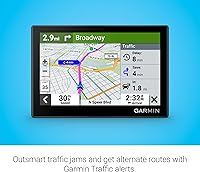
- No real-time traffic data means the Drive 53 cannot reroute you around accidents or congestion the way Waze does.
- Screen resolution of 480x272 looks noticeably dated compared to the display on any current mid-range smartphone.
- The suction cup mount has a reported tendency to lose grip over time, especially in high-heat dashboard environments.
- No Bluetooth or hands-free calling support, which comparable devices in adjacent price ranges sometimes include.
- Tripadvisor integration is surface-level — useful for a quick glance, but not a substitute for actually using a travel planning app.
- No Wi-Fi connectivity means there is no path to wireless updates or connected services in the future.
- The included USB cable and mount hardware are reported by some buyers to feel lower quality than the unit itself.
Ratings
The scores below for the Garmin Drive 53 GPS Navigator were generated by our AI system after analyzing thousands of verified buyer reviews from global markets, with spam, incentivized, and bot-flagged submissions actively filtered out before scoring. Each category reflects the honest distribution of real user sentiment — strengths are credited where earned, and recurring frustrations are scored accordingly. You will find both the standout qualities and the genuine trade-offs represented transparently across every dimension.
Display Quality
Ease of Use
Navigation Accuracy
Battery Life
Mount & Stability
Map Coverage & Updates
Driver Alerts
POI & Along-Route Features
Tripadvisor Integration
National Parks Directory
Voice Guidance
Build Quality
Value for Money
Suitable for:
The Garmin Drive 53 GPS Navigator is the right call for drivers who regularly travel outside reliable cell coverage — think remote highways, mountain routes, or the backcountry roads leading to national parks where Google Maps simply goes blank. If you spend time at U.S. national parks specifically, the built-in parks directory is a practical advantage that phone-based apps rarely match, covering internal landmarks and visitor center locations that are otherwise hard to navigate offline. Road-trippers who appreciate having fuel stops, rest areas, and Tripadvisor-rated restaurants surfaced automatically along their route will get genuine day-to-day value from this unit. It also suits drivers who find smartphone navigation distracting — those who would rather glance at a dedicated windshield screen than fumble with a phone mount or drain their phone battery over a six-hour drive. Older drivers or anyone who finds modern app interfaces cluttered will appreciate the straightforward menu structure that Garmin has refined over many product generations.
Not suitable for:
If your driving is mostly urban or suburban and you already have a reliable data plan, the Garmin Drive 53 GPS Navigator is probably redundant — Google Maps and Waze offer real-time traffic rerouting and live incident reports that this unit simply cannot match. The roughly one-hour internal battery means it functions as a permanently wired device; buyers expecting something they can grab and walk around with will be disappointed. The 480x272 screen resolution, while serviceable, looks noticeably dated next to a modern smartphone display, and that may bother detail-oriented users. Map updates are handled via USB rather than over-the-air, which is inconvenient compared to apps that update silently in the background. Drivers who already own a higher-end Garmin model with Bluetooth calling, traffic services, or Wi-Fi connectivity will find the Drive 53 a step backward in features. Anyone who does most of their trip planning in a travel app ecosystem will find the Tripadvisor integration too limited to replace their existing workflow.
Specifications
- Screen Size: The unit features a 4.97-inch capacitive glass touchscreen display with a resolution of 480 x 272 pixels.
- Dimensions: The device measures 4.97 x 3.33 x 0.67 inches, making it compact enough to mount without obstructing the driver's sightline.
- Weight: At 2.43 ounces, the unit is light enough that the included suction cup mount can support it on most windshields without issue.
- Battery Life: The built-in lithium-ion battery provides approximately one hour of unplugged use; normal operation relies on the included vehicle power cable.
- Storage: The device includes 16 GB of onboard storage, which houses the pre-loaded North America maps and supporting software.
- Map Coverage: Detailed maps of the United States, Canada, and Mexico come pre-loaded, and lifetime map updates for North America are included at no additional cost.
- Connectivity: The unit connects to a computer via USB for map updates and software management; there is no Wi-Fi or Bluetooth connectivity.
- Driver Alerts: The device provides audio and visual alerts for school zones, speed limit changes, and sharp curves ahead on the road.
- POI Features: Along-route points of interest — including fuel stations, restaurants, and rest areas — are displayed automatically based on the active route.
- Travel Ratings: Tripadvisor traveler ratings for restaurants, hotels, and nearby attractions are integrated directly into the on-device search and POI displays.
- Parks Directory: A dedicated U.S. National Parks directory is built in, covering park entrances, visitor centers, and named landmarks within park boundaries.
- Voice Guidance: Spoken turn-by-turn directions use Garmin Real Directions, which references recognizable landmarks and buildings rather than relying solely on street names and distances.
- Audio Output: The unit supports stereo audio output for spoken navigation prompts delivered through its built-in speaker.
- In the Box: The package includes the GPS unit, a vehicle suction cup mount, a vehicle power cable, a USB cable, and printed documentation.
- Touch Technology: The capacitive glass touchscreen responds to finger input with the same sensitivity expected from a modern smartphone display, unlike older resistive panels.
- Power Source: The device is powered via the included 12V vehicle power cable and is designed for continuous in-car use rather than standalone portable operation.
- Model Number: The official Garmin model number for this unit is 010-02858-00, which can be used when searching for compatible accessories or contacting support.
- Manufacturer: The device is designed and manufactured by Garmin, a company with a long-established history in GPS navigation hardware.
Related Reviews
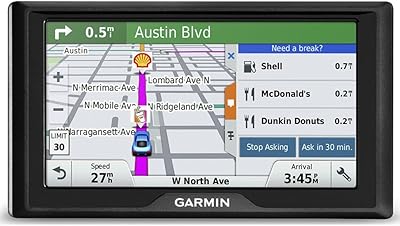
Garmin Drive 50 USA LM GPS Navigator
Garmin Drive 51 LMT-S GPS Navigator
Garmin Drive 52 GPS Navigator
Garmin GPS 18x USB Navigation Receiver
Garmin Nüvi 2539LMT GPS Navigator
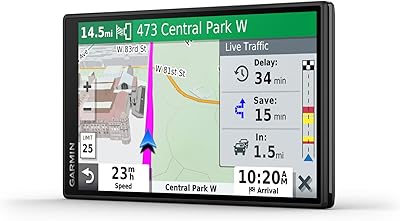
Garmin DriveSmart 55 GPS Navigator
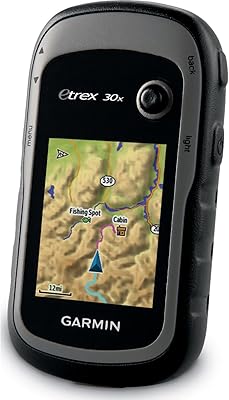
Garmin eTrex 30x Handheld GPS Navigator
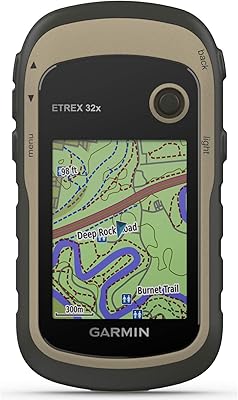
Garmin eTrex 32x Handheld GPS Navigator
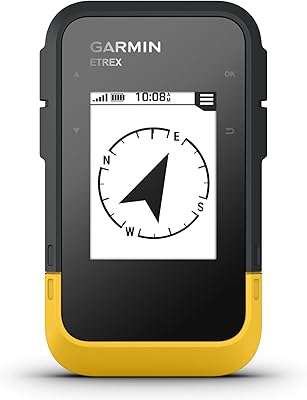
Garmin eTrex SE Handheld GPS Navigator