Overview

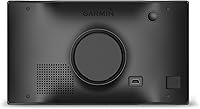
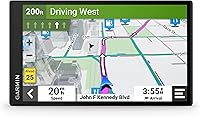
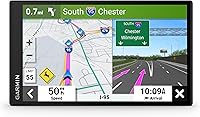
The Garmin DriveSmart 71 EX Car GPS Navigator sits near the top of Garmin's consumer lineup, built for drivers who want a proper dedicated navigation device rather than balancing a phone on a flimsy mount. The defining feature is obvious the moment you set it up: a 7-inch display that fills your field of vision with clear, readable maps without squinting at a tiny screen. This is not a budget pick — the price reflects a device built to last years, and the value proposition only strengthens over time once you factor in what's included out of the box.
Features & Benefits

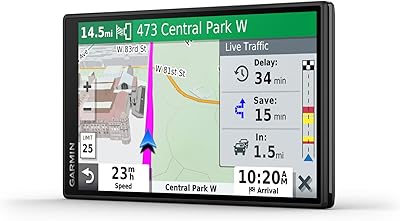
The built-in Wi-Fi is one of those features that sounds minor until you realize you never have to hunt for a USB cable to keep your maps current — updates download on their own while the device sits parked and plugged in. Those map updates are free for the life of the device, which adds up significantly over years of ownership as roads and interchanges change. Live traffic rerouting nudges you around slowdowns before you hit them. Garmin Voice Assist lets you dictate a destination hands-free, genuinely useful when merging onto a busy highway. Physical buttons alongside the touchscreen give you something tactile to reach for without glancing away from the road.

Best For

This dedicated GPS unit earns its place most clearly for road-trip regulars and drivers in rural or low-coverage areas. If you've ever watched a navigation app freeze on a long stretch through the mountains, you understand why offline-capable navigation still carries real appeal. Older drivers — or anyone tired of jury-rigging a phone holder only to squint at a small screen doing 70 mph — will appreciate the purpose-built ergonomics. It also suits frequent drivers upgrading from an older Garmin who want a noticeably larger screen without relearning an entirely new interface or ecosystem from scratch.

User Feedback

With a 4.4-star average across nearly 380 ratings, this Garmin navigator earns its score honestly. Buyers consistently praise the screen clarity and how quickly it acquires a signal and starts routing — setup takes minutes, not a tutorial. Routing reliability gets high marks on extended drives. The recurring criticism centers on resolution: 480x272 is functional but noticeably soft next to any modern smartphone display, and some buyers feel the unit's bulk is harder to justify given how slim competing devices have become. A handful of users found the Wi-Fi update process finicky initially, though most resolved it after a firmware refresh. Voice Assist earns mixed marks — reliable for common commands, occasionally stubborn with unusual place names.

Pros

  • The nearly 7-inch display makes map reading genuinely easier and reduces eyes-off-road time compared to smaller devices.
  • Lifetime map updates via Wi-Fi eliminate the recurring costs that plagued older dedicated GPS units.
  • Reliable offline navigation means rural routes and low-signal stretches are handled without data-dependent workarounds.
  • Real-time traffic rerouting proactively steers you around slowdowns rather than reacting after you are already stuck.
  • Physical buttons give you tactile controls to reach for without tapping a glass screen mid-turn.
  • Satellite signal locks in quickly from a cold start, so you are navigating within a minute of powering on.
  • The DriveSmart 71 EX is easy to transfer between vehicles, making it practical for multi-car households.
  • Setup from unboxing to active routing is fast, with a familiar Garmin interface that requires almost no learning curve.
  • Routing accuracy on highways and interchange-heavy routes earns consistently strong marks from long-distance drivers.

Cons

  • The 480x272 resolution feels noticeably soft and dated compared to any current smartphone display.
  • Wi-Fi map updates can stall or fail during initial setup, requiring firmware restarts that catch some users off guard.
  • Voice Assist struggles with unusual street names and smaller towns, often forcing a fallback to manual entry.
  • The unit is physically bulky — compact car owners may find dashboard positioning awkward or obstructive.
  • Traffic data thins out significantly on rural and less-monitored roads, where real-time rerouting is least reliable.
  • Pinch-to-zoom on the touchscreen feels sluggish compared to the fluid response of a smartphone display.
  • Map data in fast-growing suburban areas can lag behind real-world road changes even with regular updates applied.
  • The premium upfront cost is hard to justify for occasional drivers who rarely leave reliable cell coverage zones.

Ratings

The Garmin DriveSmart 71 EX Car GPS Navigator has been evaluated by our AI rating system after deep analysis of verified global buyer reviews, with spam, bot-submitted, and incentivized feedback actively filtered out. Scores reflect the full picture — what real drivers praised on long highway runs and rural backroads, and where this dedicated GPS unit genuinely frustrated users. Both strengths and pain points are weighted transparently so you can make a confident decision before buying.
Display Clarity & Readability
83%
The large 6.95-inch screen consistently earns praise from drivers who previously relied on phone-sized displays. Text and map icons are easy to read at a glance, and brightness holds up respectably on sunny dashboards without constant manual adjustment.
A number of buyers note the 480x272 resolution looks noticeably soft compared to modern smartphone screens, especially on high-contrast map transitions. For anyone coming from a recent flagship phone, the pixelation on zoomed-in city maps can feel like a step backward.
Navigation Accuracy & Routing
88%
Routing reliability is one of the most consistently praised aspects across the reviewer base. The unit calculates accurate routes quickly, handles highway interchanges confidently, and adapts when drivers deviate from the planned path without lengthy recalculation delays.
A smaller subset of users reported occasional routing quirks — particularly outdated road suggestions in newly developed suburban areas. While map updates address this over time, the lag between real-world road changes and updated data can frustrate drivers in fast-growing regions.
Live Traffic & Rerouting
79%
21%
Real-time traffic alerts genuinely redirected drivers around slowdowns during peak commute hours and holiday road trips, with many users crediting the feature for saving meaningful time on long interstate runs. The rerouting kicks in proactively rather than waiting until you are already stuck.
Traffic data accuracy is inconsistent outside major metropolitan corridors — rural or less-monitored roads sometimes show clear when delays exist. A handful of users also found the rerouting suggestions added distance in ways that did not always pan out as faster alternatives.
Voice Assist Usability
71%
29%
Hands-free destination entry works well for commonly named places, major highway exits, and well-known addresses. Drivers appreciate being able to issue commands without pulling off to tap a screen, especially on unfamiliar roads during active navigation.
Voice Assist struggles noticeably with unusual street names, smaller towns, and anything requiring phonetic interpretation. Some users found themselves repeating commands multiple times or defaulting back to manual entry, which undercuts the convenience it is supposed to provide.
Map Update Process
74%
26%
The promise of lifetime map updates via Wi-Fi is a genuine long-term value driver — no subscription, no cables required once Wi-Fi is configured. Drivers who have owned older Garmin units that required annual paid updates see this as a meaningful upgrade in the ownership experience.
Several users hit friction during the initial Wi-Fi setup, with the device failing to connect or updates stalling partway through. Most resolved the issue after a firmware restart, but for less tech-savvy buyers the process felt more involved than the out-of-box simplicity they expected.
Ease of Setup & First Use
86%
Unboxing to active navigation takes very little time — the device acquires a satellite signal quickly, the dashboard mount attaches without tools, and the interface is immediately familiar to anyone who has used a Garmin device before. Newcomers to the brand also reported getting oriented within a few minutes.
The included documentation is minimal, and a few buyers found initial Wi-Fi pairing for map updates less intuitive than anticipated. Users who prefer a guided onboarding experience may find themselves consulting online forums before getting everything configured correctly.
Build Quality & Durability
77%
23%
The unit feels solid in hand and does not rattle on the dashboard mount during highway driving or on rougher road surfaces. Long-term owners report no significant degradation in screen responsiveness or button tactility after extended daily use.
The casing feels functional rather than premium — a fair assessment given the device-first design philosophy, but notable if you are comparing it to the slimmer industrial design of recent smartphones. A few users also reported scuffing around the port areas after repeated charging cable insertions.
Physical Button Usability
81%
19%
Having physical buttons alongside the touchscreen is a genuine advantage for drivers who do not want to prod at a glass panel mid-turn. The buttons are logically placed and tactile enough to locate by feel without looking down, which directly supports safer driving habits.
Button labels are small, and in low-light conditions some users found them harder to identify without briefly glancing at the device. The button layout also takes a short adjustment period for drivers migrating from touchscreen-only devices.
Screen Size & Dashboard Presence
91%
The 7-inch display occupies a commanding position on the dash and eliminates the neck-craning associated with smaller GPS units or phone-based navigation. Drivers with larger vehicles — SUVs, trucks, minivans — found the proportions especially well-suited to their cabin layouts.
The physical size of the unit can obstruct sightlines for drivers with smaller windshields or compact interiors. A handful of compact-car owners flagged that the dashboard mount positioning required some trial and error to avoid blocking critical dash controls.
Value for Money
73%
27%
The combination of lifetime map updates, live traffic, and a large display creates a defensible long-term value argument — this is not a device you replace every two years. Frequent travelers who would otherwise pay for premium navigation app subscriptions may find the math works in their favor over a three-to-five year horizon.
The upfront cost is steep for buyers who already own a recent smartphone with a capable navigation app. For occasional drivers or those who rarely travel outside reliable cell coverage zones, the pricing is difficult to justify against free or low-cost smartphone alternatives.
Wi-Fi Connectivity Reliability
66%
34%
When the Wi-Fi connection works as intended, the automatic update experience is genuinely convenient — the device handles updates in the background without requiring any user action beyond ensuring it is on a known network. Regular travelers who frequently update find it a hands-off maintenance experience.
Wi-Fi reliability has been a recurring friction point in user reviews. Some units struggled to maintain a stable connection long enough to complete full map downloads, leading to interrupted updates. Garmin support interactions around this issue received mixed reviews for resolution speed.
Portability & Device Weight
69%
31%
At just over a pound, this dedicated GPS unit is easy to move between vehicles — a genuine advantage for households sharing the device across multiple cars or for rental car situations where a familiar navigator is preferred over an unknown in-dash system.
Compared to a smartphone or a slimmer budget GPS unit, the DriveSmart 71 EX is noticeably thick and bulky in a bag or glove compartment. Users who expected a sleek, pocketable device were caught off guard by its physical footprint once unboxed.
Satellite Signal Acquisition Speed
84%
Cold start signal acquisition is reliably fast — most users reported the device locking onto satellites and displaying an accurate position within a minute of powering on, even in areas where phone-based GPS has historically been slow. This consistency is especially valued on road trip mornings when time matters.
In dense urban canyons or underground parking structures, signal lock can waver, though this is a limitation of GPS technology broadly rather than a specific failing of this unit. A small number of users in mountainous regions noted occasional signal drift on tight switchback roads.
Touchscreen Responsiveness
78%
22%
Day-to-day touch interactions — panning the map, entering addresses, confirming routes — register accurately and without meaningful lag. The screen handles typical gloved-finger input better than some competing units, which is a real benefit for drivers in colder climates.
Multi-touch gestures like pinch-to-zoom feel slightly sluggish compared to the fluid responsiveness of a smartphone display. Heavy users who frequently manipulate the map view during planning stops found this mildly frustrating over the course of longer trips.

Suitable for:

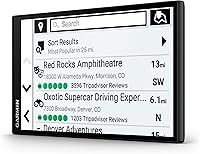
The Garmin DriveSmart 71 EX Car GPS Navigator is the right call for drivers who want a purpose-built navigation device they can count on regardless of cell signal strength. If you regularly take long road trips through rural stretches, mountain corridors, or areas where data coverage is unreliable, having a dedicated GPS that works entirely offline is a practical insurance policy that no smartphone app can fully replicate. Older drivers or those who find phone-based navigation fiddly — constant app updates, mount adjustments, battery anxiety — will appreciate that this device does exactly one thing and does it consistently. Frequent drivers, delivery professionals, or anyone managing multiple vehicles will find real value in the lifetime map updates, which quietly keep the device current without annual fees or subscription reminders. If you are upgrading from an aging Garmin or a small-screen budget unit, the jump to a nearly 7-inch display genuinely changes how much mental effort navigation demands while driving.
Not suitable for:

The Garmin DriveSmart 71 EX Car GPS Navigator is a harder sell for buyers who already own a current-generation smartphone and primarily drive in urban or suburban areas with solid data coverage. If your daily commute is well-mapped and Google Maps or Waze handles it without hiccups, the functional overlap with this dedicated GPS unit is significant enough that the premium price is difficult to rationalize. Buyers who prioritize sharp display resolution will find the 480x272 panel a genuine disappointment — it works, but next to any modern phone screen it looks noticeably dated, especially on detailed city maps. Drivers in compact cars may also find the physical footprint of this device awkward to position without obstructing sightlines or dashboard controls. And if you are someone who expects truly effortless tech setup, the Wi-Fi update process has frustrated enough users to be worth flagging before you commit.

Specifications

  • Screen Size: The display measures 6.95 inches diagonally, providing a wide viewing area that is easy to read at a glance without leaning toward the dashboard.
  • Resolution: The screen renders at 480 x 272 pixels, which delivers functional map clarity but is noticeably lower in sharpness than current smartphone displays.
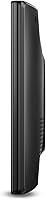
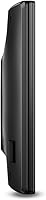
  • Dimensions: The unit measures 6.5 x 3.5 x 0.25 inches, making it one of the larger dedicated GPS footprints in its class.
  • Weight: At 1.17 pounds, the device is heavier than most smartphone-based navigation setups but remains manageable on a standard dashboard mount.
  • Connectivity: Built-in Wi-Fi allows the device to download map updates and software patches automatically when connected to a known home network.
  • Voice Control: Garmin Voice Assist with a built-in microphone enables hands-free destination entry and navigation commands without requiring a paired smartphone.
  • Map Coverage: Road maps for the relevant region are pre-loaded, with free lifetime updates delivered over Wi-Fi to keep route data current.
  • Traffic: Real-time live traffic data is included, enabling the device to proactively reroute around congestion during active navigation sessions.
  • Mount Type: A dashboard mount is included in the box, securing the unit to the vehicle dash without requiring adhesive or permanent installation hardware.
  • Input Methods: The device supports both touchscreen input and physical buttons, giving drivers tactile control options that reduce the need to look directly at the screen.
  • Battery: A built-in rechargeable Lithium Ion battery powers the unit, with the device primarily intended for use while connected to a vehicle power source.
  • Map Type: The pre-installed maps cover standard road navigation, optimized for driver routing rather than off-road, topographic, or marine use cases.
  • Model Family: The DriveSmart 71 EX belongs to the DriveSmart 70 LMT family within Garmin's consumer GPS lineup, sitting at the upper tier of their dedicated navigator range.
  • Availability: The device first became available in August 2022, making it a relatively recent addition to Garmin's dedicated GPS portfolio.
  • Sales Rank: It holds a top-30 position in the Vehicle GPS Units and Equipment category on Amazon, reflecting a strong and sustained level of commercial performance.
  • Included Accessories: The box contains the GPS unit, a dashboard mount, and a vehicle power cable — everything needed for immediate in-car use out of the box.
  • Brand: Manufactured by Garmin, a company with decades of dedicated GPS hardware experience and one of the most recognized names in vehicle navigation.

Related Reviews

Garmin DriveSmart 55 GPS Navigator
74%
88%
Screen Readability
83%
Routing Accuracy
79%
Live Traffic Updates
91%
Ease of Use
57%
Voice Recognition
More
Garmin DriveTrack 71 Dog Tracking GPS Navigator
75%
93%
Screen Size & Readability
88%
Dog Tracking Performance
91%
Map Quality & Coverage
82%
Ease of Setup
79%
Wi-Fi Map Updates
More
Garmin DriveSmart 61 6.95-inch GPS Navigator
75%
91%
Display Quality
88%
Navigation Accuracy
86%
Lifetime Map Updates
34%
Battery Life
78%
Voice Activation
More
Garmin Drive 53 GPS Navigator
76%
88%
Display Quality
91%
Ease of Use
86%
Navigation Accuracy
41%
Battery Life
63%
Mount & Stability
More
LONGRUF 710 7-Inch Car GPS Navigator
72%
81%
Value for Money
84%
Ease of Setup
61%
Screen Quality
67%
Map Accuracy
79%
Voice Guidance
More
Liontru 7-Inch Truck GPS Navigator
70%
74%
Truck Routing Accuracy
67%
Map Coverage & Accuracy
78%
Lifetime Map Updates
83%
Screen Size & Readability
61%
Satellite Signal & Lock Time
More
Garmin GPS 18x USB Navigation Receiver
67%
91%
Signal Accuracy
47%
Software Compatibility
78%
Build Quality
63%
Ease of Setup
84%
Long-Term Durability
More
Garmin Nuvi 2539LMT GPS Navigator
84%
91%
Ease of Use
89%
Display Quality
75%
Traffic Update Accuracy
85%
Bluetooth Connectivity
93%
Navigation Accuracy
More
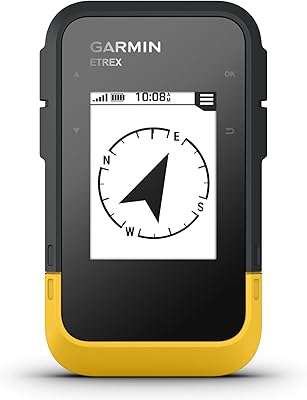
Garmin eTrex SE Handheld GPS Navigator
81%
97%
Battery Life
91%
GPS Accuracy
88%
Build Quality
63%
Display Quality
79%
Ease of Use
More
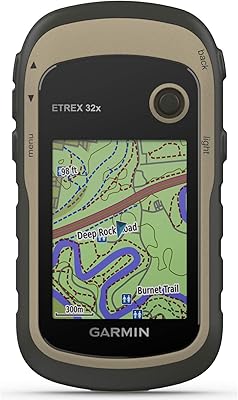
Garmin eTrex 32x Handheld GPS Navigator
78%
93%
Satellite Performance
91%
Battery Life
88%
Build & Durability
74%
Map Quality & Coverage
89%
Navigation Accuracy
More

FAQ

Yes, and that is one of its core strengths. The maps are stored directly on the device, so you can navigate through rural areas, mountain roads, or any low-coverage zone without needing a data connection. Live traffic updates do require a signal to refresh, but the core navigation works entirely offline.

No computer needed. The Garmin DriveSmart 71 EX Car GPS Navigator connects to your home Wi-Fi and downloads map updates automatically in the background. You do need to set up the Wi-Fi connection initially through the device settings, and some users have reported the first-time setup taking a bit of patience, but once configured it handles updates on its own.
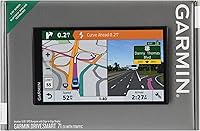
It is readable and functional, but you should set realistic expectations. The 480x272 resolution is sufficient for following turn-by-turn directions and reading street names, but it looks noticeably softer than a modern smartphone screen. For most drivers, this is not a dealbreaker, but if you are used to a high-resolution phone display, the difference will be visible.

Yes, you can use voice commands to search for points of interest, including gas stations, restaurants, and other nearby services. That said, Voice Assist works best with clearly named destinations and common commands. Unusual street names or smaller local businesses can trip it up, and you may find yourself re-entering destinations manually on occasion.

It depends on your specific vehicle and windshield angle. The device has a fairly large footprint at nearly 7 inches, and some compact-car owners have found it tricky to position the dashboard mount without it encroaching on sightlines or blocking dashboard controls. It is worth checking your dash layout before committing.

Maps come pre-loaded on the device, so you can start navigating immediately after setup — no lengthy download required before your first use. The Wi-Fi update feature is for keeping those maps current over time, not for the initial installation.

Live traffic is included at no additional cost. The device receives real-time traffic data and can automatically suggest alternate routes to avoid slowdowns. The traffic data is most reliable in densely monitored urban and highway corridors — rural or less-traveled roads may not have the same data density.

Absolutely. The dashboard mount is not permanently fixed, so transferring the unit between vehicles is straightforward. Many buyers specifically use it this way — keeping one device that moves between a personal car and a work vehicle, or sharing it across a household.

Yes, the existing maps on the device remain intact even if an update does not complete. The device will continue to navigate normally with whatever map version is currently installed. You can retry the update the next time the device is connected to Wi-Fi. If updates keep stalling, a device restart usually resolves it.

For most people, yes — particularly if your current device has a smaller screen or requires paid map updates. The jump to a nearly 7-inch display is immediately noticeable, and the automatic Wi-Fi map updates remove the friction of manually connecting to a computer every time a new map version drops. If you are comfortable with Garmin's interface, the learning curve here is minimal.

Where to Buy