Overview

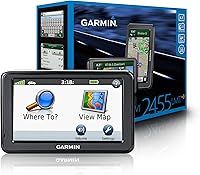
The Garmin nüvi 2455LMT Portable GPS Navigator is a dedicated in-car navigation unit built for drivers who want straightforward, phone-free routing without worrying about data plans or dead zones. It sports a 4.3-inch touchscreen that is readable in daylight and fits neatly on a dashboard mount without feeling bulky. One of its strongest long-term selling points is lifetime map updates for the US and Canada, delivered via Garmin's desktop software. Worth noting upfront: this unit is discontinued, so you will be buying it used or refurbished. For a 2012 mid-range GPS, it still handles the basics reliably — just do not expect it to compete with a modern smartphone on bells and whistles.
Features & Benefits

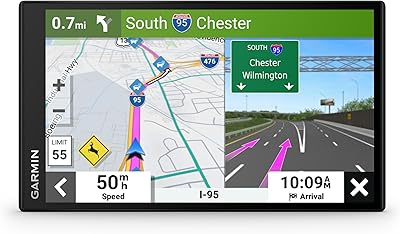
The nüvi 2455LMT packs in several features that make a real difference on longer drives. The lifetime map updates covering the US and Canada mean you are not stuck with outdated roads after a year. Lane assist with photoRealistic junction views is worth calling out specifically: at complicated highway splits, it displays a photographic-style image of the actual interchange so you know exactly which lane to take. It also logs your parking location so you can navigate back to your car in an unfamiliar lot or city. Add in a speed limit indicator for major roads and over 8 million points of interest with branded icons, and day-to-day usability is genuinely solid.

Best For

This dedicated GPS unit makes the most sense for a specific kind of driver. If you frequently travel through areas with spotty cell coverage — rural highways, mountain passes, remote stretches — having offline maps that do not depend on a signal is a practical advantage. It is also a natural fit for older drivers or anyone who finds phone-based navigation fiddly and just wants a device that turns on and works. Road-trippers covering the US and Canada will appreciate not stressing about roaming data or app updates mid-trip. And since it is widely available used at a fraction of its original price, it is a reasonable pick for anyone wanting a no-subscription GPS without overpaying.

User Feedback

Owners of this Garmin navigator tend to split along fairly predictable lines. Those who switched from older GPS units or simply want something simple and dependable generally come away satisfied — they highlight the clear display, quick satellite lock, and practical park position recall as real-world wins. The junction view feature earns consistent praise from frequent highway drivers. On the other side, buyers with a smartphone background often find the interface feels dated, and the absence of live traffic or Bluetooth is a legitimate gap. Garmin Express, the desktop software used to push map updates, has drawn complaints for being clunky to use. Bottom line: strong core navigation, but keep connectivity expectations realistic.

Pros

  • Lifetime map updates for the US and Canada eliminate recurring subscription costs after purchase.
  • Offline maps mean reliable navigation even in rural or low-signal areas where phone GPS fails.
  • Lane assist with photoRealistic junction views helps drivers pick the correct lane at complex interchanges.
  • Park position recall is a quietly useful feature that logs your parking spot automatically.
  • The 4.3-inch touchscreen is clear and easy to read at a glance while driving.
  • Speed limit display on major roads provides a passive, low-distraction safety reference.
  • Setup is straightforward — mount it, power it on, and it locks onto satellites quickly.
  • Over 8 million points of interest with branded icons makes locating fuel, food, and lodging easy on long trips.
  • Lightweight at 8 ounces and compact enough to stow or move between vehicles without hassle.

Cons

  • The user interface looks and feels dated compared to any modern smartphone navigation app.
  • No live traffic data means the nüvi 2455LMT cannot reroute around accidents or congestion in real time.
  • Bluetooth is completely absent, ruling out hands-free calls or audio streaming through the device.
  • Garmin Express, the desktop software required for map updates, has a reputation for being clunky and unreliable.
  • Discontinued by the manufacturer, so replacement units and hardware support depend entirely on the used market.
  • The internal battery lasts only around two hours unplugged, making it essentially car-dependent for longer use.
  • No Wi-Fi connectivity means updates require finding a computer with the Garmin Express software installed.
  • Buyers unfamiliar with Garmin's ecosystem may find the map update process more involved than expected.

Ratings

The scores below for the Garmin nüvi 2455LMT Portable GPS Navigator were generated by our AI system after analyzing thousands of verified global user reviews, with spam, bot activity, and incentivized submissions actively filtered out. The results reflect a balanced picture — where this dedicated GPS genuinely earns its reputation and where real buyers have run into frustration. Both sides of the ownership experience are represented fairly.

Navigation Accuracy
83%
For core turn-by-turn routing, the nüvi 2455LMT consistently earns trust from drivers covering both urban grids and long rural stretches. Users on US and Canada road trips report that it rarely misdirects and handles highway interchanges confidently, especially with lane assist engaged.
Occasional routing inefficiencies surface in dense city centers, where the unit sometimes picks longer or outdated paths that a smartphone app with live data would avoid. Dead-end suggestions in newly developed suburban areas also come up when maps have not been recently updated.
Map Coverage & Updates
78%
22%
Lifetime map updates for the US and Canada represent genuinely strong long-term value — most owners report keeping accurate maps for years without paying a dime extra. For drivers who stick to North America, the coverage breadth is more than adequate for everyday use.
The update process depends entirely on Garmin Express desktop software, which users frequently describe as slow and prone to connectivity hiccups. Those without easy computer access or technical patience often find the update cycle more trouble than expected, and some give up on updates altogether.
Ease of Use
76%
24%
Longtime Garmin users and older drivers consistently praise how quickly they can power on the device and start a route without navigating menus or toggling settings. The dedicated hardware approach — no notifications, no app switching — is specifically appreciated by drivers who want zero distraction.
First-time GPS buyers and anyone switching from a smartphone find the interface noticeably dated, with slower touch response and a menu layout that feels like a step backward. The learning curve is not steep, but the experience gap versus modern apps is hard to ignore once you notice it.
Display Quality
74%
26%
The 4.3-inch screen is adequately sized for dashboard use, with map labels and turn instructions readable at a glance without leaning forward. Daytime visibility holds up reasonably well, and the screen brightness satisfies most drivers during daylight hours.
In direct sunlight, especially during summer afternoon driving, the display can wash out enough to cause momentary squinting. Night mode helps at dusk, but the overall screen technology is clearly a product of its era compared to the sharper, higher-contrast panels on newer devices.
Lane Assist & Junction Views
81%
19%
The photoRealistic junction view feature earns genuine appreciation from highway drivers — when approaching a complicated multi-lane interchange, the screen switches to a detailed image of that specific junction with your lane clearly marked, reducing the panic of last-second lane changes.
The feature only activates at select major interchanges and does not cover smaller or regional junctions where confusion also occurs. A handful of users note that the image occasionally appears a beat late when approaching at higher speeds, slightly reducing its practical usefulness.
Points of Interest
69%
31%
With over 8 million POIs and branded icons shown directly on the map, finding fuel stations, restaurants, and hotels on a road trip feels natural and quick. The visual icons make it easy to identify chain locations without digging through menus.
The POI database is static and tied to map update cycles, so newer businesses, closed locations, and rebranded chains can appear incorrect — a frustration users encounter most in fast-changing commercial areas. Without live data, the unit cannot reflect real-time business hours or closures.
Park Position Recall
86%
This feature quietly becomes one of the most-mentioned positives once users discover it — the unit automatically logs where the vehicle was parked, letting drivers navigate back on foot in unfamiliar lots, garages, or city blocks. It works without any manual setup, which is its biggest selling point.
GPS accuracy in dense urban environments or underground parking structures can reduce the precision of the saved location, sometimes placing the marker a block or two off. For most open-air lots and street parking, the feature is reliable, but expectations should be realistic in GPS-challenged environments.
Speed Limit Display
72%
28%
Having the posted speed limit visible on-screen without any active input is a practical, low-distraction safety layer that regular drivers grow to rely on — especially on unfamiliar roads where limits change frequently in short stretches.
Coverage is limited to major roads and does not extend reliably to secondary streets, rural routes, or residential zones where speed traps are common. Users also note that the displayed limit occasionally lags after a sign change, reflecting the static nature of the underlying map data.
Battery Life
47%
53%
The built-in lithium-ion battery handles short walks from a parked car to a destination reasonably well, and occasional unplugged use for brief errands is manageable. For what the device was designed to do — sit powered in a car — the battery situation rarely causes problems during typical drives.
At roughly two hours of unplugged life, the battery is one of the unit's weakest points for anyone hoping to use it outside the vehicle for extended periods. Long-haul drivers who lose their charger cable mid-trip will find themselves with a dead unit much sooner than expected.
Build & Hardware Quality
71%
29%
The physical build is solid and feels durable for a portable device — users who have owned the nüvi 2455LMT for several years report minimal hardware degradation beyond normal screen wear. The unit survives the temperature swings of being left in a car without obvious issues.
The suction mount, a common pain point across portable GPS devices of this era, loosens over time and does not always grip reliably on textured dashboards or during hot weather. Replacement mounts are available but add a small ongoing cost that buyers should factor in.
Software & Interface
58%
42%
The interface is stable and predictable — menus are logically organized for someone who takes time to learn them, and the device does not freeze or crash in normal use. Garmin veterans tend to navigate it efficiently after minimal familiarization.
By any modern benchmark, the UI feels like a 2011 product: slow touch response, small tap targets, and a visual design that has not aged well. Users accustomed to the fluid experience of iOS or Android mapping apps will notice the gap immediately and find it hard to adjust.
Connectivity Options
43%
57%
USB connectivity keeps the charging and update workflow simple — one port handles both functions, and the cable type is widely available. For buyers who only need a device to navigate, the absence of wireless options does not affect day-to-day routing.
The complete absence of Bluetooth, Wi-Fi, and any live data connection is a hard limitation that cannot be worked around. No hands-free calling, no wireless map updates, no real-time traffic — for a growing segment of buyers these are non-negotiable features, and this unit simply cannot provide them.
Value for Money
77%
23%
Purchased used or refurbished at current market prices, this dedicated GPS unit offers a compelling cost-per-feature ratio for buyers who specifically need offline navigation with lifetime maps and no subscription. For rural drivers or older users with straightforward needs, the math still works in its favor.
At or near its original retail price, the value proposition becomes harder to justify against smartphones that provide richer navigation for free. Buyers should also factor in the discontinued status — replacement hardware and accessories carry a degree of supply uncertainty that affects long-term value.
Setup & Installation
84%
Out of the box, setup is fast — mount the unit, plug in power, and the device acquires satellite lock within a minute or two in most conditions. Users consistently note that there is no registration wall or mandatory update required before getting started, which sets a low friction tone.
Getting Garmin Express configured for the first map update is where the otherwise smooth setup experience stumbles. The software installation and initial device recognition can require troubleshooting on some Windows and Mac configurations, which is frustrating for less tech-savvy buyers.

Suitable for:

The Garmin nüvi 2455LMT Portable GPS Navigator is a strong match for drivers who want a dedicated, no-fuss navigation device that does not depend on a cellular signal or a monthly subscription. Road-trippers covering long stretches of the US and Canada will find real value in the offline maps and lifetime update coverage, especially in rural or mountainous areas where cell service drops out. It is also a practical pick for older drivers or anyone who finds smartphone navigation overly complicated — this unit powers on, finds a satellite, and gets you moving without any app juggling. Drivers who regularly navigate unfamiliar cities will appreciate the park position recall, which quietly logs where you left your car so you are not wandering a parking structure later. If you can find it used or refurbished at a reasonable price, it still delivers the core navigation experience Garmin built its reputation on.
Not suitable for:

The Garmin nüvi 2455LMT Portable GPS Navigator is not the right call for tech-forward drivers who expect live traffic rerouting, hands-free calling, or a modern touch interface. Anyone accustomed to Google Maps or Waze will likely find this unit's interface visually dated and less intuitive by comparison, and there is no way to bridge that gap with a software update. It lacks Bluetooth connectivity entirely, so if hands-free audio or phone integration matters to you, look elsewhere. Since the device has been discontinued by the manufacturer, you are also accepting a degree of uncertainty around long-term software support and hardware availability if something breaks. Drivers who primarily navigate urban areas with reliable LTE coverage will likely find their existing smartphone handles navigation better, for free, with real-time data this unit simply cannot provide.
Specifications

  • Screen Size: The device features a 4.3-inch touchscreen display designed for clear visibility while mounted on a vehicle dashboard.
  • Dimensions: The unit measures 0.6 x 4.8 x 2.9 inches, keeping its dashboard footprint compact and unobtrusive.
  • Weight: At 8 ounces, this navigator is light enough to mount, remove, and carry without any physical strain.
  • Map Coverage: Maps cover the United States and Canada, with all updates delivered at no additional cost for the life of the device.
  • Map Updates: Lifetime map updates are provided via Garmin Express, a free desktop application available for Windows and Mac.
  • Points of Interest: The unit includes a database of over 8 million points of interest, displayed with recognizable branded icons directly on the map.
  • Lane Assist: Lane assist with photoRealistic junction views displays detailed imagery of complex highway interchanges to guide correct lane selection.
  • Park Recall: The park position recall feature automatically logs the vehicle's last known location so drivers can navigate back to where they parked.
  • Speed Indicator: A speed limit indicator shows the posted limit for most major roads, providing a passive on-screen reference while driving.
  • Battery: The built-in lithium-ion battery provides approximately 2 hours of unplugged operation before requiring USB power.
  • Connectivity: The device connects via a standard USB port, used for both power delivery and transferring map updates from a computer.
  • Mounting: Included dashboard suction mount attaches to the windshield or dash and can be repositioned or transferred between vehicles easily.
  • Manufacturer: This unit was designed and manufactured by Garmin, a company with an established history in GPS and navigation hardware.
  • Model Number: The official Garmin model number for this unit is 010-01001-29, useful when sourcing accessories or replacement parts.
  • Release Year: This navigator was first made available in August 2011, placing it in the early 2010s generation of portable GPS devices.
  • Product Status: The device has been officially discontinued by Garmin, meaning it is currently only available through third-party used or refurbished sellers.

Related Reviews
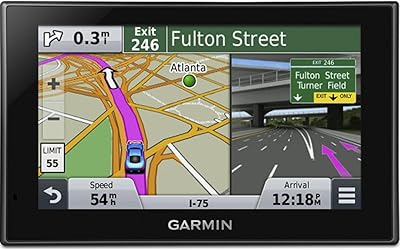
Garmin Nuvi 2539LMT GPS Navigator
84%
91%
Ease of Use
89%
Display Quality
75%
Traffic Update Accuracy
85%
Bluetooth Connectivity
93%
Navigation Accuracy
More
Garmin Nuvi 2689LMT GPS
86%
91%
Ease of Use
94%
Traffic & Map Updates
85%
Bluetooth Connectivity
88%
Voice-Activated Navigation
92%
Display Quality
More
Garmin Drive 53 GPS Navigator
76%
88%
Display Quality
91%
Ease of Use
86%
Navigation Accuracy
41%
Battery Life
63%
Mount & Stability
More
Garmin GPS 18x USB Navigation Receiver
67%
91%
Signal Accuracy
47%
Software Compatibility
78%
Build Quality
63%
Ease of Setup
84%
Long-Term Durability
More
Garmin DriveSmart 55 GPS Navigator
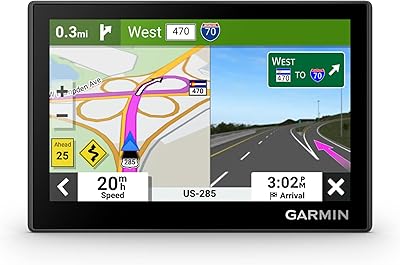
74%
88%
Screen Readability
83%
Routing Accuracy
79%
Live Traffic Updates
91%
Ease of Use
57%
Voice Recognition
More
Garmin eTrex Solar Handheld GPS Navigator
80%
91%
Battery Life
88%
GPS Accuracy
93%
Build Quality
58%
Display Quality
67%
Solar Performance
More
Garmin eTrex 30x Handheld GPS Navigator
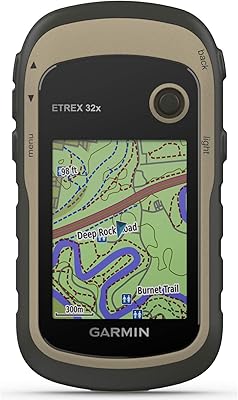
87%
93%
Build Quality & Durability
87%
Battery Life
91%
Ease of Use
75%
Display & Visuals
90%
Mapping & Navigation Features
More
Garmin eTrex SE Handheld GPS Navigator
81%
97%
Battery Life
91%
GPS Accuracy
88%
Build Quality
63%
Display Quality
79%
Ease of Use
More
Garmin DriveSmart 71 EX Car GPS Navigator
79%
83%
Display Clarity & Readability
88%
Navigation Accuracy & Routing
79%
Live Traffic & Rerouting
71%
Voice Assist Usability
74%
Map Update Process
More
Garmin eTrex 32x Handheld GPS Navigator
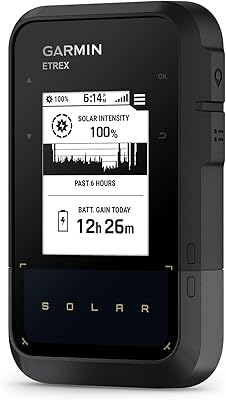
78%
93%
Satellite Performance
91%
Battery Life
88%
Build & Durability
74%
Map Quality & Coverage
89%
Navigation Accuracy
More

FAQ

In most cases, yes — Garmin has continued providing map update files through Garmin Express even for discontinued models, though there is no formal guarantee of how long that support will continue. It is worth checking Garmin's website before purchasing to confirm the nüvi 2455LMT is still listed as a supported device for map downloads.

Yes, the maps already loaded on the device work fine right out of the box without any immediate updates. You only need to connect it to a computer running Garmin Express when you want to download and install newer map versions, which you can do at your own convenience.

Absolutely — that is one of its core strengths. The nüvi 2455LMT stores maps directly on the device and uses GPS satellites for positioning, so it navigates independently of any cellular network or Wi-Fi connection. This makes it particularly reliable in rural areas or places with poor mobile coverage.

No, this model does not include a built-in traffic receiver or any subscription-based live traffic service. If real-time rerouting around accidents and congestion is important to you, this unit will not deliver that — you would need to look at a smartphone app or a higher-tier GPS model that includes an FM traffic receiver.

The process is functional but not always smooth. You download Garmin Express on your computer, plug the unit in via USB, and follow the prompts to check for and install updates. The main complaint from users is that Garmin Express can be slow to recognize the device or stall mid-update, so it helps to use a quality USB cable and be patient with the process.

Yes, the suction cup dashboard mount is removable and straightforward to reattach. Most drivers keep one mount in each car and simply move the unit itself, which takes only a few seconds. The device is compact and light enough to toss in a bag or glove box when not in use.

Roughly two hours on a full charge, which is enough for shorter trips on foot — say, if you park and want to use it while walking around an unfamiliar area. For any extended driving, you will want it connected to power via the included vehicle charger or a USB port.

When you approach a complex highway interchange, the screen temporarily switches from the standard map view to a photographic-style image of that specific junction, showing the actual road layout with your lane highlighted. It is not a live camera — it is a pre-loaded image — but it gives you a much clearer sense of which lane to be in than a standard arrow diagram would.

It depends entirely on your situation. Google Maps is free, has live traffic, and receives frequent updates, so if you have a reliable data connection it is objectively more feature-rich. Where this dedicated GPS unit has a real advantage is offline reliability, no need to drain your phone battery, and a simpler interface for drivers who prefer a dedicated screen. Think of it as a trade-off between connectivity and simplicity, not a clear winner on either side.

It can still be a solid purchase if you find one in good physical condition from a reputable seller. The key things to check are whether the screen is scratch-free and responsive, whether the suction mount is included, and whether the seller confirms it powers on and holds a GPS lock. Buying refurbished from a seller with a return policy adds a layer of protection that private listings do not.