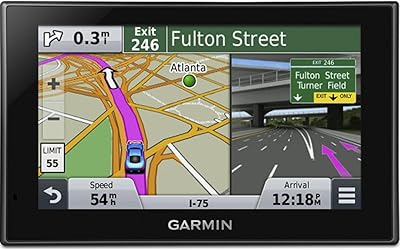
Garmin DriveSmart 61 6.95-inch GPS Navigator
Overview
The Garmin DriveSmart 61 6.95-inch GPS Navigator entered a market already crowded with smartphone apps, and yet it carved out a clear space by offering something your phone simply cannot match: a large, dedicated screen purpose-built for driving. Garmin has spent decades earning trust in the GPS category, and this unit reflects that — sharp maps, reliable routing, and hardware designed to live on your dashboard full-time. It launched in early 2017 and holds up well as a mid-to-premium option for buyers who want a real alternative to phone-based navigation. Just know upfront that its one-hour battery life makes this a plug-it-in device, not a portable one.
Features & Benefits
The 6.95-inch capacitive display is genuinely one of the strongest reasons to choose the DriveSmart 61 over propping up a phone. It stays readable in direct sunlight, responds cleanly to quick or gloved touches, and the 1024x600 resolution keeps map detail crisp. Wi-Fi handles lifetime map updates without needing a laptop, which is a real convenience over older cable-based methods. Live traffic and parking data are available, but only when paired with Garmin's free Smartphone Link app — that dependency is worth knowing before you buy. Voice-activated navigation works well for hands-free destination input, and built-in TripAdvisor and Foursquare access makes finding a gas station or restaurant on a long drive genuinely practical.
Best For
This dedicated GPS unit makes the most sense for a specific kind of driver. If you regularly travel through areas with poor cell coverage — rural highways, mountain passes, or remote stretches — having offline maps that never depend on a data signal is a real advantage over Google Maps. Long-haul road trippers will appreciate the built-in point-of-interest discovery, while older drivers or anyone who finds phone navigation fiddly will likely prefer the straightforward interface here. Delivery professionals and commercial drivers also benefit from a stable, always-mounted screen that keeps their work phone free. If you already own a current smartphone with reliable data, though, the case for buying this Garmin navigator gets harder to make.
User Feedback
Owners consistently praise the screen size and map clarity, with many saying they can read directions far more comfortably than on a phone mount. Setup earns positive marks too — most buyers report being up and navigating within minutes of unboxing. Voice commands draw mostly favorable comments for accuracy. The near-universal complaint, however, is the battery: at roughly one hour of life, this dedicated GPS unit is essentially tied to the power cable, which disappoints users hoping for any portable flexibility. The suction cup mount also draws mixed reactions — fine on most windshields but prone to dropping in extreme heat. Some Android users report Smartphone Link pairing issues, which can affect live traffic reliability.
Pros
- The 6.95-inch capacitive display is large, sharp, and easy to read in direct sunlight without squinting.
- Lifetime North America map updates via Wi-Fi means you are not paying for new maps every year.
- Voice-activated navigation works reliably, letting you set a destination without touching the screen.
- Built-in TripAdvisor and Foursquare access makes finding stops on a road trip genuinely convenient.
- Offline maps mean navigation keeps working even when cell coverage disappears entirely.
- Bluetooth hands-free calling reduces how often drivers need to touch their phone while driving.
- Setup is straightforward — most users are navigating within minutes of mounting the device.
- Smart notifications from your phone appear on screen, so you stay informed without picking up your phone.
- At its price point, the DriveSmart 61 includes a solid bundle: mount, cables, and all essentials in the box.
Cons
- Battery life tops out at roughly one hour, making this device almost unusable without a power cable.
- Live traffic and parking data only work when your smartphone is paired via the Smartphone Link app.
- Some Android users report inconsistent Bluetooth pairing that can disrupt live services mid-trip.
- The suction cup mount can lose grip on windshields in high heat, which is a recurring complaint from owners.
- The device is showing its age in terms of interface responsiveness compared to current smartphone apps.
- No cellular radio built in — all connected features rely entirely on your phone doing the heavy lifting.
- The unit is bulky enough that it can obstruct sightlines on smaller vehicle windshields.
- Wi-Fi map updates, while convenient in theory, can be slow and sometimes require multiple attempts to complete.
Ratings
The scores below were generated by our AI after analyzing thousands of verified global buyer reviews for the Garmin DriveSmart 61 6.95-inch GPS Navigator, with spam, bot activity, and incentivized feedback actively filtered out before scoring. Each category reflects the full spectrum of real-world experience — not just what buyers loved, but where the device genuinely fell short. The result is an honest, balanced snapshot of what to expect before you commit.
Display Quality
Navigation Accuracy
Lifetime Map Updates
Battery Life
Voice Activation
Live Traffic & Parking
Bluetooth & Connectivity
Ease of Setup
POI Discovery
Mount & Hardware Build
Screen Brightness & Sunlight Visibility
Value for Money
Wi-Fi Update Experience
Driver Alert Features
Suitable for:
The Garmin DriveSmart 61 6.95-inch GPS Navigator is a strong fit for drivers who want a reliable, always-ready navigation solution that does not depend on a smartphone's battery, data plan, or signal strength. It is particularly well-suited for road trippers and long-haul drivers who cover stretches of highway where cellular coverage drops out — the offline maps remove that anxiety entirely. Older drivers or anyone who finds phone-based apps overly complicated will appreciate how straightforward this device is to set up and operate day to day. Delivery drivers and commercial vehicle operators also benefit from having a dedicated screen permanently mounted and ready, keeping their personal phone free for other tasks. If you regularly pass through rural areas, travel across state lines, or simply prefer not to burn through your phone's data and battery on navigation, this Garmin navigator is a genuinely practical choice.
Not suitable for:
Buyers expecting to use the Garmin DriveSmart 61 6.95-inch GPS Navigator away from a power source will be immediately frustrated — the one-hour battery life means the device is effectively tethered to your car's power outlet at all times. If you already own a current smartphone with a reliable data plan and are comfortable with Google Maps or Waze, the case for spending money on a separate dedicated unit is honestly hard to justify. Drivers who want live traffic and parking data without any extra steps should also know that those features require pairing with Garmin's Smartphone Link app, meaning your phone still needs to be present and connected. Users on Android who have experienced Bluetooth pairing headaches with other Garmin devices may run into similar frustrations here. And if you drive primarily in urban areas with strong signal and good cell coverage, the offline map advantage simply does not come into play enough to make a meaningful difference.
Specifications
- Screen Size: The display measures 6.95 inches diagonally, making it one of the larger screens available in a consumer GPS navigator.
- Resolution: The capacitive touchscreen renders at 1024 x 600 pixels, delivering clear map detail and readable text at a glance.
- Touchscreen Type: A capacitive touchscreen panel responds accurately to light finger taps, similar in feel to a modern smartphone display.
- Map Coverage: Detailed maps of North America are pre-loaded and eligible for free lifetime updates delivered over Wi-Fi.
- Connectivity: The device connects via Bluetooth and Wi-Fi, supporting hands-free calling, smart notifications, and wireless map updates.
- Live Services: Real-time traffic and select live parking data are available when the device is paired with the free Garmin Smartphone Link app on a compatible phone.
- Voice Control: Built-in voice activation allows drivers to input destinations and issue basic navigation commands without touching the screen.
- Battery Type: An internal rechargeable lithium polymer battery powers the device when disconnected from vehicle power.
- Battery Life: On a full charge, the internal battery lasts approximately one hour before requiring a power source.
- Dimensions: The unit measures 0.7 x 6.8 x 3.9 inches, keeping the profile relatively slim for a device of this screen size.
- Weight: At 9.5 ounces, the DriveSmart 61 is light enough for a standard suction cup mount without strain on most windshields.
- POI Integration: TripAdvisor and Foursquare databases are built into the device, allowing drivers to browse rated restaurants, hotels, and attractions directly on screen.
- Bluetooth Calling: Hands-free phone calls can be made and received through the device when paired with a Bluetooth-enabled smartphone.
- Notifications: Smart notifications from a paired smartphone — including texts and app alerts — can be displayed on the navigator screen.
- Mount Type: The included mount uses a suction cup design for attachment to the vehicle windshield or dashboard.
- In-Box Contents: The package includes the navigator unit, a USB cable, a vehicle power cable, a suction cup mount, and a printed quick start manual.
- Map Updates: Map and software updates are downloaded and installed wirelessly over a Wi-Fi connection, eliminating the need to connect to a computer.
- Audio Output: The device produces monophonic audio output for turn-by-turn voice directions and call audio.
Related Reviews
Garmin DriveSmart 55 GPS Navigator
Garmin DriveSmart 71 EX Car GPS Navigator
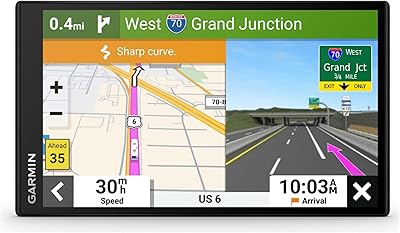
Garmin RV 795 7-Inch GPS Navigator
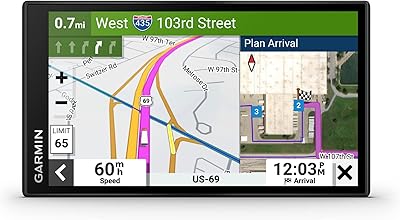
Garmin dezl OTR610
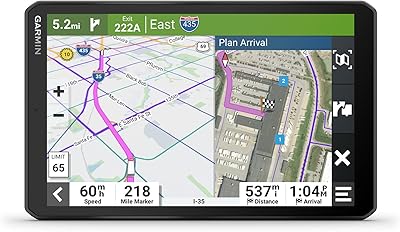
Garmin dezl OTR810 Truck GPS Navigator
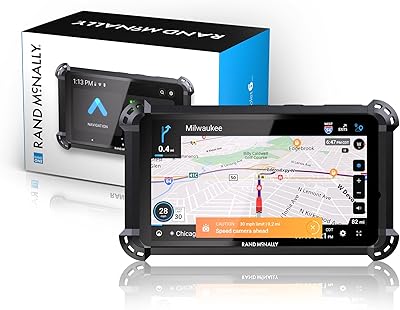
Rand McNally RandTab 6 GPS Truck Navigator
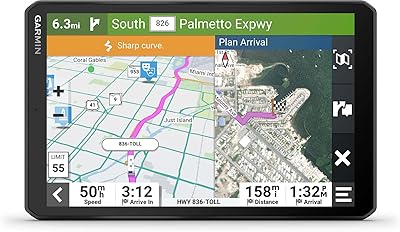
Garmin RV 895 8″ GPS Navigator
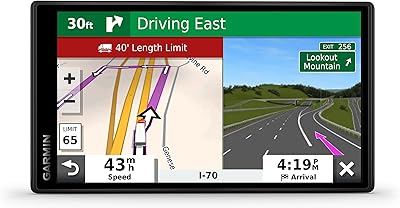
Garmin Dezl OTR500 5.5-inch Truck GPS Navigator
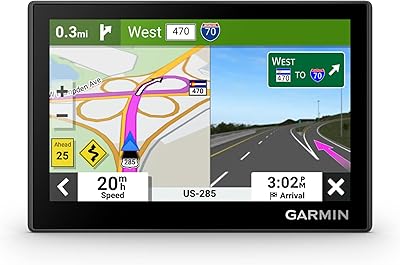
Garmin Drive 53 GPS Navigator