Overview

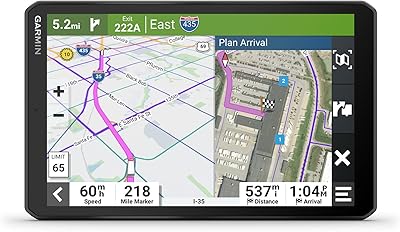
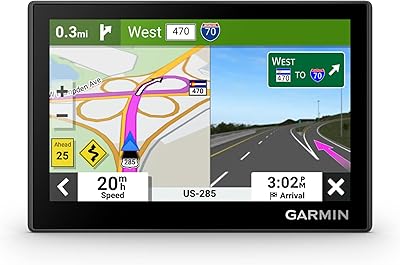
The Garmin RV 795 7-Inch GPS Navigator is built from the ground up for large vehicles — not a car navigator shoehorned into an RV mount. Garmin has long been a trusted name in dedicated navigation, and this unit reflects that pedigree. The 7-inch touchscreen is genuinely easy to read at a glance while driving, which matters when you are behind the wheel of a 30-foot motorhome. Map coverage spans the full breadth of North America, including the U.S., Canada, Mexico, and several island territories. This is a premium device aimed squarely at serious RVers and full-timers who expect dependable, purpose-built navigation — not a casual weekend purchase.

Features & Benefits

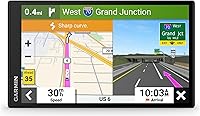
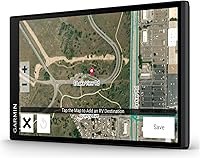
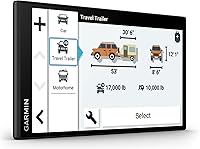
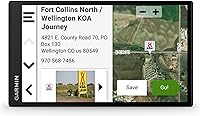
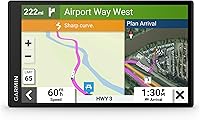
What sets this RV navigator apart from a standard GPS is how seriously it addresses the real challenges of driving a large rig. Enter your vehicle height, weight, and length, and the routing engine works to steer you clear of low overpasses and weight-restricted roads — though, as with any GPS, always follow posted signs and actual road conditions. The preloaded campground database covers KOA, national parks, and thousands of additional sites, saving real planning time on the road. BirdsEye Satellite Imagery lets you visually preview a campground layout before you pull in. Road hazard warnings for steep grades and sharp curves round out a feature set built with big-rig drivers in mind.

Best For

This dedicated RV GPS suits people who spend real time on the road in a substantial rig — Class A, B, or C motorhomes, fifth-wheels, and travel trailers all benefit from its vehicle-specific routing. If you regularly explore national parks, rural campgrounds, or areas where cell service gets unreliable, the onboard database and offline maps make a meaningful difference. It also works well for drivers who want a dedicated navigation screen rather than relying on a phone app never designed for large, heavy vehicles. Casual weekend campers with smaller setups may find the investment harder to justify compared to simpler alternatives.

User Feedback

Owners consistently praise the screen clarity and brightness, noting it stays readable in direct sunlight across long driving days. The RV-specific routing earns solid marks too, with many reporting it handles bridge clearances and restricted roads noticeably better than general-purpose mapping apps. On the other side, some buyers flag uncertainty around long-term map update costs and what is included after purchase. The suction cup mount draws mixed opinions — a handful of users report it struggling to hold the heavier unit securely on warm windshields. Battery life away from vehicle power is limited to roughly an hour, so treat this as a dash-mounted device rather than a portable one.

Pros

  • Purpose-built RV routing accounts for vehicle height, weight, and length to help avoid hazardous roads
  • The large 7-inch touchscreen is genuinely easy to read at a glance, even in bright sunlight
  • Preloaded campground database covers KOA, national parks, and thousands of additional RV-friendly stops
  • BirdsEye Satellite Imagery lets you visually scout a campground layout before you ever pull in
  • Road hazard warnings for steep grades, sharp curves, and weight limits add a meaningful safety layer
  • Works reliably in rural and remote areas where smartphone cellular coverage is unreliable or absent
  • Garmin Drive app integration surfaces travel plaza loyalty points at participating providers like Pilot
  • North America map coverage is broad and included out of the box with no immediate extra purchase required
  • Scenic and roadtrip route suggestions add practical value for travelers who enjoy spontaneous detours

Cons

  • Internal battery lasts only about one hour, making it entirely dependent on vehicle power for real use
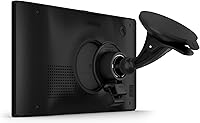
  • The suction cup mount can struggle to hold the heavier unit securely on warm or curved windshields
  • Map update costs and long-term update availability are not always clearly communicated upfront
  • Custom RV routing is a helpful tool but not infallible — posted road signs must always take final priority
  • The price point is a significant commitment that casual or occasional campers may struggle to justify
  • No offline fallback app or companion tablet mode if the unit needs to be used outside the vehicle
  • Foursquare and Tripadvisor POI data can feel inconsistent in very rural or less-traveled areas
  • Setup requires correctly entering your RV profile, and skipping this step undercuts the core routing value
  • Bluetooth connectivity is present but limited in scope compared to more connected smart navigation platforms

Ratings

The Garmin RV 795 7-Inch GPS Navigator earns strong marks overall among dedicated RV users, and the scores below reflect what real buyers actually experience on the road — not marketing claims. Our AI rating system analyzed verified global user reviews, actively filtering out incentivized, duplicate, and bot-generated feedback to surface genuine sentiment. Both the standout strengths and the recurring frustrations are represented transparently across each category.

Screen Clarity
91%
Owners consistently single out the display as one of the best they have used in a dedicated GPS unit. The brightness holds up well in direct sunlight through a large windshield, and the 1024 x 600 resolution keeps map text legible even at highway speeds when a quick glance is all you have.
A small number of users note that glare can be an issue depending on windshield angle and time of day, particularly in low-sun morning or late-afternoon driving conditions. Anti-glare screen protectors have become a common workaround mentioned in reviews.
RV-Specific Routing
83%
The ability to enter your rig's height, weight, and length and have the device actively route around low bridges and restricted roads is the feature that wins the most loyalty among Class A and fifth-wheel owners. Many reviewers report catching hazards they would have missed entirely using a generic app.
Routing is not infallible, and a handful of users have encountered suggestions that still directed them toward roads with restrictions their profile should have flagged. As with any GPS, posted signage must always take final priority, and this unit is no exception.
Campground Database
86%
Having KOA locations, national parks, and thousands of independent campground listings built right into the device — no data connection required — is a meaningful advantage when you are deep in rural territory. The breadth of the directory regularly surprises users who expected only major chain coverage.
Like any static database, the listings can fall behind real-world changes, including closures, new facilities, or updated amenities. Users in rapidly developing outdoor recreation regions occasionally flag entries that are out of date between Garmin's update cycles.
Value for Money
72%
28%
For full-timers and serious long-haul travelers who depend on reliable, RV-tailored navigation daily, the investment tends to pay for itself quickly in avoided hazards and saved planning time. The breadth of included features — maps, campground data, BirdsEye imagery — reduces the need for separate subscriptions or apps.
Casual campers or those with smaller, lighter trailers often question whether the price premium over a capable smartphone app is truly justified for their level of use. Uncertainty around long-term map update costs also makes some buyers hesitant before committing.
Ease of Setup
84%
First-time users generally report the initial setup as intuitive, with the vehicle profile entry process being well guided by on-screen prompts. Most people have the unit mounted, their RV dimensions entered, and a route running within the first 20 to 30 minutes out of the box.
The one area that trips users up is accurately entering all vehicle profile dimensions — those who skip this step or estimate loosely find the RV-specific routing loses most of its value. The manual could do a better job emphasizing how critical that step is.
Map Coverage
88%
The included North America coverage is genuinely broad, extending beyond the continental U.S. to Canada, Mexico, Puerto Rico, and several island territories. Travelers who frequent the Mexican coast or Canadian Rockies appreciate not needing to purchase separate regional maps.
Coverage quality in very remote or rural Mexican and Caribbean regions can feel thinner than in the U.S. and Canada, with some roads not reflected accurately. A small number of cross-border users report the transition between country map databases is occasionally rough.
Mount Stability
61%
39%
In moderate climates and on flat windshields, the included suction cup mount holds the unit firmly through highway driving and the vibration that comes with large-vehicle travel. Many users go months without needing to reattach it under normal conditions.
Hot-weather driving and curved or treated windshields are where the mount earns its complaints — multiple users report the heavier unit pulling free during summer trips in southern states. Aftermarket mounting solutions have become almost a standard recommendation in enthusiast forums for this reason.
BirdsEye Satellite Imagery
78%
22%
Being able to pull up an aerial view of a campground before pulling a 35-foot rig through the entrance is a legitimately useful feature, and users who discover it tend to use it on nearly every new stop. It reduces the anxiety of arriving at an unfamiliar site in fading daylight.
Image recency and resolution vary noticeably by location, and newer campgrounds or recently expanded facilities may not yet be reflected in the imagery. Users in areas with older satellite data sometimes find the view less useful than expected.
Battery Life
38%
62%
The internal battery is sufficient for brief use away from vehicle power — moving the unit between vehicles or checking a route before getting in, for example — and it does the job for those limited scenarios without complaint.
One hour of battery life is a hard ceiling that effectively makes this a permanently tethered device for any real navigation use. Users hoping to use it portably, even for short walks to scout a campground entry point, quickly find it impractical without vehicle power.
App Integration
74%
26%
The Garmin Drive app pairing adds a layer of utility beyond basic navigation, particularly the travel plaza loyalty point tracking at Pilot and similar providers that long-haul drivers already use regularly. It is a thoughtful addition that fits how full-timers actually travel.
The integration is narrower than some buyers expect — it is not a full smart connectivity suite, and users coming from more app-connected navigation platforms may find the Bluetooth functionality feels limited in scope. Loyalty point coverage is also restricted to participating providers.
Road Hazard Alerts
81%
19%
Steep grade warnings and sharp curve alerts arrive with enough lead time to be genuinely useful when you are managing the momentum of a heavy rig. Drivers descending unfamiliar mountain grades in particular report appreciating the advance notice these alerts provide.
Alert frequency can occasionally feel excessive on certain routes, with some users noting that warnings fire on grades or curves that a larger modern RV handles without difficulty. There is no obvious way to calibrate alert sensitivity to your specific driving comfort level.
POI Accuracy
69%
31%
The Foursquare and Tripadvisor-sourced points of interest add genuine variety to trip planning, helping travelers discover fuel stops, restaurants, and attractions that sit just off their planned route without requiring a phone search.
POI data quality drops noticeably in less-trafficked rural corridors, where listings can be sparse, outdated, or simply missing. Users exploring genuinely off-the-beaten-path destinations often supplement the unit with phone-based searches for local options.
Software & Updates
66%
34%
Garmin Express makes the update process reasonably straightforward for users comfortable connecting a GPS to a computer, and map updates have historically been reliable in correcting road changes and adding new campground listings over time.
The update process requires a computer and a wired connection, which is an inconvenience for users who manage most of their tech wirelessly. Questions about the long-term update policy and what remains free versus paid linger in buyer communities and are not always clearly answered upfront.

Suitable for:

The Garmin RV 795 7-Inch GPS Navigator was built for people who take RV travel seriously, and it shows. Full-time RVers and frequent long-haul travelers will get the most out of it, particularly those piloting larger rigs like Class A motorhomes, fifth-wheels, or travel trailers where a wrong turn under a low bridge is not just an inconvenience — it is a real safety issue. The ability to input your vehicle's height, weight, and length for customized routing is the kind of feature that genuinely earns its keep on unfamiliar roads. Travelers who frequently visit national parks, remote campgrounds, or areas with spotty cellular coverage will also appreciate having a self-contained device with a preloaded database of thousands of RV-friendly stops. If you want a large, readable screen mounted on your dash without fussing with phone mounts, data plans, or apps that were never designed with a 40-foot rig in mind, this navigator is a logical fit.

Not suitable for:

The Garmin RV 795 7-Inch GPS Navigator is a purposeful, premium device, and that means it is not the right call for everyone. Casual campers who take a small pop-up trailer out a few weekends a year will likely find the investment hard to justify when a capable smartphone app can handle lighter-duty needs at a fraction of the cost. Buyers hoping for a device that doubles as a versatile portable GPS away from the vehicle will run into the roughly one-hour internal battery, which essentially ties it to dashboard use. Those who expect fully hands-off routing accuracy should also temper expectations — no GPS perfectly accounts for every road condition or local restriction, and posted signage should always take priority. If long-term software and map update costs are a concern, it is worth researching Garmin's current update policies before committing, as some users have found ongoing costs less transparent than expected.

Specifications

  • Screen Size: The unit features a 6.95″ touchscreen display designed for clear visibility from the driver's seat of a large vehicle.
  • Resolution: The display renders at 1024 x 600 pixels, providing sharp map detail and readable text at a glance while driving.
  • Dimensions: The device measures 7 x 4.2 x 0.8 inches, keeping the dashboard footprint manageable despite the large screen.
  • Weight: At 8.5 ounces, the unit is light enough for dash mounting but heavy enough that mount quality matters.
  • Battery Life: The internal lithium-ion battery provides approximately one hour of use, making vehicle power the primary and practical power source.
  • Connectivity: Bluetooth connectivity enables pairing with the Garmin Drive app for additional features including travel plaza loyalty point tracking.
  • Map Coverage: Preloaded maps cover the U.S., Canada, Mexico, Puerto Rico, U.S. Virgin Islands, Cayman Islands, and the Bahamas.
  • RV Routing: Custom routing accepts user-entered vehicle height, weight, and length to help calculate roads suitable for large rigs.
  • Campground Data: The onboard directory includes RV parks, KOA locations, U.S. national parks, Ultimate Public Campgrounds, and PlanRV listings.
  • Satellite Imagery: BirdsEye Satellite Imagery is included, offering aerial views to help drivers preview campground layouts before arrival.
  • Road Warnings: The device issues alerts for steep grades, sharp curves, and weight-restricted or height-restricted roads along the route.
  • Points of Interest: POI data is sourced from Foursquare and Tripadvisor, covering millions of locations across North America.
  • In the Box: The package includes the RV 795 unit, a vehicle suction cup mount, a traffic receiver with vehicle power cable, a CLA adapter, and documentation.
  • Audio Output: The device supports stereo audio output for spoken turn-by-turn directions audible over road noise in a large cab.
  • Power Input: The unit is designed to run from vehicle power via the included CLA adapter and traffic receiver cable during normal use.

Related Reviews
Garmin RV 895 RV GPS Navigator 8-inch
85%
93%
Custom Routing for RVs
88%
Touchscreen Display
67%
Battery Life
90%
Satellite Imagery
85%
Ease of Use
More
Glaury J701 7-inch Car GPS Navigator
70%
71%
Navigation Accuracy
83%
Screen Clarity & Readability
74%
Voice Guidance Quality
67%
Map Coverage & Freshness
79%
Vehicle Profile Customization
More
Garmin dēzlCam OTR710 7” GPS Truck Navigator
82%
78%
Routing Accuracy
90%
Ease of Use
88%
Display Quality
85%
Dash Cam Functionality
70%
GPS Performance in Remote Areas
More
Garmin dezl OTR810 8-inch GPS Navigator
87%
94%
Routing Accuracy
91%
Display Clarity
88%
Ease of Use
89%
Truck-Specific Features
85%
PrePass Integration
More
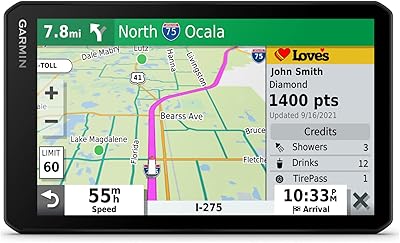
Garmin Dezl OTR500 5.5-inch Truck GPS Navigator
75%
91%
Truck Routing Accuracy
88%
Display Quality
74%
PrePass Integration
72%
Load-to-Dock Guidance
69%
Ease of Setup
More
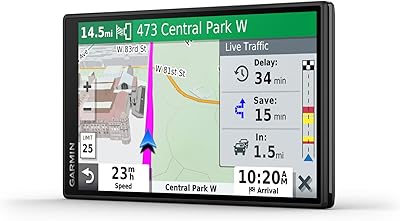
Garmin DriveSmart 55 GPS Navigator
74%
88%
Screen Readability
83%
Routing Accuracy
79%
Live Traffic Updates
91%
Ease of Use
57%
Voice Recognition
More
Garmin Nuvi 2539LMT GPS Navigator
84%
91%
Ease of Use
89%
Display Quality
75%
Traffic Update Accuracy
85%
Bluetooth Connectivity
93%
Navigation Accuracy
More
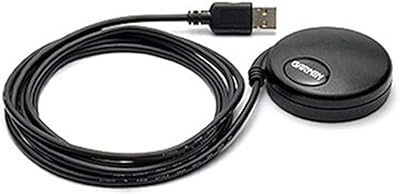
Garmin GPS 18x USB Navigation Receiver
67%
91%
Signal Accuracy
47%
Software Compatibility
78%
Build Quality
63%
Ease of Setup
84%
Long-Term Durability
More
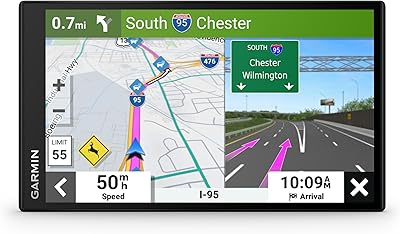
Garmin Drive 53 GPS Navigator
76%
88%
Display Quality
91%
Ease of Use
86%
Navigation Accuracy
41%
Battery Life
63%
Mount & Stability
More
Garmin DriveSmart 71 EX Car GPS Navigator
79%
83%
Display Clarity & Readability
88%
Navigation Accuracy & Routing
79%
Live Traffic & Rerouting
71%
Voice Assist Usability
74%
Map Update Process
More

FAQ

Garmin offers lifetime map updates for North America on this unit, though it is worth confirming the current terms directly with Garmin before purchase, as policies can change. Updates are downloaded via a computer using the Garmin Express software and then transferred to the device.

You enter your rig's height, weight, length, and width into the vehicle profile, and the navigator uses that data to calculate routes that try to avoid low bridges, weight-restricted roads, and other hazards. That said, no GPS is perfect — always defer to posted road signs and your own judgment, especially in unfamiliar areas.

It works well in most conditions, but some users report that on hot days or curved windshields, the suction cup can lose its grip over time. A number of owners invest in a third-party mount for added security, especially if they drive in consistently warm climates.

Not really in any practical sense. The internal battery lasts only about an hour, so it is designed to run off vehicle power. It is a dedicated dash-mounted navigator, not a portable multi-use device.

It works for both. You can enter the profile for a travel trailer or fifth-wheel, including the combined length and loaded weight, and the routing engine accounts for that. It is equally useful whether you are towing or driving a self-contained motorhome.

Yes, and that is one of its key strengths. The maps, campground directory, and routing are all stored onboard, so you do not need a data connection to navigate. Cellular is only needed if you want live traffic updates or Garmin Drive app features.

BirdsEye imagery is preloaded and does not require a live internet connection for basic use. Coverage is extensive across North America, though image resolution and recency can vary depending on the specific location you are viewing.

The unit connects via Bluetooth primarily for Garmin Drive app integration rather than full hands-free calling functionality. If hands-free calling is a priority, check Garmin's current feature list, as Bluetooth capabilities on this model are more focused on app connectivity than phone call management.

The preloaded directory is comprehensive, covering KOA, national parks, and thousands of independent sites, but no static database stays perfectly current. Garmin pushes directory updates alongside map updates, so keeping the device updated via Garmin Express helps ensure the listings stay as accurate as possible.

Setup is fairly straightforward — mount the unit, power it on, and walk through the vehicle profile setup. The most important step is accurately entering your RV dimensions, since that directly affects routing quality. Garmin's interface is designed for drivers rather than tech enthusiasts, so most people find it intuitive within the first trip.

Where to Buy